
Dometic ProSafe MD283 Manuale utente
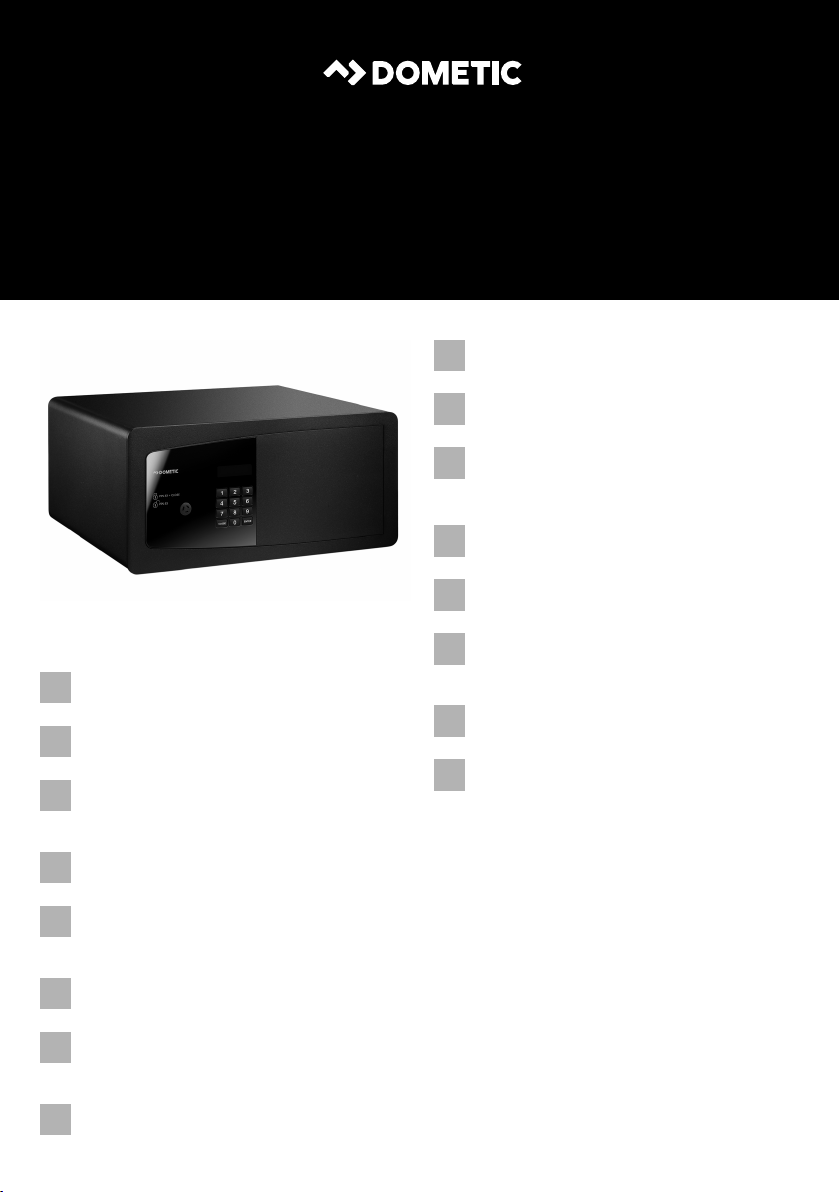
MD283, MD363, MD383,
MD408, MD493
Electronic safe for hotels
Installation and Operating Manual. . . . . . . .5
Elektronischer Hotelsafe
Montage- und Bedienungsanleitung . . . . .33
Coffre-fort électronique pour hôtels
Instructions de montage
et de service . . . . . . . . . . . . . . . . . . . . . . . . . 61
Caja fuerte electrónica para hoteles
Instrucciones de montaje y de uso . . . . . . .89
Cofre eletrónico para hotéis
Instruções de montagem e manual de
instruções . . . . . . . . . . . . . . . . . . . . . . . . . . 117
Cassaforte elettronica per hotel
Istruzioni di montaggio e d’uso . . . . . . . .145
Elektronische kluis voor hotels
Montagehandleiding en
gebruiksaanwijzing . . . . . . . . . . . . . . . . . . 173
Elektronisk safe til hoteller
Monterings- og betjeningsvejledning . . .201
Elektroniskt kassaskåp för hotell
Monterings- och bruksanvisning . . . . . . .229
Elektronisk safe for hoteller
Monterings- og bruksanvisning. . . . . . . . 257
Elektroninen tallelokero
hotellikäyttöön
Asennus- ja käyttöohje . . . . . . . . . . . . . . . 285
Электронные сейфы для отелей
Инструкция по монтажу и эксплуатации 313
Elektroniczny sejf dla hoteli
Instrukcja montażu i obsługi. . . . . . . . . . . 341
Elektronický trezor pre hotely
Návod na montáž a uvedenie
do prevádzky. . . . . . . . . . . . . . . . . . . . . . . 369
Elektronický trezor pro hotel
Návod k montáži a obsluze . . . . . . . . . . . 397
Elektronikus hotelszéfek
Szerelési és használati útmutató . . . . . . . 425
EN
DE
FR
ES
PT
IT
NL
DA
SV
NO
FI
RU
PL
SK
CS
HU
SAFETY SOLUTIONS
PROSAFE
MD-IO-16s.book Seite 1 Freitag, 4. August 2017 9:25 09

proSafe
3
1234
CLOSE ENTER
PIN 4X
PIN 4X + CLOSE
1
2
3
4
5
6
7
1
Ø 10
L1L1 L2
H
H
2
Ø10
Ø4,2
L4L4 L3
L1L2L1
P
P
3
MD-IO-16s.book Seite 3 Freitag, 4. August 2017 9:25 09

proSafe
4
CLOSE ENTER
PIN 4X
PIN 4X + CLOSE
4
3
2
1
5
2
1
3
6
MD-IO-16s.book Seite 4 Freitag, 4. August 2017 9:25 09

EN
proSafe
5
Please read this instruction manual carefully before installation and first
use, and store it in a safe place. If you pass on the product to another
person, hand over this instruction manual along with it.
Table of contents
1 Explanation of symbols. . . . . . . . . . . . . . . . . . . . . . . . . . . . . . . . . . . . . . . . . . .6
2 Safety instructions . . . . . . . . . . . . . . . . . . . . . . . . . . . . . . . . . . . . . . . . . . . . . . .6
3 Scope of delivery . . . . . . . . . . . . . . . . . . . . . . . . . . . . . . . . . . . . . . . . . . . . . . .7
4 Accessories . . . . . . . . . . . . . . . . . . . . . . . . . . . . . . . . . . . . . . . . . . . . . . . . . . . .7
5 Intended use . . . . . . . . . . . . . . . . . . . . . . . . . . . . . . . . . . . . . . . . . . . . . . . . . . .7
6 Technical description . . . . . . . . . . . . . . . . . . . . . . . . . . . . . . . . . . . . . . . . . . . .8
7 Installing safe . . . . . . . . . . . . . . . . . . . . . . . . . . . . . . . . . . . . . . . . . . . . . . . . . . .9
8 Using the safe . . . . . . . . . . . . . . . . . . . . . . . . . . . . . . . . . . . . . . . . . . . . . . . . . 11
9 Replacing the batteries . . . . . . . . . . . . . . . . . . . . . . . . . . . . . . . . . . . . . . . . . 27
10 Display messages . . . . . . . . . . . . . . . . . . . . . . . . . . . . . . . . . . . . . . . . . . . . . 28
11 Troubleshooting . . . . . . . . . . . . . . . . . . . . . . . . . . . . . . . . . . . . . . . . . . . . . . 29
12 Maintaining and cleaning the safe . . . . . . . . . . . . . . . . . . . . . . . . . . . . . . . . .31
13 Warranty . . . . . . . . . . . . . . . . . . . . . . . . . . . . . . . . . . . . . . . . . . . . . . . . . . . . .31
14 Disposal . . . . . . . . . . . . . . . . . . . . . . . . . . . . . . . . . . . . . . . . . . . . . . . . . . . . . .31
15 Technical data . . . . . . . . . . . . . . . . . . . . . . . . . . . . . . . . . . . . . . . . . . . . . . . . 32
MD-IO-16s.book Seite 5 Freitag, 4. August 2017 9:25 09

EN
Explanation of symbols proSafe
6
1 Explanation of symbols
!
!
A
I
2 Safety instructions
The manufacturer accepts no liability for damage in the following cases:
•Damage to the product resulting from mechanical influences
•Alterations to the product without express permission from the manufacturer
•Use for purposes other than those described in the operating manual
!WARNING!
•This device can be used by childrenaged 8 years or over, as well as by
persons with diminished physical, sensory or mental capacities or a
lack of experience and knowledge, providing they are supervised, or
have been taught how to use the device safely and are aware of the
resulting risks.
•Only use the product as intended.
•Do not make any modifications or alterations to the product.
ANOTICE!
•No unauthorised persons should have access to the master key and
the master code. Store the master key very carefully in a safe location.
WARNING!
Safety instruction: Failure to observe this instruction can cause fatal or
serious injury.
CAUTION!
Safety instruction: Failure to observe this instruction can lead to injury.
NOTICE!
Failure to observe this instruction can cause material damage and impair
the function of the product.
NOTE
Supplementary information for operating the product.
MD-IO-16s.book Seite 6 Freitag, 4. August 2017 9:25 09

EN
proSafe Scope of delivery
7
3Scopeofdelivery
•Safe
•Knob key (delivered separately)
•Master key (delivered separately)
•Installation and operating manual (on request)
I
4Accessories
Available as accessories (not included in the scope of delivery):
5 Intended use
Dometic proSafe is a hotel safe in which guests can securely lock away their
valuables.
NOTE
Knob key and master key will be delivered separately.
Description Ref. no.
Fixing kit 9106601492
MD-IO-16s.book Seite 7 Freitag, 4. August 2017 9:25 09

EN
Technical description proSafe
8
6 Technical description
The control panel has a display and a key pad for entering the code. A master key and
a master code are available for opening in an emergency.
The model can be identified from the type plate.
The optional remote emergency opening system (R.E.O.S.) allows functions to be
used such as transmission of the entry code via a website.
As an option the safe can be delivered with a socket fitted on the inside.
6.1 Control elements
No. in
fig. 1,
page 3
Description
1 Display
2Numberkeys
3ENTER button Confirms the code entered
4CLOSE button •Closes the safe after code is entered
•Cancels the code entered
5 Lock for master key (behind cover)
6 Locking mechanism cover
7 Socket (optional) (hidden)
MD-IO-16s.book Seite 8 Freitag, 4. August 2017 9:25 09

EN
proSafe Installing safe
9
7 Installing safe
7.1 Notes on installation
A
Follow the instructions when installing.
•Carefully check the safe for damage once you have removed it from the
packaging. If there is visible damage, contact the manufacturer (see back for
addresses).
•Install the safe on a flat and even surface.
•Select a location for installation which is a sufficient distance from heat sources
(e.g. radiators). Avoid installing in locations with temperatures of under 0 °C and
over 45 °C.
•Avoid damp ambient conditions (e.g in the bathroom and swimming pool) in
order to avoid condensation forming in the device.
•Select a fastening material (screws with plugs, if necessary) which is appropriate
for the base.
•For safes with sockets (optional), ensure that they are located close to a socket to
which the safe can be attached.
•For safes with sockets (optional) there must be a clearance of 20 mm at the back
for the connection cable.
NOTICE!
The safe must only be installed by qualified specialists.
MD-IO-16s.book Seite 9 Freitag, 4. August 2017 9:25 09

EN
Installing safe proSafe
10
7.2 Attaching the safe
➤Select a suitable installation location.
➤Select an appropriate method for installation (attachment on the rear or on the
underside).
➤Mark the drill holes according to the table below:
Drilling on the rear (fig. 2, page 3)
Drilling on the underside (fig. 3, page 3)
➤Pre-drill the hole in the mounting location (e.g. in the wall or cupboard).
➤Attach the safe with a suitable fastening material.
➤Only for safes with an optional interior socket: Plug the connection cable into the
socket.
Model MD283 MD363 MD383 MD408 MD493
H 82.5 mm 95 mm 95 mm 95 mm 94 mm
L1 35 mm 75 mm 85 mm 97.5 mm 140 mm
L2 210 mm 210 mm 210 mm 210 mm 210 mm
Model MD283 MD363 MD383 MD408 MD493
L1 35 mm 75 mm 85 mm 97.5 mm 140 mm
L2 210 mm 210 mm 210 mm 210 mm 210 mm
L3–––378mm463mm
L4 – – – 13.5 mm 13.5 mm
P 117.5 mm 205 mm 225 mm 175 mm 185 mm
MD-IO-16s.book Seite 10 Freitag, 4. August 2017 9:25 09

EN
proSafe Using the safe
11
8 Using the safe
8.1 Operating functions for guests
Closing the safe
➤Enter a four digit code.
➤Press the CLOSE button.
✓CLOSED appears on the display.
Opening the safe
➤Enter the correct four digit code.
✓The code entered is shown in the display.
✓The safe will open.
✓OPEN appears on the display.
INOTE
If an incorrect code is entered, the message ERROR appears on the dis-
play.
After five incorrect attempts, the safe will remain blocked for six minutes
and no further entries are possible. As soon as a button is pressed, the
message ERROR5 appears on the display.
PIN 4X CLOSE
PIN 4X
MD-IO-16s.book Seite 11 Freitag, 4. August 2017 9:25 09
Questo manuale è adatto per i seguenti modelli
4
Indice
Altri manuali Dometic Sicuro




Manuali Sicuro popolari di altre marche


Honeywell
Honeywell 2077D - 1.21 Cubic Foot Anti-Theft Safe Manuale utente

Hornady
Hornady SnapSafe Trunk Safe II Manuale utente

SPORTS AFIELD
SPORTS AFIELD SA-HD5-BIO Manuale utente

Honeywell
Honeywell 5912 Manuale utente

Phoenix
Phoenix FS1280F Manuale utente

Phoenix
Phoenix SS0992K Scheda informativa del prodotto


