
EuroWorldNetwork HD2011IR Manuale utente
Contents | 1
2 |
HD2011IR User Manual
Notice
This manual can help you to become familiar with the many great features of our high definition
digital Satellite receiver, as well as how to use and operate these functions of our receiver. All the
safety and operating instructions should be read before the receiver is operated. Please keep the
manual in a safe place so that it can be easily referred to later.
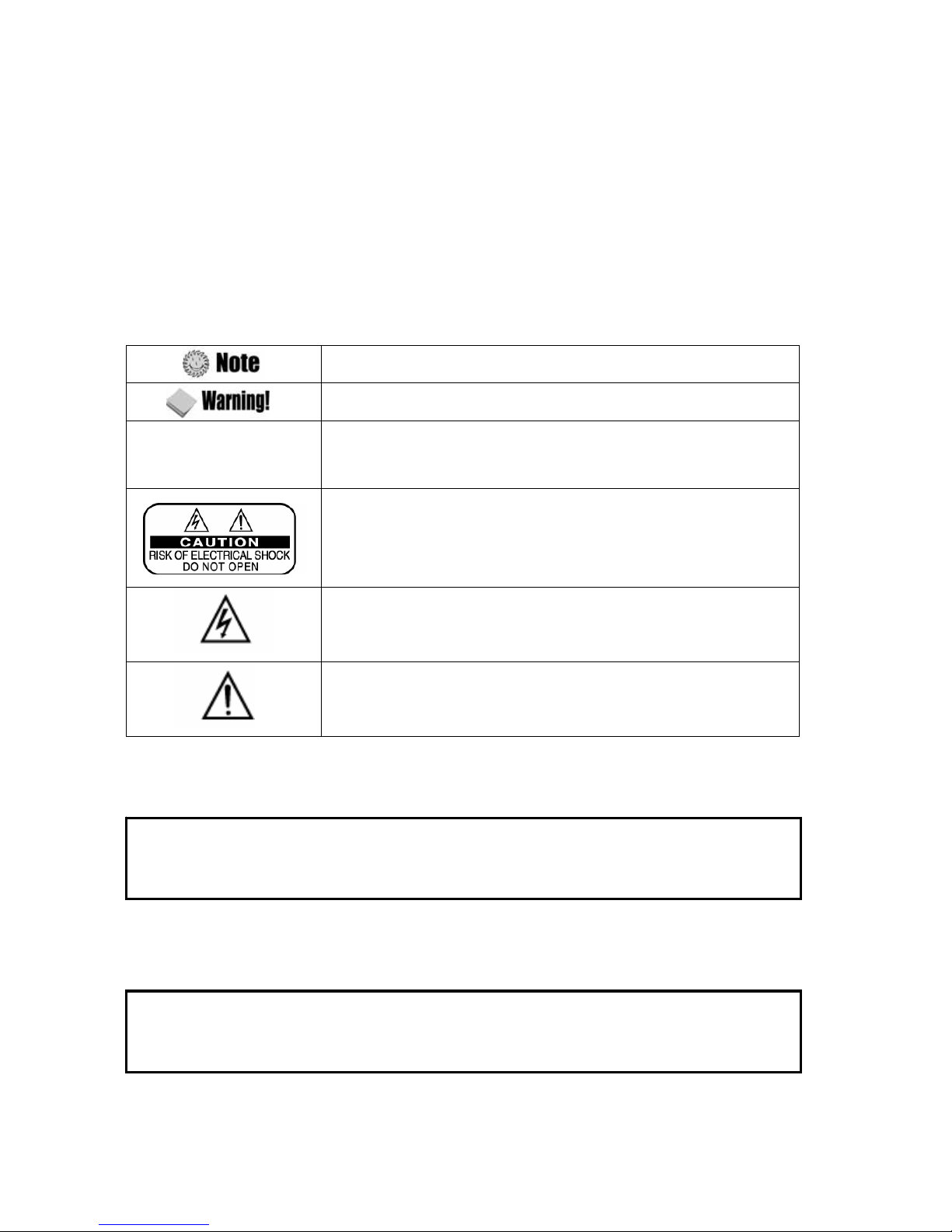
The following symbols will serve as follows:
Indicates any other additional important or helpful information.
Indicates warning information.
“MENU”
(Double quotation marks) Indicates a button on the remote control or the receiver.
To reduce the risk of electric shock, do not remove the receiver cover
(or back). No user serviceable parts inside. Refer all servicing needs
to your supplier or to a qualified service technician.
Indicates dangerous voltage inside the product that presents a risk of
electric shock or personal injury.
Indicates important-operating and maintenance instructions
accompanying the product.
HDMI, the HDMI Logo and High-Definition Multimedia Interface are trademarks or
registered trademarks of HDMI Licensing LLC.
Manufactured under license from Dolby Laboratories.
“Dolby” and the double-D symbol are trademarks of Dolby Laboratories.
HD2011IR
User Manual |
3
Safety and Precautions Attention when installing
the receiver
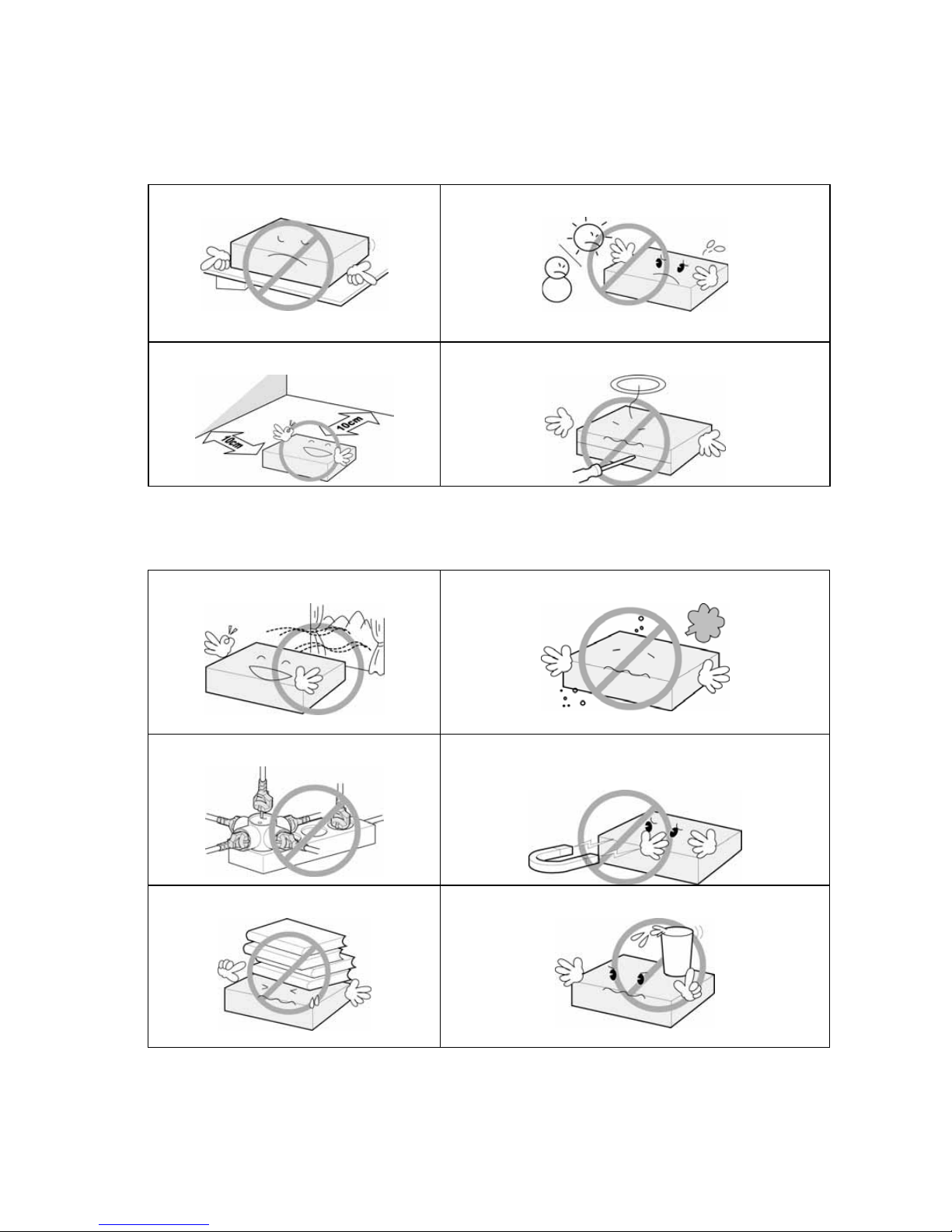
Install on an even plane.
Don’t install in the cold or under direct sunlight.
Leave a minimum 10cm gap all around the product.
Don’t disassemble, repair or reorganize the product.
Use and care of the receiver
Place the product in a well-ventilated area.
Place the product where dust and other materials do not build up.
Don’t plug in with several other power plugs.
Don’t place the product where there are extreme vibrations or near magnetic
forces.
Don’t place objects on top of the product.
Don’t place cups that hold water or other liquids on top of the product.
“ The main plug is used to disconnect the device. The disconnected device shall remain readily operable. ”

4 |
HD2011IR User Manual
FCC INTERFERENCE STATEMENT
FCC ID:
This equipment has been tested and found to comply with the limits for a Class B digital device,
pursuant to Part 15 of the FCC Rules. These limits are designed to provide reasonable protection
against harmful interference in a residential installation.
This equipment generates, uses and can radiate radio frequency energy and, if not installed and
used in accordance with the instructions, may cause harmful interface to radio communications.
However, there is no guarantee that interference will not occur in a particular installation.
If this equipment does cause harmful interference to radio or television reception which can be
determined by turning the equipment off and on, the user is encouraged to try to correct the
interference by one or more of the following measures:
z
Reorient or relocate the receiving antenna.
z
Increase the separation between the equipment and receiver.
z
Connect the equipment into and outlet on a circuit different from that to which the receiver is
connected.
z
Consult the dealer or an experienced radio/TV technician for help.
z
Only shielded interface cable should be used.
Finally, any changes or modifications to the equipment by the user not expressly approved by the
grantee or manufacturer could void the user’s authority to operate such equipment.

HD2011IR
User Manual |
5
Table of Contents
Chapter 1. Before You Begin ························ 7
1.1 Features·············································· 8
1.2 Package Contents ······························ 9
1.3 Names of Each Part·························· 10
1.3.1 Front Panel ···································· 10
1.3.2 Rear Panel ····································· 11
1.4 Names of Remote Button ················· 12
Chapter 2. Connections ······························ 15
2.1 Connecting a TV ······························· 16
2.2 Connecting a Dish ···························· 18
2.3 Connect the Optical S/PDIF ············· 19
2.4 Starting Up ········································ 20
Chapter 3. Basic Settings ··························· 21
Chapter 4. Operations ································ 27
[Basic Functions]····································· 28
4.1 Changing Channels ·························· 28
4.2 Adjusting Volume ······························ 28
4.3 Viewing Program Information ··········· 29
4.4 Changing Subtitle Language ············ 30
4.5 Changing Audio Language ··············· 31
[Advanced Functions] ····························· 32
4.6 Managing Channel List ····················· 32
4.6.1 Displaying Channel List ················· 32
4.6.2 Editing Channels···························· 33
4.7 Managing Favorite Channel Lists ····· 34
4.8 Managing Edit Channel Lists ············ 36
4.9 Changing Channel Mode ·················· 37
4.10 Viewing Program Guide ·················· 38
4.11 Viewing Teletext ······························ 39
4.12 Switching TV and Radio·················· 39
4.13 Changing Video Format ·················· 40
Chapter 5. Settings ····································· 41
5.1 Channel Search ································ 43
5.2 Channel Manager ····························· 43
5.3 User Setting ······································ 44
5.4 Tools ················································ 44
5.5 Common Interface & Irdeto··············· 45
5.5.1 Irdeto CA Status ····························· 45
Chapter 6. Appendix ··································· 47
6.1 Trouble Shooting ····························· 48
6.2 Specification ···································· 49

6 |
HD2011IR User Manual

HD2011IR User Manual | 7
Chapter1
BeforeYouBegin

8 |
HD2011IR User Manual
1.1 Features
The satellite receiver is one of the best Digital Satellite receivers for the new High-Definition
Multimedia Interface. The satellite receiverI adopts the latest MPEG-4 technology thus you can
enjoy the various TV and radio programs. The simple connection and easy-of-use operation, user-
friendly three-dimensional OSD, highest quality audio output with S/PDIF for Dolby Digital.
Furthermore, the satellite receiver provides the enhanced Electronic Program Guide (EPG), various
utilities, and various channel sorting.
<Main Features>
z
Fully Compliant to MPEG-4 Part10 AVC HD/H.264 Standard
z
Fully Compliant to DVB-S/S2 Satellite Standard
z
MP Layer I and II, CD quality audio sound
z
S/PDIF for Dolby Digital Audio Output
z
Dolby Digital Down-Mix Output Support
z
Mono, Left, Right, Stereo, Audio Output Support
z
PCM with Decoded Stereo AAC Stereo or Decoded MPEG I layer II (Musicam) Audio Output
Support
z
Easy And Fast Auto Programming, Intuitive User Interface
z
Various Video Display Format With 576i/576p/720p/1080i Support
z
Various Video Aspect Ratio With 4:3, Letter Box, Full Screen And 16:9 Support
z
CVBS, HDMI, YPbPr Video Output Support
z
Luxurious And Elegant Front LCD Display for Service Number and Time display
z
Software Upgrade Via USB 2.0
z
Separated TV/Radio/All List & Favorite Group List
z
Multi Language Support
<Other Features>
z
Powerful and easy functions for editing (Lock, Delete, Rename Channel & Favorite group)
z
Electronic Program Guide (EPG) for On Screen Channel Information
z
Multi-language Function
z
Auto searching & manual searching function
z
Parental lock function
z
Teletext and subtitle supported by VBI and OSD
HD2011IR User Manual | 9
1.2 Package Contents
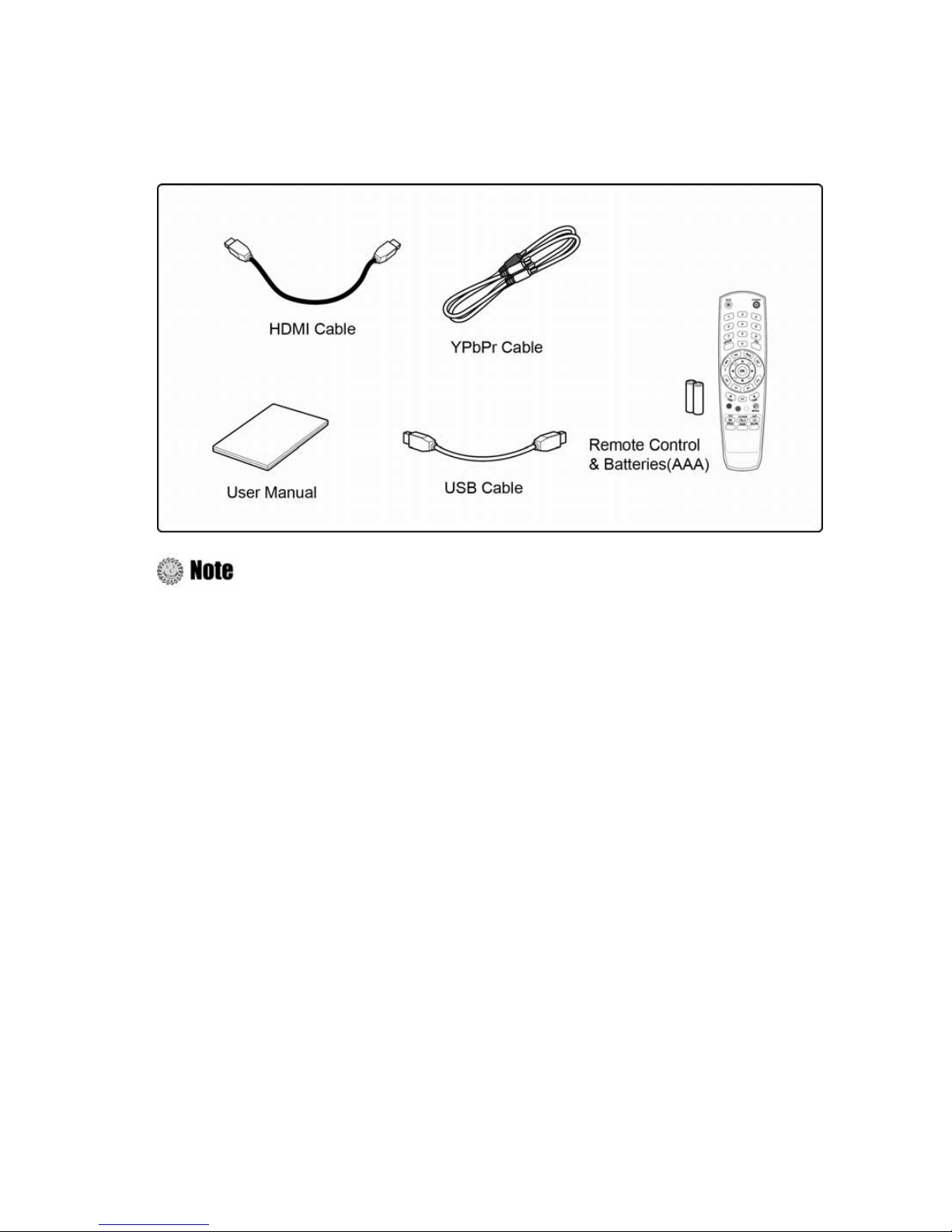
Please check to make sure the following contents are in the product package.
z
Product contents may be subject to change.
z
Cables not specified above must be purchased separately.
10 |
HD2011IR User Manual
1.3 Names of Each Part
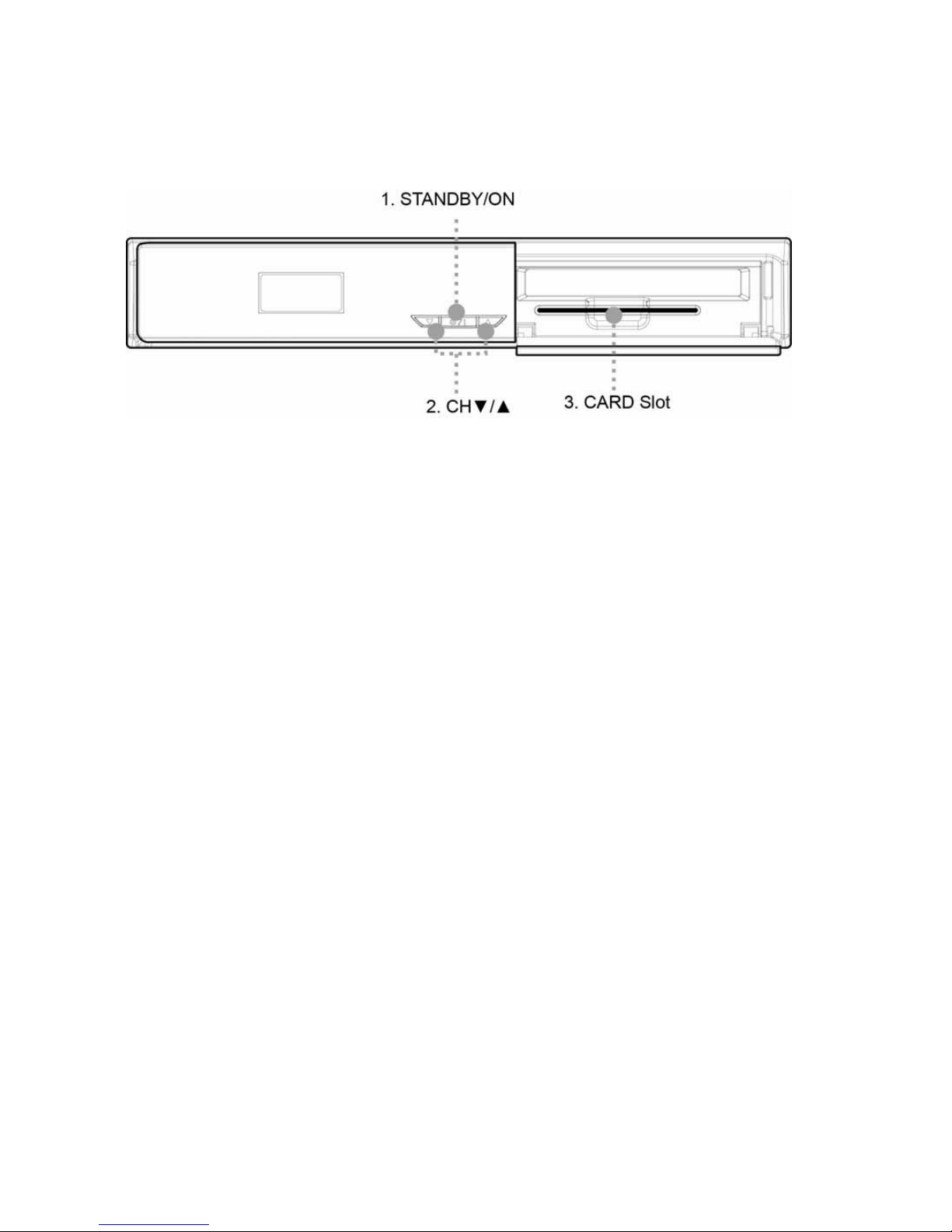
1.3.1 Front Panel
1. STANDBY/ON
Switches the digital receiver between standby mode and operation mode.
z
Operation mode
→Front Panel displays the 7-Segment (current service number).
z
Active Standby Mode
→Front Panel displays the 7-Segment (current time).
→Switches between Active Standby Mode and Operation mode by
Press [O/l] on the Front Panel
2. CH ▼/▲
Changes channels in the No-menu State and moves the cursor up/down in the Menu state.
3. CARD Slot
Card slot for Irdeto program card.
Indice


