204369-003 12010-09-16
Copyright © 2010 by Exalt Communications, Inc. All rights reserved. No part of this document may
be reproduced without prior written permission from Exalt.
The information in this document is subject to change without notice. Exalt is not liable for errors
contained herein or for incidental or consequential damages in connection with the furnishing,
performance, or use of this document or equipment supplied with this document. Exalt makes no
warranty of any kind with regard to this document. Full Warranty information is in the Installation &
Management manual.
Exalt, the Exalt logo, ExtendAir and ExploreAir are trademarks of Exalt Communications, Inc.
Other names are trademarks of their respective owners.
The system has been tested and found to comply with the limits of a class B digital device, pursuant
to Part 15 of the FCC Rules. These limits are designed to provide reasonable protection against
harmful interference in a residential installation. This equipment generates uses and can radiate radio
frequency energy and, if not installed and used in accordance with the instructions, may cause
harmful interference to radio communications. However, there is no guarantee that interference will
not occur in a particular installation. If this equipment does cause harmful interference to radio or
television reception, which can be determined by turning the equipment off and on, the user is
encouraged to try to correct the interference by one of more of the following measures:
•Reorient or relocate the receiving antenna.
•Increase the separation between the equipment and receiver.
•Connect the equipment into an outlet on a circuit different from that to which the receiver
is connected.
•Consult the dealer or an experienced radio/TV technician for help.
•Shielded cables and I/O cords must be used for this equipment to comply with the
relevant FCC regulations.
Changes or modifications not expressly approved in writing by Exalt may void the user’s authority
to operate this equipment.
This Class B Digital apparatus meets all the requirements of the Canadian Interference-Causing
Equipment Regulations.
Cet appareil numerique de la classe B respecte les exigensces du Reglement sur le material broilleur
du Canada.
•this device may not cause interference, and
•this device must accept any interference, including interference that may cause undesired
operation of the device.
Antennae associated with these devices must be mounted in a restricted area, at a
designated minimum distance away from humans who may be subject to long-term or
continuous exposure. Refer to the Installation & Management Guide for details.
Contact Exalt or refer to the Installation & Management Guide for a list of supported antennas and
regional transmitter power requirements.
THIS PRODUCT MUST BE PROFESSIONALLY INSTALLED
204369-003 62010-09-16
Cabling
Lightning arrestors are recommended near the radio for surge protection on all cabled interfaces.
These protect the radio against surges. Additional lightning arrestors are generally necessary for all
cable egress points for cables entering shelters or buildings. These protect surges from entering
connected equipment and/or harming humans or equipment collocated in the shelter or building.
For the PoE connection, the following devices are approved. Note that traditional PoE surge
suppression will not operate properly on this connection. For models with multiple Ethernet ports,
any 100BaseT rated surge suppression can be used for the additional Ethernet connections. If using
any T1/E1 interfaces, any weatherproof T1/E1 surge protection solution may be used.
•Polyphaser IXG-05 (metal case, terminal jack), with optional IX-POLE-KIT for pole mounting
•Transtector ALPU Model 1101-959 (metal case, RJ-45), with optional 1000-1164 pole mounting kit
•Transtector ALPU-1000BT-R (plastic case, RJ-45), with optional 1000-1164 pole mounting kit
•(ExtendAir models only): Transtector ALPU Model 1101-898 (plastic case, RJ-45), with optional 1000-1164 pole mounting kit
•(ExtendAir models only): Transtector ALPU-EXLT (plastic case, terminal block), with optional 1000-1164 pole mounting kit
Use the included connectors with waterproof spacers on any unused connectors.
Use UV-rated (outdoor) CAT5 (or higher) cable, such as Belden 1300A for all connections. The
outside radius of the cable type must be between 0.25 and 0.31 inches to assure a proper water-
tight connection.
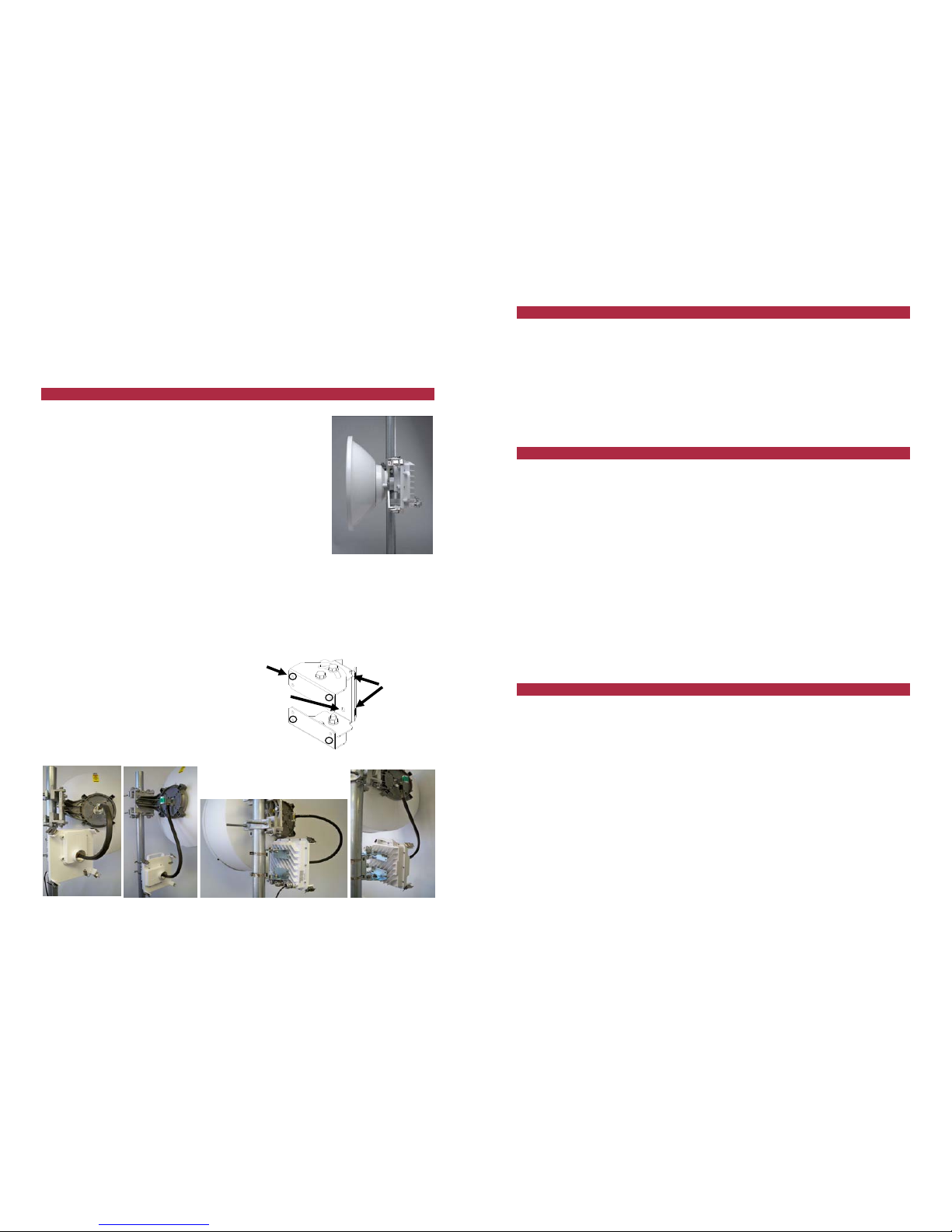
Place connector parts as shown in the photos . Note that all connector parts can be placed on a cable
that is already terminated – the screw cap and beveled washer will both allow the RJ-45 connector to
pass through, and the the rubber seal piece has a split slot that allows it to be placed over the cable
insulation.
Insert the RJ-45 connector
until it clicks into place.
Then adjust the position of
the rubber seal into the
connector recepticle. Align
the beveled washer on top of the rubber seal, and strongly hand-tighten
the rear section of the connector. Inspect the rubber seal to assure that
there is no deformation, and that the seal appears tight.
The total length of the PoE cable, including the cable from the power injector to the
connected network equipment must not exceed 100 meters.
Aligning Antennas
The received signal level (RSL) test point is a BNC connector on the front of the chassis. DC voltage
at the RSL port is related to the RSL level in dBm. For example, a value of 0.6VDC is roughly
equivalent to an RSL of -60dBm and a value of 0.75VDC is roughly equivalent to an RSL of -
75dBm. In this manner, voltage is inversely proportional. Align antennas to the minimum possible
voltage (0.6VDC is less than 0.7VDC, but represents a higher RSL level of -60dBm compared to -
70dBm). RSL should be roughly equal to the value planned in the link design (within 1 to 2 dB).
Account for all transmission system gains and losses to confirm the designed value.
After the designed RSL is achieved, mechanically secure the antenna for both azimuth and elevation
alignment. Carefully monitor the RSL voltage while tightening the mechanics and ensure that the
antenna remains in alignment.
Use the integrated alignment buzzer as an alternate or in addition to the RSL test point. On the GUI,
set the Buzzer Timeout parameter on the System Configuration page to 10, 120, or ON for the
buzzer to be active for 10 minutes, 120 minutes, or continuously. Set the Buzzer Timeout parameter
to Off to disable the buzzer. Buzzer pitch relates to RSL: a higher pitch represents better RSL. A
continuous tone indicates a successful link to the far end. A chirping (beeping) buzzer indicates that
the radio is not locked to the far end. Note also that RSL in dBm is provided on the
Monitor>Performance section of the management interfaces.
It is good practice to initially mount one antenna by bearing and sight, and attempt initial alignment
from the opposite side. Align the antenna until maximum RSL is achieved, secure the antenna, then