Exhausto EXcon Manuale utente

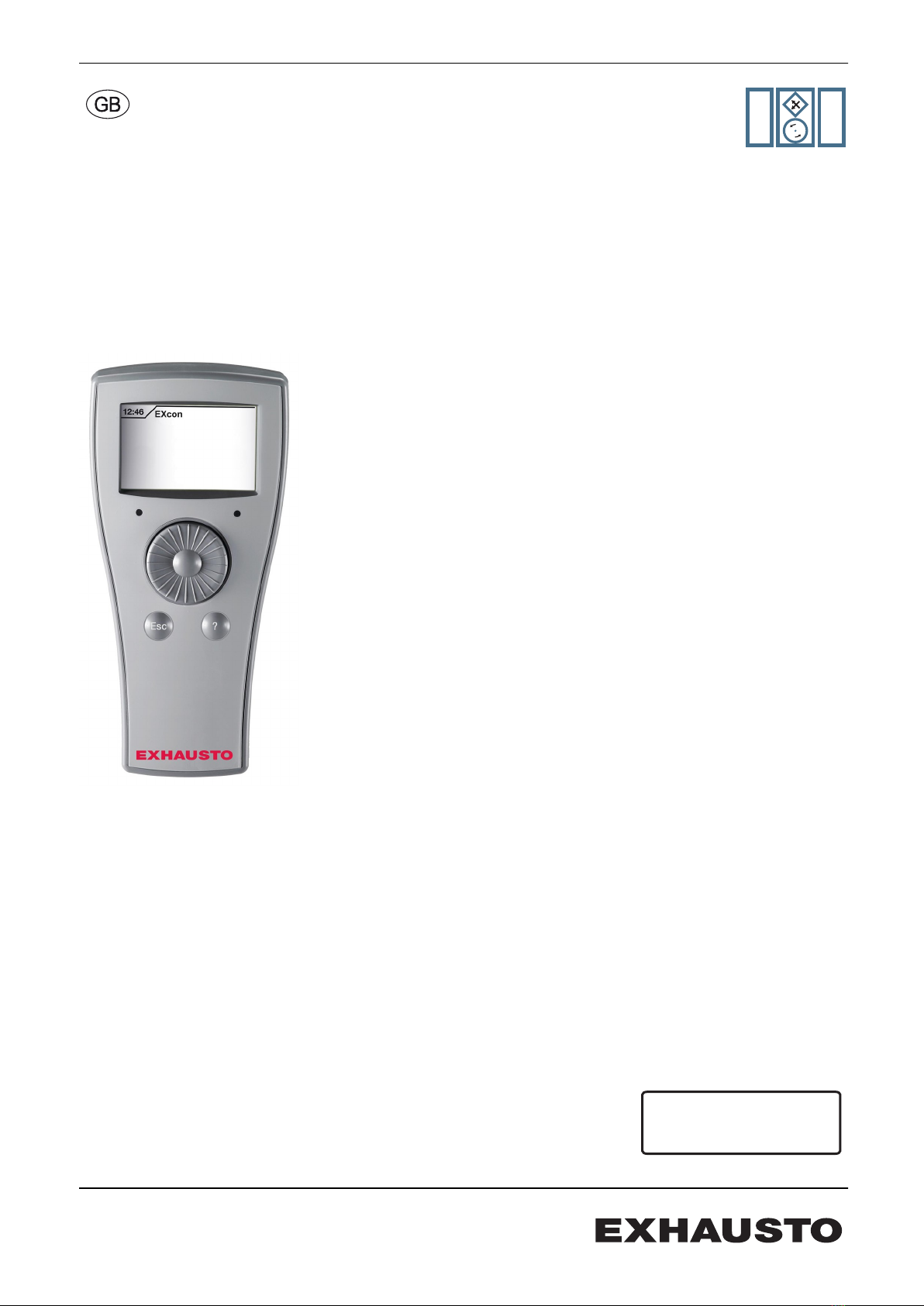
EXcon handheld terminal
Menus and alarms
VEX5000
VEX4000
RANGE
MODULES
Original instructions
3005858-2017-09-28 EXcon Handheld terminal
EXHAUSTO A/S
Odensevej 76
DK-5550 Langeskov
Tel. +45 65 66 12 34
Fax +45 65 66 11 10
www.exhausto.dk

1. The handheld terminal
1.1. Operation................................................................................................................ 4
1.1.1. Operation and functions...................................................................................4
1.1.2. Operating levels .............................................................................................. 5
1.2. Passwords..............................................................................................................5
2. User mode
2.1. User menu.............................................................................................................. 6
2.1.1. Fan operation...................................................................................................7
2.1.2. Extended operation..........................................................................................8
2.1.3. Temperature.....................................................................................................8
2.1.4. Time and date.................................................................................................. 9
2.1.5. Alarm log..........................................................................................................9
2.1.6. About the control system..................................................................................9
2.1.7. Internet...........................................................................................................10
3. Installer level
3.1. Installer menu.......................................................................................................11
3.1.1. Fan operation.................................................................................................12
3.1.2. Temperature...................................................................................................15
3.1.3. Initial adjustment............................................................................................ 17
3.1.4. Fire.................................................................................................................18
3.1.5. Communication.............................................................................................. 19
3.1.6. Language....................................................................................................... 19
3.1.7. Factory setting................................................................................................20
3.1.8. Store functions............................................................................................... 21
4. Service level
4.1. Service menu........................................................................................................24
4.1.1. Fan.................................................................................................................25
4.1.2. Filter.............................................................................................................. 28
4.1.3. Heating...........................................................................................................30
4.1.4. Heating recovery............................................................................................35
4.1.5. Cooling...........................................................................................................38
4.1.6. Damper.......................................................................................................... 42
4.1.7. Temperature sensor correction...................................................................... 44
4.1.8. Pressure transmitter.......................................................................................45
5. Alarm summary
Alarm list manual terminal.................................................................................. 46
3005858-2017-09-28
2/52

Symbols and terms
Prohibition symbol Failure to observe instructions marked with a prohibition symbol
may result in serious or fatal injury.
Danger symbol Failure to observe instructions marked with a danger symbol
may result in personal injury and/or damage to the unit.
Terms These instructions use the following terms for air flows as given in DS447-2013:
● Supply air
● Extract air
● Outdoor air
● Exhaust air
● Recirculation
Screen displays These guidelines contain screen displays intended to the help the user and indi-
cate which menu the user is currently viewing.
NB: The order of screen displays/menus depends on the VEX units settings. Therefore
there may be discrepancies between the order of screen displays in the guidelines
and in the VEX unit's handheld terminal.
Software version
Software version
These instructions are for use with the following version:
● EXcon Master SW: 3.19
● Handheld terminal SW: 1.04
The current software version for both the EXcon Master and the handheld terminal
can be seen in the menu: User > On control of the handheld terminal.
3005858-2017-09-28
3/52

1. The handheld terminal
1.1 Operation
Functional descrip-
tion
Reading, programming and control can be performed from the handheld terminal.
The terminal has a graphic display, a button with PRESS and TURN function, a "?"
(help)-button and an "Esc” button.
The handheld terminal menu and settings are structured to correspond to the menu
and settings found in the EXcon control system’s web server. The functionality, set-
tings, etc. of the EXcon control system are described in the EXcon instructions.
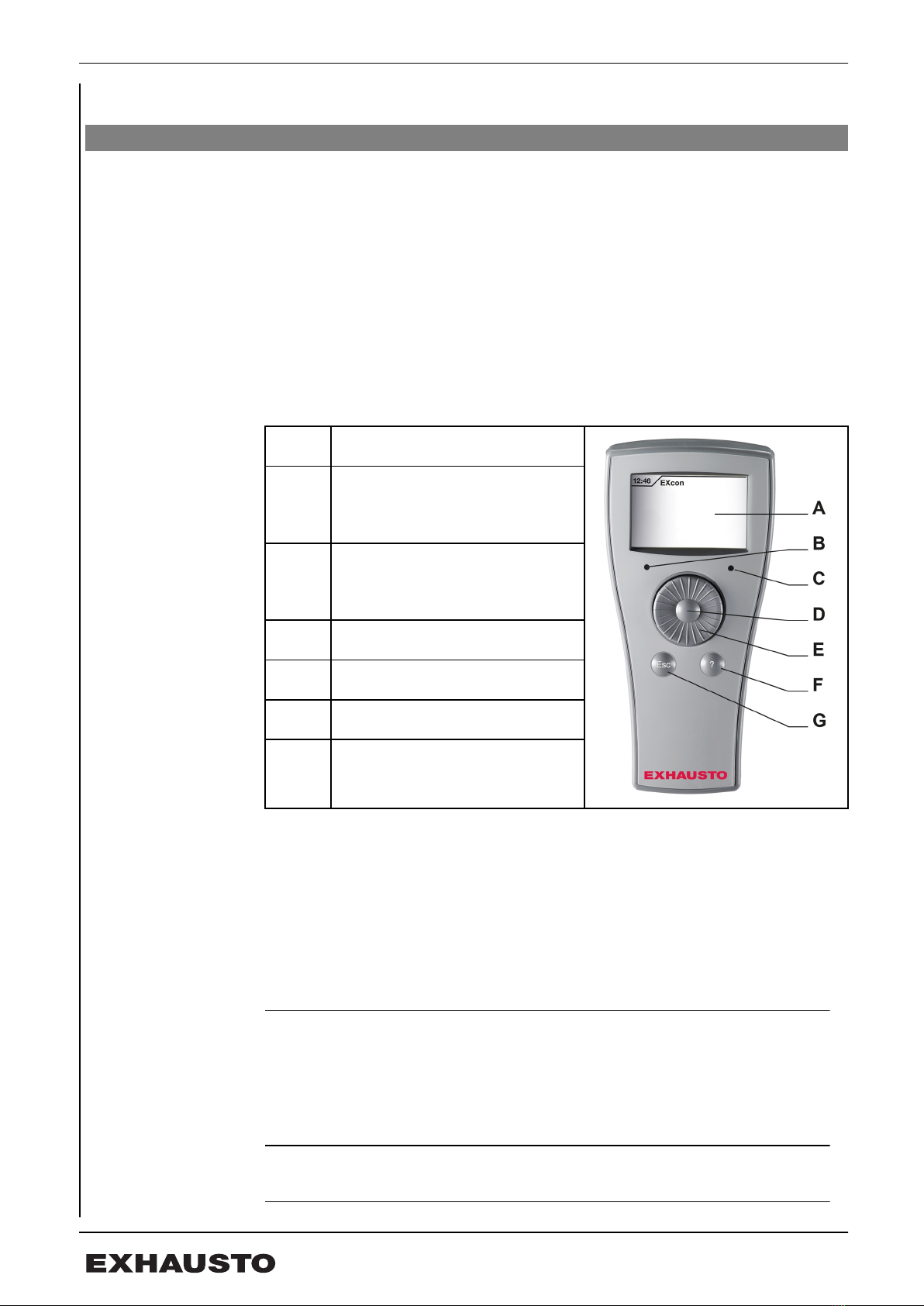
Handheld terminal
AGraphic display
BLight diode: Green LED which
lights up when voltage on the
handheld terminal is OK.
CLight diode: Red LED which flash-
es in the event of an alarm from
the unit or the system alarms.
DPRESS button
ETURN button
F? button
GESC button
1.1.1 Operation and functions
TURN function The TURN function is used to switch between menus and for setting values.
Turn to the right > next menu/increase value
Turn to the left > previous menu/decrease value
PRESS function The PRESS function is used to enter the menu.
One press > confirm and next value
Two presses > confirm and previous value
ESC button The ESC button is used to exit a menu.
3005858-2017-09-28 The handheld terminal
4/52

? button Press the ? button to bring up help text on the display.
Changing the set
value
The hatched field indicates the active value, which can be changed by turning the
turn button. Press the press button to confirm the selected choice. Press the ESC
button to exit a menu. The following describes a programming sequence.
Handheld ter-
minal
TURN/PRESS
Action
FIND MENU Find the desired menu choice in the dis-
play by turning the turn button.
SELECT MENU Select the desired menu by pressing the
press button.
SEARCH FOR
VALUE
Find the value you wish to change by
turning the turn button.
SELECT VALUE Select the desired value by pressing the
press button.
SET VALUE Set the desired value by turning the turn
button right or left.
CONFIRM VAL-
UE
Confirm the set value and go to the next
parameter.
NB! If the buttons on the handheld terminal are not activated in 30 minutes, the
unit automatically logs out to user level.
1.1.2 Operating levels
The menus in the hand terminal are divided into three operating levels:
● User level - free access
● Technician/Installation engineer level - requires password
● Service level - requires password
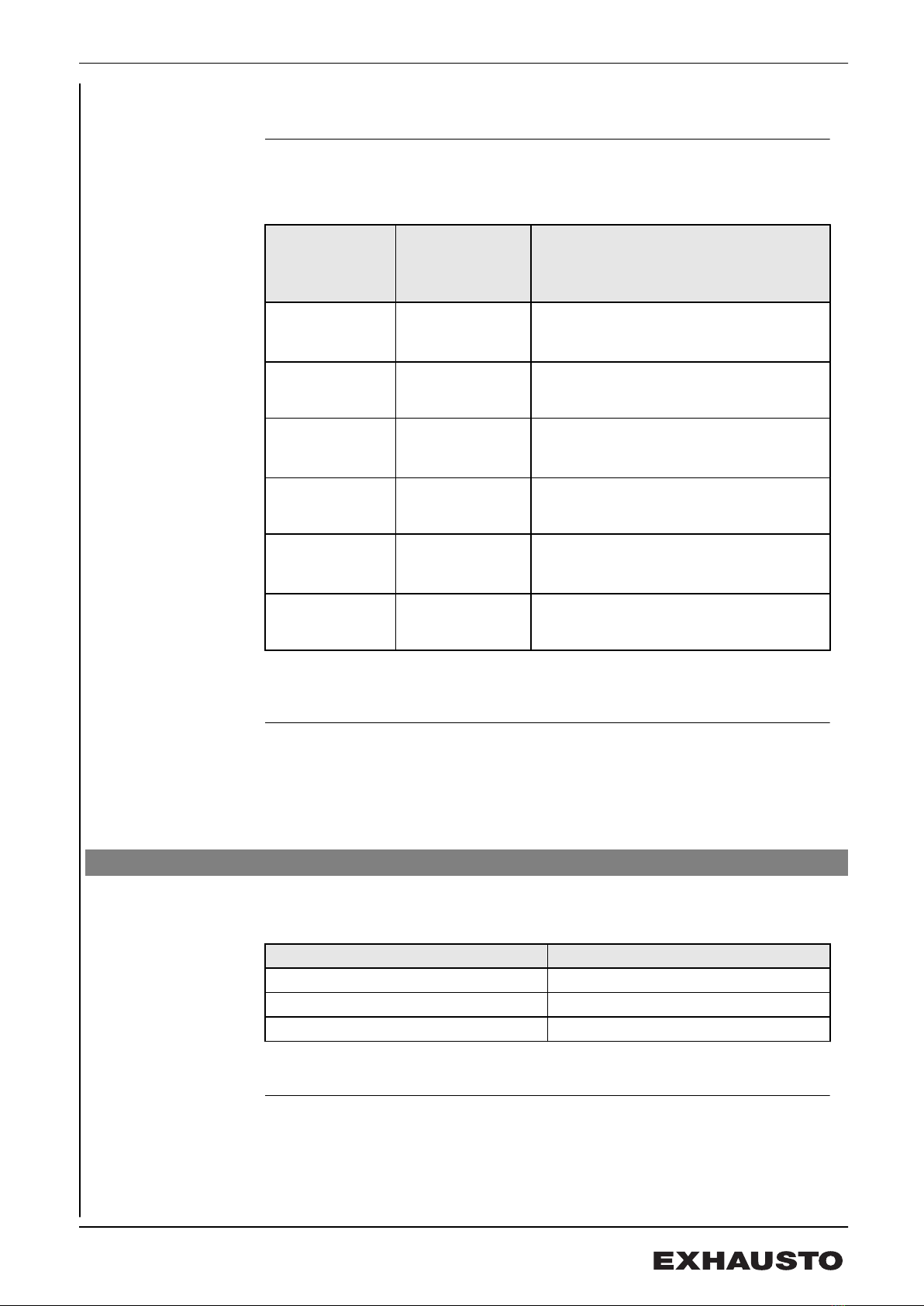
1.2 Passwords
Login at a higher level also gives access to the underlying levels.
Handheld terminal
Level Password
User No password
Technician 1111
Service 1112
It is not possible to change password on the terminal.
3005858-2017-09-28 The handheld terminal
5/52

2. User mode
2.1 User menu
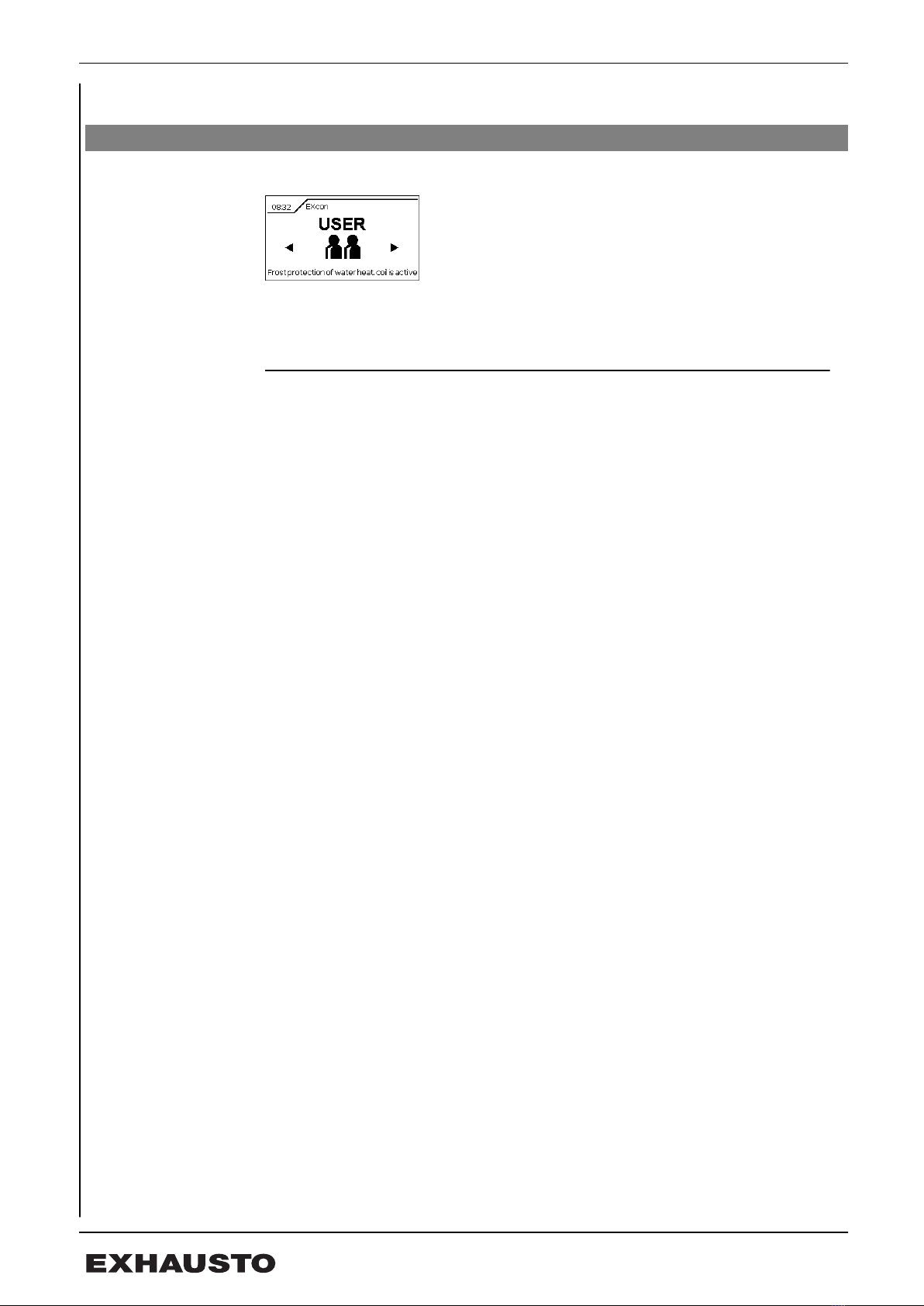
The user level menu gives access to operating times, temperature setpoint, clock,
alarms, software version and IP address.
No password is required for user level.
3005858-2017-09-28 User mode
6/52

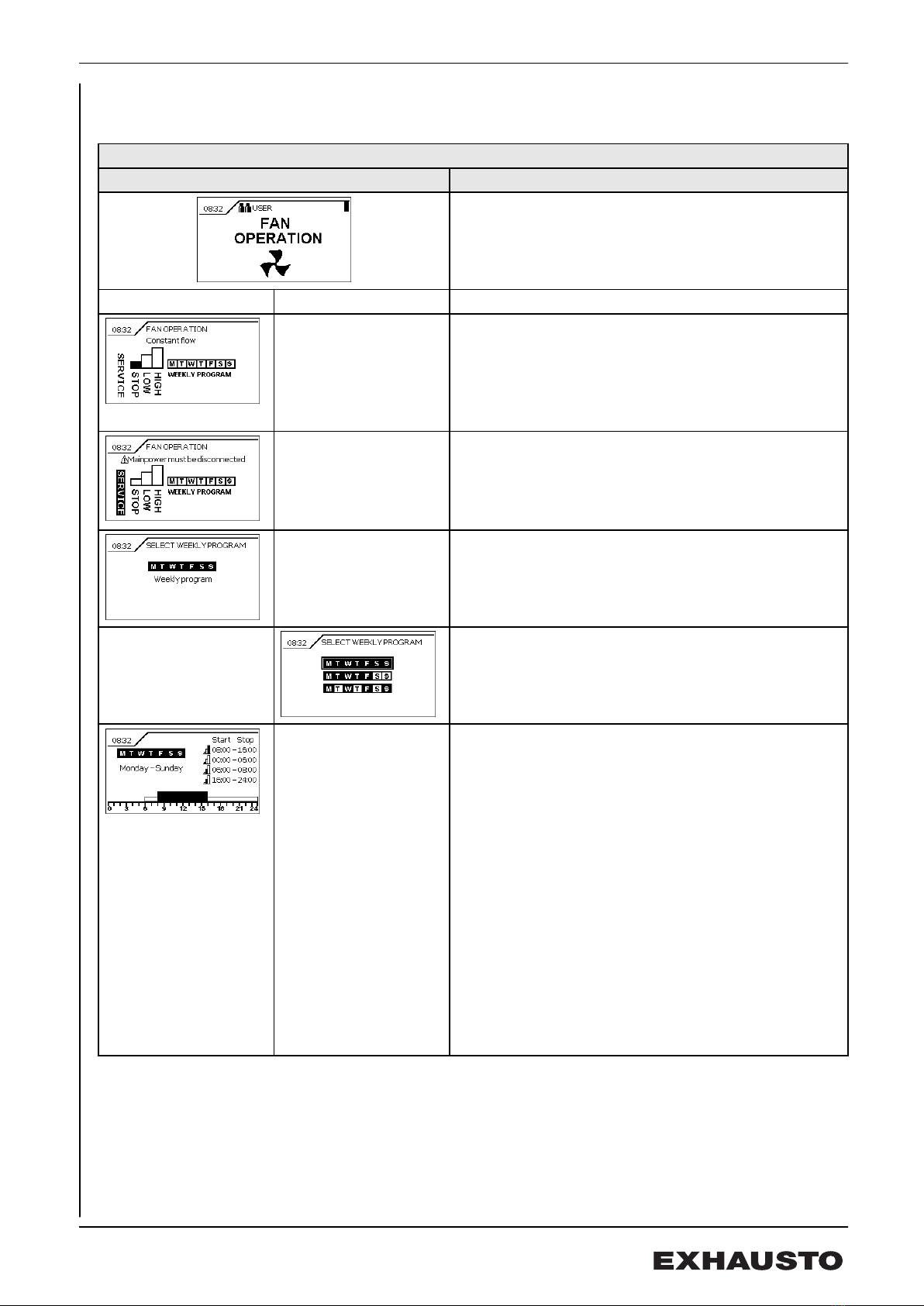
2.1.1 Fan operation
User menu
Fan operation Description
FAN OPERATION
Setting operating state.
Submenu Submenu
Set fan operation
●SERVICE
● constant STOP
●LOW speed
●HIGH speed
● Automatic operation according to weekly program
SERVICE
The unit in in Service stop and can only be started
again via this function on the terminal. This prevents the
unit being overridden by external systems or accidental
start-up and operation during servicing.
Shows current "weekly program"
Select type of weekly program
● Same program all week
● Weekday and weekend
● Individual daily program
Set weekly program
4 periods can be entered for each menu display in the
selected weekly program.
Set speed (columns)
●STOP
●LOW
●HIGH
Set time
●Start
●Stop
HIGH speed has priority in case of time overlap.
Number of menu displays/programs
1 / Whole week
2 / Weekday and weekend
7 / Daily program
3005858-2017-09-28 User mode
7/52

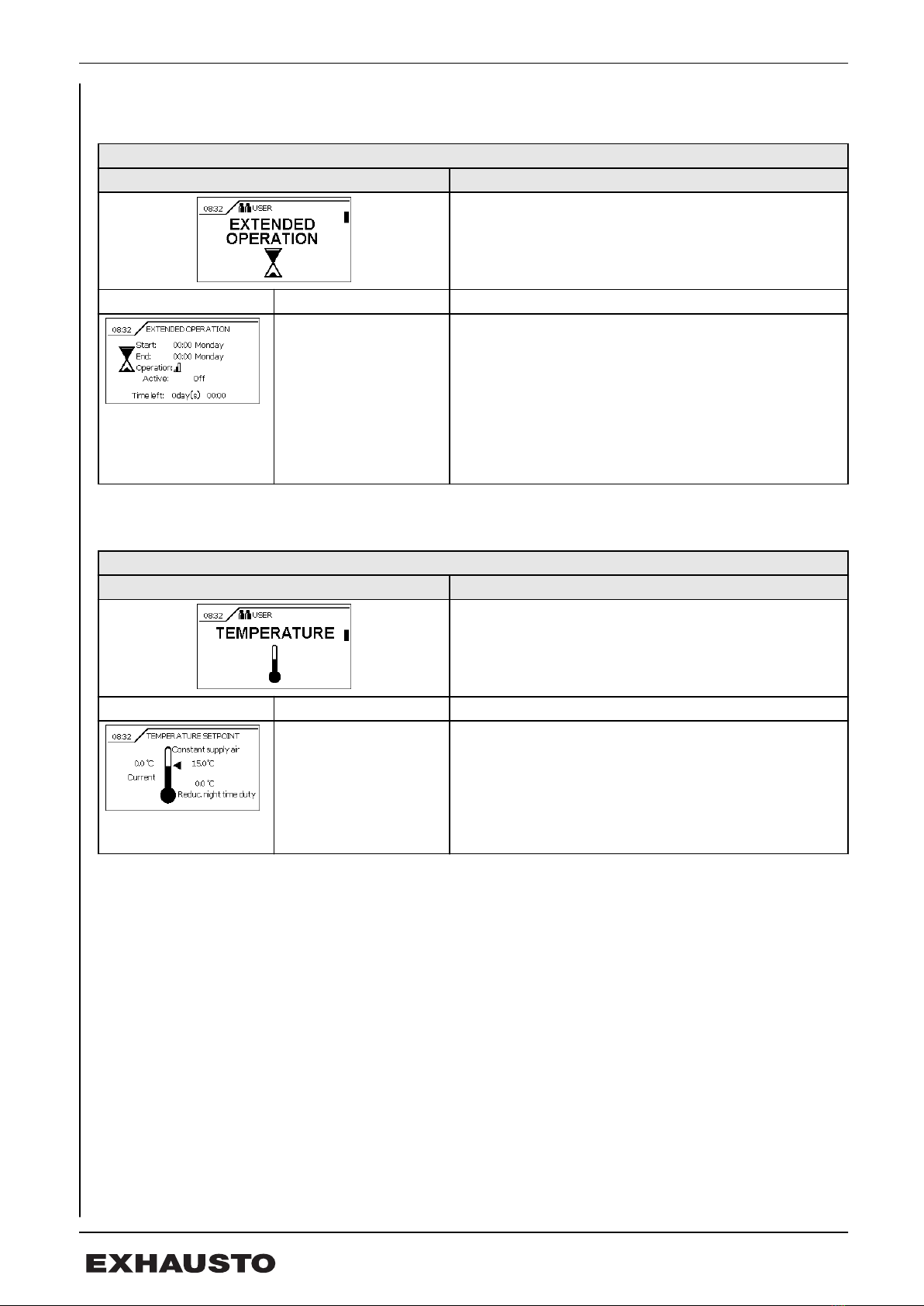
2.1.2 Extended operation
User menu
Extended operation Description
EXTENDED OPERATION
Setup of extended operation period.
Submenu Any comments
Extended operation can override the weekly program
for an adjusted time period within 7 days.
● Set starting time: [hh:mm weekday]
● Set finishing time: [hh:mm weekday]
● Set operating speed (columns) HIGH/LOW
● Active: Off / On
When the period runs out, operation will automatically
continue according to the weekly program.
2.1.3 Temperature
User menu
Temperature Description
TEMPERATURE
Setting of the setpoint temperature for the selected reg-
ulation type.
Submenu Any comments
*Shown if Temp. set-
point offset. is config-
ured and External set-
point is selected
Shows the current temperature and regulation type.
Setting the
● Setpoint temperature
● Night-time reduced duty
● External offset*
● Corrected setpoint*
3005858-2017-09-28 User mode
8/52

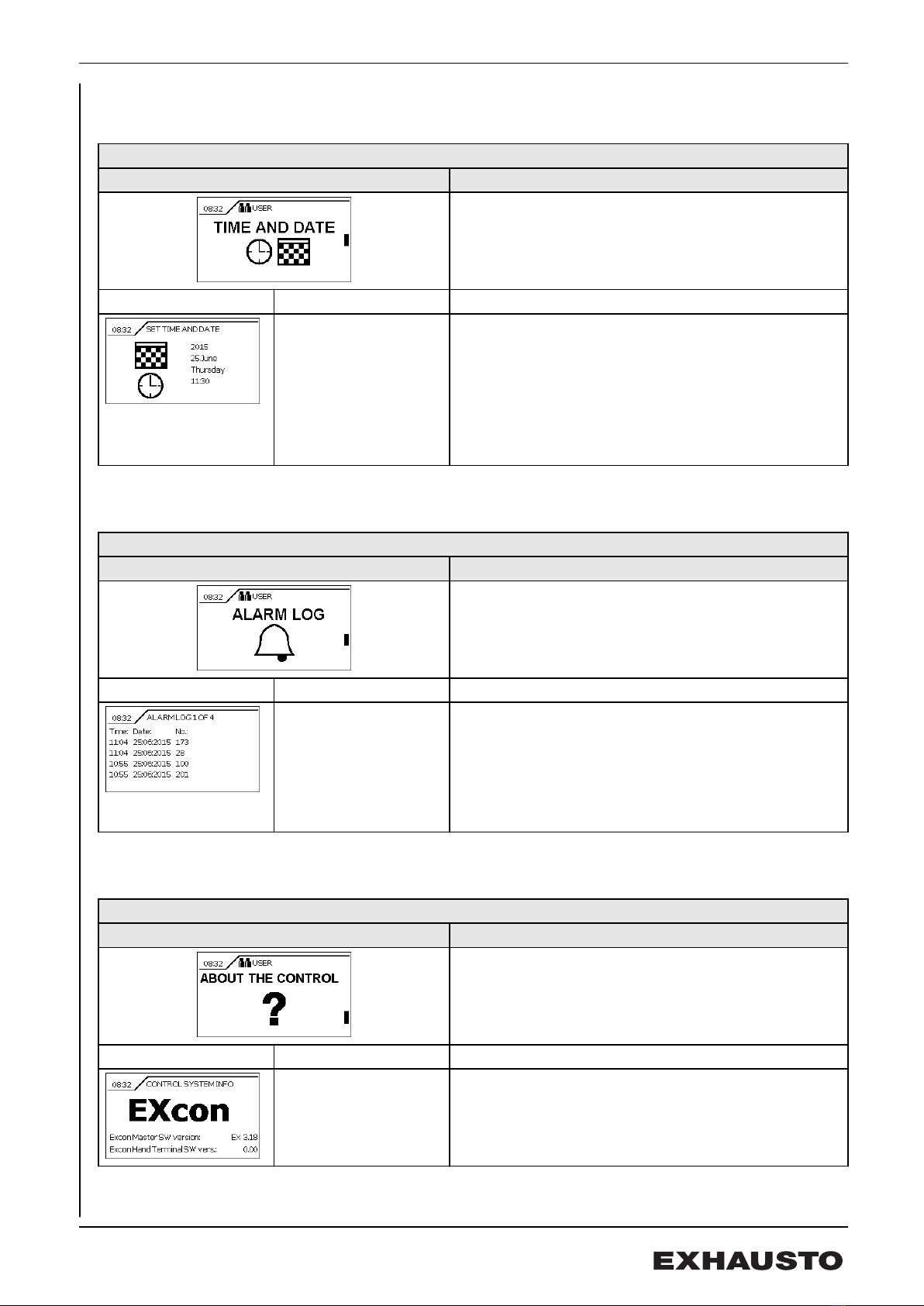
2.1.4 Time and date
User menu
Time and date Description
TIME AND DATE
Entering time and date.
Submenu Any comments
Setting the
● Year
● Date and month
● Day of the week
● Time
EXcon control's built-in clock is among other things
used by the weekly program.
2.1.5 Alarm log
User menu
Alarm log Description
ALARM LOG
Shows the latest alarms.
Submenu Any comments
This shows the time, date and alarm no. of the 4 most
recent alarms.
A corresponding log of 5-16 most recent alarms is
shown on the next menu displays.
See alarm list for further information.
2.1.6 About the control system
User menu
About the control system Description
ABOUT THE CONTROL SYSTEM
Shows the current software version.
Submenu Any comments
Current software version
● Control (EXcon Master)
● Hand terminal (EXcon Hand terminal)
3005858-2017-09-28 User mode
9/52

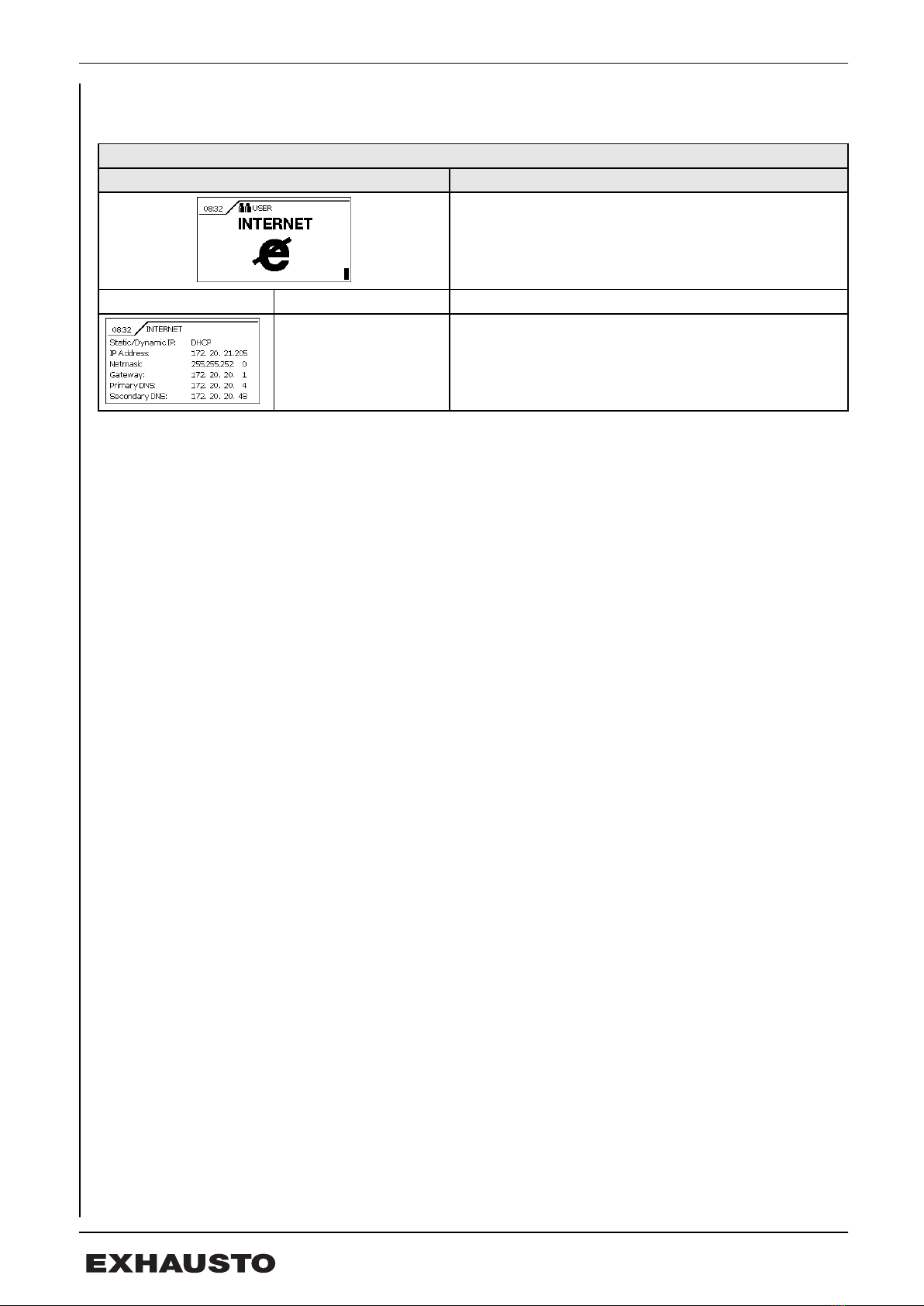
2.1.7 Internet
User menu
Internet Description
INTERNET
Internet settings - TCP/IP communication
Submenu Any comments
Set IP address.
● Static: Set network parameters
● Dynamic (DHCP): Address is assigned for the
closed network.
3005858-2017-09-28 User mode
10/52
Questo manuale è adatto per i seguenti modelli
1
Indice
Altri manuali Exhausto Terminale touch