Flex FX0511 Manuale utente

Model:
Modelo:
Modèle:
OPERATOR’S MANUAL
MANUAL DEL OPERADOR
MANUEL DE L’UTILISATEUR
833-FLEX-496
(833-3539-496)
For English
Version
See page 2
◆
Version
française
Voir page 14
◆
Versión en
español
Ver la página 27
www.Registermyex.com
Contact Us /
Nous contacter /
Contáctenos
24V POWER ADAPTER
ADAPTATEUR DE COURANT DE 24 V
ADAPTADOR DE ALIMENTACIÓN DE 24 V
FX0511

-2-
SAFETY SYMBOLS
The purpose of safety symbols is to attract your attention to possible dangers. The safety symbols
and the explanations with them deserve your careful attention and understanding. The symbol
warnings do not, by themselves, eliminate any danger. The instructions and warnings they give are
no substitutes for proper accident prevention measures.
WARNING Be sure to read and understand all safety instructions in this Operator’s Manual,
including all safety alert symbols such as "DANGER," "WARNING," and
"CAUTION" before using this tool. Failure to follow all instructions listed below may result in electric
shock, re, and/or serious personal injury.
The denitions below describe the level of severity for each signal word. Please read the manual and
pay attention to these symbols.
This is the safety alert symbol. It is used to alert you to potential personal
injury hazards. Obey all safety messages that follow this symbol to avoid
possible injury or death.
DANGER DANGER indicates a hazardous situation which, if not avoided, will result in
death or serious injury.
WARNING WARNING indicates a hazardous situation which, if not avoided, could result
in death or serious injury.
CAUTION CAUTION, used with the safety alert symbol, indicates a hazardous situation
which, if not avoided, will result in minor or moderate injury.
Damage Prevention and Information Messages
These inform the user of important information and/or instructions that could lead to equipment or
other property damage if they are not followed. Each message is preceded by the word "NOTICE",
as in the example below:
NOTICE Equipment and/or property damage may result if these instructions are not followed.

-3-
IMPORTANT SAFETY WARNINGS
WARNING Read all safety warnings, instructions, illustrations and specications
provided with this power unit and product using adapter. Failure to follow all
instructions listed below may result in electric shock, re and/or serious injury.
SAVE ALL WARNINGS AND INSTRUCTIONS FOR FUTURE REFERENCE.
The term "power unit" in the warnings refers to your power adapter.
Work area safety
Keep work area clean and well lit. Cluttered
or dark areas invite accidents.
Do not operate power units in explosive
atmospheres, such as in the presence of
ammable liquids, gases or dust. Power
units create sparks which may ignite the dust or
fumes.
Keep children and bystanders away while
operating a power unit. Distractions can cause
you to lose control.
Electrical safety
Power unit plugs must match the outlet.
Never modify the plug in any way. Do
not use any adapter plugs with earthed
(grounded) power units. Unmodied plugs
and matching outlets will reduce risk of electric
shock.
Avoid body contact with earthed or
grounded surfaces, such as pipes, radiators,
ranges and refrigerators. There is an
increased risk of electric shock if your body is
earthed or grounded.
Do not expose power units to rain or wet
conditions. Water entering a power unit will
increase the risk of electric shock.
Do not abuse the cord. Never use the cord
for carrying, pulling or unplugging the
power unit. Keep cord away from heat, oil,
sharp edges or moving parts. Damaged or
entangled cords increase the risk of electric
shock.
When operating a power unit outdoors, use
an extension cord suitable for outdoor use.
Use of a cord suitable for outdoor use reduces
the risk of electric shock.
If operating a power unit in a damp location
is unavoidable, use a ground fault circuit
interrupter (GFCI) protected supply. Use of a
GFCI reduces the risk of electric shock.
Personal safety
Stay alert, watch what you are doing and
use common sense when operating a power
unit. Do not use a power unit while you are
tired or under the inuence of drugs, alcohol
or medication. A moment of inattention while
operating power units may result in serious
personal injury.
Do not let familiarity gained from frequent
use of power units allow you to become
complacent and ignore power unit safety
principles. A careless action can cause severe
injury within a fraction of a second.
Power unit use and care
Disconnect the plug from the power source
and disconnect the power unit from the
power tool before making any adjustments,
changing accessories, or storing power units.
Such preventive safety measures reduce the
risk of starting the power tool accidentally.
Store idle power units out of the reach of
children and do not allow persons unfamiliar
with the power unit or these instructions
to operate the power unit. Power units are
dangerous in the hands of untrained users.
If damaged, have the power unit repaired
before use. Many accidents are caused by
poorly maintained power units.
Use the power unit, accessories etc. in
accordance with these instructions, taking
into account the working conditions and the
work to be performed. Use of the power unit
for operations different from those intended
could result in a hazardous situation.
Service
Have your power unit serviced by a
qualied repair person using only identical
replacement parts. This will ensure that the
safety of the power unit is maintained.

-4-
SAFETY WARNINGS FOR POWER ADAPTER
Do not expose to rain or snow. Store indoors
when not in use.
Risk of re and electric shock. Remove
power adapter from the receptacle when not in
use.
Disconnect power adapter before servicing.
Do not ground the secondary circuit to the
enclosure of this power adapter.
Risk of electric shock. Connect only to
properly grounded outlets.
Do not incinerate.
To avoid electric shock, do not touch
exposed live terminals or connected parts
as electric shock hazards exist in this output
circuit.
To reduce risk of damage to electric plug
and cord, pull by plug when disconnecting
power adapter.
Make sure cord is located so that it will not
be stepped on, tripped over, or otherwise
subjected to damage or stress.
Do not operate power adapter with damaged
cord or plug. Replace them immediately.
Do not operate power adapter if it has
received a sharp blow, been dropped, or
otherwise damaged in any way. Take it to a
qualied service center.
Do not disassemble power adapter; take it
to a qualied service center when service or
repair is required. Incorrect reassembly may
result in a risk of electric shock or re.
To reduce risk of electric shock, unplug
power adapter from receptacle before
attempting any maintenance, cleaning, or
storage.
NEVER insert any objects into the power
adapter’s air vents. Electric shock or damage
to the power adapter may result.
Never short the adapter terminals.
Do not use the product if the tool or adapter
terminals (adapter mount) are deformed or
damaged. Deformed terminals could cause
short circuit that will result in re.
Keep the tool’s terminals (adapter mount)
clean. Periodically examine the terminals
(on the tool and adapter) prior, during, and
after operation. Never short the terminals.
Shorting terminals will result in re.
The product is intended for use in Pollution
Degree 2 or PD2 environments. Operate
only in areas of non-conductive pollution. A
temporary conductivity caused by condensation
is normally expected.
This adapter is designed for use only
with select FLEX power tools including
FLEX Miter Saw FX7141A and Table Saws
FX7211, FX7221. It is necessary to conrm
compatibility by consulting the instruction
manual or the markings of the particular
power tool. Failure to conrm compatibility
before the use of the adapter with specic
power tools could result in re hazard.
SAVE THESE INSTRUCTIONS - TO
REDUCE THE RISK OF FIRE OR ELECTRIC
SHOCK, CAREFULLY FOLLOW THESE
INSTRUCTIONS.

-5-
EXTENSION CORDS
WARNING AN EXTENSION CORD
SHOULD NOT BE USED
UNLESS ABSOLUTELY NECESSARY. Use of
improper extension cord could result in risk of
re and electrical shock. If an extension cord is
used, make sure:
a. The pins on plug of extension cord are the
same number, size, and shape as those of
plug on charger.
b. The extension cord is properly wired and in
good electrical condition.
c. The wire size is large enough for AC ampere
rating of power adapter (5.8 A) as specied
below.
d. An extension cord is a temporary solution.
Move the power adapter to a standard
receptacle as soon as the job has been
completed.
WARNING To reduce the risk of electric
shock, use only with an
extension cord intended for outdoor use, such
as an extension cord of cord type SW-A,
SOW-A, STW-A, STOW-A, SJW-A, SJOW-A,
SJTW-A and SJTOW-A or Types SW, SOW,
STW, STOW, SJW, SJOW, SJTW, and SJTOW.
Length of Cord 25 ft. (7.62 m) 50 ft. (15.2 m) 100 ft. (30.48 m) 150 ft. (45.72 m)
Wire Size in A.W.G. 18 gauge 16 gauge 16 gauge 14 gauge

-6-
SYMBOLS
IMPORTANT: Some of the following symbols may be used on your tool. Please study them and
learn their meaning. Proper interpretation of these symbols will allow you to operate the tool better
and safer.
Symbol Name Designation/Explanation
V Volts Voltage
A Amperes Current
Hz Hertz Frequency (cycles per second)
W Watt Power
kg Kilograms Weight
min Minutes Time
s Seconds Time
Wh Watt-hours Battery capacity
Ah Ampere-hours Battery capacity
ø Diameter Size of drill bits, grinding wheels, etc.
n0No load speed Rotational speed, at no load
n Rated speed Maximum attainable speed
…/min Revolutions or reciprocations per
minute (rpm)
Revolutions, strokes, surface speed, orbits,
etc. per minute
O Off position Zero speed, zero torque...
1,2,3,…
Ⅰ,Ⅱ,Ⅲ, Selector settings Speed, torque, or position settings. Higher
number means greater speed
Innitely variable selector with off Speed is increasing from 0 setting
Arrow Action in the direction of arrow
Alternating current (AC) Type or a characteristic of current
Direct current (DC) Type or a characteristic of current
Alternating or direct current
(AC / DC) Type or a characteristic of current
Class II tool Designates Double Insulated Construction
tools.
Protective earth Grounding terminal
Li-ion RBRC seal Designates Li-ion battery recycling
program
Read the instructions Alerts user to read manual

-7-
Symbol Name Designation/Explanation
Wear eye protection symbol Alerts user to wear eye protection
Always operate with two hands Alerts user to always operate with two
hands
Do not use the guard for cut-off
operations Do not use the guard for cut-off operations
No-Hands Zone
The area between the marked lines on the left
and right side of the base. This zone is
identied by the No-Hands Zone symbols
inside the lines marked on the base.
Warning symbol Do not stare at operating lamp
SYMBOLS (CERTIFICATION INFORMATION)
Symbol Designation/Explanation
This symbol designates that this tool is listed by Underwriters Laboratories.
This symbol designates that this component is recognized by Underwriters
Laboratories.
This symbol designates that this tool is listed by Underwriters Laboratories, to
United States and Canadian Standards.
This symbol designates that this tool is listed by the Canadian Standards
Association.
This symbol designates that this tool is listed by the Canadian Standards
Association, to United States and Canadian Standards.
This symbol designates that this tool is listed by the Intertek Testing Services,
to United States and Canadian Standards.
SAVE THESE INSTRUCTIONS AND MAKE THEM AVAILABLE TO OTHER USERS
OF THIS TOOL.

-8-
FUNCTIONAL DESCRIPTIONS AND SPECIFICATIONS
Power adapter
Fig. 1
Battery Adapter
Indicator
Indicator
Cord
Power Supply
Release Button
Model No. FX0511
Input 120V ~, 60Hz, 1050W
Output 22V
Recommended operating temperature -4 – 104 °F (-20 – 40 °C)
Recommended storage temperature 32 ℉ -122℉ / 0-50 ℃

-9-
OPERATING INSTRUCTIONS
WARNING To reduce the risk of re,
personal injury, and
product damage due to a short circuit, never
immerse your power adapter in uid or allow
a uid to ow inside it. Corrosive or
conductive uids, such as seawater, certain
industrial chemicals, and bleach or bleach-
containing products, etc. can cause a short
circuit.
WARNING Do not attempt to modify
the power adapter or
create or use accessories not recommended
for use with this power adapter. Any such
alteration or modication is misuse and could
result in a hazardous condition leading to
possibly serious personal injury.
TO OPERATE WITH FLEX 24V POWER
ADAPTER
WARNING Do not use the electrical
cord if damaged. Have it
repaired immediately.
WARNING Do not use at voltage
higher than indicated on
the nameplate. If connected to outlet with
voltage higher than indicated on the nameplate,
the power cable will burn up.
WARNING This power adapter can be
used only with select
FLEX power tools including FLEX Miter Saw
FX7141A and Table Saws FX7211, FX7221.
Always read the operator's manual of the power
tool you intend to use this power adapter with.
a. Remove the battery pack from the power tool.
b. Attach the battery adapter onto the power tool
rmly and then connect the plug of the power
adapter to a regular power outlet.
c. To remove the battery adapter, depress the
release button, pull the battery adapter out
and remove it from the tool.
Fig. 2
Release Button
Battery
Adaptor

-10-
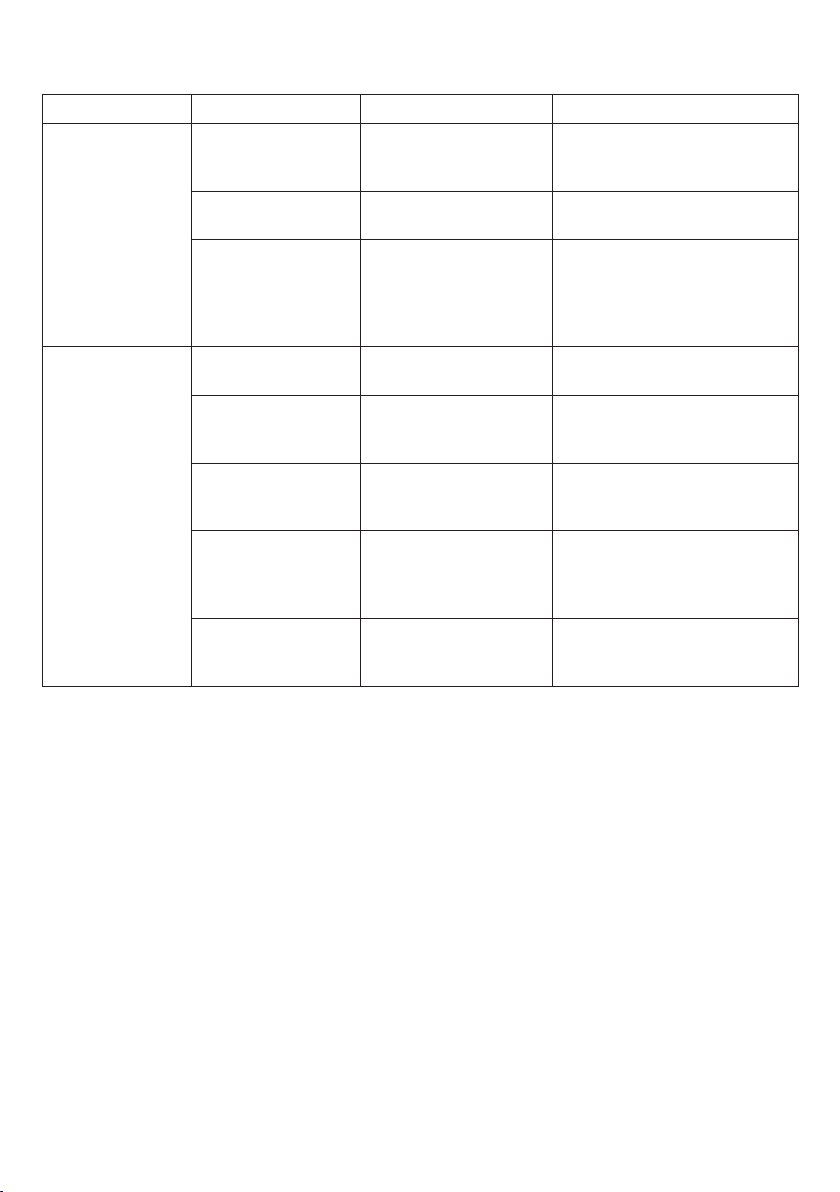
There are indicator lights on the battery adapter and the power supply respectively. To interpret the
meaning of different light colors and ashing patterns, refer to the table below:
Mode Indicator Meaning Actions
Battery adapter
Flashing red Power suspended. Disconnect the plug, wait for
the red light to go out and
then reconnect the plug.
Red light on for 1
second, then off
Self-inspection. Normal
operation. N/A
Steady red Power suspended.
Disconnect the plug and send
the power adapter to a FLEX
Factory Service Center or
Authorized FLEX Service
Station.
Power supply
Yellow light on for 1
second, then off
Self-inspection. Normal
operation. N/A
Flashing green
Normal operation.
Battery adapter is not
attached to power tool.
N/A
Steady green
Normal operation.
Battery adapter is
attached to power tool.
N/A
Steady yellow* Temperature
protection.
Power supply cannot be used
due to high temperature.
(Can be used once the power
supply is cooled).
Flashing red* Power suspended. Disconnect the plug, wait for
the red light to go out and
then reconnect the plug.
* If the red light on the power supply is ashing because of overheating, disconnect the plug from
the outlet and allow the power supply to cool down. When the temperature drops some, but does
not yet return to normal level, the power supply indicator light will turn steady yellow. Only when
the temperature drops to normal and the power supply indicator light turns green, the plug can be
reconnected to power supply, otherwise the temperature sensor will not reset properly.
NOTE: If the battery adapter is malfunctioning, the indicator light on the power supply will be off.
Indice
Lingue:
Altri manuali Flex Adattatore