
Fluke SimpliFiber Pro Manuale utente

PN 3470603, 5/2009, Rev. 2 8/2013
©2009-2013 Fluke Corporation. Printed in USA.
All product names are trademarks of their respective companies.
*3470603*
Users Guide
Guide d’utilisateur
Bedienungsanleitung
Guida d'uso
Guia do usuário
Guía de uso
ユーザーズ・ガイド
用户指南
SimpliFiber®Pro
Multimode Optical Power Source


PN 3470603, 5/2009, Rev. 2 8/2013
©2009-2013 Fluke Corporation. Printed in USA.
All product names are trademarks of their respective companies.
SimpliFiber®Pro
Multimode Optical Power Source
Users Guide
The SimpliFiber®Pro Multimode Optical Power Source
provides optical power at 850 nm and 1300 nm. The source is
used with an optical power meter for testing multimode fiber
optic cable.
The source comes with the following:
2 AA alkaline batteries
Instruction Sheet
If something is damaged or missing, contact the place of
purchase immediately.
Safety Information
Warning or Caution: Risk of damage or destruction
to equipment or software. See explanations in the
manuals.
Warning: Risk of fire, electric shock, or personal
injury.
Warning: Class 1 laser. Risk of eye damage from
hazardous radiation.
Conformite Europeene. Conforms to the
requirements of the European Union and the
European Free Trade Association (EFTA).
Listed by the Canadian Standards Association.
Conforms to relevant Australian standards.
This key turns the Product on and off.

2
SimpliFiber Pro Users Guide
Warning
To prevent possible fire, electric shock, or personal
injury:
Read all safety information before you use the
Product.
Carefully read all instructions.
Do not open the case. You cannot repair or
replace parts in the case.
Do not modify the Product.
Use only replacement parts that are approved
by Fluke Networks.
Do not use the Product around explosive gas,
vapor, or in damp or wet environments.
Use this Product indoors only.
Use the Product only as specified, or the
protection supplied by the Product can be
compromised.
Do not use and disable the Product if it is
damaged.
Do not use the Product if it operates incorrectly.
Batteries contain hazardous chemicals that can
cause burns or explode. If exposure to
chemicals occurs, clean with water and get
medical aid.
Remove the batteries if the Product is not used
for an extended period of time, or if stored in
temperatures above 50 °C. If the batteries are
not removed, battery leakage can damage the
Product.
The battery door must be closed and locked
before you operate the Product.
Repair the Product before use if the battery
leaks.
Replace the batteries when the low battery
indicator shows to prevent incorrect
measurements.
Be sure that the battery polarity is correct to
prevent battery leakage.
Do not disassemble or crush battery cells and
battery packs.

3
Safety Information
Do not put battery cells and battery packs near
heat or fire. Do not put in sunlight.
Have an approved technician repair the
Product.
Warning: Class 1 Laser
To avoid possible eye damage caused by hazardous
radiation:
Never look directly into optical connectors.
Some sources produce invisible radiation that
can permanently damage your eyes.
Never turn on the source unless a fiber is
attached to the port.
Do not use magnification to view the optical
outputs without proper filtering.
Use of controls, adjustments, or procedures not
stated herein might result in hazardous
radiation exposure.
Caution
To avoid damaging fiber connectors, to avoid data
loss, and to ensure maximum accuracy of test
results:
Use proper cleaning procedures to clean all
fiber connectors before every use. Neglecting
this step or using improper procedures can
cause unreliable test results and may
permanently damage the connectors.
Cover all connectors with protective caps when
not in use.
Never connect the source to an active network.
Doing so can disrupt network operations.
After you turn on the source, let it warm up for
10 minutes before use. Allow additional time if
the source has been stored above or below
ambient temperature.

4
SimpliFiber Pro Users Guide
Features
GBT01.EPS
: On/off key.
: Selects auto wavelength mode, which is used with a
SimpliFiber Pro meter. The AUTO LED lights. The source’s
signal includes an identifier that tells the SimpliFiber Pro
meter which wavelength to measure.
Press to change the wavelength. The wavelength LEDs
indicate the wavelength.
: Switches between continuous wave and 2 kHz
modulated output signals.
Use continuous wave mode (CW/2 kHz LED on steady)
for making loss or power measurements with a meter
other than a SimpliFiber Pro meter.
Use the 2 kHz modulated output mode (CW/2 kHz LED
blinking) if locating fibers with a meter other than a
SimpliFiber Pro meter.
Also enables or disables auto power-off. See "Auto Power-
Off".
: Selects FindFiber mode, which is used with a SimpliFiber
Pro meter to help you quickly identify link connections at
patch panels. The ID 1 LED lights if the source is in FindFiber
mode.

5
Battery Installation, Life, and Status
The LOW BATTERY LED blinks continuously if the battery is
low. The LED blinks occasionally if auto power-off is
disabled. See "Auto Power-Off".
Output port with SC adapter.
Battery Installation, Life, and Status
FFT02.EPS
The batteries last for about 40 hours of typical use. See the
specifications.
Replace the batteries if the LOW BATTERY LED blinks
continuously. The LED blinks occasionally if auto power-off
is disabled. See "Auto Power-Off".
Auto Power-Off
If auto power-off is enabled, the source turns off after 30
minutes if no keys are pressed.
To disable or enable auto power-off, hold down for 4
seconds.
If auto power-off is enabled, all LEDs turn on for 3 seconds.
If auto power-off is disabled, all LEDs blink for 3 seconds
and the LOW BATTERY LED blinks occasionally.
Registration
Registering your product with Fluke Networks gives you access
to valuable information on product updates, troubleshooting
tips, and other support services. To register, fill out the online
registration form on the Fluke Networks website at
www.flukenetworks.com/registration.
AA
IEC LR6
NEDA 15A
Note: Fluke Networks recommends alkaline batteries.

6
SimpliFiber Pro Users Guide
Contacting Fluke Networks
www.flukenetworks.com
support@flukenetworks.com
+1-425-446-4519
Australia: 61 (2) 8850-3333 or 61 (3) 9329-0244
Beijing: 86 (10) 6512-3435
Brazil: 11 3759 7600
Canada: 1-800-363-5853
Europe: +31-(0) 40 2675 600
Hong Kong: 852 2721-3228
Japan: 03-6714-3117
Korea: 82 2 539-6311
Singapore: 65 6799-5566
Taiwan: (886) 2-227-83199
USA: 1-800-283-5853
Visit our website for a complete list of phone numbers.
Accessories
Visit the Fluke Networks website at www.flukenetworks.com
for a complete list of fiber test equipment and accessories.

7
Specifications
Specifications
Temperature Operating: -10ºC to +50ºC
Storage: -20ºC to +50ºC
Altitude Operating: 4,000 m
Storage: 12,000 m
Emitter type LED: dual 850 nm/1300 nm
Central wavelength 850 nm: +30 nm
1300nm:±20nm
Spectral width (FWHM) 850 nm: 50 nm (typical)
1300nm:170nm(maximum)
Minimum output power 850/1300 nm: -20 dBm
Power output stability1±0.1 dB over 8 hours
Auto dual-wavelength
switching
Yes. Can be enabled or
disabled by the user.
Optical connector Fixed SC
FindFiber ID generation Yes. Fixed at ID 1.
Output modes CW (continuous wave), 2 kHz
modulated, auto-wavelength
Power requirement 2 AA alkaline batteries, NEDA
15A, IEC LR6
Battery life240 hours (typical)
Automatic power-off 30 minutes (can be disabled by
the user)
Low battery warning Blinking LED
Size 5.6 in x 3.2 in x 1.6 in
(14.2 cm x 8.1 cm x 4.1 cm)
Weight 9.8 oz (278 g)
1. 23°C ±2°C, after 5 minutes of warm-up time.
2. In auto-wavelength mode. Battery life depends on the condition
and type of batteries used. Fluke Networks recommends alkaline
batteries.

8
SimpliFiber Pro Users Guide
LIMITED WARRANTY AND LIMITATION OF LIABILITY
Fluke Networks mainframe products will be free from defects in
material and workmanship for one year from the date of
purchase. Parts, accessories, product repairs and services are
warranted for 90 days, unless otherwise stated. Ni-Cad, Ni-MH
and Li-Ion batteries, cables or other peripherals are all
considered parts or accessories.
This warranty does not cover damage from accident, neglect,
misuse, alteration, contamination, or abnormal conditions of
operation or handling. Resellers are not authorized to extend
any other warranty on Fluke Networks’ behalf. To obtain service
during the warranty period, contact your nearest Fluke
Networks authorized service center to obtain return
authorization information, then send your defective product to
that Service Center with a description of the problem.
THIS WARRANTY IS YOUR ONLY REMEDY. NO OTHER
WARRANTIES, SUCH AS FITNESS FOR A PARTICULAR PURPOSE,
ARE EXPRESSED OR IMPLIED. FLUKE NETWORKS IS NOT LIABLE
FOR ANY SPECIAL, INDIRECT, INCIDENTAL OR CONSEQUENTIAL
DAMAGES OR LOSSES, ARISING FROM ANY CAUSE OR THEORY.
Since some states or countries do not allow the exclusion or
limitation of an implied warranty or of incidental or
consequential damages, this limitation of liability may not apply
to you.
4/04
Fluke Networks
PO Box 777
Everett, WA 98206-0777
USA
Altri manuali per SimpliFiber Pro
2
Indice
Lingue:
Altri manuali Fluke Generatore portatile

Fluke
Fluke 281 Manuale utente

Fluke
Fluke Wavetek-Datron 395 Manuale di istruzioni

Fluke
Fluke 291 Manuale elenco delle parti
Fluke
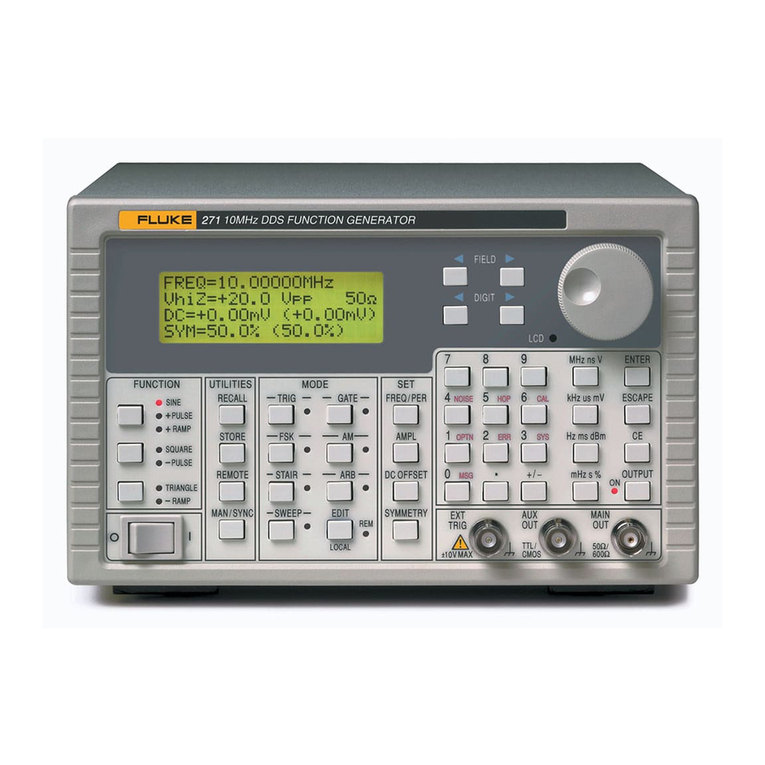
Fluke DDS Function Generator 271 Manuale elenco delle parti

Fluke
Fluke 291 Manuale utente

Fluke
Fluke 281 Manuale elenco delle parti

Fluke
Fluke PM5418 Manuale utente

Fluke
Fluke 6080A Manuale utente

Fluke
Fluke PM 5136 Manuale di istruzioni

Fluke
Fluke PM5414V Manuale utente


