
GE 29579 Manuale utente
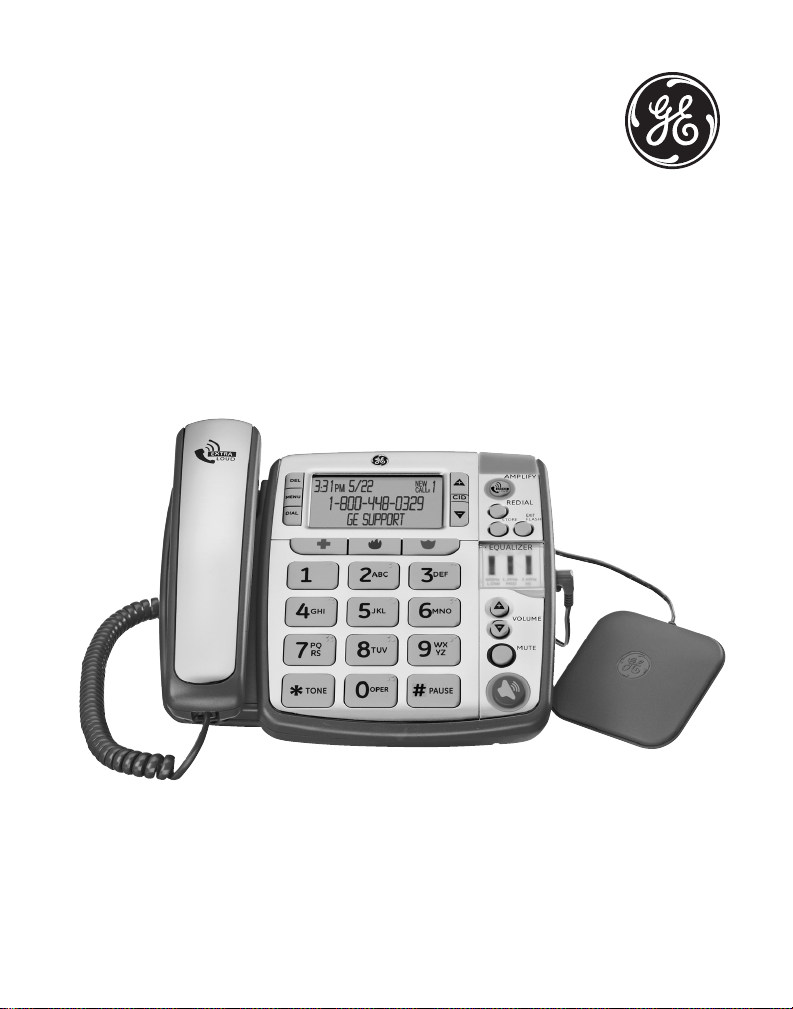
Model 29579
Desktop Caller ID
Speakerphone with
Amplied Volume and
Tone Control User’s Guide

Important Information
NOTICE: This product meets the applicable Industry Canada
technical specications.
Operation is subject to the following two conditions: (1) This
device may not cause interference, and () This device must
accept any interference, including interference that may
cause undesired operation of the device.
The equipment must be installed using an acceptable
method of connection. The customer should be aware that
compliance with the above conditions may not prevent
degradation of service in some situations.
Repairs to certied equipment should be made by an
authorized Canadian maintenance facility designated by
the supplier. Any repairs or alterations made by the user to
this equipment, or equipment malfunctions, may give the
telecommunications company cause to request the user to
disconnect the equipment.
Users should ensure for their own protection that the
electrical ground connections of the power utility, telephone
lines and internal metallic water pipe systems, if present,
are connected together. This precaution may be particularly
important in rural areas.
CAUTION: Users should not attempt to make such
connections themselves, but should contact the appropriate
electric inspection authority, or electrician, as appropriate.
NOTES: This equipment may not be used on coin service
provided by the telephone company.

Interference Information
This equipment generates and uses radio frequency energy
which may interfere with residential radio and television reception
if not properly installed and used in accordance with instructions
contained in this manual. Reasonable protection against such
interference is ensured, although there is no guarantee this will
not occur in a given installation. If interference is suspected
and veried by switching this equipment on and off, the user is
encouraged to try to correct the interference by one or more of
the following measures: Reorient the radio/television receiver’s
antenna, relocate the equipment with respect to the receiver, plug
the equipment and receiver into separate circuit outlets. The user
may also wish to consult a qualied radio/television technician for
additional suggestions. This equipment has been fully tested and
complies with all limits for Class B computing devices pursuant to
part 15 FCC Rules and Regulations.
Telephone Network Information
Should your equipment cause trouble on your line which may
harm the telephone network, the telephone company, where
practicable, may notify you that temporary discontinuance of
service may be required. Where prior notice is not practicable and
the circumstances warrant such action, the telephone company
may temporarily discontinue service immediately.
The telephone company may make changes in its
communications facilities, equipment, operations or procedures
where such action is required in the operation of its business. If
these changes are expected to affect the use or performance
of your telephone equipment, the telephone company will
likely give you adequate notice to allow you to maintain
uninterrupted service.

Notice must be given to the telephone company upon
termination of your telephone from your line.
REN Number
On the bottom of this equipment is a label indicating, among
other information, the Ringer Equivalence Number (REN) for the
equipment.
The REN is useful in determining the number of devices you
may connect to your telephone line and still have all of these
devices ring when your telephone number is called. In most
(but not all) areas, the sum of the RENs of all devices connected
to one line should not exceed 5. To be certain of the number
of devices you may connect to your line as determined by the
REN, you should contact your local telephone company.
REN Number is located on the cabinet bottom.
Hearing Aid Compatibility (HAC)
This telephone system meets FCC/Industry Canada standards
for Hearing Aid Compatibility.
Licensing
Licensed under US Patent 6,7,009.

5
Table of Contents
Important InformatIon ........ 2
Interference InformatIon .... 3
telephone network
InformatIon ................... 3
ren number ...................... 4
hearIng aId compatIbIlIty
(hac) ........................... 4
lIcensIng ............................ 4
IntroductIon ...................... 7
before you begIn ............... 8
Parts CheCklist ....................8
telePhone JaCk
requirements ....................8
InstallatIon ....................... 9
imPortant installation
Guidelines .........................9
base layout ......................10
back & sIde VIews ............11
InstallIng the phone .........12
installinG BaCkuP
Batteries .........................12
ConneCtinG the
telePhone ......................13
settinG uP the user
menu ...............................15
Wall mountinG.................16
disPlay lanGuaGe ..............17
Contrast .............................17
loCal area Code ...............18
telephone operatIon ........19
sPeakerPhone .....................19
PlaCinG a Call ...................20
handset .........................20
sPeakerPhone ................20
ansWerinG a Call ........20
handset .........................20
sPeakerPhone ................21
Volume ................................21
amPlified audio .................22
tone equalizer ..................23
neCklooP ............................24
mute ....................................24
ViBratinG alert ..................24
flash ...................................25
redial ..................................25
caller Id (cId) ................26
Call WaitinG Caller id 27
reCeiVinG Cid reCords ..27
storinG Cid reCords ....28
reVieWinG Cid reCords 28
dialinG a Cid numBer ...29
Caller id disPlay

6
Table of Contents
messaGes ..........................30
storinG Cid reCords in
internal memory ............31
to rePlaCe a stored Cid
reCord ..............................32
deletinG a Cid reCord .32
deletinG all Cid
reCords ............................32
memory ............................ 33
storinG a numBer in
memory ...........................33
addinG a Pause to the
dialinG sequenCe ..........34
ChanGinG a stored
numBer ...........................34
dialinG a numBer from
memory ...........................34
dialinG the emerGenCy
quiCk dial numBers .....34
Chain dialinG from
memory ...........................35
troubleshootIng guIde .....36
general product care .....38
warranty .........................39
accessory InformatIon ..... 41
Index ................................42

7
Introduction
CAUTION: When using telephone equipment,
there are basic safety instructions that
should always be followed. Refer to the
IMPORTANT SAFETY INSTRUCTIONS provided
with this product and save them for future
reference.
This phone is designed for those individuals with mild to
severe hearing loss. The unit is designed to control the
volume of the phone as well as the frequencies that best t
your hearing. It has three pitch control buttons allowing you
to customize the phone to your desire. The equalizer is set at
600Hz, 1.KHz and .kHz.
The phone is designed with unique feature to protect the
hearing in your family. You will be able to switch between
automatic and manual amplication modes to protect your
hearing from being exposed to dangerous sound levels.
Please read this manual very carefully before using your
9579 and keep it for future references. If you have any
question or problems, consult the Troubleshooting Tips for
the solution.
Before You Begin
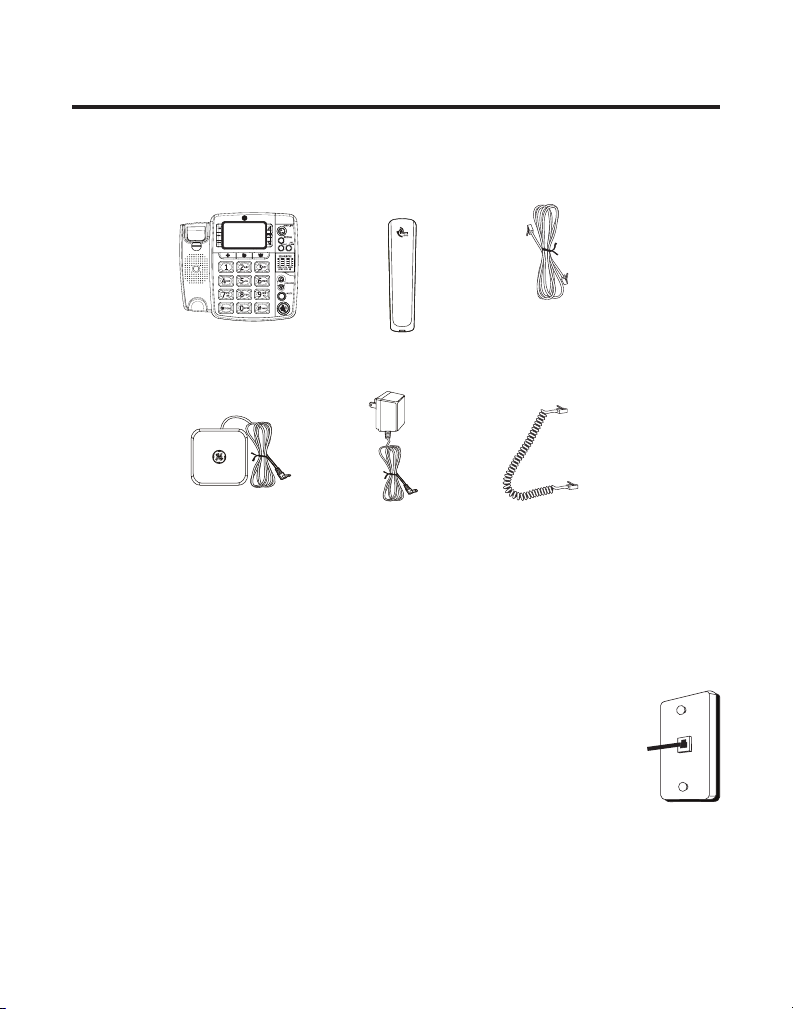
Parts Checklist
Make sure your package includes the items shown here.
Telephone Jack Requirements
To use this phone, you need an RJ11C type
modular telephone jack, which might look
like the one pictured here, installed in your
home. If you don’t have a modular jack,
call your local phone company to nd out
how to get one installed.
Base Handset Telephone
line cord
Handset
cord
Power
Supply
Vibrating
Alert
Modular
telephone
line jack
Wall plate

9
Installation
Important Installation Guidelines
• Avoid sources of noise and heat, such as motors,
uorescent lighting, microwave ovens, heating
appliances and direct sunlight.
• Avoid areas of excessive dust, moisture and low
temperature.
• Avoid other cordless telephones or personal computers.
• Never install telephone wiring during a lightning storm.
• Never install telephone jacks in wet locations unless the
jack is specically designed for wet locations.
• Never touch non-insulated telephone wires or terminals,
unless the telephone line has been disconnected at the
network interface.
• Use caution when installing or modifying telephone lines.
10
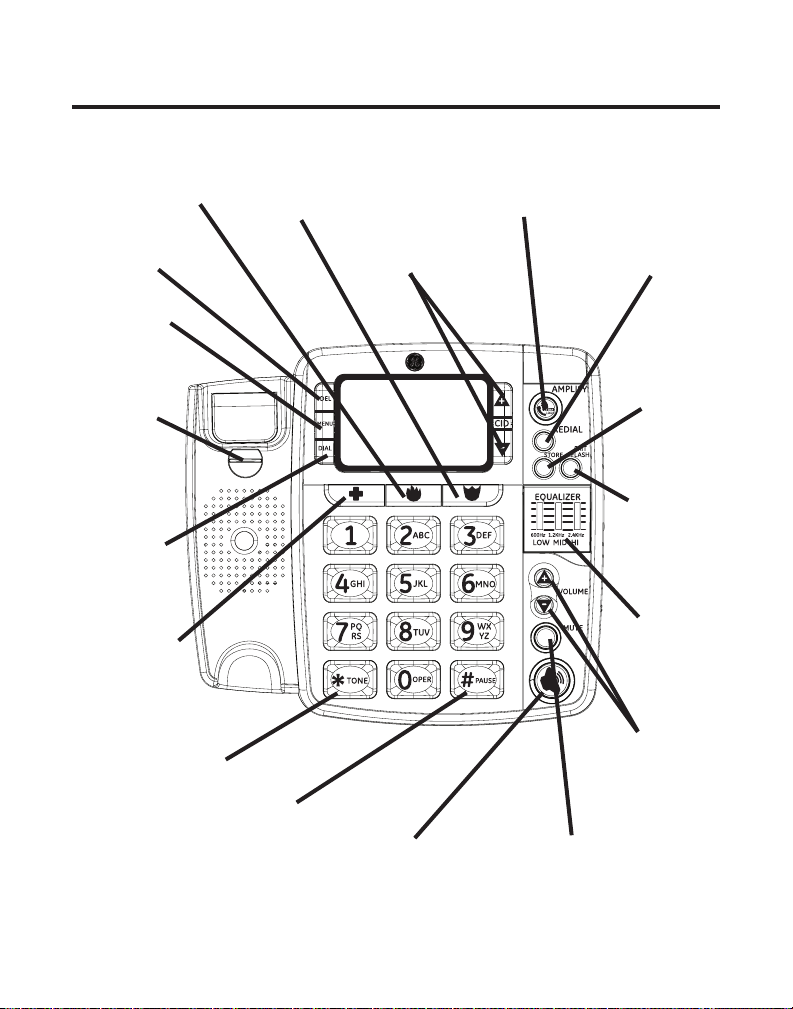
Base Layout
HOSPITAL
button
EXIT/
FLASH
button
REDIAL
button
STORE
button
speaker
button
Tone
Equalizer
FIRE
button AMPLIFY
button
ALARM
button
MUTE button
VOLUME
(p/q)
buttons
#/PAUSE
button
*/TONE
button
DEL
button
MENU
button
DIAL
button
CID
(p/q)
buttons
DESK/
WALL
MOUNT
tab
Altri manuali per 29579
1
Indice
Lingue:
Altri manuali GE Telefono


