Operating Instructions Device description
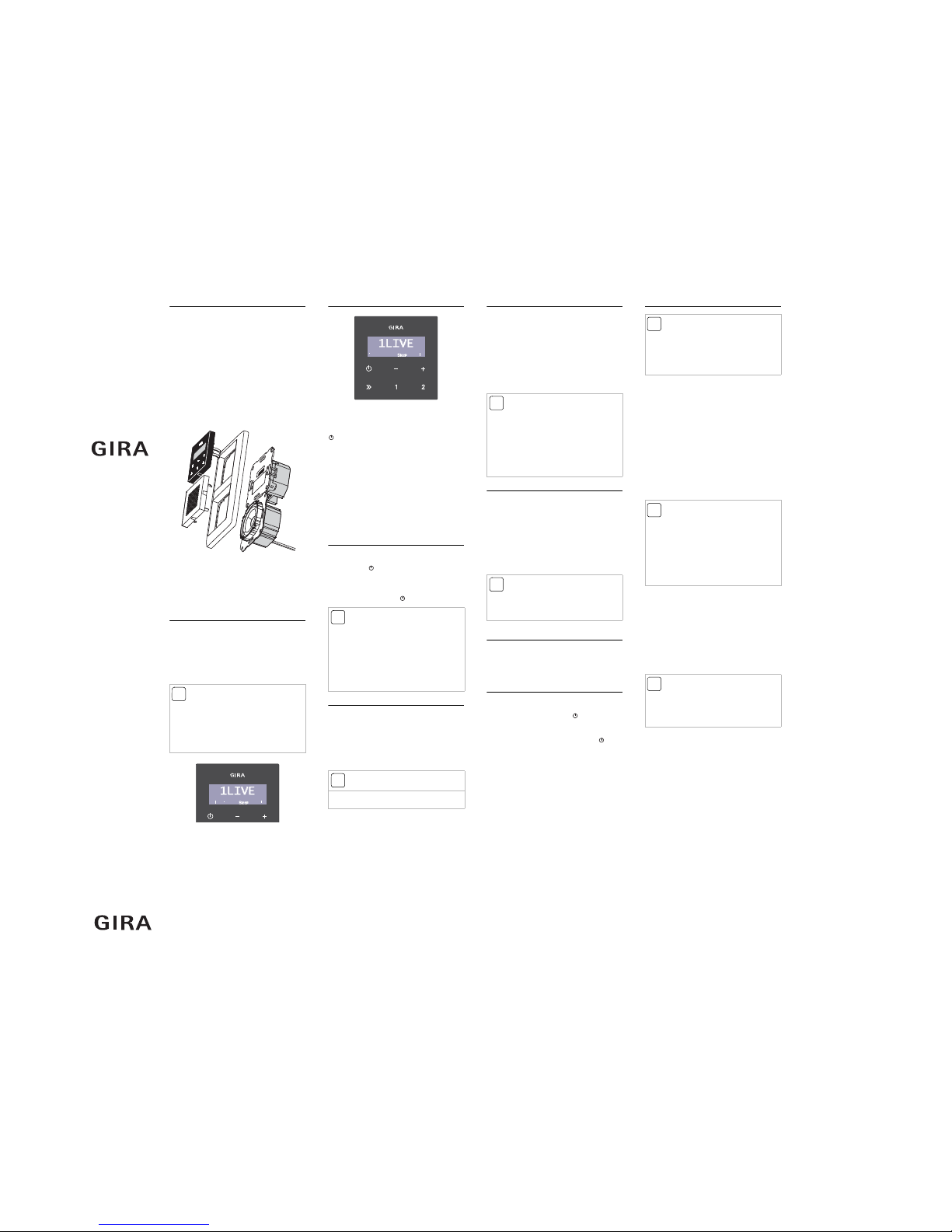
The Gira RDS flush-mounted radio consists of a
radio insert with operating top unit and loud-
speaker insert with cover plate. Either one or two
loudspeakers can be connected to the radio
insert. The radio automatically detects con-
nected loudspeakers and switches over between
stereo and mono mode. The radio is installed in
conventional flush-mounted device boxes. Oper-
ation of the radio is via capacitive operating but-
tons. The operating top unit is equipped with a
display showing the station text (RDS) etc.
External music sources, for example an MP3
player, can be fed into the radio via an AUX
input.
1 Loudspeaker cover
2 Operating top unit
3 Cover frame, 2-gang
4 Radio insert
5 Loudspeaker insert
Display
In normal operation, the display shows the sta-
tion name, frequency and time. Display of time
is coupled to the RDS signal received and cannot
be set manually.
With weak station signals, the station name and
time may not be displayed. Instead of this the
station frequency is shown in the display.
Further display information:
•1 / 2: the radio displays a saved station
•Sleep: the radio is in sleep mode
•> > >: the radio carries out an automatic
station search
•AUX: the radio generates an audio signal fed
in via the AUX input
•INIT: the radio carries out initialisation
•VOLUME: displayed during volume
adjustment
Operation
Operation only requires a light touching of the
symbols.
An overview of the most important functions:
a quick press switches the radio on/off;
a long press switches the radio into sleep mode.
>>
a quick press starts manual station search.
a long press starts automatic station search;
+/ –
pressing –lowers the radio volume;
pressing +makes it louder.
1 / 2:
a quick press calls up a saved station;
a long press saves stations.
Switching on the radio
Any button can be pressed to switch on the
flush-mounted radio. It is not necessary to spe-
cifically press .
When switching on, the last station listened to is
switched on with last selected volume.
The radio remains switched on until it is
switched off by pressing .
Setting volume
Volume is set via +and –.
Volume is raised with +,
and lowered with –.
During setting, the current value of volume is
shown by the display:
VOLUME 1 for the lowest level,
and VOLUME30 for the highest level.
Searching a station
To initiate the automatic station search function,
press and hold the >> search button. During the
search the radio is muted and >>>is shown
in the display. As soon as a station is located the
search function stops and the station becomes
audible.
To manually search for a station: Briefly press
>> several times until the desired frequency is
located. Each press of the button increases the
frequency by 0.1 MHz.
Saving a station
The RDS flush-mounted radio has two station
presets, each of which can save a station setting.
Saving:
1. Select the desired station with the station
search function.
2. Press the corresponding memory button
(1or 2) for approx. 2 seconds.
✓If the station is saved the radio is muted and
the memory number is shown in the display.
Calling up a station
Briefly press a memory button (1or 2) for calling
up a pre-set station. The pre-set station is
located and the corresponding memory number
is shown by the display.
Sleep mode
In sleep mode the radio switches off automati-
cally after 30 minutes.
To activate sleep mode, press for
approx. 2 seconds when the radio is switched
on until Sleep is shown by the display.
To deactivate sleep mode, briefly press . The
Sleep display is suppressed.
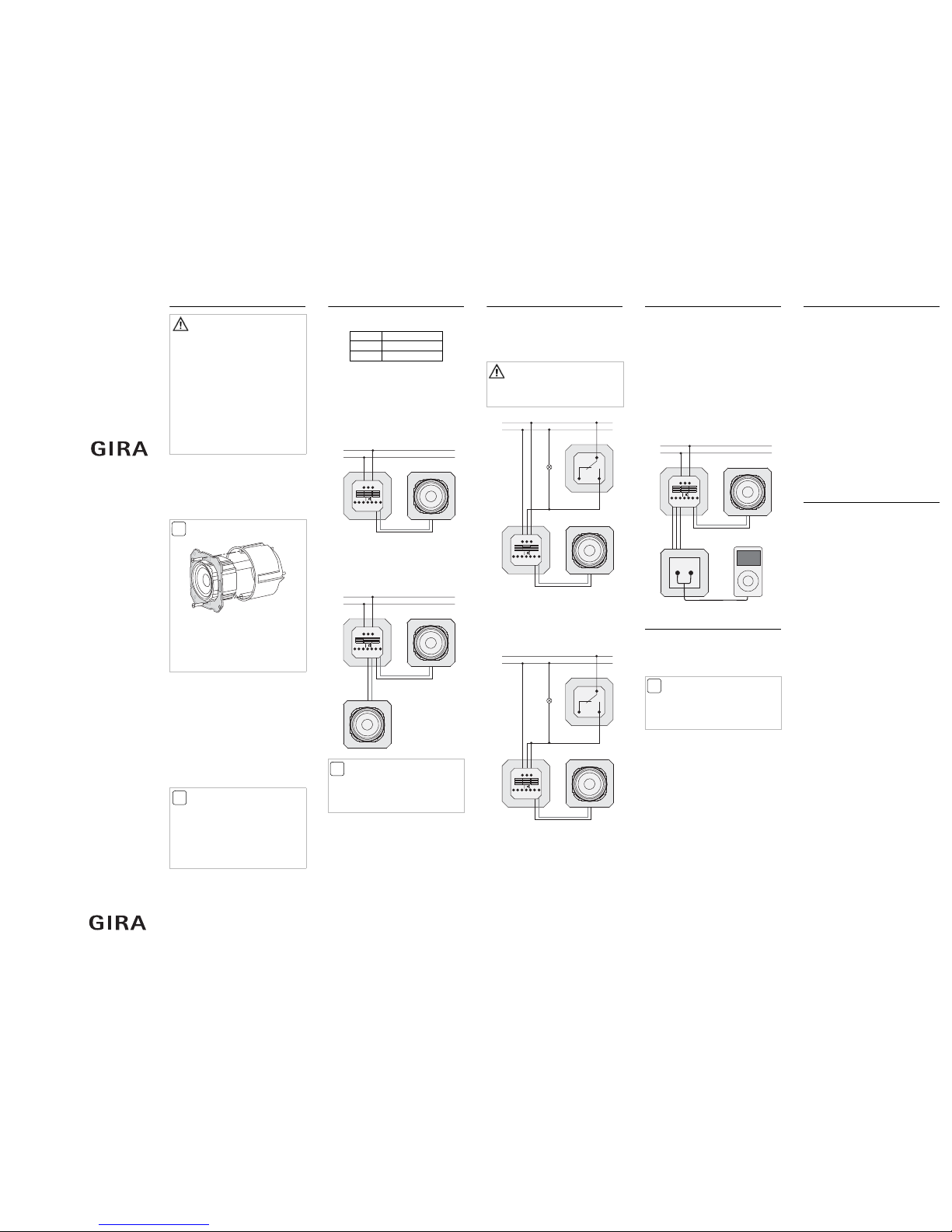
Using an external audio source
The RDS flush-mounted radio is able to generate
the audio signals of an external source (e.g. an
MP3 player).
This function is demonstrated with an MP3
player in the following example:
1. Connect the MP3 player via a suitable adapter
cable (e.g. cinch - jack) to the cinch socket
outlet.
2. Switch on the MP3 player and start playback.
✓The RDS flush-mounted radio switches auto-
matically to AUX mode:
•AUX appears in the display,
• the music from the MP3 player is generated
via the radio loudspeaker.
3. The volume can be modified as accustomed
via +and –;
the buttons >>, 1and 2have no function in
AUX mode.
4. For switching off or for changing to radio
operation the MP3 player is simply switched
off.
✓When the MP3 player is switched off, the radio
returns to its state of play prior to switching to
AUX mode after 10 seconds.