
ISIC DuraMON 26 WS Istruzioni per il montaggio
User Reference Manual – DuraMON-WS series
PN: 05435-000 Rev A Page 1
DuraMON-WS series
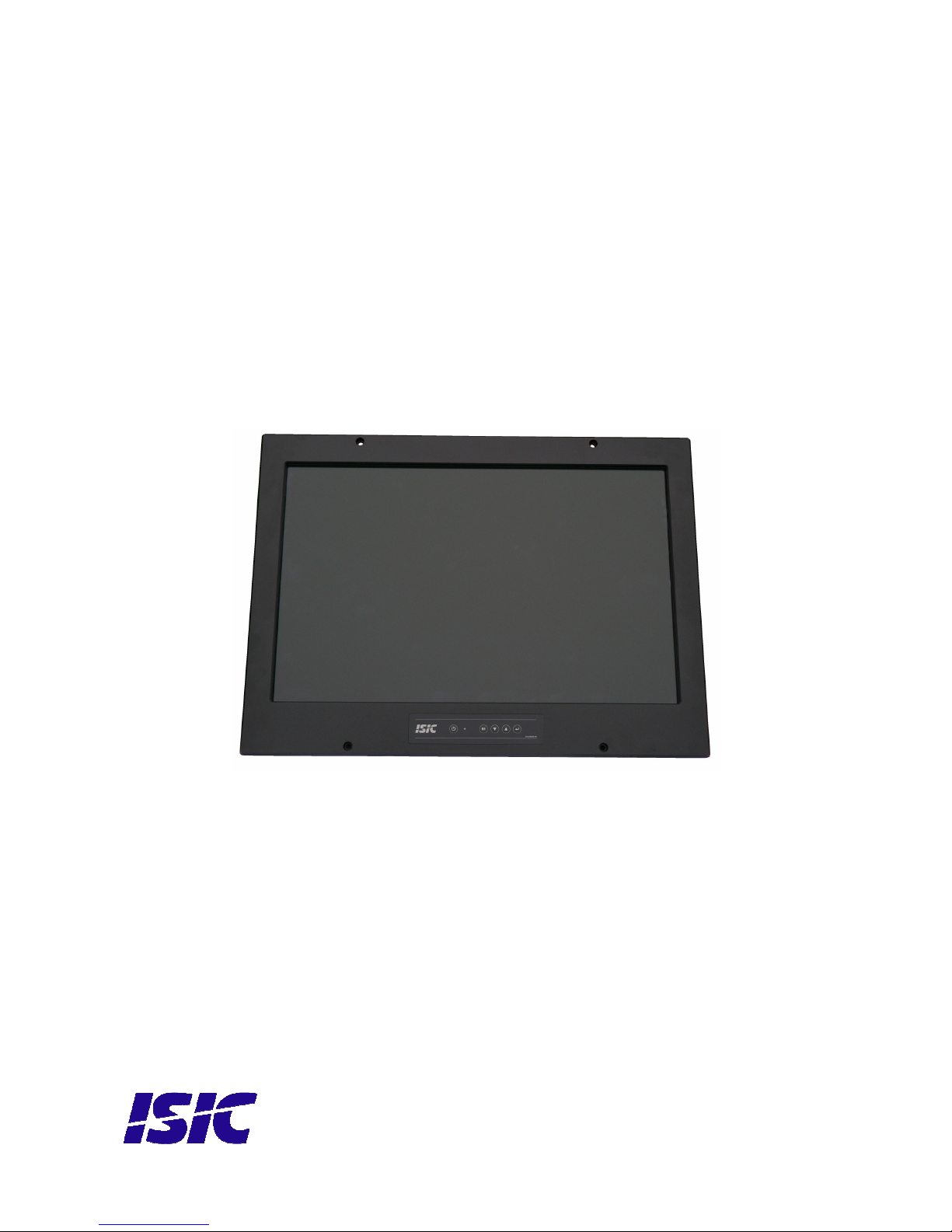
DuraMON 26 WS
User Reference Manual

User Reference Manual – DuraMON-WS series
PN: 05435-000 Rev A Page
Disclaimer
ISIC A/S makes no representation or warranties with respect to the contents or use of this manual,
and specifically disclaims any express or implied warranties of merchantability or fitness for any
particular purpose. Further, ISIC A/S reserves the ri ht to revise this publication and to make
chan es to its content at any time, without obli ation to notify any person or entity of such revisions
or chan es.
Image sticking: If the monitor is operated with static ima es (lo o’s etc) it will inevitably lead to
ima es stickin on the display (like on old CRT’s). This is not a permanently situation and can be
removed by operatin the monitor with a completely black screen.
FCC Warning
Computin devices and peripherals enerate and radiate radio frequency ener y, and if not
installed and used in accordance with the instructions advised by ISIC A/S, it may cause
interference to radio communication.
The DuraFLEX series, manufactured by ISIC A/S, is desi ned to comply with the emer in eneric
EEC standards, that cover applications in maritime environment.
Classification
The monitor is classified as “protected from the weather” accordin to IEC 60945 ed.4 (former class
b).
pprovals
Approval accordin to IACS E10 ed. 5 and IEC 60945 ed. 4, Maritime navi ation and radio
communication equipment and systems – General requirements.
ECDIS IEC 61174 ed. 3
Radar IEC 62288 ed. 1
ISIC A/S is complyin with the WEEE directive within the European Union, statin that electronic and
electric products must be collected separately.
Products are marked accordin to the directive.
Copyri ht 2011 ISIC A/S
ISIC PN: 05435-000 rev. A
ISIC A/S
Edwin Rahrsvej 54
DK-8220 Brabrand
Denmark
Phone: +45 70 20 70 77
Fax: +45 70 20 79 76
Web: http://www.isic-systems.com

User Reference Manual – DuraMON-WS series
PN: 05435-000 Rev A Page 3
Table of Contents
1
FEATURES............................................................................................................................................................... 4
2
GENERAL CONSIDERATIONS ON INSTALLATION AND OPERATION .................................................. 5
3
DURAMON WS CONNECTIONS ......................................................................................................................... 6
4
DURAMON WS FRONT PANEL CONTROLS (ECDIS AND RADAR)........................................................... 7
4.1
D
URA
MON
WS
FRONT FOIL
: .............................................................................................................................. 7
5
POPUP MENU.......................................................................................................................................................... 8
6
ADVANCED OSD ................................................................................................................................................. 10
6.1
I
NPUT SELECT
.................................................................................................................................................... 11
6.2
I
MAGE
A
DJUSTMENTS
........................................................................................................................................ 12
6.3
C
OLOR ADJUSTMENTS
........................................................................................................................................ 14
6.4
A
DV
.
C
OLOR
S
ETTINGS
..................................................................................................................................... 15
6.5
S
CALING
A
DJUSTMENTS
.................................................................................................................................... 16
6.6
OSD
SETTINGS
.................................................................................................................................................. 17
6.7
S
YSTEM SETTINGS
............................................................................................................................................. 19
6.8
S
ERIAL
C
OMMUNICATION
.................................................................................................................................. 21
6.9
V
IDEO SETTINGS
(
OPTIONAL
)............................................................................................................................. 22
7
SERIAL CONNECTION PIN-OUT ..................................................................................................................... 24
8
TECHNICAL SPECIFICATIONS DURAMON WS .......................................................................................... 25
9
MECHANICAL OUTLINE DURAMON 26 WS................................................................................................. 26
10
ECDIS MODE..................................................................................................................................................... 27
11
DURA COMMUNICATION PROTOCOL ..................................................................................................... 27
12
COMPASS SAFE DISTANCE .......................................................................................................................... 27
13
POWER CONSUMPTION ................................................................................................................................ 27
14
IN RUSH CURRENT ......................................................................................................................................... 27
15
TROUBLESHOOTING ..................................................................................................................................... 28
16
SERVICING THE UNIT ................................................................................................................................... 28
17
TERMS, ACRONYMS AND ABBREVIATIONS........................................................................................... 28
18
ISIC INFO / SUPPORT ..................................................................................................................................... 29
19
REVISION HISTORY ....................................................................................................................................... 30
20
APPENDIX A: PIXEL POLICY....................................................................................................................... 31

User Reference Manual – DuraMON-WS series
PN: 05435-000 Rev A Page 4
1Features
Con ratulations on your purchase of a DuraMON WS. This short form manual is desi ned to et you
started workin with your new DuraMON WS.
The DuraMON WS series of monitors are all made as ru ed monitors especially desi ned for the
demandin operatin conditions at sea.
The DuraMON WS series are tested for full compliance to marine-standards IACS E10 and IEC 60945.
The monitor comes with excellent bri htness and contrast levels that, to ether with wide viewin
an les, ensure a ood readability thus makin it very eye-friendly. For the best picture quality,
always use a double shielded cable with ferrites, like the one supplied with the monitor.
Direct dimmin control (0-100%) from UP/DOWN buttons.
Full settin s control via menu or serial link.
Picture in picture function, scalable on the screen.
Anti- lare coated lass.
IP65 protection and liquid resistant front.
Multiple connections to cover the widest ran e of si nal sources:
DVI-D
RGB
S-Video (optional)
Composite (optional)
Firmware update via RS232

User Reference Manual – DuraMON-WS series
PN: 05435-000 Rev A Page 5
2General considerations on Installation and
Operation
The DuraMON WS is desi ned to work at conditions accordin to IEC 60945. However, keepin the
temperature and vibration level at a minimum will extend the life time of the product. ISIC
recommend operatin this product at normal room temperature (20-25 °C), with the lowest level of
vibration and humidity.
Installation of the DuraMON WS
In order to obtain the best possible operatin conditions, please note the followin precautions.
-Room for coolin .
When desi nin the cabinet/console for the DuraMON WS, please ensure that air can
flow freely around the cabinet, in order to avoid any unnecessary rise in temperature. If
it is not possible to have an adequate natural airflow, use a fan to force the airflow to
be hi her.
-Mountin positions
To obtain adequate coolin by convection ISIC recommends that the DuraMON WS is
mounted at least 30 de rees from horizontal. If this is not possible, forced coolin must
be applied directly to the unit in order not to overheat it.
-Sunli ht
If the unit can be exposed to direct sunli ht, there is a potential risk that the unit can be
overheated. Please take measures to prevent direct sunli ht. Do also consider forced
coolin on the back of the unit.
Operation of the DuraMON WS
To ensure that colors and luminance on the display is correct in ECDIS applications, do not use the
monitor until the warm-up period has completed.
The warm-up period is as follows:
Day mode Dusk mode Night mode
DuraMON 26 WS 3 hours 1 hour and 45 min 2 hours
User Reference Manual – DuraMON-WS series
PN: 05435-000 Rev A Page 6
3DuraMON WS connections
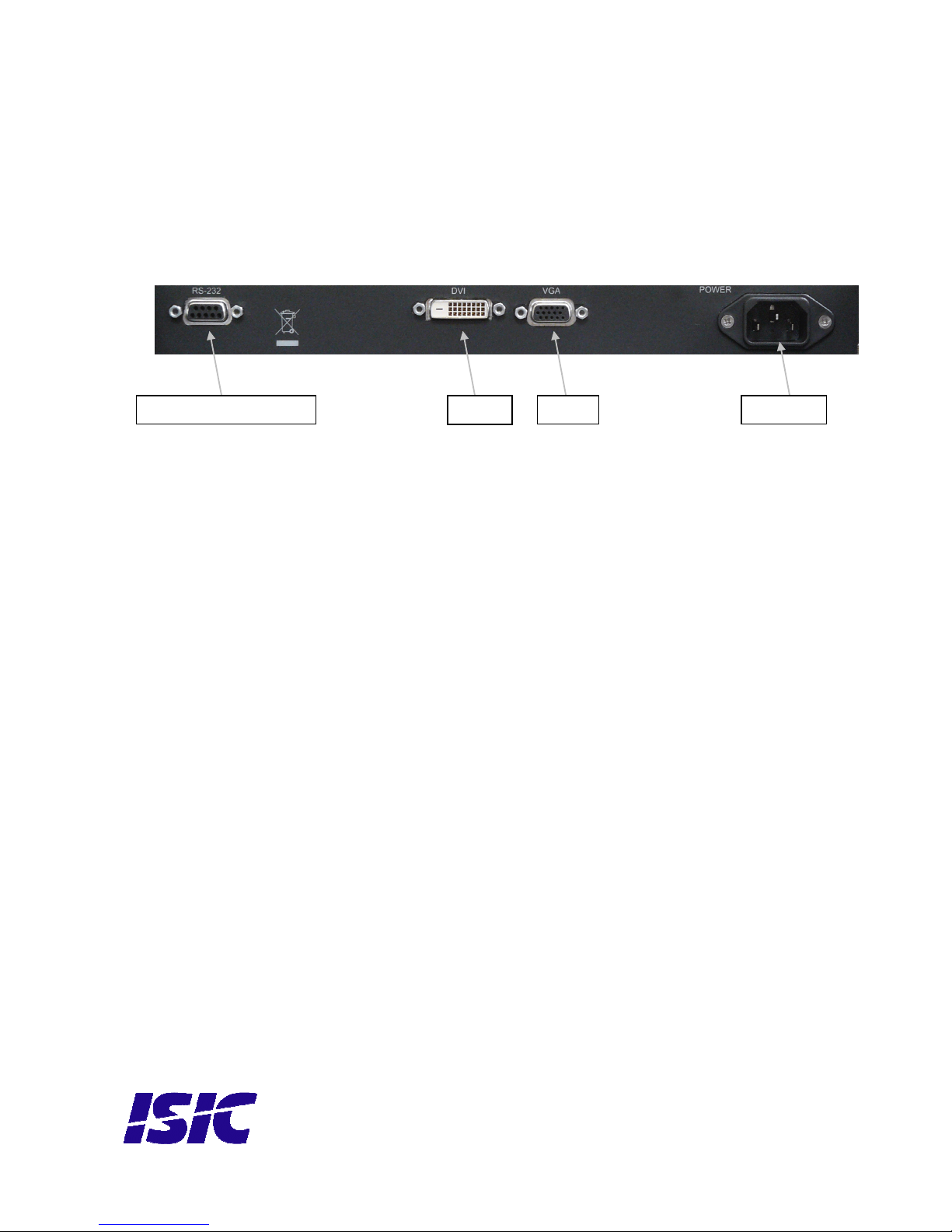
Below is a view of optional connections to the monitor. The default inputs are: power, RS-232,
DVI and VGA.
Remote Controle - RS232
DVI
VGA Power ac

User Reference Manual – DuraMON-WS series
PN: 05435-000 Rev A Page 7
4DuraMON WS front panel controls (ECDIS
and Radar)
The front panel is illuminated and will be dimmed continuously dependin on chan in of
backli ht bri htness.
4.1 DuraMON WS front foil:
ON/OFF:
This key is used to turn the product on or off. Pressin it will turn the power on, while holdin it
pressed will turn the power off. The li ht in the button will chan e from blue to red to indicate it’s
powered down. It is important to notice that, when powered off, the product still consumes some
power from the mains. To cut off the power from the product it is necessary to unplu its power
cord from the mains.
If there is no active si nal, the monitor will o to suspend mode until an active si nal is detected.
While the monitor is in suspend mode, the blue li ht will blink in the ON/OFF button.
MENU:
Pressin this key the Popup menu will appear. See Popup Menu section for details.
UP/DOWN:
Used to adjust backli ht or to navi ate and adjust settin s in menus. Pressin UP and DOWN
to ether will restore the backli ht level to the last selected ECDIS mode by the serial link. (See
document 04924-000 for protocol details).
ENTER:
This key is used to confirm and to enter the advanced OSD by pressin ENTER and thereafter MENU
while holdin ENTER pressed.
ON/OFF MENU UP DOWN ENTER

User Reference Manual – DuraMON-WS series
PN: 05435-000 Rev A Page 8
5Popup Menu
Press “MENU” button once, and the Popup Menu will appear. While the Popup Menu is active, no
settin s sent over the serial link will be executed.
Press once on the
“MENU” key
Backlight
80
It is now possible to
adjust the backli ht
level by pressin
either up- or down
key.
Press twice on the
“MENU” key
Press ENTER to select default values
Press MENU to exit
It is now possible to
default backli ht,
bri htness and
contrast by pressin
the ENTER key.
For ECDIS calibrated
displays, the
backli ht level will
be set to the last
selected ECDIS
mode by the serial
link. (See 04924-000
document for
details on how to
chan e ECDIS
mode over the serial
link).
NOTE: See
advanced OSD
chapter for default
values.
Press three times on
the “MENU” key
Leavin Popup
Menu.
If color control in the advanced menu is set to user mode the Popup Menu will include Bri htness
and Contrast adjustments.
Press once on the
“MENU” key
Backlight
80
It is now possible to
adjust the backli ht
level by pressin
either up- or down
key.
Press twice on the
“MENU” key
Brightness
50
It is now possible to
adjust the bri htness
level by pressin
either the up- or
down key.

User Reference Manual – DuraMON-WS series
PN: 05435-000 Rev A Page 9
Press three times on
the “MENU” key
Contrast
50
It is now possible to
adjust the contrast
level by pressin
either the up- or
down key.
Press four times on
the “MENU” key
Press ENTER to select default values
Press MENU to exit
It is now possible to
default backli ht,
bri htness and
contrast by pressin
the ENTER key.
For ECDIS calibrated
displays, the
backli ht level will
be set to the last
selected ECDIS
mode by the serial
link. (See 04924-000
document for
details on how to
chan e ECDIS
mode over the serial
link).
NOTE: See
advanced OSD
chapter for default
values.
Press five times on
the “MENU” key
Leavin Popup
Menu.

User Reference Manual – DuraMON-WS series
PN: 05435-000 Rev A Page 10
6dvanced OSD
With the Advanced OSD (On Screen Display) you can modify the settin s and control the special
features of the DuraMON WS as described on the next pa es.
To enter the Advanced OSD keep the “ENTER” key down and at the same time press the “MENU”
key.
To navi ate the Advanced OSD use the “UP” and “DOWN” buttons and press “ENTER” to select a
specific settin . To et back to the previous menu point, press the “MENU” button.
Altri manuali per DuraMON 26 WS
1
Indice
Altri manuali ISIC Monitor


