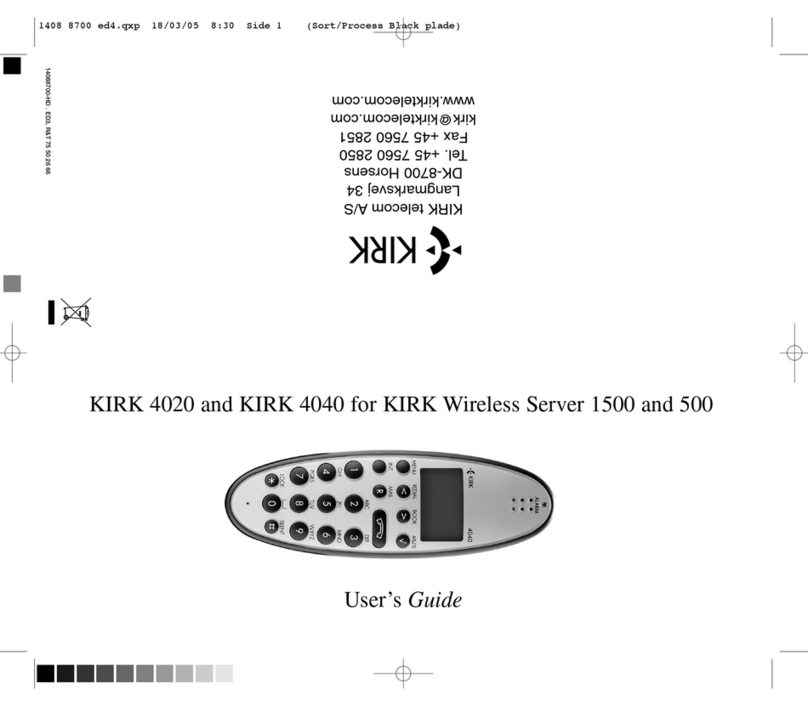
Kirk dect-z 1600 Manuale

KIRK dect-z 1600
Handset
Techn cal user’s gu de
KIRK Brugervejl. 1403 6200 ED1 09/04/02 15:52 Page

2
1KIRK dect-z 1600 handset................2
2Charger .............................................3
3Deployment .......................................3
4Subscr pt on of the Handset..............4
5Menu Structure..................................5
5.1 Best Base Stat ons......................5
5.2 Cur. Base ....................................8
5.3 Free Chan. ..................................9
6Poss ble Use of the Handset.............9
1. The KIRK dect-z 1600 handset –
The professional diagnostic tool for
fault finding and deployment of DECT
systems
F nd ng and correct ng faults n a bus -
ness DECT system s a demand ng task.
In order to make sure that you get to the
real problem, you have to be able to see
and control the nterference that w ll
ex st n a rad o system transm tt ng n
low-power mode. The KIRK dect-z 1600
handset conta ns var ous features wh ch
s mpl fy fault f nd ng n ex st ng DECT
solut ons and the system s adjusted
w th an accuracy, that makes t a h ghly
recommendable tool for sett ng up new
DECT nstallat ons.
KIRK Brugervejl. 1403 6200 ED1 09/04/02 15:52 Page

2. Charger
The charger enables you to s multane-
ously charge the handset ncl. a battery.
The two small nd cators placed on the
front of the charger show the status of
charg ng.
Connect the charger through the DC jack
on the back of the charger and the
AC/DC power supply to the ma ns.
Please pay attent on to the fact that the
temperature l m t for normal use s be-
tween +10 Cels us and +45 Cels us.
The battery s too cold (below +10 ) f the
nd cator flashes red s multaneously w th
a f rm green l ght. Charg ng ma ntenance
w ll be kept on unt l the correct tempera-
ture s reached.
The battery s defect or too hot (more
than +45 ) f the nd cator constantly flas-
hes red on and off. There w ll be no
charg ng at all.
The telephone stand s used as follows:
Put the handset n the charger and con-
trol ts pos t on. Make sure that the left
nd cator has a red l ght, wh ch means
the charg ng of the handset has started.
When the normal charg ng has f n shed
(after approx. 8 hours) the left nd cator
w ll g ve you a constant green l ght nd -
cat ng that the handset s completely
charged. Hereafter the charger changes
automat cally to charg ng ma ntenance,
keep ng the battery fully charged unt l the
handset s removed.
3
KIRK Brugervejl. 1403 6200 ED1 09/04/02 15:52 Page

3. Deployment
The d ff cult part of nstall ng a DECT
system s the quest on of where to place
the base stat ons. The placement of the
base stat ons s made dur ng deployment
of the s te. How to do th s s descr bed n
the appl cat ons note on the Internet
www.k rktelecom.dk
4. Subscription of the Handset
Connect the base stat on to the electr c
supply.
Sw tch on the handset.
Press *99972*x,
where X corresponds
to the wanted
handset number (18).
Press ENTER
Press MENU
Press ENTER
Press < < <
4
*99972*X
*99972*X
MENU
SETUP
RINGER
SETUP
SUBSCRIBE
SETUP
KIRK Brugervejl. 1403 6200 ED1 09/04/02 15:52 Page

Press ENTER
Press ENTER
The handset s now search ng for
systems allow ng subscr pt on.
Keep press ng the subscr pt on button on
the base stat on unt l the b b (the number
of the base stat on w ll show up for 1
m nute).
Use the < and > keys for scroll ng betw-
een the system d’s. When the system d
(also wr tten on the back of the base sta-
t on) s found, press ENTER.
The d splay shows:
When you select wh ch one of the four
d fferent subscr pt on memor es th s part -
cular handset may be subscr bed to, you
use the < and > keys. Press the AC key
(AC = 12345678). Then press
If subscr pt on was successful the symbol
(((•))) appears n the d splay, nd cat ng
that the handset s subscr bed. The sym-
bol s shown as long as the handset s
subscr bed to a system and there s rad o
contact.
Attention!
A short press on the subscr pt on button
on the base stat on w ll start a broadcast
r ng ng on the handset connected to the
base stat on, and the nd cator LED w ll
flash qu ckly.
5
SUBSCRIBE
CREATE
CREATE
SYSTEM 1
AC: _ _ _ _ _ _ _ _ _ _
SUBSCRIBE
SEARCH ID:
10002000242
KIRK Brugervejl. 1403 6200 ED1 09/04/02 15:52 Page

5. Menu Structure.
6
XXXXXXXXXX
YY/ZZ
-QQ Bm
XXXXXXXXXX
F S Q R
Y YY YY YY
< -90 Bm
NXXX
SCANNING
ENTER RFPI
/MASK: XXXX
XXXXXX-YY
SCANNING
MENU
BEST BASES
KIRK ect-z
1600
PP
MENU
CUR. BASE
MENU
FREE CHAN:
KIRK Brugervejl. 1403 6200 ED1 09/04/02 15:52 Page

7
90 Bm
NXXX < -YY Bm
NXXX < -60 Bm
NXXX
CANNING
MENU
EE CHAN: KIRK STANDARD MENU
KIRK Brugervejl. 1403 6200 ED1 09/04/02 15:52 Page

8
5.1. Best Base Stations
In the “BEST BASES” menu t s poss -
ble to see how many base stat ons there
are n the a r where the handset s pla-
ced. The base stat ons are sorted after
s gnal strength (RSSI).
In the RFPI/MASK menu the RFPI num-
ber s selected. The RFPI number s a
comb nat on of the ARI and the RPN
(base number) n hex.
The handset can save nformat on for 25
base stat ons.
ARI
The ARI number s a un que number for
each DECT system. There are 5 d ffe-
rent classes: A, B, C, D, and E.(ETS 300
175-6)
Class A s for Home DECT:
Class B s for Bus ness DECT:
ARI A
ARC ARD
A EMC FPN
3 16 17 = 36 b ts
RFPI A
E PARI RPN
Y/N A EMC FPN RPN
1 3 16 17 3 = 40 b ts
ARI B
ARC ARD
B EIC FPN FPS
3 16 8 4 = 31 b ts
KIRK Brugervejl. 1403 6200 ED1 09/04/02 15:52 Page

Class C s for DECT local loop:
Class D s for DECT d rectly attached to
GSM:
Class E s for PP to PP d rect commun -
cat on:
9
ARI D
ARC ARD
D GOP FPN
3 20 8 = 31 b ts
ARI E
ARC ARD
E FIL FPN
3 16 12 = 31 b ts
RFPI D
E PARI NO
Y/N D GOP FPN RPN
1 3 20 8 8 = 40 b ts
RFPI B
E PARI RPN
Y/N B EIC FPN FPS RPN
1 3 16 8 4 8 = 40 b ts
RFPI C
E PARI RPN
Y/N C POC FPN FPS RPN
1 3 16 8 4 8 = 40 b ts
ARI C
ARC ARD
C POC FPN FPS
3 16 8 4 = 31 b ts
KIRK Brugervejl. 1403 6200 ED1 09/04/02 15:52 Page

EMC: Equ pment Manufacturer’s Code
FPN: F xed Part Number
RPN: Rad o F xed Part Number (Base
number)
EIC: Equ pment Installer’s Code
FPS: F xed Part Sub Number
POC: Publ c Operator Code
GOP: GSM Operator Code
FIL: F ll b ts f xed 16-b t 0101... pattern
The ARI Number in a KIRK DECT-z
1500 System
The ARI number on the back of the
CCFP s an octal number.
• D v de the octal number by 4.
The reason to th s s because of an
ARI- Bs 31 b ts have to be converted
nto a 10 d g t hex number (ETSI 300
175-6).
• After the d v s on a convert nto a hex
number s maked.
.e. 10002001630o ➾100200E6h
To be able to wr te the hex values A B C
D E F you have to press the keys 1 2 3 4
5 6 down respect vely. The keys w ll
toggle between the value every 1.5
seconds.
Base Number (RPN)
The RPN value can be read n the hand-
set and can be n dec mal or hex value.
The hex value s read n the test mode
* 99989 *, and the dec mal value s n the
test mode * 99981 *.
10
RFPI E
E PARI NO
Y/N E FIL FPN RPN
1 3 16 12 8 = 40 b ts
KIRK Brugervejl. 1403 6200 ED1 09/04/02 15:52 Page
Indice
Altri manuali Kirk Cornetta