
Kreg Straight Edge Guide Manuale utente

English 2
French (N. America) 17
Spanish (N. America) 33
French 49
Spanish 65
German 81
OWNER’S MANUAL
We’re here to help.
We want you to have an exceptional project building experience.
If you have questions or need support, please get in touch.
Tell us about your experience.
Your opinion counts. And we’re always looking for ways to improve.
Share your feedback so we can keep growing and innovating for you.
www.kregtool.com/feedback
WARNING Every user must read and follow instructions and safety precautions in this manual.
Failure to do so could result in serious injury. Save manual for future reference.
Straight Edge Guide
Manual applies to Item #
KMA4500 and KMA4500-E (Straight Edge Guide),
KMA4600 and KMA4600-E (Straight Edge Guide Extension),
KMA4700 and KMA4700-E (Straight Edge Guide XL)
2
Safety Precautions
WARNING Before using a power tool with this product, read and follow the
tool manufacturer’s instructions and safety precautions in addition to the safety
precautions below to reduce risk of serious injury from hazards such as re, electric
shock, or moving the blades/bits.
■Follow your power tool manufacturer’s instructions and safety precautions.
■Always wear personal protective equipment required by the power tool
manufacturer.
■Do not allow familiarity gained from frequent use of your tools to replace safe
work practices. A moment of carelessness is sufcient to cause severe injury.
■Avoid awkward hand positions where a sudden slip could cause contact with the
blade or cutting tool.
WARNING Do not operate this tool or any machinery while under the inuence of
drugs, alcohol, or medications.
WARNING This product can expose you to chemicals including Carbon 1333-86-4
and other chemicals, which are known to the State of California to cause cancer and
reproductive harm. For more information go to www.P65Warnings.ca.gov.
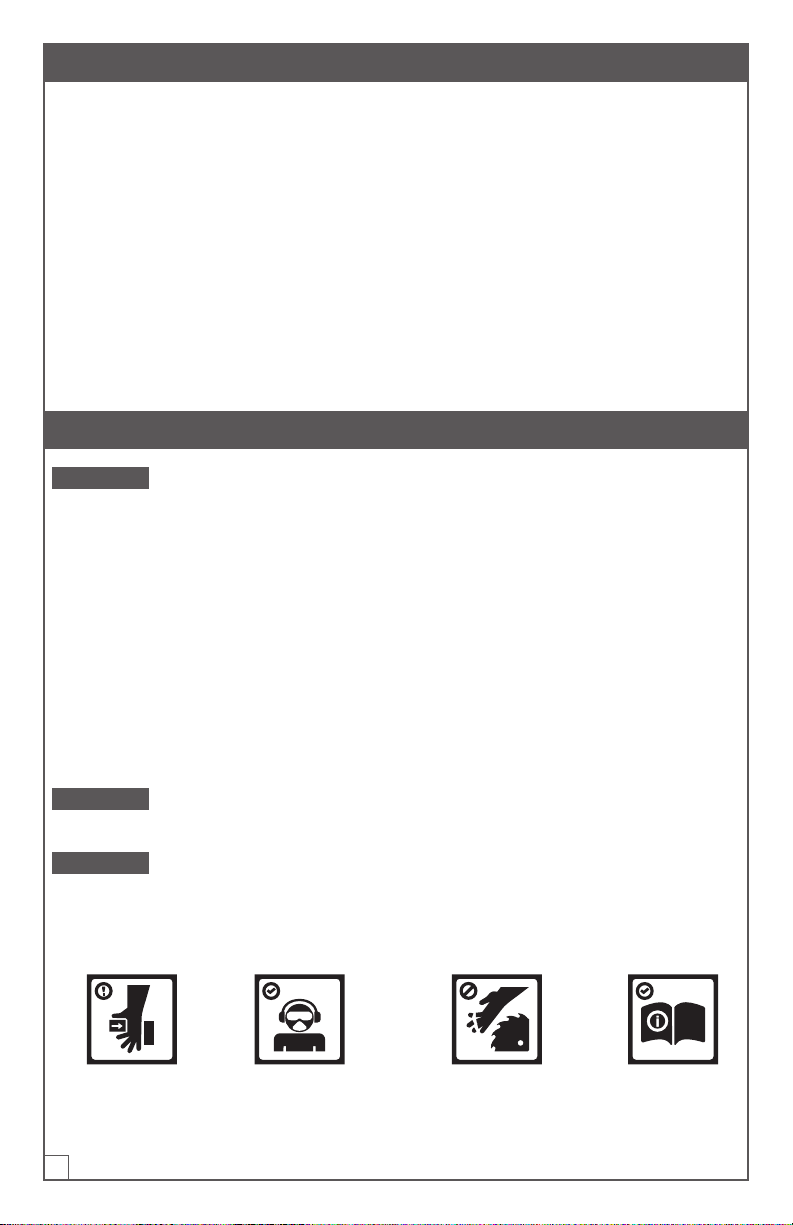
The labels on the guide rail may include these symbols:
Be cautious of
potential pinch point.
Wear proper eye,
ear, and respiratory
protection.
Keep hands and body away
from and to the side of the
blade. Contact with blade will
result in serious injury.
Read the
instructions.
Table of Contents
Safety Precautions . . . . . . . . . .2
Pre-Assembly . . . . . . . . . . . . . 3
Recommended Tools/Materials
(NotIncluded) . . . . . . . . . . . .3
Hardware/Tools Included . . . . . .3
Product Description . . . . . . . . . 4
Assembly . . . . . . . . . . . . . . . 5
Calibration. . . . . . . . . . . . . . . 8
Operation . . . . . . . . . . . . . . 11
Trim Router Calibration . . . . . . . 14
Trim Router Operation . . . . . . . 14
Care and Maintenance . . . . . . . 14
Troubleshooting. . . . . . . . . . . 15
Assembly . . . . . . . . . . . . . 15
Set Up and Operation. . . . . . . 15

3
Pre-Assembly
Review this section before you begin. Ensure you have all tools and materials on
hand. Compare the package with the items listed in the Hardware Included and
Product Description sections. Ensure you have a clean, at area for joining the guide
rails. If any item appears missing or lost, do not use this product. Contact Technical
Support or return product to place of purchase.
Recommended Tools/Materials (Not Included)
#3 Phillips Screwdriver Straight Edge or Level Pencil
Hardware/Tools Included
A
E
G
D
I
F
B
C
H
DD
BB
CC FF
EE
AA
Straight Edge Guide Straight Edge Guide Extension Straight Edge Guide XL
AA - Set screws x 8 AA - Set screws x 8 AA - Set screws x 24
BB - Cutline indicator stop
thumb screws x 2 n/a BB - Cutline indicator stop
thumb screws x 2
CC - Cutline indicator stop
nuts x 2 n/a CC - Cutline indicator stop
nuts x 2
DD - Hex wrench x 1 n/a DD - Hex wrench x 1
EE - Handle bolt x 1 n/a EE - Handle bolt x 1
FF - Handle nut x 1 n/a FF - Handle nut x 1

4
Product Description
A
E
G
D
I
F
B
C
H
DD
BB
CC FF
EE
AA
Straight Edge Guide Straight Edge Guide Extension Straight Edge Guide XL
A - Upper connector bars
x 2
A - Upper connector bars
(preinstalled) x 2 A - Upper connector barsx6
B - Lower connector bars
x 2
B - Lower connector bars
(preinstalled) x 2 B - Lower connector bars x 6
C - Guide rail with
GripMaxx™clamp x 1 n/a C - Guide rail with GripMaxx™
clamp x 1
D - Guide rail (28") x 1 n/a D - Guide rail (28") x 1
E - Adjustable GripMaxx™
clampx1 n/a E - Adjustable GripMaxx™
clamp x 1
F - Cutline indicator
armsx2 n/a F - Cutline indicator arms x 2
G - Cutline indicator
stopsx2 n/a G - Cutline indicator stopsx2
H - Handle x 1 n/a H - Handle x 1
n/a I - Guide rail extension (24") x 1 I - Guide rail extension (24")
x 2

5
Assembly
1 Prepare the Upper Connector Bars
a. Thread all of the set screws (AA) into
the upper connector bars (A).
b. Use the hex wrench (DD) to thread
into place.
A
AA
DD
2 Assemble the Connector Bars
a. Place an upper connector bar (A) over a lower connector bar (B) and slide this
assembly into the channel of the guide rail with GripMaxx™clamp (C), leaving
about half of the connector bar assembly out of the channel.
b. Repeat for the other channel of the guide rail with GripMaxx™clamp (C).
c. Partially snug the screws in the connector bars using the hex wrench (DD). This
ensures the connector bars t snugly into place in the channels.
ATTENTION Do not fully tighten the set screws. This will occur in step 3.
C
B
A
DD

6
3 Attach the Guide Rails
a. Slide the guide rail (D) onto the connector bars, ensuring that the hole on the
guide rail (1) is furthest away from the connector bars.
b. Use a level (2) or straightedge to ensure the connected guide rails are aligned
properly. Fully tighten the set screws (AA) in the connector bars on the guide
rail(D) using the hex wrench (DD).
c. For Straight Edge Guide XL and Straight Edge Guide Extension: Repeat steps a
and b until all guide rail sections are assembled.
ATTENTION Ensure set screws are tight but do not over-tighten to prevent marring
the guide rail. The recommended tightness is 1/4 turn past snug.
C
AA
DD
D
2
1
4 Install the Adjustable GripMaxx™Clamp
a. Install the adjustable GripMaxx™clamp (E) into the underside of the guide rail
assembly (D).
b. Verify that the GripMaxx™surface on the clamp faces the corresponding pad on
the guide rail with GripMaxx™clamp (C).
c. Tilt the adjustable GripMaxx™clamp (E) to slide into the guide rail assembly (D).
D
E

7
5 Install the Handle
a. Slide the handle (H) into the guide rail (D), ensuring the holes are aligned. Secure
in place using the handle bolt (EE) and handle nut (FF).
b. Store the hex wrench (DD) in the clips on the underside of the handle.
H
EE
D
FF
H
DD
6 Assemble the Cutline Indicator Stops
a. Install a cutline indicator thumb
screw (BB) and stop nut (CC) into a
cutline indicator stop (G) as shown.
b. Repeat this process for both stops.
7 Install the Indicator Arms
a. Slide a cutline indicator arm (F) into the adjustable GripMaxx™clamp (E). Verify
that the longer face (1) of the arm (F) is facing inward, as shown. Then install the
cutline indicator stop (G) onto the other end of the arm (F).
b. Repeat to install the second cutline indicator arm on the guide rail with
GripMaxx™clamp (C), ensuring the longer face (1) points inward as well.
ATTENTION Cutline indicator arms are reversible for left- or right-bladed saws.
Refer to the calibration section of this manual.
1 1
F
E
G
BB
CC
G

8
Calibration
The indicator arms can be reversed based on left- or right-bladed saws. If your saw
has a blade mounted on the left-hand side, install the indicator arms so the at faces
are positioned on the left side of the guide rail (as shown on previous page in step 7).
If your saw has the blade mounted on the right-hand side, reverse the positioning so
the at face of each indicator arm is on the right side of the guide rail.
Note Indicator arms are long and will cover the distance from the blade to the
baseplate edge of the most saws, between 1" – 5.5".
1 Position the Saw and Make Reference Marks
a. Ensure the saw is unplugged or the
battery is removed. Set the blade
depth of the saw to the material
allowing for 1/8" more than material
thickness. See your saw owner’s
manual for setting the depth.
b. Lift the blade guard to expose the
blade, and position the saw on a
piece of plywood so that the blade
rests against the plywood edge.
c. Mark a line on the material of where
the baseplate edge rests.
d. Repeat steps a - c at the far side of
the material.

9
2 Align the Guide Rail to the Marks
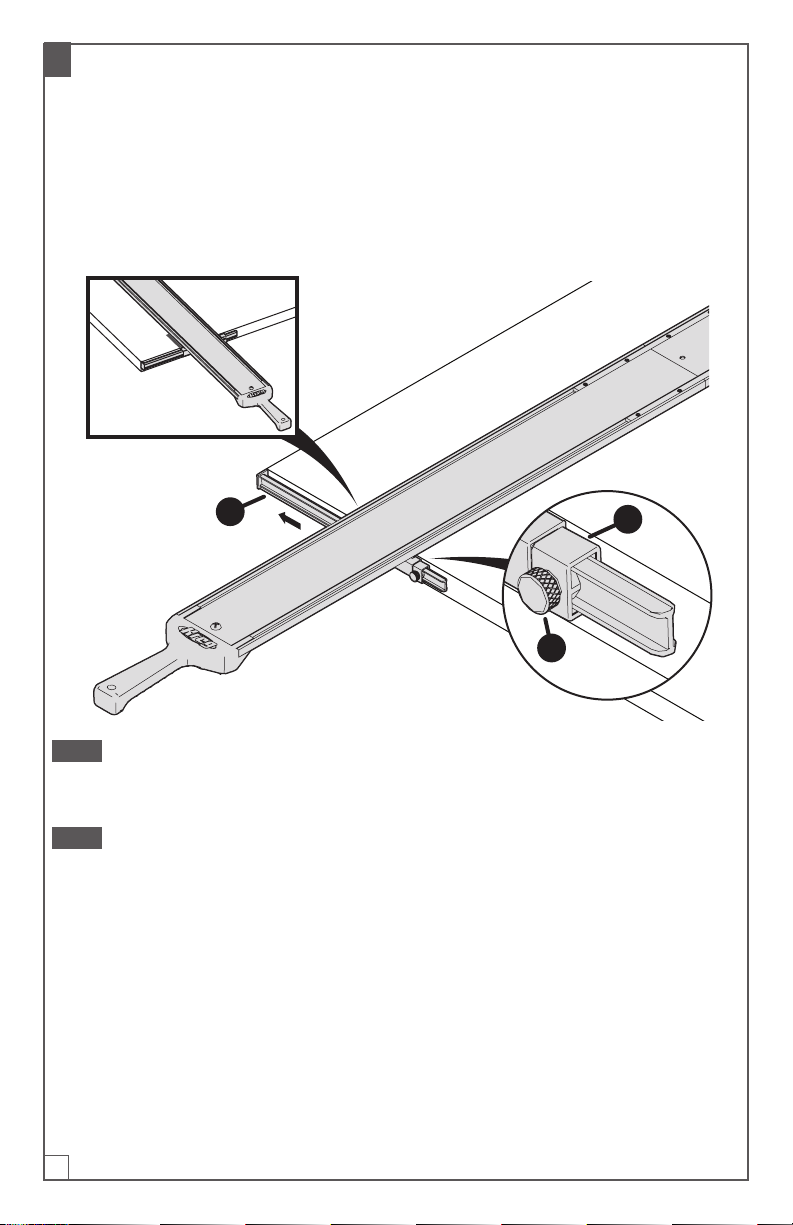
a. Place the guide rail on your material. Align and position the guide rail to your
reference marks. Refer to Step 2 from the Operation section of the manual for
proper alignment of the clamps to the material’s edge.
Attention This is the only time that you will align the guide rail to your marks. After
calibration, the cutline indicator arms will align to your measured marks as indicated
in Step 2 of the Operation section of the manual.
b. Secure the guide rail in place. Refer to Step 3 from the Operation section of the
manual to secure and clamp the guide.
C
10
3 Align the Cutline Indicator Arms
a. On the cutline indicator stop (G), loosen the indicator thumb screw (BB) and slide
the cutline indicator arm (F) out to align to the edge of the material. Slide the
stop to the clamp edge and re-tighten the thumb screw (BB).
b. Repeat for the other cutline indicator arm to ensure you have aligned both arms
to the edge of the material.
c. Remove the guide from the material after both cutline indicator arms have been
aligned. Refer to Step 5 in the Operation section of the manual.
G
BB
F
Note By setting the length of the cutline indicator arms, you have now accounted
for the blade offset of your saw. This means the cutline indicator arms are calibrated
to this specic saw. If you change tools, you may need to recalibrate the guide.
Note To calibrate for use with a jigsaw, repeat steps 1-3 above, but align the jigsaw
blade with the edge of the material, instead.
Questo manuale è adatto per i seguenti modelli
8
Indice
Lingue:
Altri manuali Kreg Accessori per utensili elettrici

Kreg
Kreg Klamp Vise KKS1050 Manuale utente

Kreg
Kreg KPHJ310-INT Manuale utente

Kreg
Kreg Micro-Pocket Drill Guide Kit 730 Manuale utente

Kreg
Kreg KMA4100 Manuale utente

Kreg
Kreg KMS7215 Manuale utente

Kreg
Kreg Precision Router Lift Manuale utente

Kreg
Kreg Micro-Pocket Drill Guide Kit 530 Manuale utente

Kreg
Kreg Swing Stop KMS7801 Manuale utente

Kreg
Kreg KBK-IP Manuale utente


