INSTALLATION.................................................................................................................................................................................3
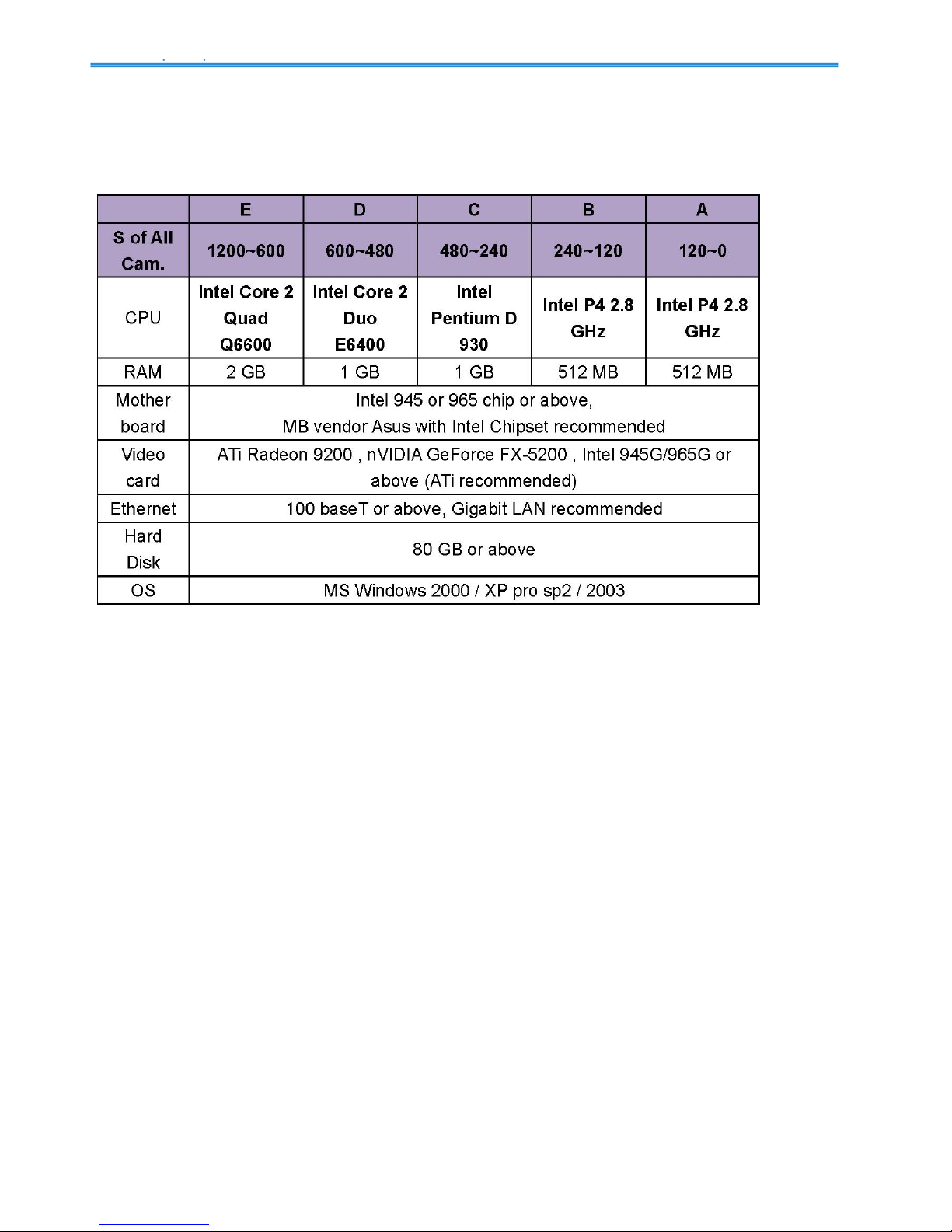
MINIMUM SYSTEM REQUIREMENT.................................................................................................................................................3
INSTALL IPCAMERA(S)....................................................................................................................................................................4
INSTALL CAPTURE CARD(S).............................................................................................................................................................4
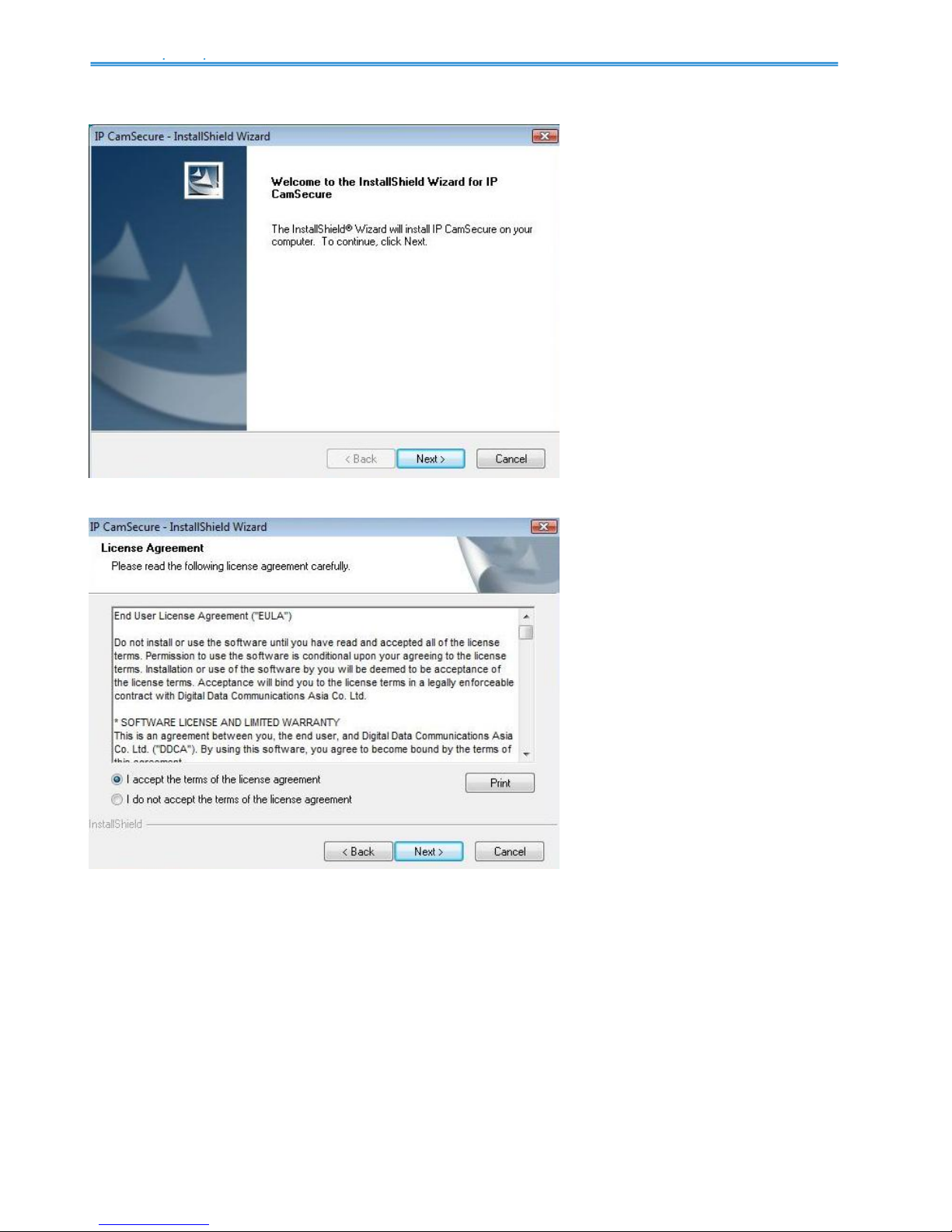
IPCAMSECURE INSTALLATION.......................................................................................................................................................5
MAIN CONSOLE.............................................................................................................................................................................11
PLAYBACK.......................................................................................................................................................................................17
TOWITHDRAW THE RECORD .........................................................................................................................................................20
SEARCH MODE...............................................................................................................................................................................22
ENHANCEMENT..............................................................................................................................................................................28
SAVE VIDEO /SAVE IMAGE ............................................................................................................................................................29
PRINT /BACKUP.............................................................................................................................................................................30
LOGVIEWER..................................................................................................................................................................................31
SCHEDULE.......................................................................................................................................................................................35
ENCODING OPTIONS PANEL ..........................................................................................................................................................38
GUARD..............................................................................................................................................................................................41
EVENT ............................................................................................................................................................................................42
ACTION ..........................................................................................................................................................................................58
CONFIGURATION..........................................................................................................................................................................60
MONITOR DISPLAY ........................................................................................................................................................................74
SAVE/LOAD CONFIGURATION........................................................................................................................................................75
COUNTINGAPPLICATION...............................................................................................................................................................76
LOGVIEWER..................................................................................................................................................................................77
NETWORK SERVICE.....................................................................................................................................................................86
LIVE STREAMING SERVER.............................................................................................................................................................86
REMOTE PLAYBACK SERVER ........................................................................................................................................................90
3GPPSERVICE...............................................................................................................................................................................93
REMOTE DESKTOP.........................................................................................................................................................................96
CENTRAL MANAGEMENT SERVICE ...............................................................................................................................................97
REMOTE LIVE VIEWER...............................................................................................................................................................98
DBTOOLS .......................................................................................................................................................................................103
BACKUP..........................................................................................................................................................................................107
HOW TO USE IP CAMSECURE IN VISTA................................................................................................................................ 111