
LG MP700 Manuale utente

OWNER’S MANUAL
DIGITAL SIGNAGE CONTENTS PLAYER
(Hardware)
DIGITAL SIGNAGE CONTENTS PLAYER
MP700
www.lgsupersign.com
www.lg.com
Please read this manual carefully before operating
the product and retain it for future reference.
ENGLISH

2
CONTENTS
Specications .............................................................................3
General Specifications .................................................................................................. 3
Multi I/O Port ................................................................................................................. 3
Operational Specifications ............................................................................................ 3
Included in the Box.....................................................................4
Basic Components ........................................................................................................ 4
Optional Items ............................................................................................................... 4
Connections ...............................................................................5
Front Panel................................................................................................................... 5
Back Panel .................................................................................................................... 5
Monitor Integration .....................................................................6
**WS50 Model............................................................................................................... 6
**WX50MF Model.......................................................................................................... 7
84WS70MS Model ........................................................................................................ 8
In/Out Cable Connection ............................................................9
DP to HDMI dongle product list..................................................................................... 9
Connecting a Monitor with an RGB Cable .................................................................. 10
Connecting a Monitor with DP Cable .......................................................................... 12
Connection to Multiple Monitors.................................................................................. 16
Frequently Asked Questions (FAQs) ........................................17
Unied Codecs .........................................................................20
Network Setting ........................................................................20
3
Attention
● Product specifications may change without prior notice to improve performance.
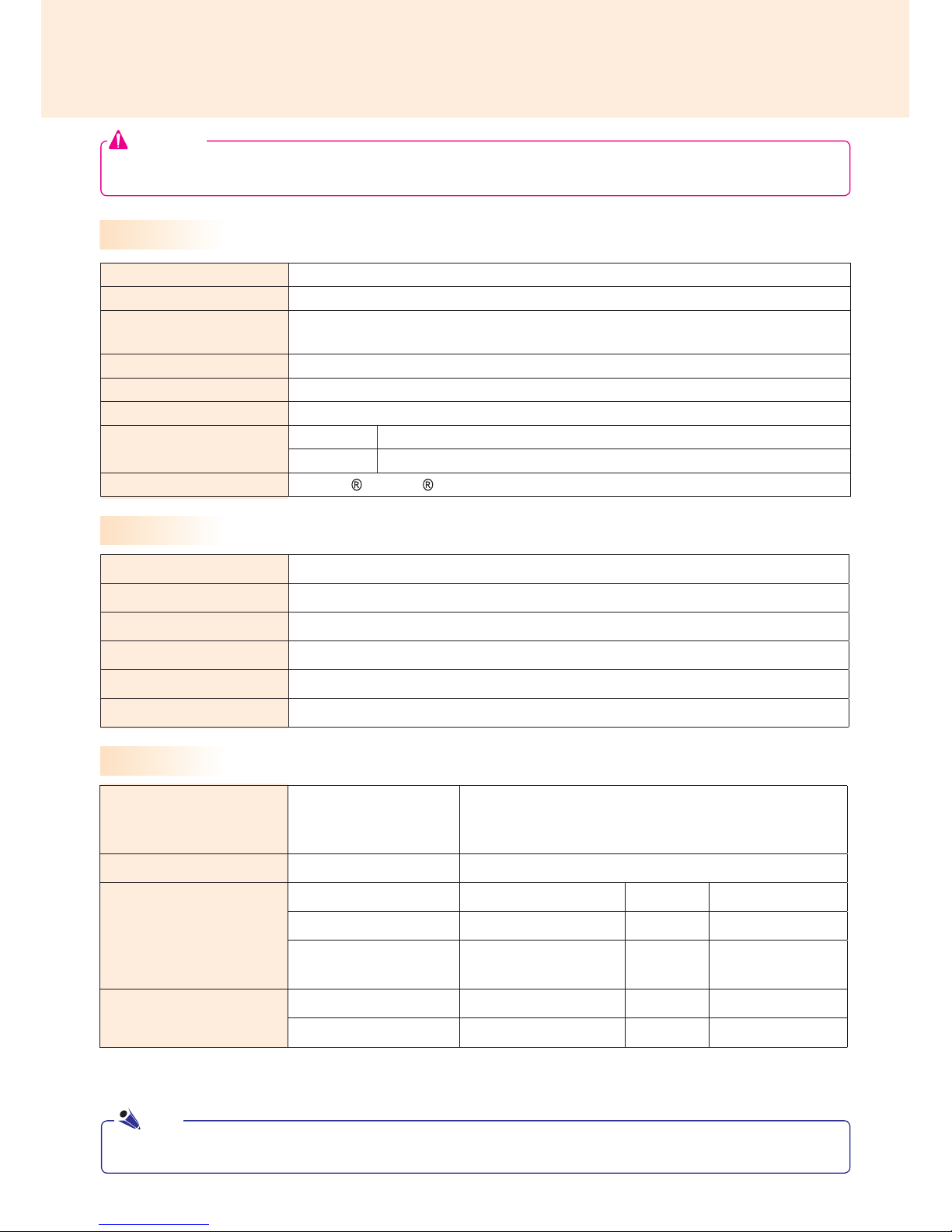
Specications
Dimensions 260mm(W) x 40.1mm(H) x 275.9mm(D)(only Set)
Weight SSD 2.3Kg / 1TB HDD 2.4Kg
CPU Intel® Core™ i7-3610QE (Qaud Core, 2.3 GHz Clock Speed, 6M Cache)
Intel® Core™ i5-3610ME (Dual Core, 2.7 GHz Clock Speed, 3M Cache)
GPU AMD Radeon™ E6760 Discrete GPU
Chip Set Mobile Intel® QM77 Express Chipset
Main Memory DDR3-1600 SODIMM 2GB x2 (4GB)
Secondary Storage
Device
SSD 32GB, 64GB
HDD 1TB
O/S
Microsoft Windows Embedded Standard 7 P (64bit)
General Specifications
Resolution
Recommended Resolution
DP with HBR2: 3840x2160 @30Hz
DP: 1920x1080 @60Hz
RGB: 1920x1080 @60Hz
Power
Rated Voltage 100-240 V~ 50/60 Hz 1.8 A
Operating Condition
Sync (H/V) Video LED
Normal Mode On/On Active On
Deep Sleep Mode
(Set = Off) Off/Off Off Off
Operating Conditions
Operating Conditions 5 ℃ to 40 ℃Humidity 10 % to 80 %
Storage Conditions -20 ℃ to 60 ℃Humidity 5 % to 95 %
Operational Specifications
Multi I/O Port
Serial Port One external RS-232 Serial port
USB Port USB 2.0 port (x2), USB 3.0 port (x1)
LAN Port Intel® 82579 Gigabit Ethernet
RGB x1 / DP x4 x2 for UHD which is printed with 'HBR2'
Mini PCIe Supported
LINE OUT Supported
The supported resolution may differ depending on the monitor.
Note

4
Included in the Box
The MP700 comes with the following components. Please check that these components have been
included prior to installation.
The following items are supported by the MP700, but are not provided with the product.
Please purchase optional items as needed.
● DP (Display Port) cable, LINE-OUT (Audio Out) cable, LAN cable, mouse, keyboard.
● These illustrations may differ from your product and are subject to change.
●In some countries, a Y-type cable may be provided instead of the power cord.
●Always use genuine components to ensure safety and product life. Any damages or injuries by misuse or
using an improper accessory are not covered by the warranty.
Attention
M 3.0 mm x Pitch 0.5 mm x
Length 6.0 mm X 4ea
MP700
Power Cable
User Manual / Cards
Basic Components
Optional Items
5
Connections
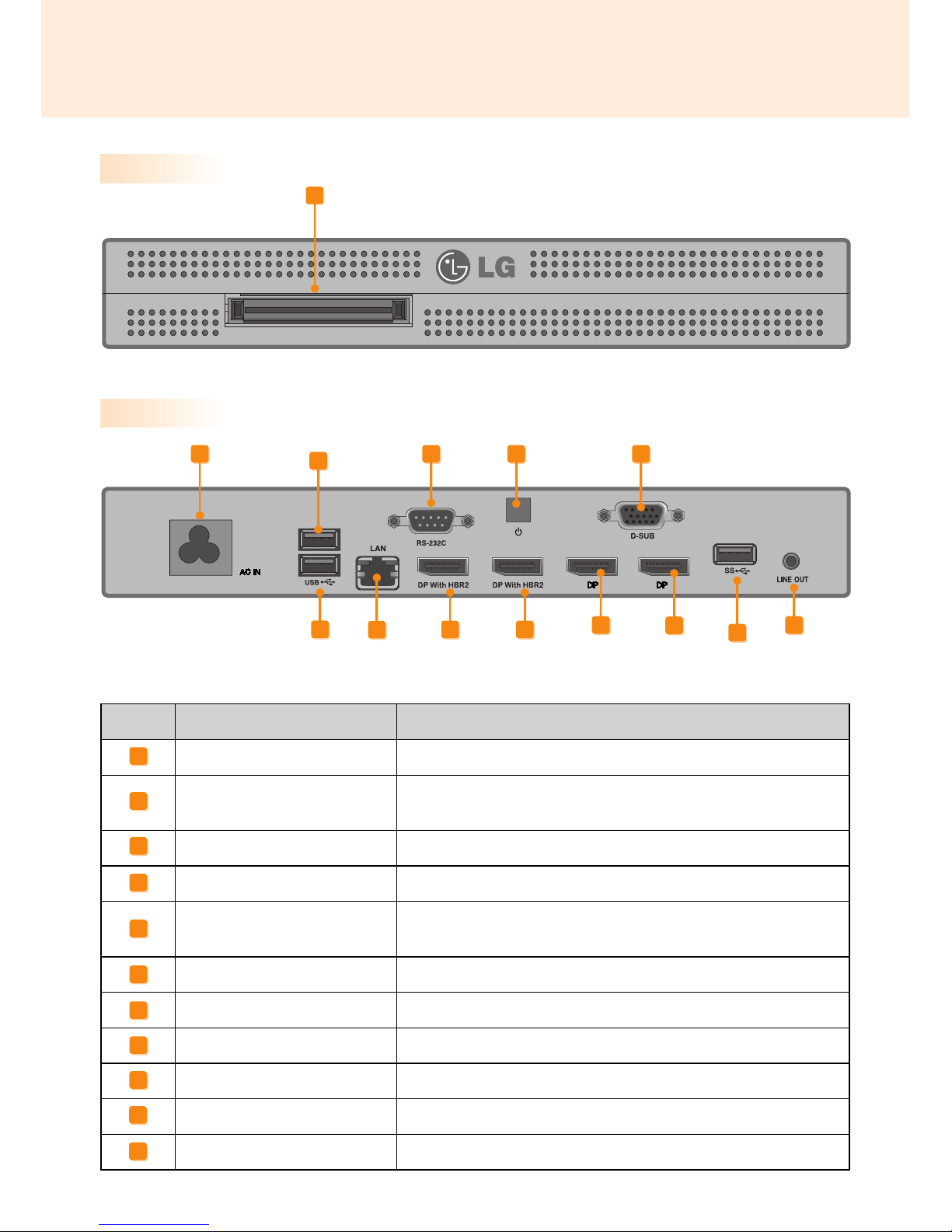
Back Panel
Number Connection Description
Power Cable In For the power cable.
USB 2.0 Connector For USB-type devices, including memory, hard disk, CD-ROM, key-
board, and mouse.
LAN Connector For a LAN cable.
RS-232C Out For the RS-232C cable.
DisplayPort with HBR2 (Out)
Connects the cable to a monitor that supports DP (Display
Port) (resolution: up-to 3840x2160)
Power Button Turns MP700 ON/OFF.
RGB Connector (output) Connects the cable to a monitor that supports RGB (VGA).
DP Output Port Connects the cable to a monitor that supports DP (Display Port).
Monitor Docking Port Connects the MP700 to a monitor.
USB 3.0 Connector
For USB 3.0 devices.
LINE-OUT Connector For a LINE-OUT cable for analog audio transfer.
A
B
C
D
E
F
G
H
I
Front Panel
I
ADFG
H
BK
CH
E E
B
J
J
K

6
We recommend you to use the items provided with your MP700 and follow our instructions for integrating
the product with your monitor in order to ensure the correct results.
The illustrations shown are to guide your integration and may differ from your product.
1
Place a soft cloth on the table and put the
product on the table with the screen facing
downward.
Push the MP700 into the compartment to
mount it.
2
Secure the MP700 to the set using the four
screws provided.
Monitor Integration
**WS50 Model
● Be careful of sharp edges on the rail and the
handle.
● Attaching the product with non-standard
screws may cause damage or the product to
fall down. LG Electronics is not liable for any
accidents relating to the use of non-standard
screws.
● Do not over tighten the screws as this may
cause damage to the product and void your
warranty."
Attention
Attention

7
For proper use, it is recommended to use the basic components provided with the MP700 to attach it to a
monitor.
The illustrations shown are to guide your integration and may differ from your product.
1
Place a soft cloth on the table and put the
product on the table with the screen facing
downward. Remove the opening cover by un-
fastening two screws as shown in the picture.
2
Push the MP700 into the compartment to
mount it.
3
Secure the MP700 to the product using the
two screws provided.
**WX50MF Model
Attention
● Be careful of sharp edges on the rail and the
handle.
● Attaching the product with non-standard
screws may cause damage or the product to
fall down. LG Electronics is not liable for any
accidents relating to the use of non-standard
screws.
● Do not over tighten the screws as this may
cause damage to the product and void your
warranty.
Attention

8
For proper use, it is recommended to use the basic components provided with the MP700 to attach it to a
monitor.
The illustrations shown are to guide your integration and may differ from your product.
1
Place a soft cloth on the table and put the
product on the table with the screen facing
downward.Remove the handle at the bottom
of the section where the Contents Player is
mounted from the set.
2
Push the Contetns Player into the compart-
ment at the back of the set to mount it.
3
Secure the Contents Player to the set using
the four screws provided.
Attention
yUse the screws provided with the
product (diameter 3.0 mm x pitch 0.5
mm x length 6.0 mm).
Note
● Be careful of sharp edges on the rail and the
handle.
● Attaching the product with non-standard
screws may cause damage or the product to
fall down. LG Electronics is not liable for any
accidents relating to the use of non-standard
screws.
● Do not over tighten the screws as this may
cause damage to the product and void your
warranty.
Attention
84WS70MS Model

9
In/Out Cable Connection
To view images on the monitor that is not connected to the monitor docking port of MP700, you need to con-
nect the MP700 to the monitor via an RGB or DP Cable.
● RGB, DP(Display Port), LINE-OUT(Audio Port), and LAN cables are not included. You need to purchase
these separately, if needed.
● After cabling is complete, assign the SET ID of the monitor to be connected to MP700.
● To configure the SET ID, please refer to the owner’s manual for your monitor.
When using the SuperSign Manager software:
● The monitor's SET ID is a unique number used to identify the monitor. You can choose a number from 1
to 25. The SET ID allows the SuperSign Manager software to identify the monitor.
● In order to directly connect the monitor to the MP700, its SET ID must be set to 1.
● To use SuperSign Manager, the monitor that will be connected to a MP700 must support the LG RS232C
protocol. A monitor supporting the LG RS232C protocol can be controlled the monitor functions, such as
brightness and sound, using SuperSign Manager.
Attention
Note
DP to HDMI dongle product list
As the MP700 does not have an HDMI output port, the DP to HDMI converting dongle that supports UHD
output should be used if 4K UHD HDMI output is required. Below are the DP to HDMI dongle vendor/product
lists. The sale of the products varies depending on the circumstances of each relevant vendor.
● BizLink: KS10047
● Wieson Technologies: G9857C219-026-H
10
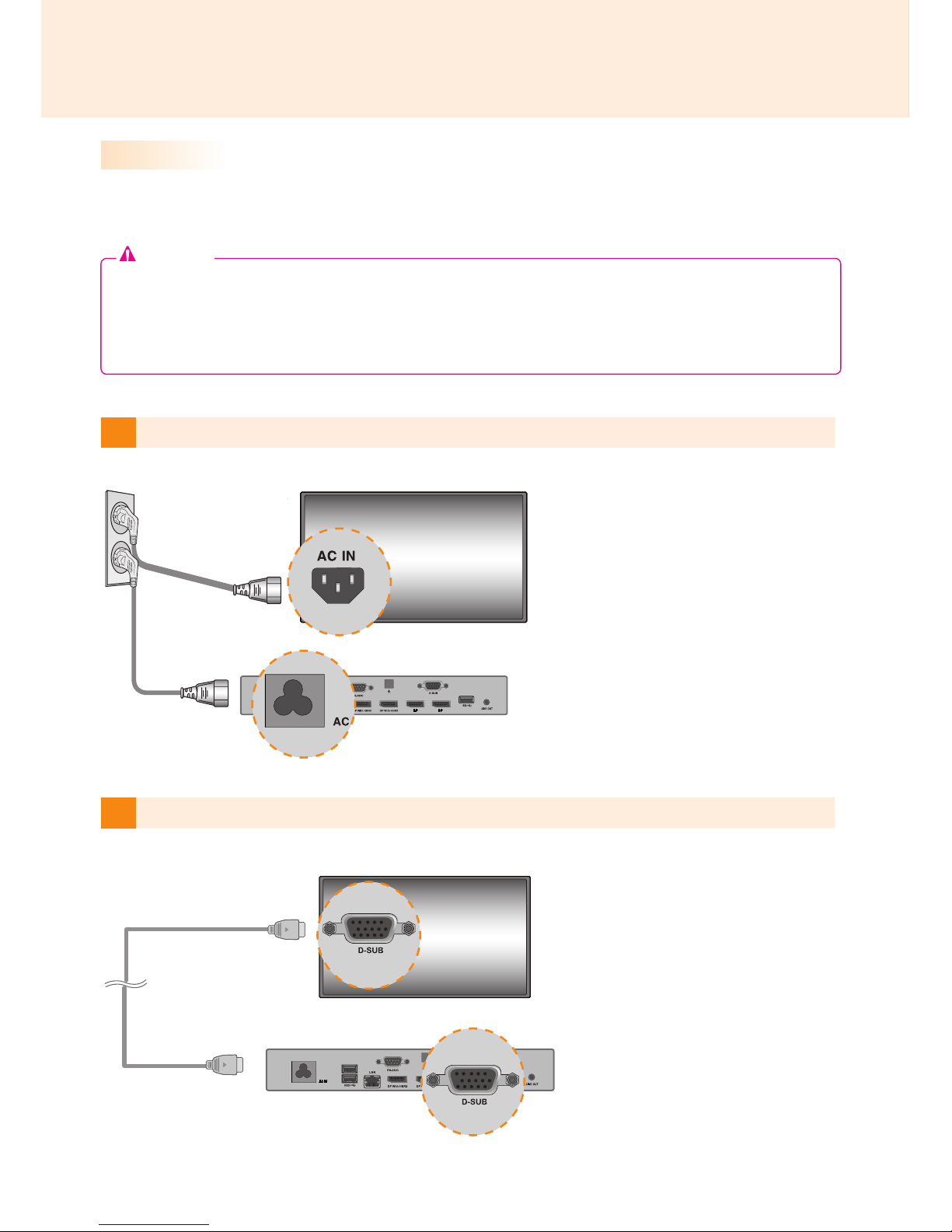
2Connect MP700 to a monitor with an RGB cable.
1
Connect the appropriate power cables to a monitor and MP700 respectively.
Connecting a Monitor with an RGB Cable
● The monitor to connect with MP700 should have the RGB-In Connector in for the RGB connection.
● In case of the connection to RGB, 'Line-out' of MP700 should be connected with any speakers for
audio system.
RGB connections does not allow analog video and audio signals to be transferred with one cable.
RGB cable connections require an additional audio in cable.
Attention
Indice
Altri manuali LG Segnaletica digitale


