Lightspeed LES 370 Series Manuale utente

User Manual
LES 370 Series
Personal FM System


TABLE OF CONTENTS
SECTION 1: 4 System Components and Unpacking
Overview 6 LES 370R Receiver Controls / Functions
7 LES 370T Transmitter Controls / Functions
SECTION 2: 8 Step 1. Battery Charging
Set-up & Use 8 Step 2. Transmitter Set-up
9 Step 3. Receiver Set-up
9 Step 4. Battery Replacement
SECTION 3: 10 MICROPHONES
Optional Accessories 10 Lapel Microphone
10 Lavaliere Microphone
11 Headset Microphone
SECTION 4: 12 Troubleshooting Guide
Troubleshooting 13 Tips to Maintain Optimal Audio Performance
SECTION 5: 14 Warranty Statement
Warranty &
FCC Notice
15 FCC Notice

4
1. Overview 2. Setup & Use 3. Optional
Accessories 4. Troubleshooting 5. Warranty &
FCC Notice
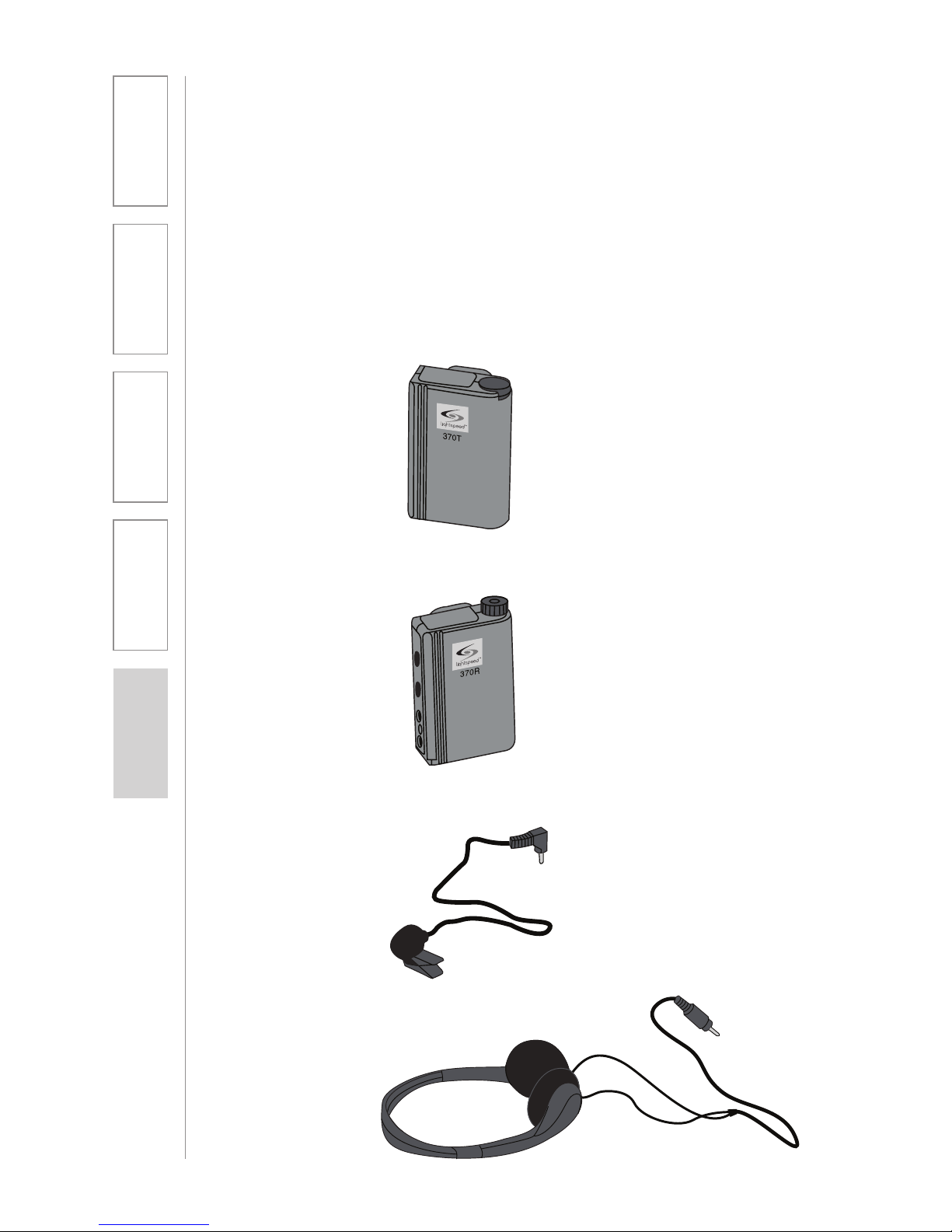
370R Receiver
SECTION 1:
OVERVIEW
SYSTEM COMPONENTS AND UNPACKING
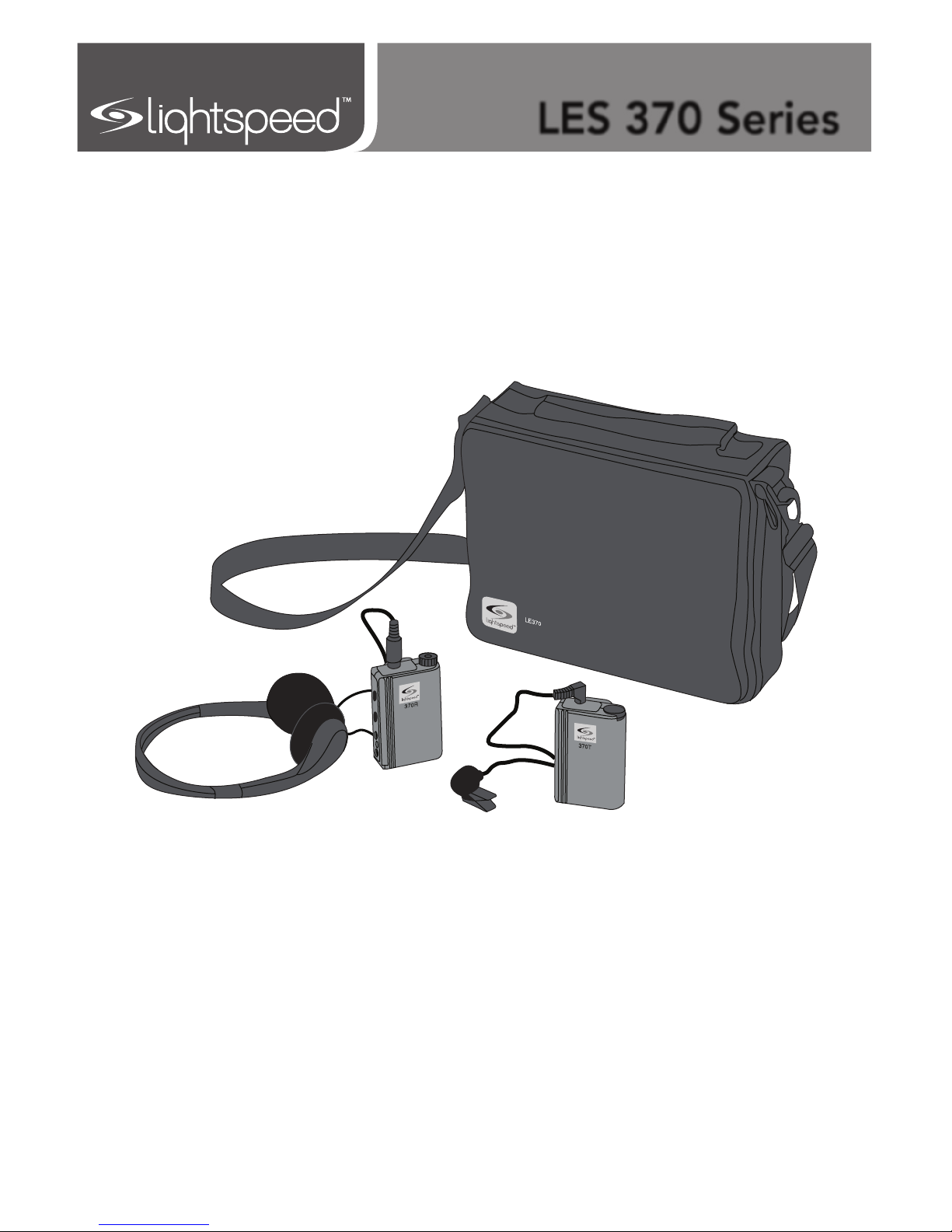
The standard configuration of the LES 370 Series will contain:
Lapel Microphone
Headphones
370T Transmitter

5
1. Overview 2. Setup & Use 3. Optional
Accessories 4. Troubleshooting 5. Warranty &
FCC Notice
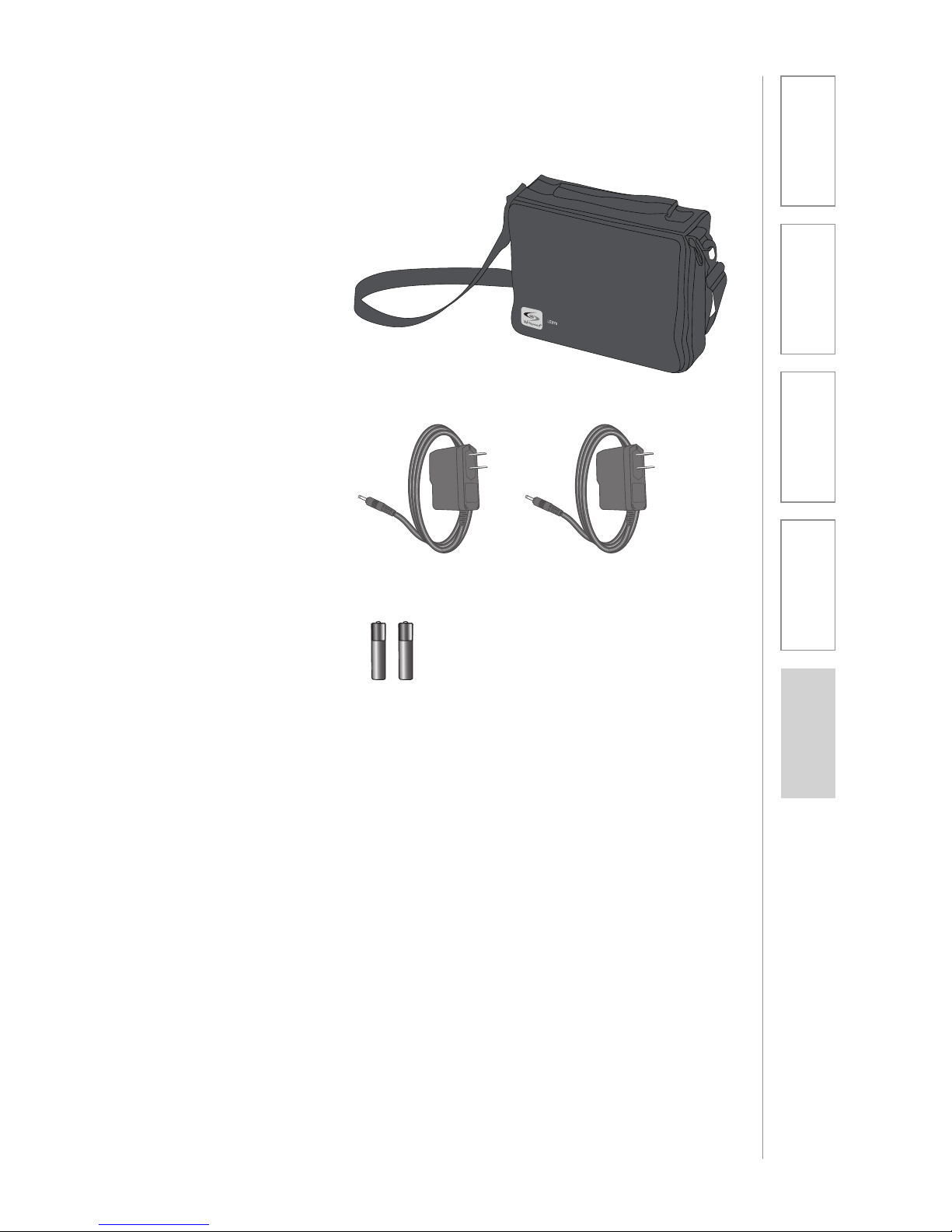
SYSTEM COMPONENTS AND UNPACKING
CONT’D
2 NiMH Rechargeable
Batteries (installed)
2 Battery Chargers
Carry Case
Lightspeed Personal FM Systems enhance instructor voice information presented
to students, whether children or adults, with learning or sensory difficulties.
A teacher or coach wearing the 370T Transmitter with a lapel, optional lavaliere
or optional headset microphone can communicate privately to a student wearing
the 370R Receiver and headphones from anywhere in the classroom, gym,
cafeteria, playground, or on the sports field. The instructor’s voice is amplified
and delivered directly to the ears of the student.
Since the Lightspeed LES 370 is a wireless system, both the teacher and the
student can move freely and still communicate with crystal clarity at distances of
up to 300 feet.
Working within the 216-217 MHz Assistive Listening band, the LES 370 has two
frequencies built in. Utilizing two quartz crystals, the LES 370 can operate on
one of two frequencies by changing channels with a slide switch. (A frequency is
a special segment of the “airwaves” designed by the Federal Communications
Commission so that the Transmitter can “talk“ to the Receiver.)
The LES 370 operating frequencies correspond with the frequencies that Phonak
uses in their MicroLinkTM systems. If properly matched, the LES 370 may be used
with matching Phonak system frequencies.

6
1. Overview 2. Setup & Use 3. Optional
Accessories 4. Troubleshooting 5. Warranty &
FCC Notice
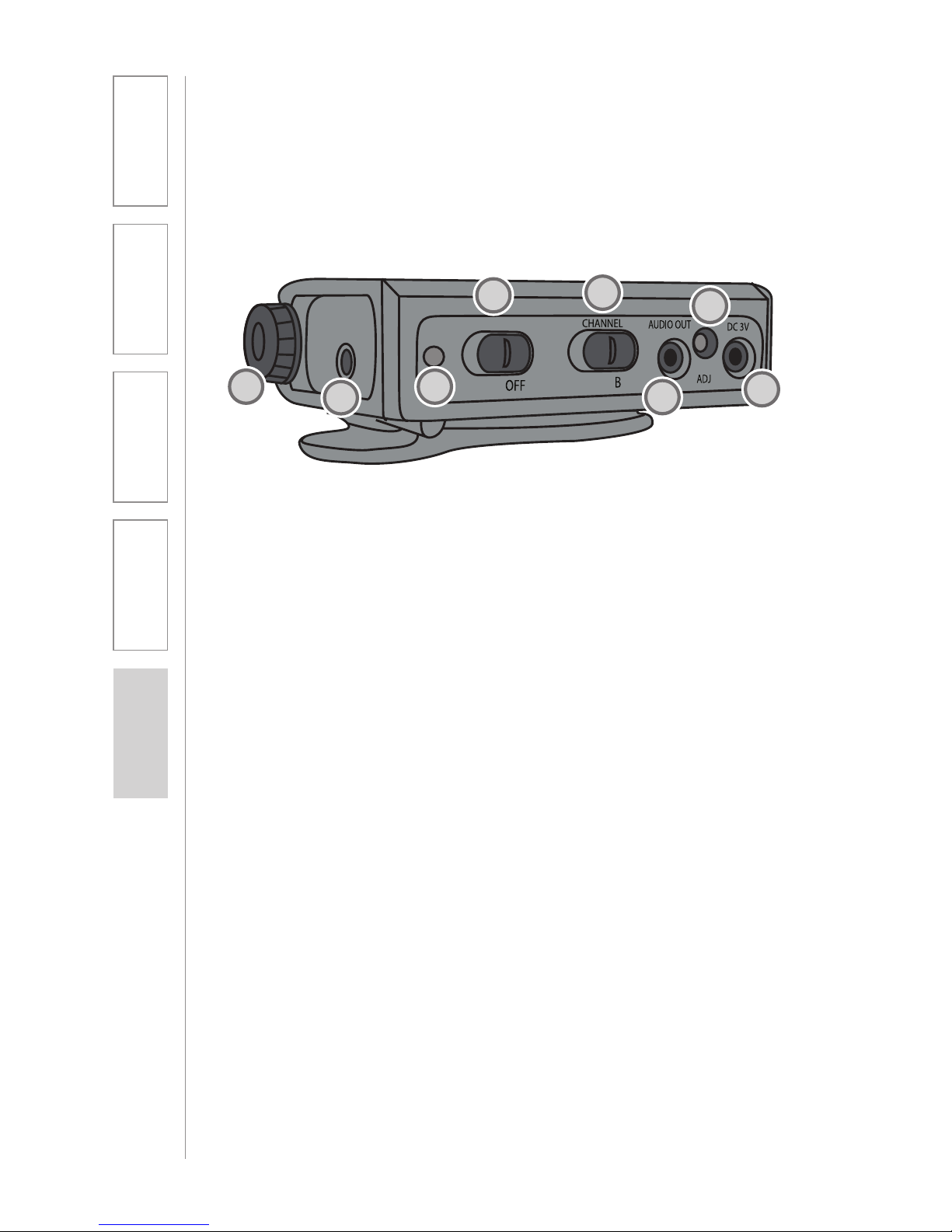
LES 370R RECEIVER CONTROLS/FUNCTIONS
1. LISTENER VOLUME KNOB:
Increase or decrease headphone
sound by turning this knob. Level
is increased by turning the knob
clockwise.
2. EARPHONE JACK: Plug your
headphones or earphones into
this jack to transmit the sound
received from the transmitter to
the listener’s ear. This jack accepts
a 3.5 mm (1/8 inch) mini-plug; any
standard stereo headphones may
be used.
3. POWER LIGHT: When power is
switched to the ON position, this
red LED indicator will light.
4. POWER SWITCH: Slide switch to
the left to turn power ON; slide
switch to the right to turn power
OFF.
5. CHANNEL SELECTOR: This
slide switch is used to change the
operating channel on the Receiver.
The Transmitter must be set to the
same channel (A or B) to send a
signal to this Receiver.
6. AUDIO OUT: This is used to
connect the 370 Receiver to a
computer rather than listener
headphones. This jack accepts
a 2.5 mm mini-plug. The level is
adjustable from 0 to 10 millivolts
with the Audio output Adjust (see
below).
7. AUDIO OUT ADJUST: This
functions similar to a volume
control for the Audio out feature.
Output level is increased by
turning this control clockwise using
a small screwdriver.
8. DC 3V CHARGING JACK: This
jack is used to recharge the battery
while installed in the Receiver
using one of the Battery Chargers
included in your system.
POWER
ON A
1
45
6
7
8
2
23

7
1. Overview 2. Setup & Use 3. Optional
Accessories 4. Troubleshooting 5. Warranty &
FCC Notice
POWER
ON
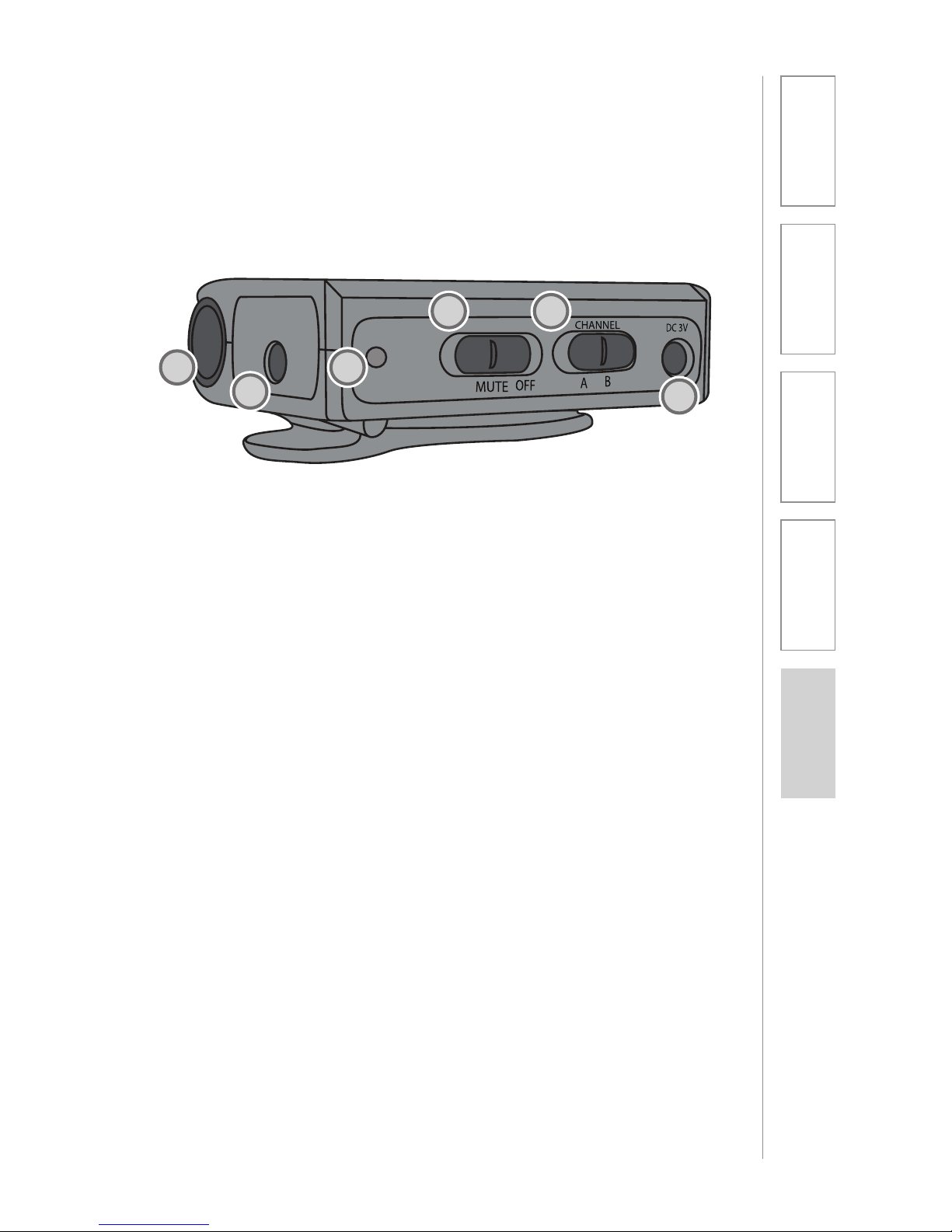
1. TEACHER VOLUME KNOB:
Turning this knob increases or
decreases output volume. Turn
clockwise to increase volume of
the teacher’s voice signal.
2. MIC JACK: Insert your
microphone plug securely into this
jack. This jack accepts a 3.5 mm
mini-plug if you are connecting
another audio input signal.
3. POWER LIGHT: When power is
switched ON, the red LED will
light.
4. POWER/MUTE SWITCH: This
switch has three positions, ON,
MUTE and OFF. Slide switch all
the way left to turn power ON;
slide switch all the way right to
turn power OFF. The center MUTE
position turns the microphone off
without turning the Transmitter
power off.
5. CHANNEL SELECTOR SWITCH:
This switch is used to change
between channel A and B.
Remember, the Receiver must be
set on the same channel (A or B).
6. DC 3V CHARGING JACK: Use
this jack and one of the enclosed
Battery Chargers to recharge the
battery while it is installed in the
Transmitter.
LES 370T TRANSMITTER CONTROLS/
FUNCTIONS
1
2
3
6
54

8
1. Overview 2. Setup & Use 3. Optional
Accessories 4. Troubleshooting 5. Warranty &
FCC Notice
Your system will work best with fully charged batteries each day. Batteries last
longest (up to three years) when charged each night. It’s best if batteries are
not drained completely before charging. When you first receive your system,
charge the batteries overnight.
SECTION 2:
SET-UP & USE
1. BATTERY CHARGING
2. TRANSMITTER SET-UP
1. Use only the BC 370 Battery
Chargers (included) to charge the
batteries.
2. Plug the Battery Charger into a
standard 120-volt electrical outlet.
3. After the Transmitter and Receiver
are turned OFF, insert the charging
cord into the DC 3V charging jack.
The green LED on the charger will
light.
4. Let the Transmitter and Receiver
batteries charge for 8 hours.
CAUTION: Discharging NiMH
batteries until no charge remains can
reduce battery life and with continued
discharging to fail. Recharging the
NiMH batteries in this product every
day will extend their life.
approximately mid-way. You
may need to adjust this later,
dependent on the teacher’s voice
volume and the student’s hearing
needs.
6. Slide power switch all the way left
to the ON position. (Avoid the
center, MUTE position.)
7. Transmitter can be worn clipped to
a pocket or belt.
1. Slide power switch all the way right
to OFF.
2. Plug the microphone cable plug
securely into the MIC jack on top
of the Transmitter. Be sure plug is
seated all the way into the jack.
3. Select the desired channel (A or B)
on the side of the Transmitter. This
must match the channel on the
Receiver you are using.
4. Position microphone according to
type selected. (See Microphones
in the Control & Function section.)
5. Rotate the volume knob to

9
1. Overview 2. Setup & Use 3. Optional
Accessories 4. Troubleshooting 5. Warranty &
FCC Notice
LES 370 systems are available with eight different frequencies in four pairs.
Multiple Receivers will operate from one Transmitter, providing that all Receivers
are frequency and channel-selected to match the Transmitter.
If you are experiencing interference on channel A, switch the Transmitter and
Receiver to channel B.
The frequency numbers listed below correspond with MicroLink™ frequency
channels. Frequencies are paired as follows:
No 1 216.0125 & No 9 216.2125
No 12 216.2875 & No 18 216.4375
No 64 216.5875 & No 72 216.7875
No 77 216.9125 & No 80 216.9875
3. RECEIVER SET-UP
5. Rotate Receiver volume control to
mid-point. You may need to adjust
this once the system is operational,
dependent on the teacher’s voice
volume and the student’s hearing
needs.
6. Slide the power switch to ON, and
adjust volume. The Transmitter
may be clipped to a belt or
pocket.
1. Slide power switch to OFF.
2. Plug headphone plug securely into
EARPHONE jack on the top of the
Receiver.
3. Check that the channel switch is
set to the same channel (A or B) as
the Transmitter.
4. Put on the headphones, checking
for correct/comfortable fit and
placement over ears.
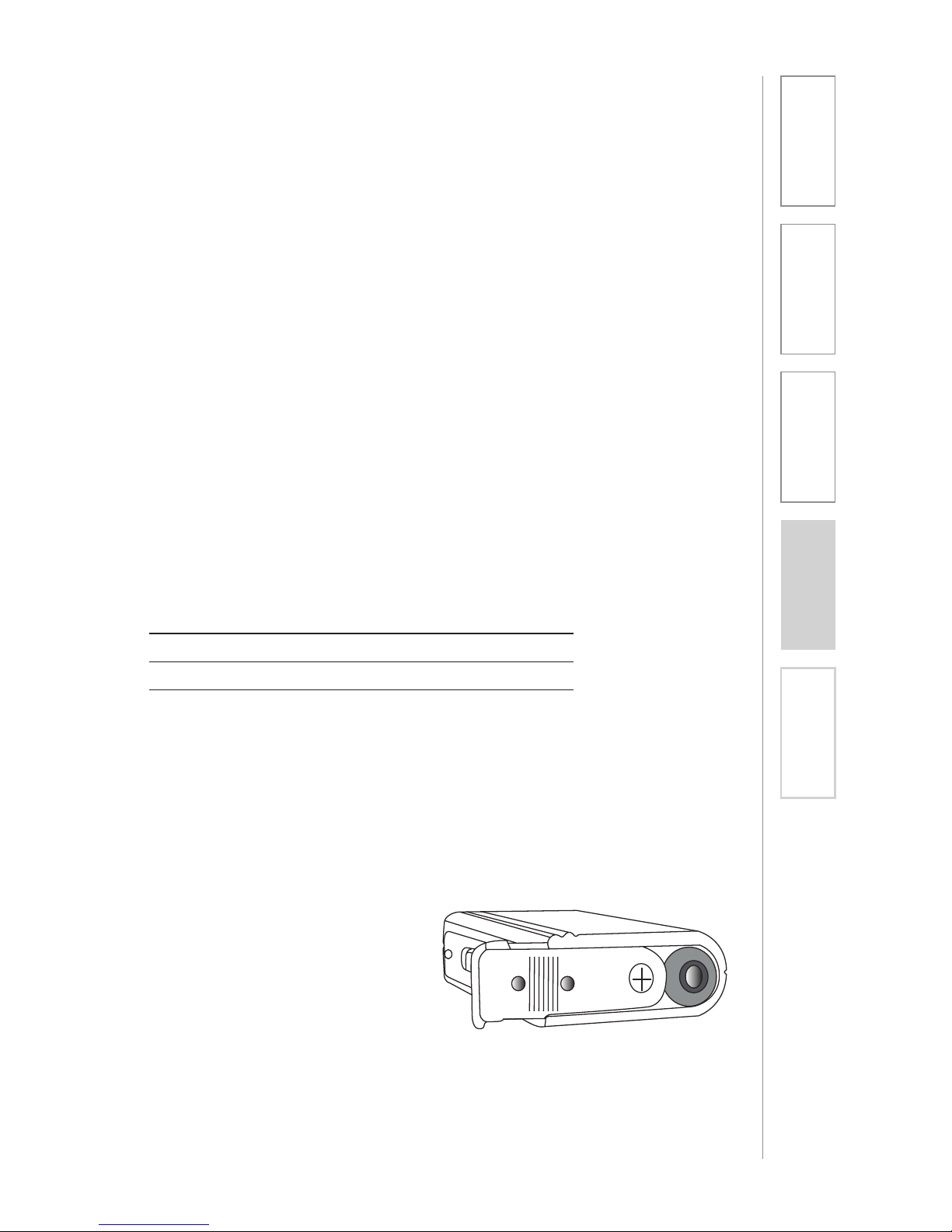
4. BATTERY REPLACEMENT
To access the rechargeable battery
for replacement, push down at the
ribbing on the bottom and slide the
cover off. This will expose the plus (+)
end of the battery. Slide the battery
out, replace with a new NiMH “AA”
battery. Observe polarity, the plus
(+) end should be showing when
installed. Slide cover back into place.

10
1. Overview 2. Setup & Use 3. Optional
Accessories 4. Troubleshooting 5. Warranty &
FCC Notice
SECTION 3:
OPTIONAL ACCESSORIES
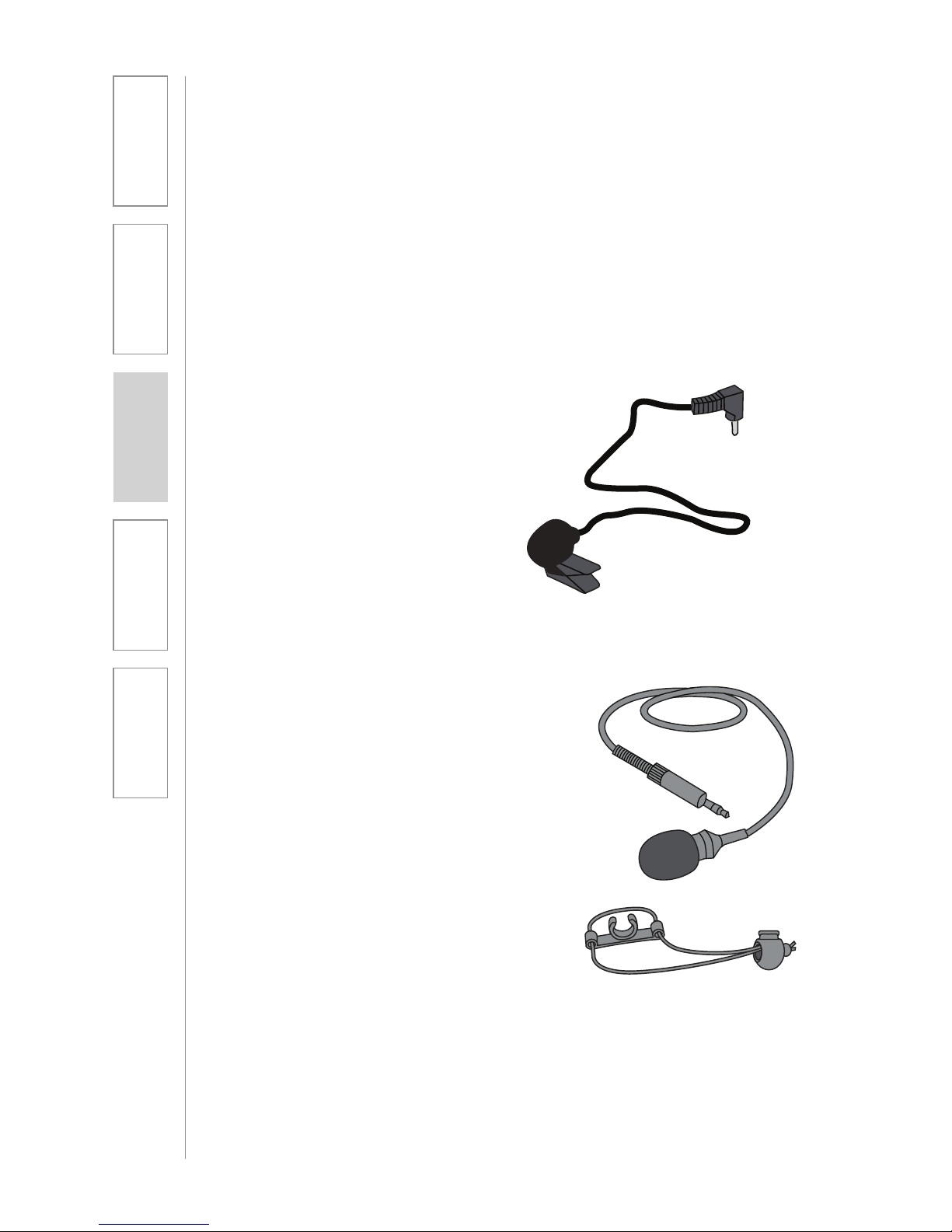
MICROPHONES
Lapel Microphone
This microphone is standard
with most LES 370 systems. Best
performance is achieved when the
microphone clip is attached to your
clothing, two to four inches below
your chin.
Lavaliere Microphone
The lavaliere microphone is
worn on an adjustable cord with
the microphone resting on your
collarbone. Adjust the cord length by
squeezing the adjuster together and
then sliding it up or down the cord
until the microphone rests against the
collar bone.
Lightspeed offers three different microphones for use with the LES 370 system:
Questo manuale è adatto per i seguenti modelli
2
Indice
Altri manuali Lightspeed Ricevitore