
Loadrite Sprint Manuale utente

Weighing System
MANUAL
OPERATORS


Sprint Weighing System
Model LR911
Document No. MAN-80505-04
Software No. 60187 Version 2.0
Issue Date: March 2003
Distributed Worldwide by:
)93 First Avenue, PO Box 13-115, Tauranga, New Zealand
+64-7-5776034
℡+64-7-5782820
www.loadritescales.com
Designed & Manufactured by:
)8 Walls Road, PO Box 12-607, Penrose, Auckland, New Zealand
www.actronic.com
This manual is copyrighted with all rights reserved. Under copyright laws, this manual may not be
copied in whole or in part or reproduced in any other media without the express written permission
of Actronic Ltd. Permitted copies must carry the same proprietary and copyright notices as were
affixed to the original. Under the law, copying includes translation into another language.
Please note that while every effort has been made to ensure that the data given in this document is
accurate, the information, figures, illustrations, tables, specifications, and schematics contained
herein are subject to change without notice.
Actronic Ltd assumes no liability in connection with the use of any Loadrite branded product.
© 2003 ACTRONIC LIMITED


i
Contents
1 Introduction..................................................................................................................................1
Indicator Lights .............................................................................................................................................. 2
Keypad ............................................................................................................................................................ 2
2 Quick Start Guide........................................................................................................................4
Switching On ................................................................................................................................................. 4
Standby............................................................................................................................................................ 4
The Warm Up Screen .................................................................................................................................. 4
The Ready Screen ......................................................................................................................................... 5
Weighing a Load ........................................................................................................................................... 5
Static Weigh function................................................................................................................................... 6
Adding a Load ............................................................................................................................................... 6
Clearing the Short Total............................................................................................................................... 7
Zeroing............................................................................................................................................................ 7
3 Weighing Overview .....................................................................................................................9
Weighing Mode ............................................................................................................................................ 9
Short and Long Totals .................................................................................................................................. 9
Accurate Weighing....................................................................................................................................... 9
General Method of Weighing..................................................................................................................10
4 Weighing Procedures ................................................................................................................11
Adding a Load .............................................................................................................................................11
Auto-Add.......................................................................................................................................................11
Subtracting a Load......................................................................................................................................12
Zeroing..........................................................................................................................................................13
Recalling Last Load .....................................................................................................................................15
Viewing Long Total.....................................................................................................................................16
Clearing Totals .............................................................................................................................................16
5 Menu Options ............................................................................................................................18
Setup..............................................................................................................................................................18
Clock Setting (Clock) ................................................................................................................................19
Changing Scale Number (Scale#) ..........................................................................................................19
Long Total (Long Tot).................................................................................................................................20
Auto Add On/Off Setting (Auto Add)....................................................................................................21
Rotary Trigger Position Screen (TrigScrn)..............................................................................................21
LD941 Data Module Properties (Module)...........................................................................................22
Internal Buffer Usage (Usage)..................................................................................................................22
Internal Buffer Reset (Reset).....................................................................................................................22
Self Test (Selftest).......................................................................................................................................23
Uplink (Uplink) ............................................................................................................................................23
6 Print Functions ...........................................................................................................................24
Printed Data .................................................................................................................................................24
7 Obtaining the Best Accuracy ...................................................................................................25
Lifting Speed.................................................................................................................................................25
Trigger Point.................................................................................................................................................25
Bounce ..........................................................................................................................................................25
Centre of Gravity ........................................................................................................................................25

ii
8 Error Messages .......................................................................................................................... 26
Check Power................................................................................................................................................26
Check Transducer .......................................................................................................................................26
Check Trigger...............................................................................................................................................26
Check Zero...................................................................................................................................................26
Lift Under Range .........................................................................................................................................26
Module Data Lost .......................................................................................................................................26
Module Error ................................................................................................................................................27
Module Full...................................................................................................................................................27
No Lock.........................................................................................................................................................27
Overload .......................................................................................................................................................27
Printer Disabled ...........................................................................................................................................27
Printer Error ..................................................................................................................................................27
Recall Disabled ............................................................................................................................................27
Too Heavy, Zero Aborted.........................................................................................................................28
Warm Up Lift................................................................................................................................................28
9 Specifications............................................................................................................................. 29
10 Output / Input Connections .................................................................................................. 31
Appendix i Time and Date.......................................................................................................... 32
Appendix ii Span Calibration Adjustment ................................................................................ 35
LOADRITE SPRINT OPERATORS MANUAL
1
1 Introduction
The Loadrite Weighing System measures the weight of loads lifted by small
front-end loaders, forklift trucks and similar machines that use hydraulic
rams to lift the load. The Loadrite is installed in the cab of the loading
machine and is connected to sensors on the lifting arms.
As the machine raises the load, the Loadrite measures the hydraulic
pressure in the lift cylinders, converts pressure into a weight reading and
displays the result. An electronic trigger device mounted on the lift arms
ensures that the pressure readings are always taken at the same position
on every lift.
The weight of the bucket or forks and associated structures is zeroed out
when the system is calibrated so that only the weight of the payload is
displayed. While operating the loader, the driver can add each weight lifted
to a running total.
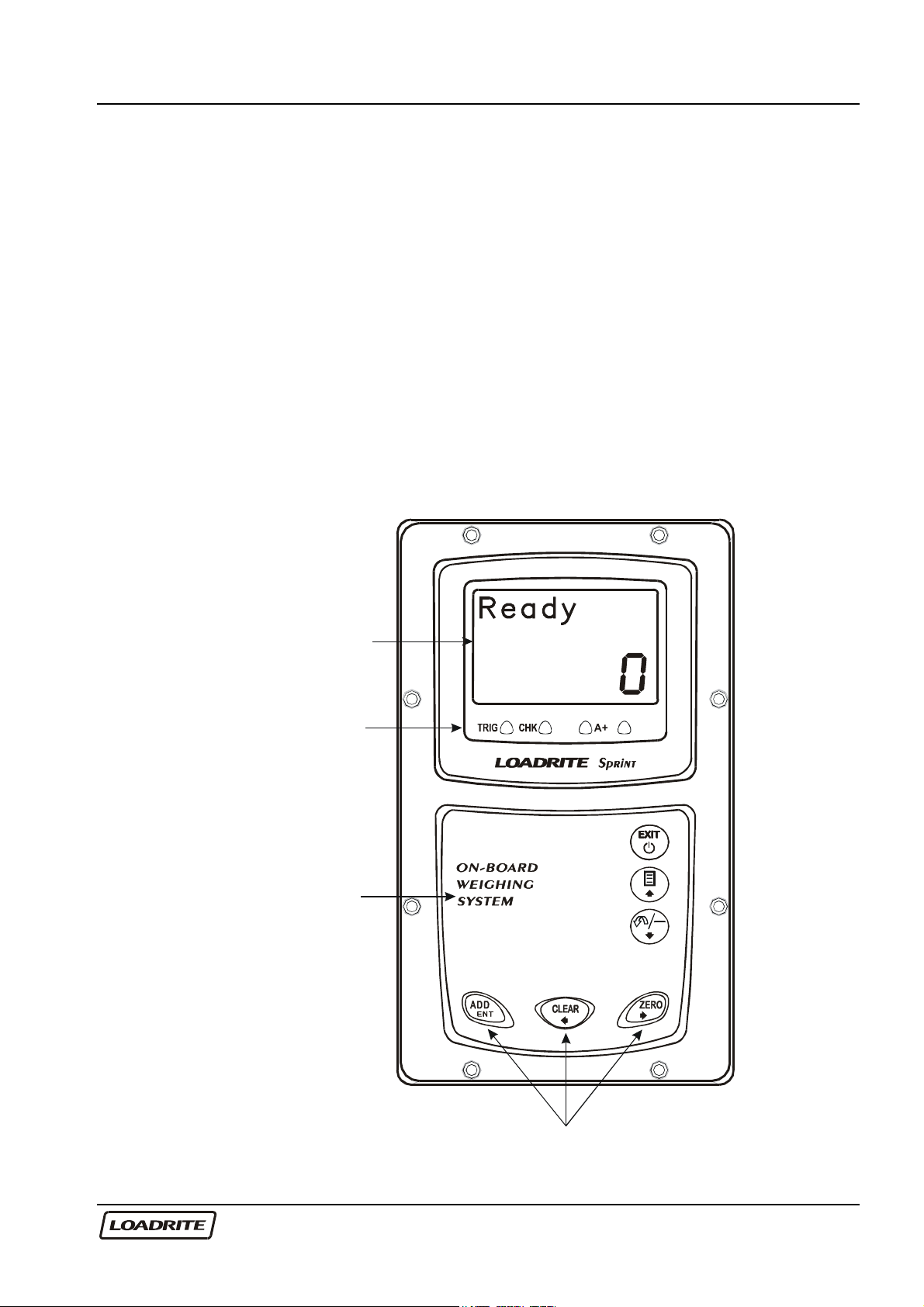
LCD display
Indicator lights
Keypad
Main Operating Keys

LOADRITE SPRINT OPERATORS MANUAL
2
The Loadrite has internal memory which stores settings and production data
even when switched off.
Indicator Lights
The indicator lights are provided below the LCD screen.
Trigger Check
A
uto-Add
Trigger Illuminates when a load is lifted past the trigger
point. When this light is on, the lifted weight
may be added.
Pages 5
and 10
Check
Function
Illuminates when the Loadrite is in the user-
selected function.
Configuration is set during installation.
-
Auto-Add Illuminates when the Loadrite is in Auto-Add
mode. In this mode, the Loadrite will
automatically add the lifted weight.
Page 11
Keypad
The table below shows the special functions that the keys have in addition
to their numeric values used for entering data.
Exits an operation without changing the data.
When pressed on the Ready screen, puts the
Loadrite into standby mode. To return to the
Ready screen, press any key.
Access to menu.
Scroll up.
Page 18
Subtracts the current load from the total. Recalls
the last load.
Scroll down.
Page 12
and 13

LOADRITE SPRINT OPERATORS MANUAL
3
Adds the current load to the total.
Enter key for accepting data or changes.
Page 6
and 11
Clears the short total for the current product.
Scroll left.
Page 7
and 16
Zeroes out the current load.
Scroll right.
Page 7
and 13
LOADRITE SPRINT OPERATORS MANUAL
4
2 Quick Start Guide
This section summarises the common Loadrite procedures. For full details
of weighing methods, see Chapter 3 Weighing Overview on page 9 and
Chapter 4 Weighing Procedures on page 11
Switching On
The Loadrite powers up automatically when you switch on the ignition of the
loading machine.
If the Loadrite has been switched off for more than 30 minutes, it displays
the Warm Up screen when powered up.
Standby
The Loadrite has a ‘standby’ mode which is similar to turning the Loadrite
off.
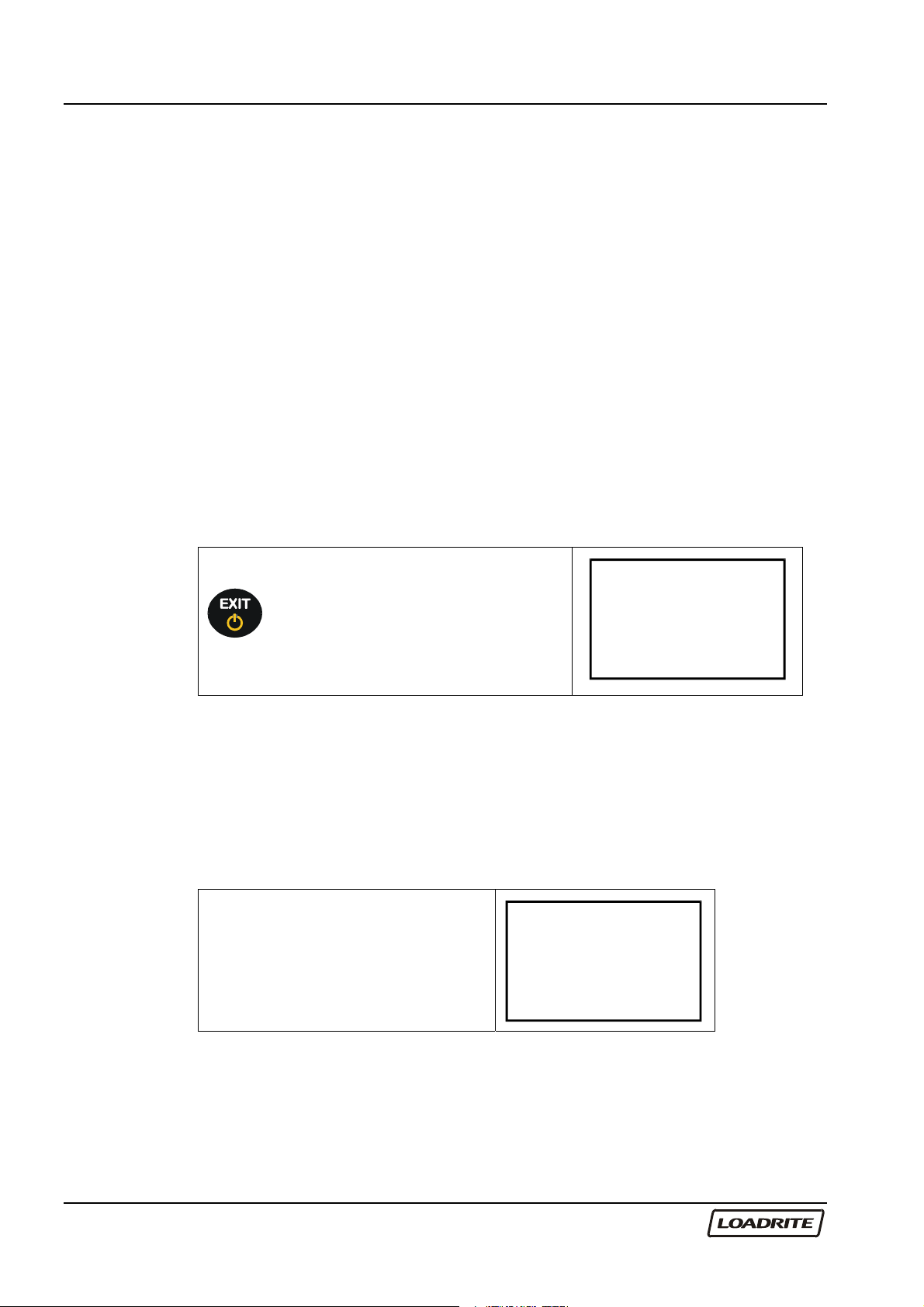
To put the Loadrite into standby press
, the EXIT key, when in the Ready
mode.
To restart the Loadrite, press any key.
Standby
The Warm Up Screen
For best weighing accuracy, the hydraulic fluid in the lift cylinders should be
at normal operating temperature. This is achieved by raising and lowering
the empty bucket or forks a few times.
The Warm up screen is displayed if the machine has been turned off over
an hour.
Raise the empty bucket or forks
past the trigger point three times. Warm up
Lift 3
Altri manuali per Sprint
1
Questo manuale è adatto per i seguenti modelli
1
Indice
Altri manuali Loadrite Accessori


