Envision B Series User Guide 20210702.docx || © 2021 MegaVoice Ltd. || Page 4 of 43
Rules for the Content Folders
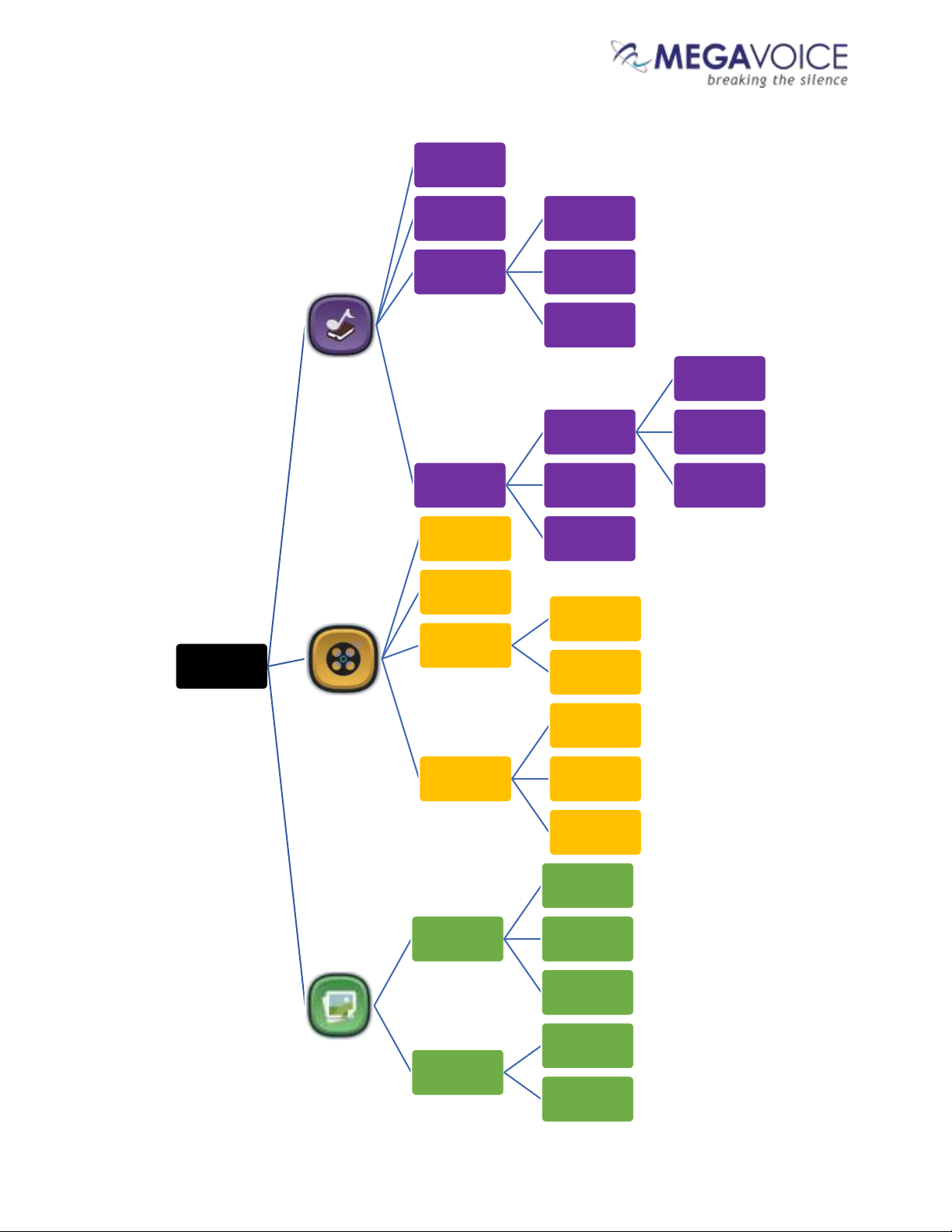
❖Within your video player project folder must be at least one of three primaryfolders:
▪Audio (containing all the audio folders and files).
▪Video (containing all the video folders and files).
▪Image (containing all the image folders and files).
▪If any of the folders above are empty or missing Envision displays “The folder is empty”.
❖Within the Audio folder may be:
▪Sub-folders containing the related audio files.
▪Or individual audio files.
•Recommendation: Group individual files within folders.
▪See Audio File Formats and Specifications for specifics on supported types.
▪If your project folder does not include any audio files, the Audio folder may be empty or omitted.
❖Within the Video folder may be:
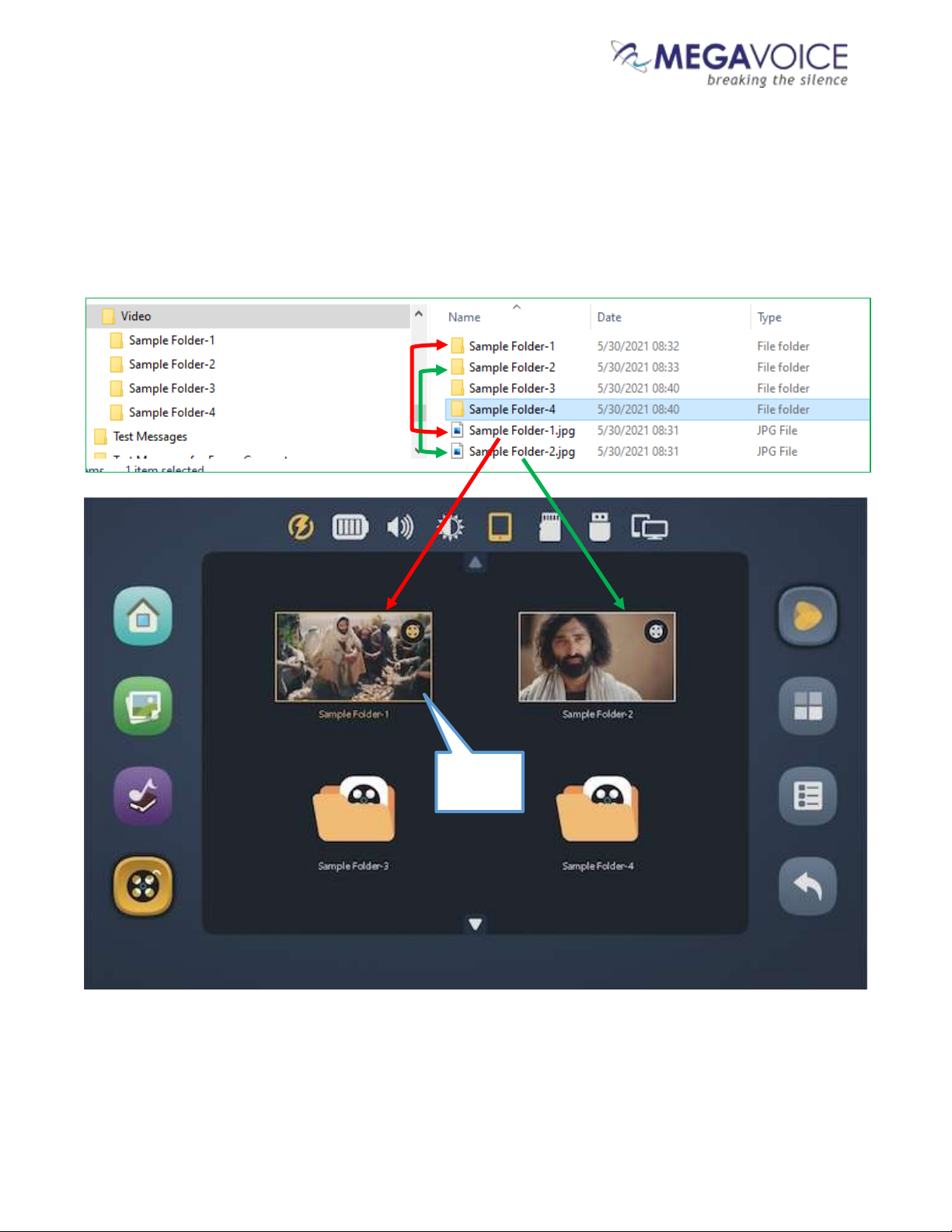
▪Sub-folders containing individual video files (i.e. chapter files comprising a full movie).
▪Or individual video files.
•Because the first screen displayed for Video is the Thumbnail View, which allows for only
four items at a time, storing many individual files in the Video folder would cause
scrolling to be very slow. It is therefore recommended to group individual files within
separate sub-folders.
▪See Video File Formats and Specifications for specifics on supported types.
▪If your project folder does not include any video files, the Video folder may be empty or omitted.
❖Within the Image folder may be:
▪Sub-folders containing individual image files.
▪Or individual Image files.
•Recommendation: Group individual files within folders.
▪See Image File Formats and Specifications for specifics on supported types.
▪If your project folder does not include any image files, the Image folder may be empty or omitted.
❖The names of all audio/video/image* folders or files may be free-form text but must sort in the order
they should be played.
▪Recommendation: Add a numeric prefix to guarantee desired order. Be sure to use enough digits
for proper sorting.
❖Other Limitations:
▪For FAT32 input storage devices, the maximum file size is 4GB.
❖The entire project folder must be encrypted before use in the video player. For details, see Encrypting
the Audio/Video/Image files.
❖See the Project Folder Diagram on the next page.