
MicroNet SP907GK Manuale utente

User’s Manual
Wireless LAN USB Adapter
Model No.: SP907GK
http://www.micronet.info

CONTENTS
1INTRODUCTION..........................................................................................1
1.1 FEATURES.............................................................................................2
1.2 PACKAGE CONTENTS...........................................................................2
2INSTALLATION...........................................................................................3
3CONFIGURATION AND MANAGEMENT......................................................8
3.1 AD-HOC MODE ......................................................................................8
To use this adapter in Ad-Hoc Mode.............................................................................. 8
3.2 INFRASTRUCTURE MODE.....................................................................9
To use this adapter in Infrastructure Mode...................................................................10
4INTRODUCTION TO THE WIRELESS LAN UTILITY...................................11
4.1 STARTING THE WIRELESS LAN UTILITY.............................................11
4.1.1 GENERAL .......................................................................................11
4.1.2 PROFILE.........................................................................................12
4.1.3 CONFIGURE THE PROFILE ............................................................13
4.1.3.1 BASE CONFIGURATION ............................................................13
4.1.3.2 WIRELESS NETWORK SECURITY.............................................14
4.1.3.3 802.1X SETTING-CERTIFICATION.............................................16
4.1.3.4 802.1X SETTING-CA SERVER ...................................................18
4.1.4 AVAILABLE NETWORK ...................................................................19
4.1.5 ADVANCED.....................................................................................19
4.1.6 STATUS..........................................................................................21
4.1.7 STATISTICS....................................................................................21
4.2 AP MODE MANAGEMENT GUIDE.........................................................22
4.2.1 GENERAL .......................................................................................22
4.2.2 ADVANCED.....................................................................................22
4.2.3 STATISTICS....................................................................................23
4.2.4 SOFTAP..........................................................................................24
5TROUBLESHOOTING................................................................................25
- 1 -
1 Introduction
Thank you for purchasing the Micronet SP907GK Wireless LAN USB Adapter and it
launches IEEE 802.11g wireless network at 54 Mbps in the 2.4GHz frequency, which
is also compatible with IEEE 802.11b wireless devices at 11Mbps. When it is
connected to 11b devices, the link speed will be up to 11Mbps. You can configure this
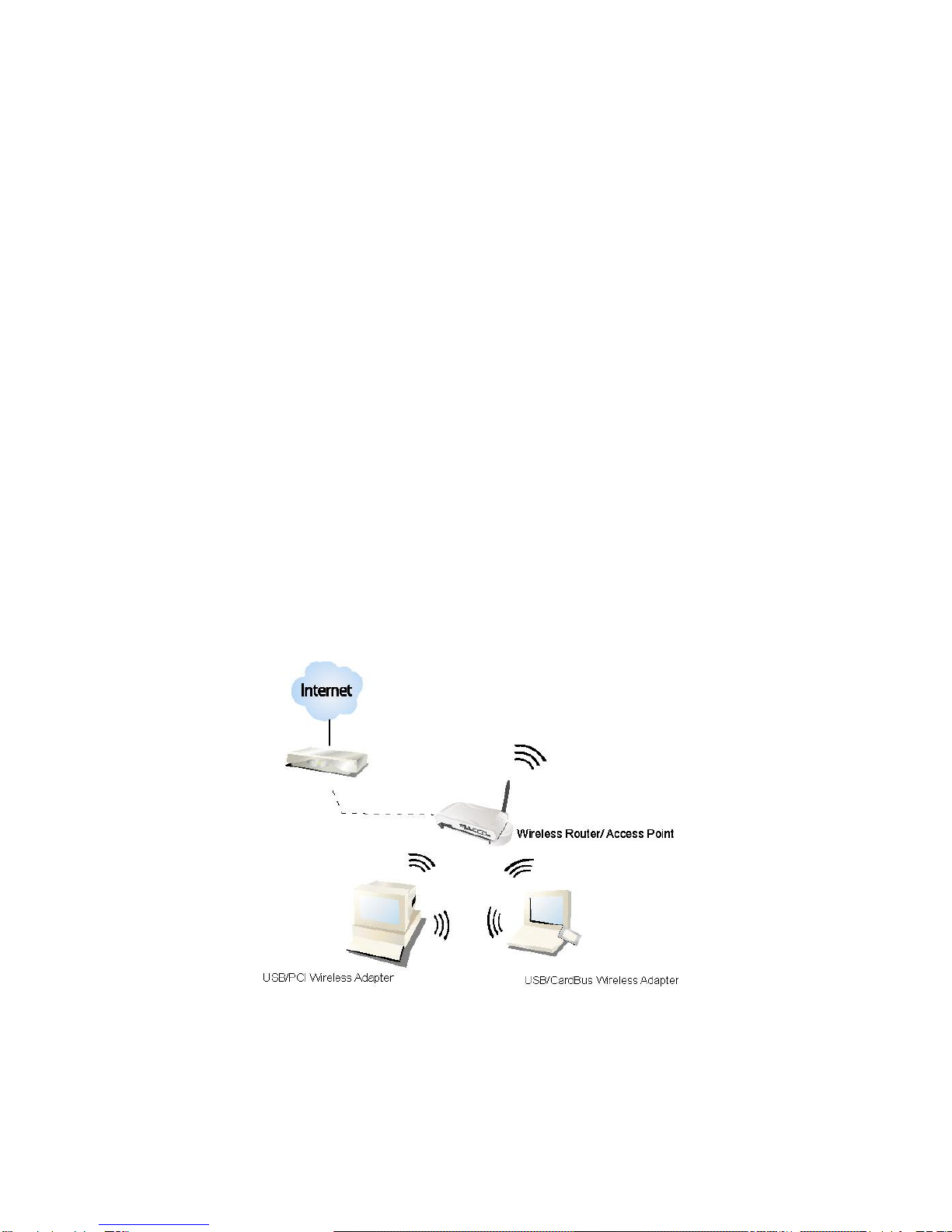
adapter with ad-hoc mode to connect to other 2.4GHz wireless computers or with
Infrastructure mode to connect to a wireless AP or router for accessing to Internet ,
the wireless network will be even more efficient.
This adapter includes a convenient Utility for scanning available networks and saving
preferred networks that users usually connected with. Security encryption can also be
configured by this utility. For WLAN security issues, SP907GK supports 64/128-bit
WEP data encryption that protects your wireless network from eavesdropping. It also
supports WPA (Wi-Fi Protected Access) feature that combines IEEE 802.1x and TKIP
(Temporal Key Integrity Protocol) technologies. Client user authorization is required
before accessing to APs or AP Routers, and the data transmitted in the network is
encrypted / decrypted by a dynamically changed secret key. Furthermore, SP907GK
supports AES function, offering a stronger encryption mechanism, which is often
required by corporate and government users.
With its various features and ability to support advanced technology, SP907GK is the
most cost-effective solution to build your wireless network.

- 2 -
1.1 Features
Complies with Universal Serial Bus Rev. 1.0, 1.1 and 2.0 specifications.
High Speed transfer data rate up to 54 Mbps
Dynamic data rate scaling at 1, 2, 5.5 and 11Mbps for 802.11b and
6,9,12,18,24,36,48 and 54Mbps for 802.11g
Support turbo mode for 72 Mbps data rate
Support wireless data encryption with 64/128-bit WEP, WPA(TKIP with IEEE
802.1x) and AES functions.
Range Coverage : Indoor 35~100 meters; Outdoor 100~300 meters
Compliant with FCC Part 15.247 for US, ETS 300 328 for Europe
Support driver for Windows 98se, Me, 2000 and XP.
Supports auto-installation and diagnostic utilities.
1.2 Package Contents
Before you begin the installation, please check the items in your package. The package
should include the following items:
Micronet SP907GK Wireless LAN USB Adapter
Driver and Manual CD
Quick Installation Guide
If any of the above items is missing, contact your supplier as soon as possible.

- 3 -
2 Installation
Before you proceed with the installation, please read the following notes carefully.
Note1: Please do not install SP907GK into your laptop computer before installing the
software program from the CD.
Note2: The following installation was performed under Windows XP. (Procedures are
similar for Windows 98SE/Me/2000.)
Note3: If you have installed the Micronet Wireless LAN Adapter driver & utility before,
please uninstall the old version first.
Step1. Insert the Installation CD to your CD-ROM Drive. Execute the “setup” program.
(SP907GK/Utility and Driver/setup.exe)
Step2. The language-selecting window pops up. Please select the language you use
and click OK.
Step3. The welcome window pops up. Click the “Next” button to proceed.

- 4 -
Step4. Please wait while installation.
Step5. This Windows Logo testing warning window may pop up upon installation. Please
click the “Contiune Anyway” to continue.
Step6. If you are using Windows 98se or ME, the system may ask for the driver CD.
Please click the Browse button. Select your CD-ROM Drive then select
SP907GKÆUtility and DriverÆWIN98 (or WINME) to browse the driver. If not,
please skip this step.

- 5 -
Step7. Click the “Finish” button to complete driver and utility installation
Step8. For Windows XP and 2000 users, please insert this wireless adapter to your
computer. If you are using Windows 98se or ME, please restart the system first
before connect this wireless adapter to your computer.
Step9. The “Found New Hardware Wizard“pops up. (Note: This wizard won’t pop up in
Windows 98 and ME. The system finds the new hardware and installs the
hardware automatically. Please skip the following steps)
Step10. Select “No, not this time” and click the “Next” button.

- 6 -
Step11. Select “Install the software automatically” and click the “Next” button.
Step12. Please wait while installing the driver. The Windows logo testing warning window
may pops up again. Please click the “Continue Anyway” button to continue.

- 7 -
Step13. Click the “Finish” button after driver installation

- 8 -
3 Configuration and Management
Read this chapter to understand the management interface of the device and how to
manage the device.
In the following instruction for making a network connection, we use the utility we
provided to configure your wireless network settings.
Note: For Windows XP users that want to configure your wireless network using this
Utility, please perform the following procedures to disable your native Windows XP
wireless support (Wireless Zero Configuration Service)
1. Double click the icon on your desktop to start the utility.
2. Make sure that the “Windows Zero Config” checkbox is unchecked.
3.1 Ad-Hoc Mode
An Ad-Hoc mode wireless network connects two computers directly without the use of
a router or AP. It is also know as a peer-to-peer network. For example, we can install
this wireless adapter to two computers respectively. The communication between the
two computers is an Ad-Hoc mode network.
To use this adapter in Ad-Hoc Mode
1. Double click the icon on your desktop.
2. Click the “Available Network” button to scan available wireless network adapters.
Double click on the network adapter that you are going to connect to.
Indice
Altri manuali MicroNet Adattatore

MicroNet
MicroNet SP907NP Manuale utente

MicroNet
MicroNet SP907NS Manuale utente

MicroNet
MicroNet SP907BB Manuale utente

MicroNet
MicroNet SP908GK Manuale utente

MicroNet
MicroNet SP906GL Manuale utente

MicroNet
MicroNet SP907N Manuale utente

MicroNet
MicroNet EtherFast 100Mbps Fiber-Optic Adapter SP2515... Manuale utente

MicroNet
MicroNet SP907G Manuale utente

MicroNet
MicroNet M807GP Manuale utente

MicroNet
MicroNet SP170 Manuale utente


