midiplus Tiny Series Manuale utente

series
User Manual
MIDIPLUS

TINY series MIDI keyboard User Manual
1
Contents
INTRODUCTION ........................................................................................................................................................... 2
IMPORTANT NOTES: ..................................................................................................................................................... 2
1. OVERVIEW ................................................................................................................................................................3
1.1 THE TOP PANEL .............................................................................................................................................................3
1.2 THE REAR PANEL .......................................................................................................................................................... 4
2. GUIDE ...................................................................................................................................................................... 4
2.1 READY TO USE .............................................................................................................................................................. 4
2.2 PITCH AND MODULATION JOYSTICK ................................................................................................................................ 6
2.3 SHIFT ..........................................................................................................................................................................6
2.4 OCTAVE AND TRANSPOSE ..............................................................................................................................................6
2.5 CHORD MODE .............................................................................................................................................................7
2.6 SUSTAIN .....................................................................................................................................................................7
2.7 TRANSPORT .................................................................................................................................................................. 7
2.8 KNOBS (TINY+) ...........................................................................................................................................................8
2.9 PADS (TINY+) ............................................................................................................................................................. 8
3. DAW SETTINGS .........................................................................................................................................................9
3.1 STEINBERG CUBASE/NUENDO PRO(MMC) ..................................................................................................................... 9
3.2 FL STUDIO(MMC) ..................................................................................................................................................... 10
3.3 STUDIO ONE (MMC) ................................................................................................................................................. 10
3.4 PRO TOOLS (MMC) ...................................................................................................................................................13
3.5 LOGIC PRO X (MMC) ...............................................................................................................................................14
3.6 REAPER (MMC) ........................................................................................................................................................ 15
4. APPENDIX ...............................................................................................................................................................16
4.1 SPECIFICATIONS
..........................................................................................................................................................16
4.2 MIDI CC LIST
........................................................................................................................................................... 17
4.3 MIDI DIN TO 3.5MM TRS ADAPTER ............................................................................................................................ 18


TINY series MIDI keyboard User Manual
2
Important Notes:
1. Please use dry and soft rag to wipe the TINY series MIDI keyboard when cleaning. Do not use paint
thinners, organic solvents, detergents or other wipes soaked in aggressive chemicals so as not to
discolor the panel or keyboard.
2. Please unplug the usb cable and turn off the TINY series MIDI keyboard when the keyboard will not be
used for long period of time or during a thunderstorm.
3. Avoid using TINY series MIDI keyboard near water or wet places, such as bathtub, pool, or similar places.
4. Please do not place the TINY series MIDI keyboard in an unstable place to avoid acciedental falling.
5. Please do not place heavy objects on the TINY series MIDI keyboard.
6. Please avoid placing TINY series MIDI keyboard with poor air circulation.
7. Please do not open inside of TINY series MIDI keyboard, avoid any metal falling may causing fire or
electric shock
8. Avoid spilling any liquid on the TINY series MIDI keyboard.
9. Avoid using TINY series MIDI keyboard in case of thunder or lightning
10. Please do not expose TINY series MIDI keyboard to scorchingsun
11. Please do not use TINY series MIDI keyboard when there is gas leakage nearby.
Introduction
Thank you for purchsing the MIDIPLUS TINY series MIDI keyboard, They are available in two model:Basic and
Controller Editions.The 32 keys MIDI Keyboard features velocity sensitive,joystick and transport control,and
can be customized via the MIDIPLUS Control Center, which can be downloaded from the MIDIPLUS
website. Please read this manual before you start using, to help you quickly understand the basic operations
and features of TINY series MIDI keyboard.
Package included:
TINY series MIDI keyboard
USB cable
Cubase LE Registration paper
MIDIPLUS Pasters

TINY series MIDI keyboard User Manual
3
1. Overview
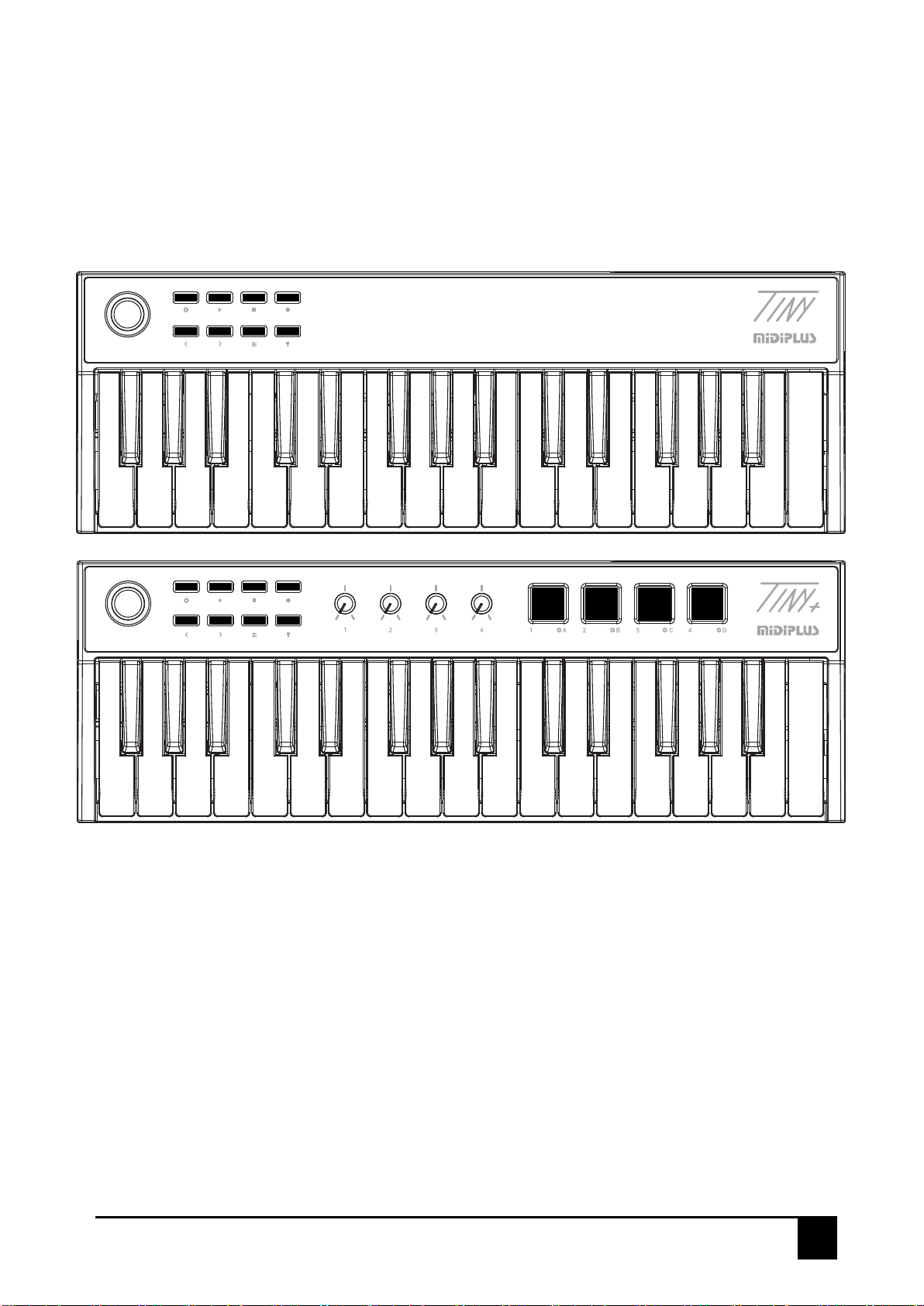
1.1 The Top Panel
Basic Edition:
①Pitch and Modulation joystick: Control the pitch bend and modulation parameters of your sound.
②SHIFT: Activate semitone control or Controller.
③Transport: Offers MMC modes, controls your DAW’s transport.
④Transpose and Octave: Activate keyboard’s semitone control and octave control.
⑤CHORD: Activate keyboard’s Chord mode.
⑥SUSTAIN: Activate keyboard’s SUSTAIN.
⑦Keyboard: Trigger notes on/off.
Controller Edition:
⑧Knobs: Control DAW and software instrument parameters.
⑨Pads: Trigger channel 10 instrument note.
①
①
②
②
③
③
④
⑤
⑥
⑦
⑦
⑥⑧⑨
⑤
④

TINY series MIDI keyboard User Manual
4
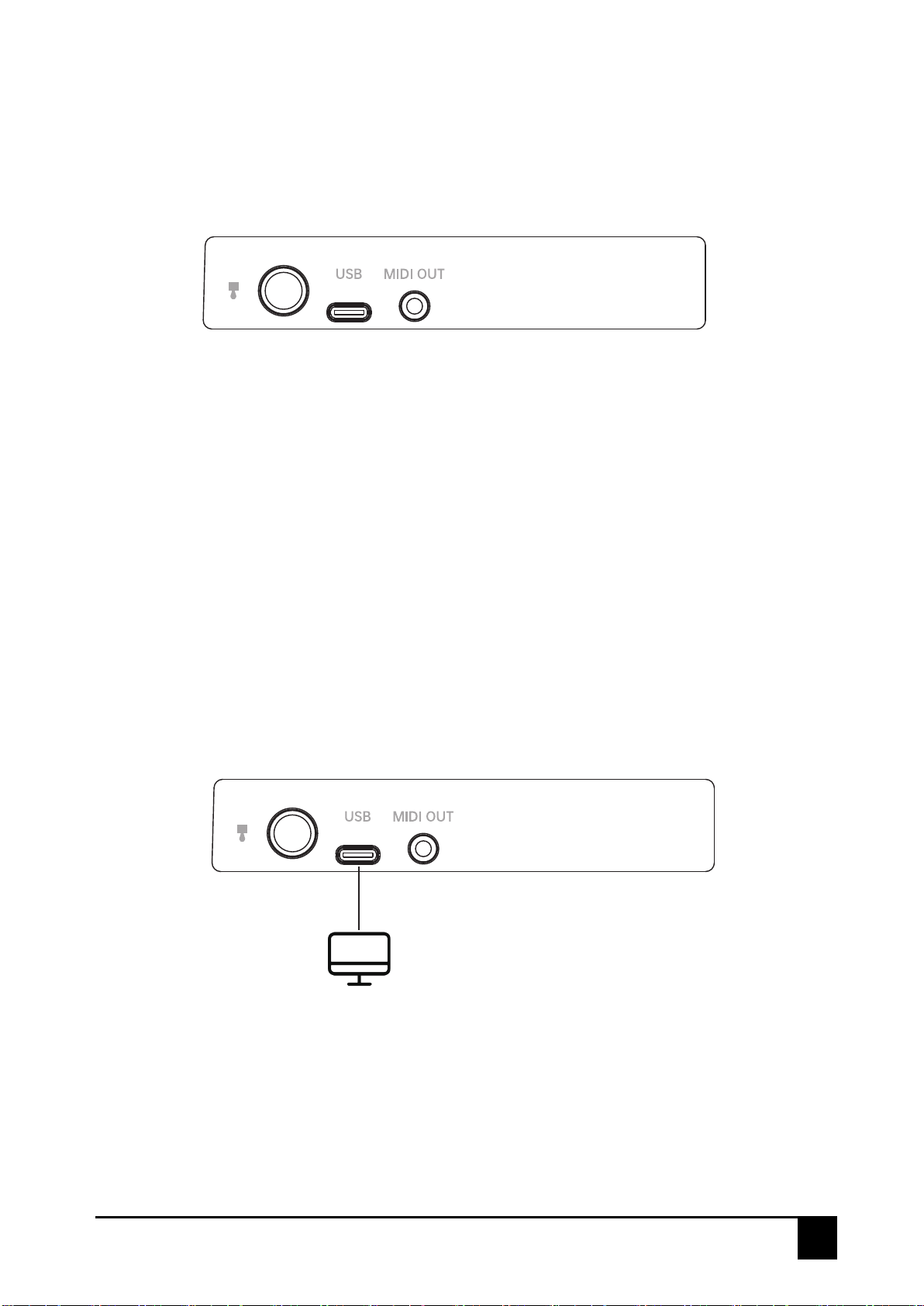
1.2 The Rear Panel
①SUSTAIN: Connect to a SUSTAIN pedal.
②USB: Connect to your computer, this port provides both power and MIDI data.
③MIDI Out: Sends MIDI data to external MIDI device.
2. Guide
2.1 Ready to use
①②③
Use with computer: Connect TINY series MIDI keyboard to your computer using the included USB cable. TINY
series MIDI keyboard is a class-compliant USB device, so its drivers are automatically installed when
connecting to a computer.

TINY series MIDI keyboard User Manual
5
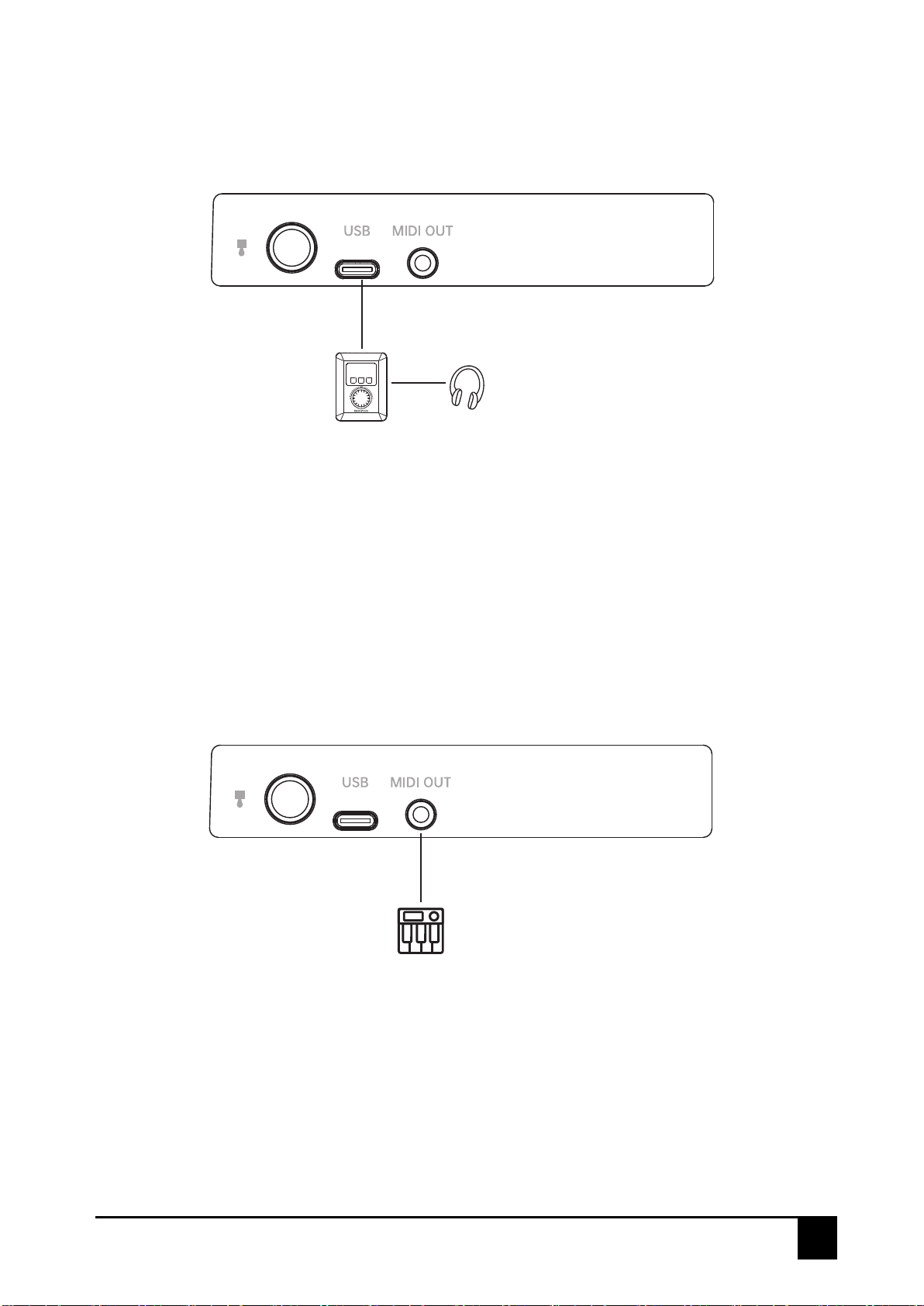
Use with MIDIPLUS miniEngine series sound engine: Connect TINY series MIDI keyboard to the USB Host of
miniEngine using the included USB cable, hold down the Power button to turn on the power. connect your
speaker or headphone to miniEngine and turn on the miniEngine.
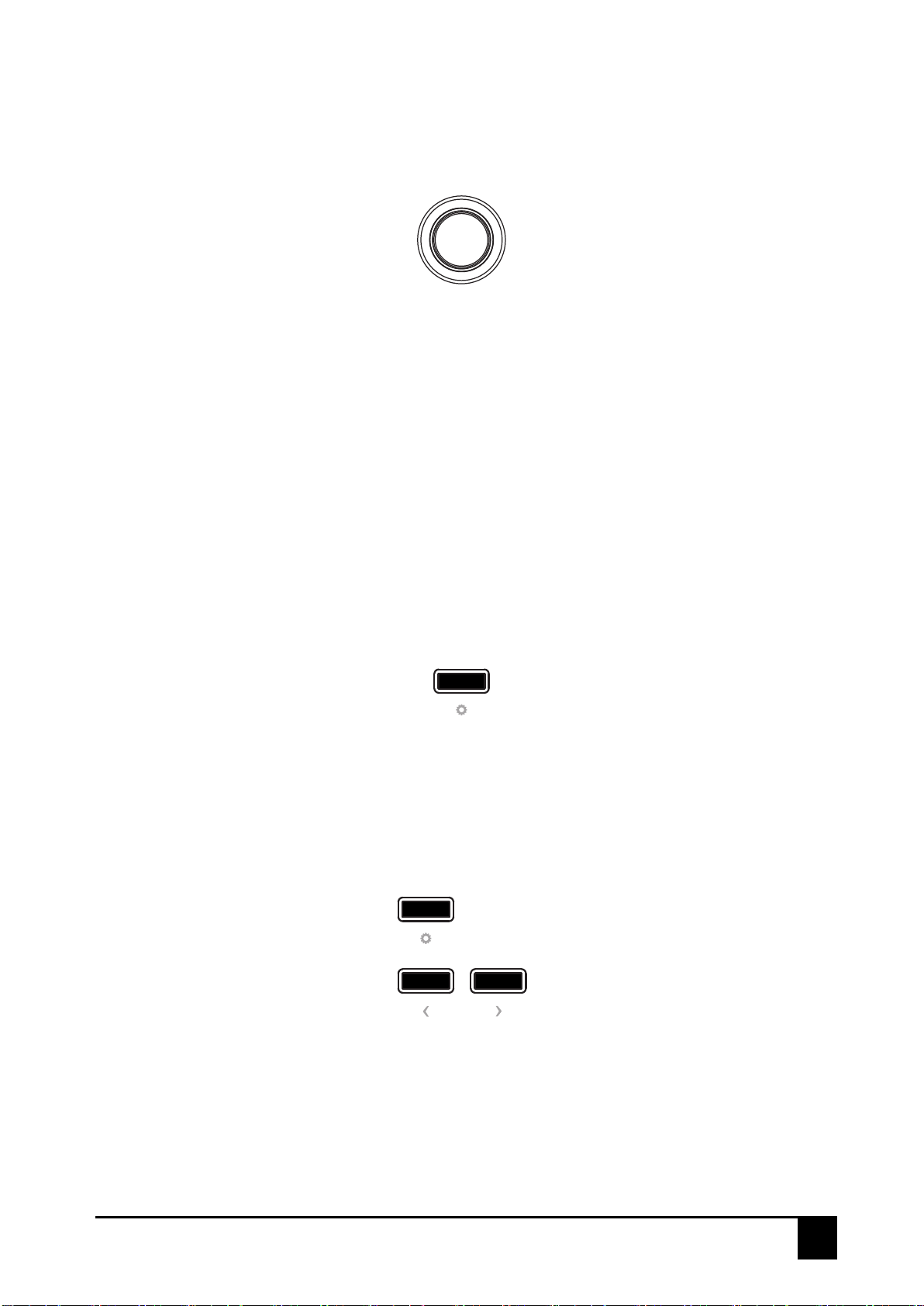
Use with external MIDI device: Connect to a USB 5V power adapter using the included USB cable, connect
the MIDI OUT of TINY series MIDI keyboard to MIDI IN of external MIDI device with a 5 pin MIDI cable.

TINY series MIDI keyboard User Manual
6
2.2 Pitch and Modulation joystick
2.3 SHIFT
2.4 Octave and Transpose
Hold down SHIFT button to access the transpose function and switch the Pad Banks.
Octave: Pressing the <or >button to SHIFT the octave range of keyboard, when activated, the selected
octave button will blink,The blink frequency changes with the Octave.
Transpose: Press and hold the SHIFT button, then pressing the <or >button to transpose, when activated,
the SHIFT button will light up.
The joystick of TINY series MIDI Keyboard allows for real-time Pitch bend and Modulation control.
Sliding left or right on the joystick will raise or lower the pitch of the selected tone. The range of this effect is
set within the hardware or software instrument being controlled.
Sliding up or down on the joystick increases the amount of modulation on the selected tone. The response
depends on the settings of the instrument being controlled. Certain instruments or presets will not use the
modulation parameter.
In the MIDIPLUS Control Center, the pitch bend can be defined by you as CC number (range CC0-CC128)
and MIDI channel (range 0-16).the Modulation Control can be defined by you as CC number (range
CC0-CC127) and MIDI channel (range 0-16).

TINY series MIDI keyboard User Manual
7
2.5 Chord mode
2.6 SUSTAIN
Activate the SUSTAIN button will add SUSTAIN effects to the keyboard, it has 2 working mode:
①Press SUSTAIN once to activate SUSTAIN, press again to deactivate.
②Hold down SUSTAIN to activate SUSTAIN, release to deactivate.
2.7 Transport
To activate Chord mode, just hold down the CHORD button, and play your preferred Chord (maximum of 10
notes) on the keyboard after it flashes. Once you release the CHORD button, this Chord can be played by
pressing just one note. The lowest note of the Chord selected is considered to be the bottom note, and is
automatically transposed to any new note you play. Press the CHORD button again to deactivate Chord
mode.
The three transport buttons of the TINY series MIDI keyboard are in MMC mode, which represent Play,Stop,
and Record.
In the MIDIPLUS Control Center, the Transport button contains the MMC mode and the CC mode.
In MMC mode, you can customize the mode of the Transport button: Stop, Play, Fast forward, Rewind and
Record;
In CC mode, you can customize the CC number (range CC0-CC127), MIDI channel (range 0-16) and
mode (Gate/Toggle).

TINY series MIDI keyboard User Manual
8
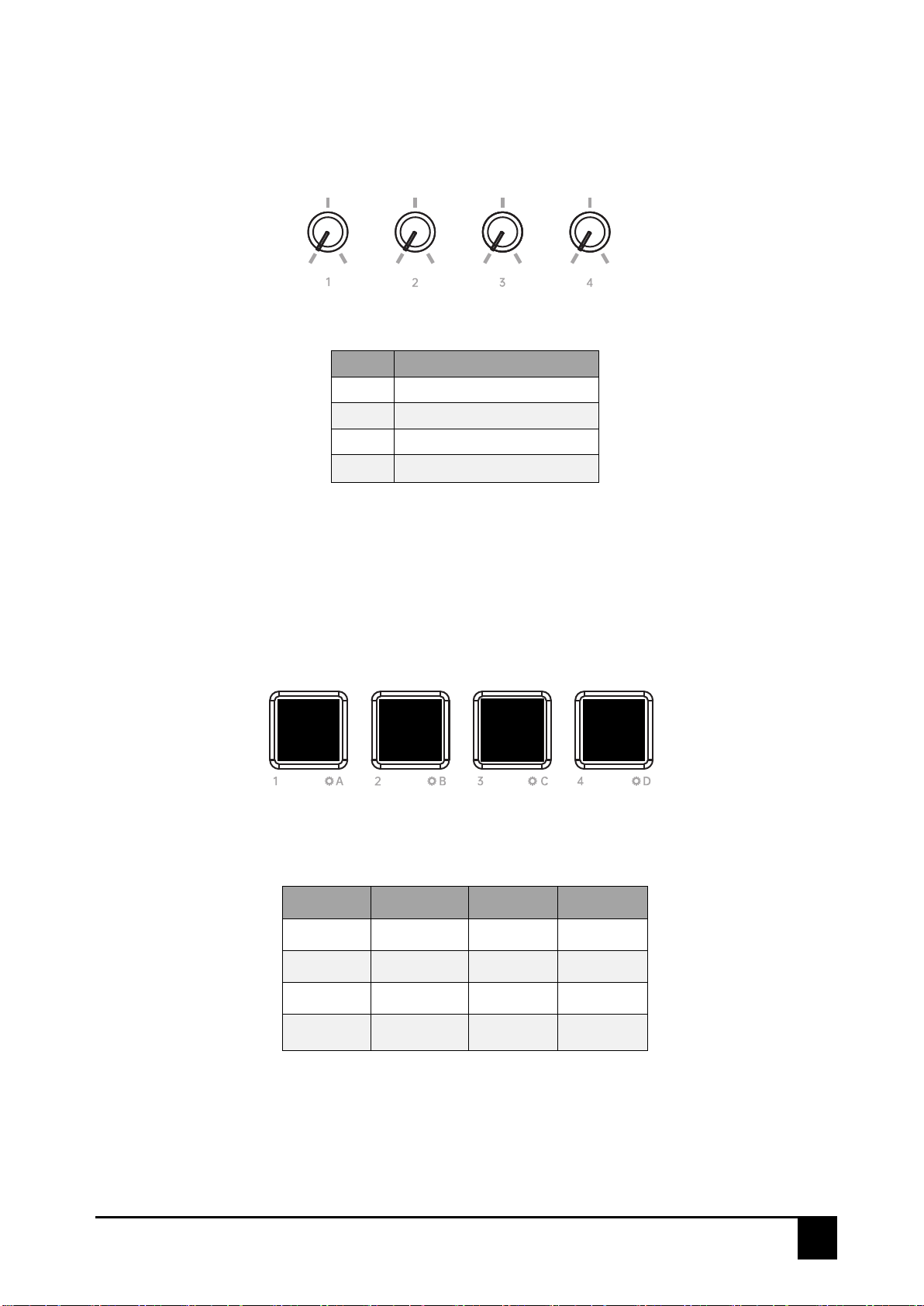
2.8 Knobs (TINY+)
2.9 Pads (TINY+)
TINY seires MIDI keyboard features 4 knobs, the default MIDI CC# of knobs as below:
Knobs MIDI CC# (Default)
K1 CC#93
K2 CC#91
K3 CC#71
K4 CC#74
TINY+ features 4 velocity sensitive pads represents different Pad Banks, 4 Pad Banks can be switched by
pressing the SHIFT and Pads,and they can send different note.The note of 4 Pad Banks as below:
BANK A BANK B BANK C BANK D
Pad 1=36 Pad 1=40 Pad 1=44 Pad 1=48
Pad 2=37 Pad 2=41 Pad 2=45 Pad 2=49
Pad 3=38 Pad 3=42 Pad 3=46 Pad 3=50
Pad 4=39 Pad 4=43 Pad 4=47 Pad 4=51
In the MIDIPLUS Control Center, you can customize the CC number (range CC0-CC127) and MIDI channel
(range 0-16) of K1-K4 respectively.
In the MIDIPLUS Control Center, the PAD contains NOTE mode and CC mode.
In NOTE mode, you can customize Note (range 0-127) and MIDI channel (range 0-16) for the Pad.
In CC mode, you can customize the CC number (range 0-127), MIDI channel (range 0-16), and strike pad
mode (Gate/Toggle).

TINY series MIDI keyboard User Manual
9
3. DAW Settings
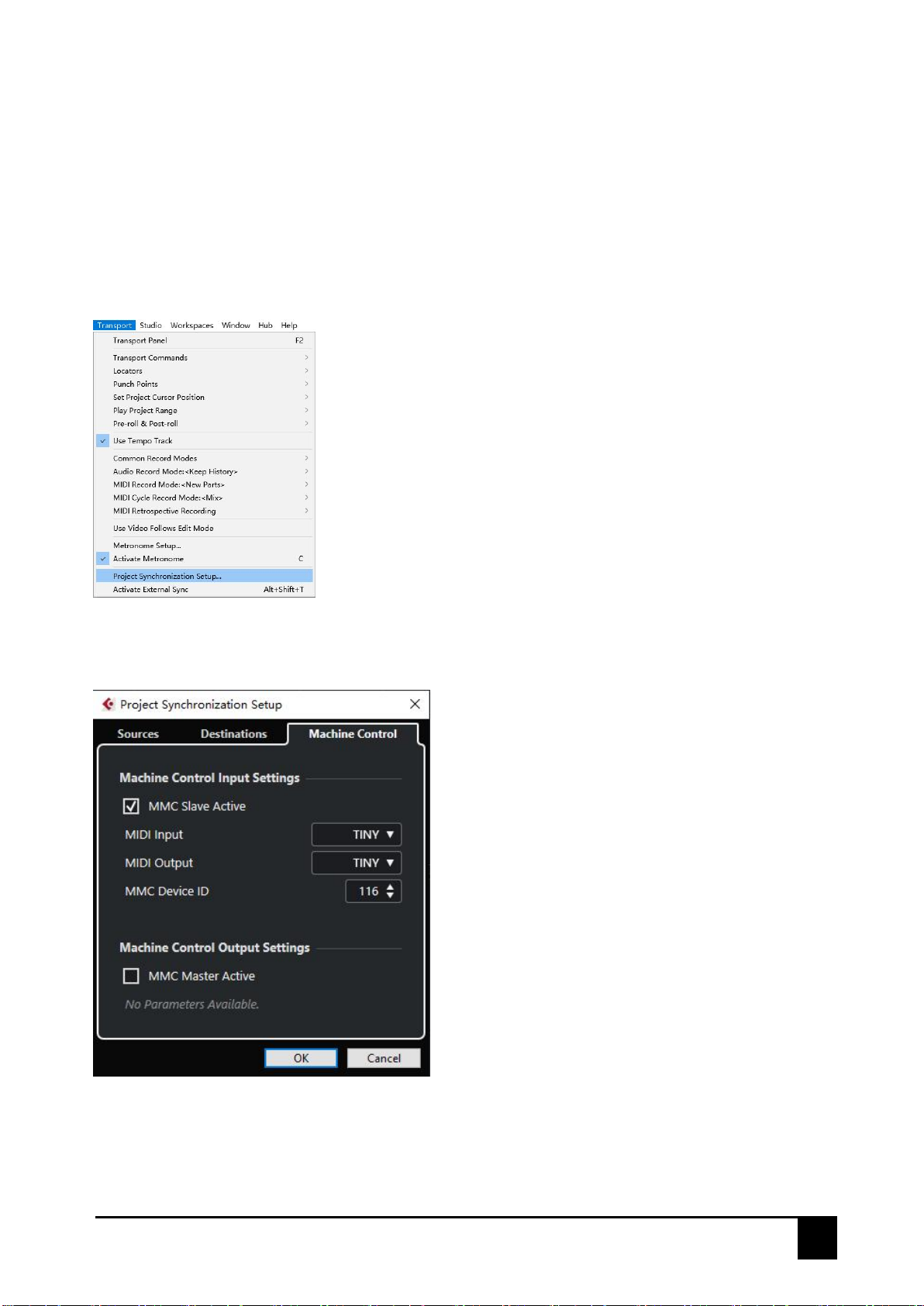
3.1 Steinberg Cubase/Nuendo Pro(MMC)
1. Go to menu: Transport >Project Synchronization Setup...
3. Click on OK to finish setup
Note: Cubase LE/AI/Elements does not support MMC.
2. Select the Machine Control and enable MMC Slave Active, set the MIDI Input and MIDI Output as TINY
series MIDI keyboard, then set the MMC Device ID as 116
Indice
Altri manuali midiplus Tastiera