Minox DC 8111 Manuale utente

EN-1
User’s Manual >>
FCC STATEMENT
This device complies with Part 15 of the FCC Rules. Operation is subject to the
following two conditions:
(1) This device may not cause harmful interference, and
(2) This device must accept any interference received, including interference
that may cause undesired operation.
Note:
This equipment has been tested and found to comply with the limits for Class B
digital devices, pursuant to Part 15 of the FCC rules. These limits are designed
to provide reasonable protection against harmful interference in a residential
installation. This equipment generates uses and can radiate radio frequency
energy and, if not installed and used in accordance with the instructions, may
cause harmful interference to radio communications. However, there is no
guarantee that interference will not occur in a particular installation. If this
equipment does cause harmful interference to radio or television reception,
which can be determined by turning the equipment off and on, the user is
encouraged to try to correct the interference by one or more of the following
measures:
Reorient or relocate the receiving antenna.
Increase the separation between the equipment and receiver.
Connect the equipment into an outlet on a circuit different from that to which
the receiver is connected.
Consult the dealer or an experienced radio/TV technician for help.
Use of shielded cable is required to comply with Class B limits in Subpart B of
Part 15 of the FCC rules. Do not make any changes or modifications to the
equipment unless otherwise specified in the manual. If such changes or
modifications should be made, you could be required to stop operation of the
equipment.

EN-2
Digital Camera >>
TRADEMARK INFORMATION
Microsoft®and Windows®are U.S. registered trademarks of Microsoft
Corporation.
Pentium®is a registered trademark of Intel Corporation.
Macintosh is a trademark of Apple Computer, Inc.
SDTM is a trademark.
Other names and products may be trademarks or registered trademarks of
their respective owners.
READ THIS FIRST
Notice:
Product design and specifications are subject to change without notice. This
includes primary product specifications, software, software drivers, and user’s
manual. This User Manual is a general reference guide for the product.
The product and accessories that come with your camera may be different
from those described in this manual. This is due to the fact that different
retailers often specify slightly different product inclusions and accessories to
suit their market requirements, customer demographics, and geographical
preferences. Products very often vary between retailers especially with
accessories such as batteries, chargers, AC adapters, memory cards, cables,
carrying cases/pouches, and language support. Occasionally a retailer will
specify a unique product color, appearance, and internal memory capacity.
Contact your dealer for precise product definition and included accessories.
The illustrations in this manual are for the purpose of explanation and may
differ from the actual design of your camera.
The manufacturer assumes no liability for any errors or discrepancies in this
user manual.
For driver updates, refer to our website.

EN-3
User’s Manual >>
Safety Instructions
Read and understand all Warnings and Cautions before using this product.
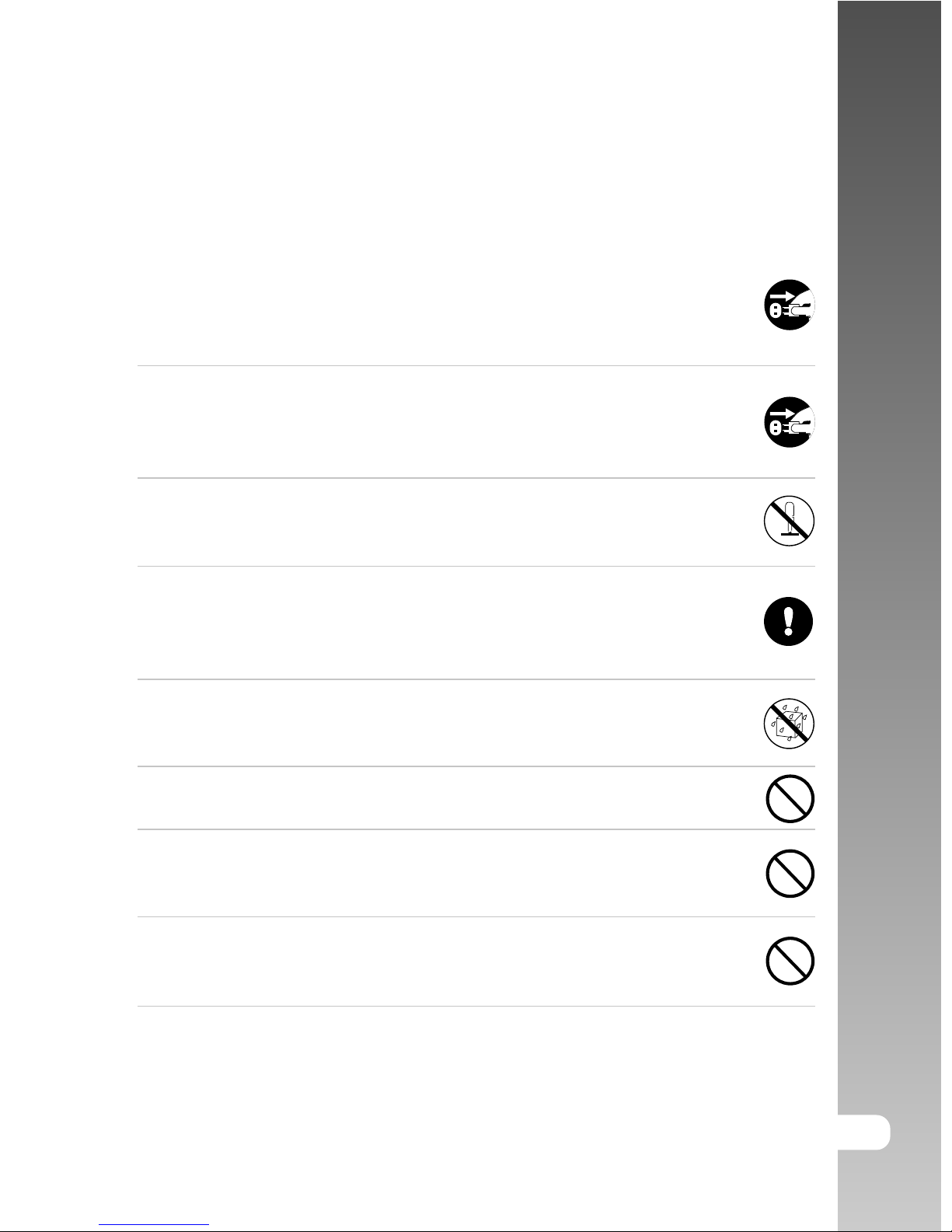
WARNING
If foreign objects or water have entered the camera, turn the power
OFF and remove the battery and the AC power adapter.
Continued use in this state might cause fire or electric shock. Consult
the store of purchase.
If the camera has fallen or its case has been damaged, turn the
power OFF and remove the battery and the AC power adapter.
Continued use in this state might cause fire or electric shock. Consult
the store of purchase.
Do not disassemble, change or repair the camera.
This might cause fire or electric shock. For repair or internal inspection,
ask the store of purchase.
Use the supplied AC power adapter only with the indicated power
supply voltage.
Use with any other power supply voltage might cause fire or electric
shock.
Do not use the camera in areas near water.
This might cause fire or electric shock. Take special care during rain,
snow, on the beach, or near the shore.
Do not place the camera on inclined or unstable surfaces.
This might cause the camera to fall or tilt over, causing injury.
Keep the battery out of the reach of children.
Swallowing battery might cause poisoning. If the battery is accidentally
swallowed, immediately consult a physician.
Do not use the camera while you are walking, driving or riding a
vehicle.
This might cause you to fall over or result in traffic accident.

EN-4
Digital Camera >>
CAUTION
Insert the battery paying careful attention to the polarity (+ or –) of
the terminals.
Inserting the battery with its polarities inverted might cause fire and
injury, or damage to the surrounding areas due to the battery rupturing
or leaking.
Do not fire the flash close to anyone’s eyes.
This might cause damage to the person’s eyesight.
Do not subject the LCD monitor to impact.
This might damage the glass on the screen or cause the internal fluid
to leak. If the internal fluid enters your eyes or comes into contact with
your body or clothes, rinse with fresh water. If the internal fluid has
entered your eyes, consult a physician to receive treatment.
A camera is a precision instrument. Do not drop it, strike it or use
excessive force when handling the camera.
This might cause damage to the camera.
Do not use the camera in humid, steamy, smoky, or dusty places.
This might cause fire or electric shock.
Do not remove the battery immediately after long period of
continuous use.
The battery becomes hot during use. Touching a hot battery might
cause burns.
Do not wrap the camera or place it in cloth or blankets.
This might cause heat to build up and deform the case, resulting in
fire. Use the camera in a well-ventilated place.
Do not leave the camera in places where the temperature may rise
significantly, such as inside a car.
This might adversely affect the case or the parts inside, resulting in
fire.
Before you move the camera, disconnect cords and cables.
Failure to do this might damage cords and cables, resulting in fire and
electric shock.

EN-5
User’s Manual >>
Notes on Battery Usage
When you use the battery, carefully read and strictly observe the Safety
Instructions and the notes described below:
Use only the specified battery (1050mAh, 3.7V).
Avoid using battery in extremely cold environments as low temperatures can
shorten the battery life and reduce camera performance.
When you are using the new rechargeable battery or rechargeable battery
that has not been used for an extended period of time (the battery that
passed the expiry date is an exception) might affect the number of images
that can be captured. Therefore, to maximize its performance and lifetime,
we recommend that you fully charge the battery and discharge it for at least
one complete cycle before use.
The battery may feel warm after long period of continuous use of the camera
or the flash. This is normal and not a malfunction.
The camera may feel warm after long period of continuous use. This is
normal and not a malfunction.
If the battery is not to be used for a long period of time, remove it from the
camera to prevent leakage or corrosion.
If the battery is not to be used for a long period of time, store it after no
battery power left. If the battery is stored for a long time in a fully charged
state, its performance may be impaired.
Always keep the battery terminals in a clean state.
Risk of explosion if battery is replaced by an incorrect type.
Dispose of used batteries according to the instructions.

EN-6
Digital Camera >>
CONTENTS
8 INTRODUCTION
8 Overview
10 Package Contents
11 GETTING TO KNOW THE CAMERA
11 Front View
12 Rear View
14 Mode dial
15 Status LED Indicator
16 LCD Monitor Icons
19 GETTING STARTED
19 Attaching the Camera Strap
20 Inserting and Removing the Battery (Optional Accessory)
21 Charging the Battery
22 Using an AC Power Adapter (Optional Accessory)
22 Inserting and Removing an SD Card (Optional Accessory)
23 Turning the Power On/Off
24 Setting the Date and Time
25 Choosing the Display Language
26 Formatting an SD Memory Card
27 Setting Image Resolution and Quality
29 PHOTOGRAPHY MODE
29 [ ] Auto Mode
31 Using the Optical Zoom
32 Using the Digital Zoom
33 Setting the Flash
35 Setting the Focus
36 Setting the Self-timer
37 Exposure Compensation/Backlight Correction
38 [P] Program (Automatic Exposure) Photography Mode
39 [Tv] Shutter Speed Priority Photography Mode
40 [Av] Aperture Priority Mode
41 [M] Manual Mode
42 Setting the Scene Mode
44 Setting the Panorama Mode
45 [ ] Movie Mode

EN-7
User’s Manual >>
46 PLAYBACK MODE
46 Playing Back Still Images
47 Playing Back Video Clips
48 Playing Back Still Images/Video Clips on a TV
49 Attaching Voice Memos
50 Thumbnail Display
51 Zoom Playback
52 Slideshow Display
53 Protecting Images
55 [ ] Deleting Images
57 DPOF Settings
59 Resizing an Image (Resize)
60 Compressing an Image (Quality Change)
61 MENU OPTIONS
61 Photography Menu (Capture tab)
63 Photography Menu (Function tab)
65 Video Menu (Capture tab)
66 Video Menu (Function tab)
67 Playback Menu
68 Setup Menu (Basic tab)
70 Setup Menu (Custom tab)
71 TRANSFERRING RECORDED IMAGES AND VIDEOS TO YOUR
COMPUTER
72 Step 1: Installing the USB Driver
73 Step 2: Connecting the Camera to Your Computer
74 Step 3: Downloading Images and Video Files
75 EDITING SOFTWARE INSTALLATION
77 Installing Photo Explorer
77 Installing Photo Express
78 Installing Cool 360
77 CAMERA SPECIFICATIONS
78 TROUBLESHOOTING

EN-8
Digital Camera >>
INTRODUCTION
Overview
Congratulations on your purchase of the new digital camera.
Capturing high-quality digital images is fast and easy with this state-of-the-art
smart camera. Equipped with a 8.1 Mega pixels CCD, this camera is capable of
capturing images with a resolution of up to 3296 x 2472 pixels.
Other cool features provided by the camera include the following:
LCD monitor - 2.5" LTPS TFT color LCD monitor makes it easy to frame
your subject when capturing images. It also displays
the images you have captured.
Optical zoom - The 3x optical lens allows you to capture telephoto and
wide-angle images.
Digital zoom - 4x digital zoom in conjunction with the 3x optical zoom
permit zoom photography of up to 12 times.
Captured images may be reviewed and a selected portion
of an image may be enlarged up to 4x.
Flexible flash settings - You may adjust the flash setting according to your
lighting environment.
Focus mode - Images can be captured with the distance to the subject
set by auto focus, macro or infinity.
Self-timer mode - The self-timer may set to 10 seconds or 2 seconds.
Capture mode - Capture different still images including single, a
series of 3 images with different exposures, 3 images
continuously, 3 images with flash, and burst.
Movie mode - In addition to still-images, you may capture video clips
with audio (voice).
Voice memo - You may annotate your images with a 30 second voice
memo. Images may be voice-annotated at the time of
capture, or during playback.
Thumbnail display - Display your images in sets of nine on the LCD monitor
for quick selection of an particular image.

EN-9
User’s Manual >>
Recording media - 32 MB internal memory (25.9 MB for image storage).
External memory supports SD card up to 1 GB.
TV and PC connection - You may view your images on a television monitor or a
computer using the USB or A/V cables.
DPOF support - You may print your images on a DPOF compatible printer by
simply inserting the memory card with embedded printing
information.
Scene mode- You may select a previously set recording mode for the
following situations: Auto, Panorama, Landscape,
Candlelight, Text, Sunset, Sunrise, Splash water, and
Firework.

EN-10
Digital Camera >>
Package Contents
Carefully unpack your kit box and ensure that you have the following items:
Digital Camera
A/V cable
USB cable
User’s manual
Software CD-ROM
Camera strap
Camera pouch
Optional Accessories:
SD memory card
AC power adapter
Rechargeable lithium-ion battery
Battery charger
Accessories may vary by retailer.
Altri manuali per DC 8111
1
Indice
Altri manuali Minox Macchina fotografica digitale

Minox
Minox DD100 Manuale utente

Minox
Minox DSC Manuale utente

Minox
Minox DC 8111 Manuale utente

Minox
Minox DCC Leica M3 Manuale utente

Minox
Minox MX Manuale utente

Minox
Minox DM1 Manuale utente

Minox
Minox DC 5211 Manuale utente

Minox
Minox Aviator Manuale utente

Minox
Minox 35 PL Manuale utente

Minox
Minox DC 2133 Manuale utente

Minox
Minox Leica M3 2.1 Manuale utente

Minox
Minox CD 155 Manuale utente

Minox
Minox Leica III f Manuale utente

Minox
Minox CD 25 Manuale utente

Minox
Minox DTC 460 Manuale utente

Minox
Minox DD1 Manuale di istruzioni

Minox
Minox DC 2111 Manuale utente

Minox
Minox DC 2111 Manuale utente

Minox
Minox DC 1011 Manuale utente

Minox
Minox DC 5222 Manuale utente