Neuros MPEG4 Recorder 1 Manuale utente

iii

i
Preface
Information in this document has been carefully checked for accuracy;
however, no guarantee is given as to the correctness of the contents.
The information in this document is subject to change without notice.
This document contains proprietary information protected by
copyright. All rights are reserved. No part of this manual may be
reproduced by any mechanical, electronic or other means, in any form,
without prior written permission of the company.
Copyright
Copyright© 2005, All Rights Reserved.
Trademarks
All trademarks are the property of their respective owners.
Conventions
The following conventions are used throughout this manual.
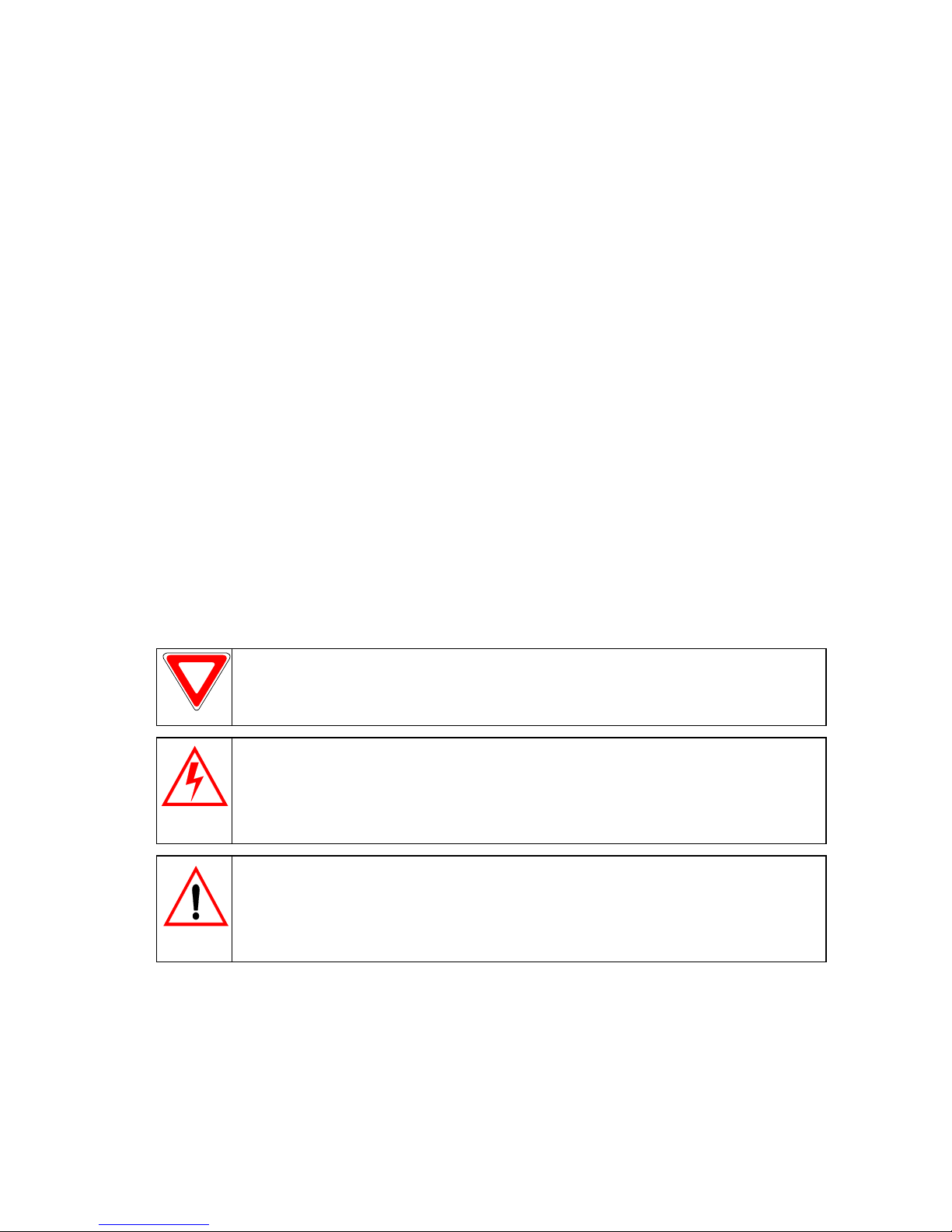
NOTICE
Text set off in this manner indicates key information
that you should pay attention to.
CAUTION
Text set off in this manner indicates that failure
to follow these directions could result in damage to equipment
or loss of information.
WARNING
Text set off in this manner indicates that failure
to follow these directions could result in bodily harm or loss of
life.

Neuros MPEG-4 Recorder
ii
Preface
Safety Information
Please read the following safety instructions and keep the user manual
for later reference.
• Use only the power adapter supplied with the product.
• Do not place the product near any source of heat or expose it to
direct sunshine.
• Do not attempt to connect any computer accessory or electronic
product without instruction from qualified service personnel. It
may result in risk of electric shock.
• Do not expose the product to moisture. Never spill any liquid on
the product.
• Do not place the Neuros MPEG-4 Recorder where the temperature
is less than -10° C (14° F) or greater than 60° C (140° F).
Routine care
Wipe the Neuros MPEG-4 Recorder with a soft cloth. Do not use abra-
sive powders or solvents, such as benzene or thinners. When you leave
the Neuros MPEG-4 Recorder unused for a long time, unplug the AC
adapter from the outlet.

iii
Contents
1 Overview........................................................................................... 1
1.1 Features.......................................................................................... 1
1.2 System Requirements .................................................................... 2
1.3 Unpacking...................................................................................... 2
1.4 The Neuros MPEG-4 Recorder ..................................................... 3
1.4.1 Front View ................................................................................. 3
1.4.2 Rear View .................................................................................. 3
1.5 The Remote Control ...................................................................... 4
1.5.1 Top View ................................................................................... 4
1.5.2 Bottom View.............................................................................. 4
2 Getting Started ................................................................................ 5
2.1 Making Connections...................................................................... 5
2.1.1 Connecting the Power................................................................ 5
2.1.2 Connecting to a Television ........................................................ 6
2.1.3 Connecting to a Television for Recording................................. 7
2.1.4 Connecting to a DVD, VCR or Camcorder ............................... 8
2.1.5 Connecting to a Computer......................................................... 9
2.1.6 Inserting and Removing a Compact Flash (CF) Card.............. 10
2.1.7 Inserting and Removing a Secure Digital (SD) Card .............. 11
2.2 Viewing Media Files ................................................................... 12
2.2.1 Viewing still pictures............................................................... 12
2.2.2 Viewing Videos ....................................................................... 13
2.2.3 Listening to Audio Files .......................................................... 15
3 Using the Neuros MPEG-4 Recorder .......................................... 17
3.1 Accessing the On Screen Interface.............................................. 17
3.1.1 Selecting files........................................................................... 19
3.1.2 Changing the storage media..................................................... 19
3.2 Main Player Setup Menu ............................................................. 20
3.2.1 TV Out ..................................................................................... 20
3.2.2 Date and Time.......................................................................... 21
3.2.3 Disk Copy ................................................................................ 22
3.2.4 Upgrade.................................................................................... 22
3.2.5 Format...................................................................................... 23
3.3 Playing Videos............................................................................. 24

Neuros MPEG-4 Recorder
iv
Contents
3.3.1 Video Player Setup Menu ........................................................ 25
3.3.2 Repeat....................................................................................... 25
3.3.3 Lock and Unlock ...................................................................... 26
3.3.4 Delete ....................................................................................... 26
3.3.5 Copy File.................................................................................. 27
3.3.6 Using the Neuros MPEG-4 Recorder to Play MPEG-4 Video 27
3.4 Using the Neuros MPEG-4 Recorder to Display Images ............ 28
3.4.1 Special Effects.......................................................................... 29
3.4.2 Image Browser Setup Menu..................................................... 30
3.4.3 Slide ......................................................................................... 31
3.4.4 Lock and Unlock...................................................................... 31
3.4.5 Delete ....................................................................................... 32
3.4.6 Copy File.................................................................................. 32
3.5 Using the Neuros MPEG-4 Recorder to Play Audio ................... 34
3.5.1 Music Player Setup Menu ........................................................ 35
3.5.2 Repeat....................................................................................... 36
3.5.3 Lock and Unlock ...................................................................... 37
3.5.4 Delete ....................................................................................... 37
3.5.5 Copy File.................................................................................. 38
3.6 Using the Neuros MPEG-4 Recorder to Record Video ............... 39
3.6.1 Video Record Setup ................................................................. 40
3.6.2 Quality...................................................................................... 41
3.6.3 Auto Record ............................................................................. 42
3.6.4 Resolution ................................................................................ 43
3.7 Using the Neuros MPEG-4 Recorder to record TV programs..... 44
3.8 Using the Neuros MPEG-4 Recorder as a Card Reader .............. 46
Appendix ..................................................................................................... 47
Specifications............................................................................... 47
Upgrading the Firmware .............................................................. 49
FCC Certification......................................................................... 50
Troubleshooting ........................................................................... 51
Warranty ...................................................................................... 52

1
Chapter 1: Overview
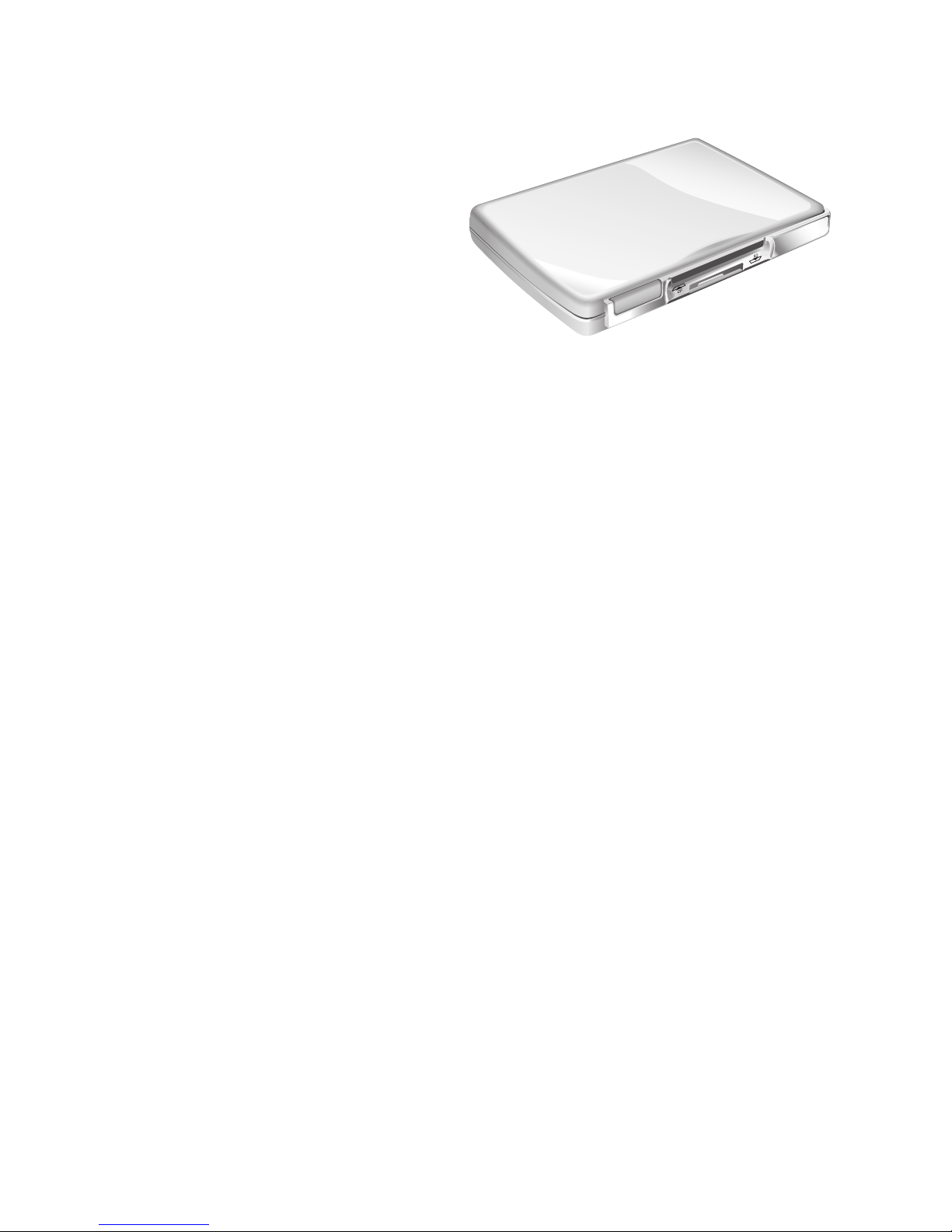
The Neuros MPEG-4 Recorder
- Mini Video Recorder is an
MPEG-4 recorder and player
that enables anyone to make
home movies. Record your
favorite TV shows, personal
home video, or videos (VHS,
VCD, DVD, Hi8, or DV) onto
a flash memory card 1" MicroDrive or SD card. Play your prerecorded
full-motion, full-color videos on a PC, TV, or Pocket PC based PDA.
In addition, the Neuros MPEG-4 Recorder is a super high fidelity MP3
player. The Neuros MPEG-4 Recorder’s elegant design makes it look
great on your desk and easy to use.
1.1 Features
•Image Browser - View digital images on your television with the
built-in Image Browser.
•Video Recorder - Record video from your video camera, VCR or
DVD player. Videos are stored in the Advanced Systems Format
(ASF). ASF movie files can also be played with Windows Media
Player 7 or above. Windows Media Player is included free with
Microsoft Windows.
•Video Player - The video player is MPEG-4 compatible and will
also play AVI and ASF files.
•Music Player - The audio player is MP3 compatible.
•USB Card Reader - The Neuros MPEG-4 Recorder simulta-
neously supports Compact Flash (CF) and Secure Digital (SD)
cards. Each card appears as a separate removable disk in Windows
Explorer.
•Compact and Portable Design - The Neuros MPEG-4 Recorder
is small enough to fit in your pocket.
•Flexible - The Neuros MPEG-4 Recorder can be used with a PC,
Stereo System, Television, VCR, DVD player or Video Camera.

2
Overview
Neuros MPEG-4 Recorder
1.2 System Requirements
Ensure that the following requirements are met:
• USB 2.0 interface on your PC
• Microsoft Windows XP, 2000, ME, or 98 (drivers are required for
Windows ME and 98)
• Compact Flash (CF) or Secure Digital (SD) card (one or more)
• Audio video system with RCA compatible input and output
1.3 Unpacking
Contact your supplier if any of the following items are damaged or
missing.
• Neuros MPEG-4 Recorder
• Remote Control with Battery
• RCA to Mini-plug Cables (x2)
• USB Cable
• AC Power Adapter
• User Manual
•CD-ROM

3
Overview
Neuros MPEG-4 Recorder
1.4 The Neuros MPEG-4 Recorder
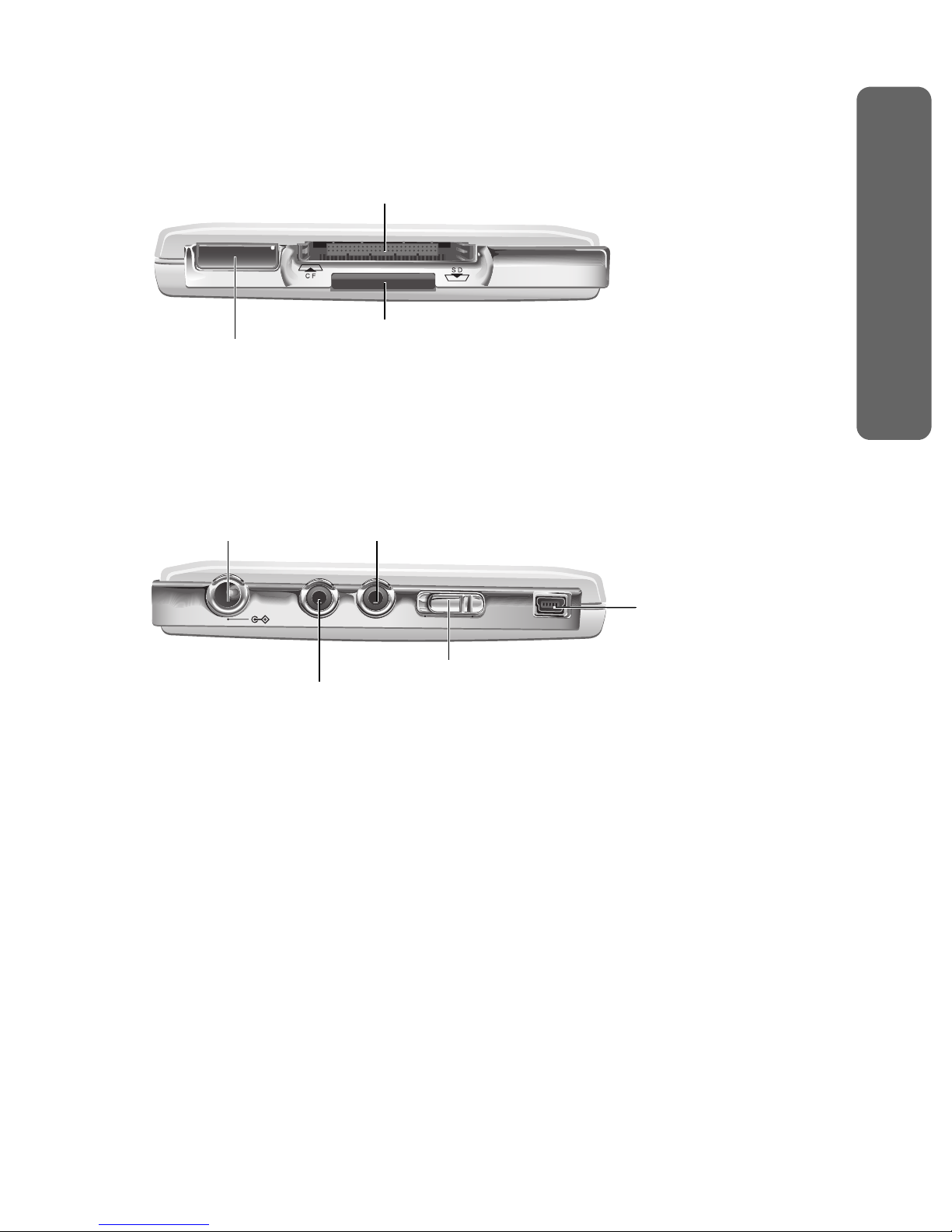
1.4.1 Front View
1.4.2 Rear View
CF Card Slot
SD Card Slot
Power Light / IR Sensor
DC 5V
AV OUT AV IN USB 2.0
TV PC
USB Port
TV/PC Selector
Audio/Video INDC 5V IN
Audio/Video OUT

4
Overview
Neuros MPEG-4 Recorder
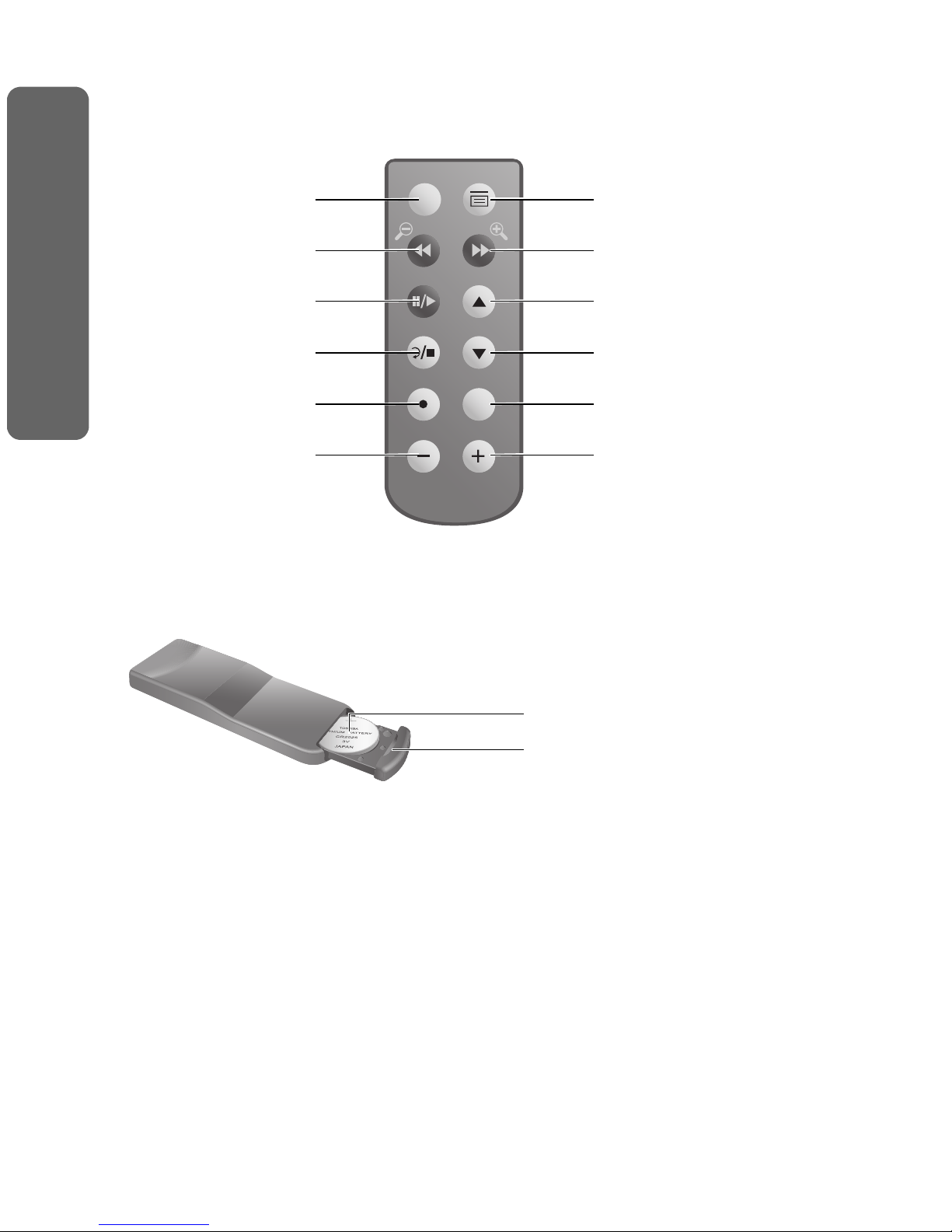
1.5 The Remote Control
1.5.1 Top View
1.5.2 Bottom View
Select Menu
FFFR
Enter Up/Prev.
Down/Next
Return/Stop
Rec
Vol
Storage
Select Menu
Rewind
Enter/Pause/Play
Return/Stop
Record
Decrease Volume
Fast Forward
Up/Previous
Down/Next
Storage
Increase Volume
Lithium Battery (3V)
Battery Compartment

5
Chapter 2: Getting Started
This chapter covers how to connect your Neuros MPEG-4 Recorder to
other equipment and view media files for the first time.
2.1 Making Connections
Read this chapter to learn how to:
• Connect the power to your Neuros MPEG-4 Recorder
• Connect your Neuros MPEG-4 Recorder to a television
• Connect your Neuros MPEG-4 Recorder to a DVD, VCR or cam-
corder
• Insert or remove a memory card
• Connect your Neuros MPEG-4 Recorder to a computer
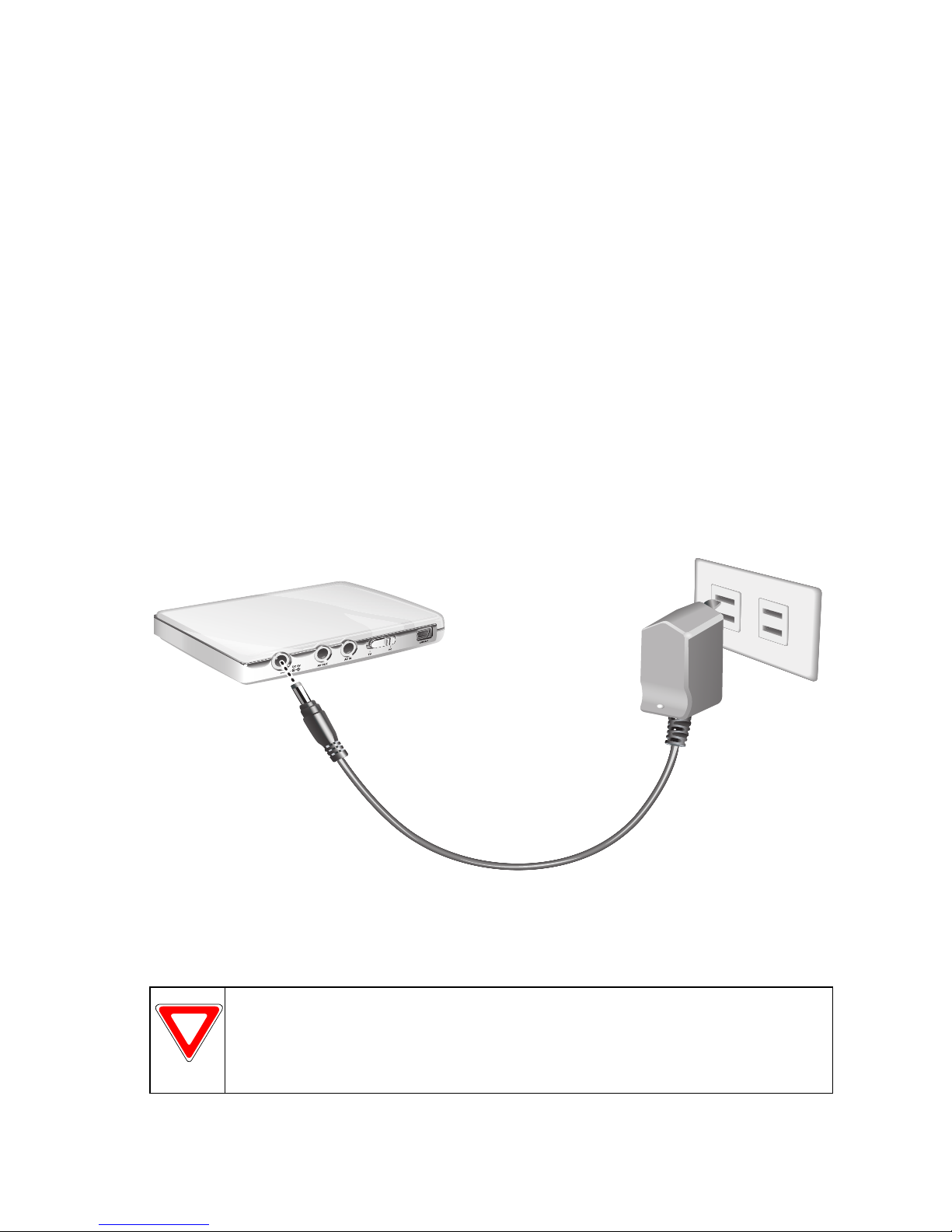
2.1.1 Connecting the Power
1. Insert the connector (A) of the supplied DC power adapter into the
DC 5V connector on the Neuros MPEG-4 Recorder.
2. Insert the power adapter (B) into a wall socket.
NOTICE
When connecting the Neuros MPEG-4 Recorder to a
personal computer or notebook computer, it is not necessary to
connect the power adapter.
AB
Altri manuali per MPEG4 Recorder 1
1
Questo manuale è adatto per i seguenti modelli
1
Indice
Altri manuali Neuros Registratore digitale