
NOVIMED HEARING Pro Wireless Manuale utente
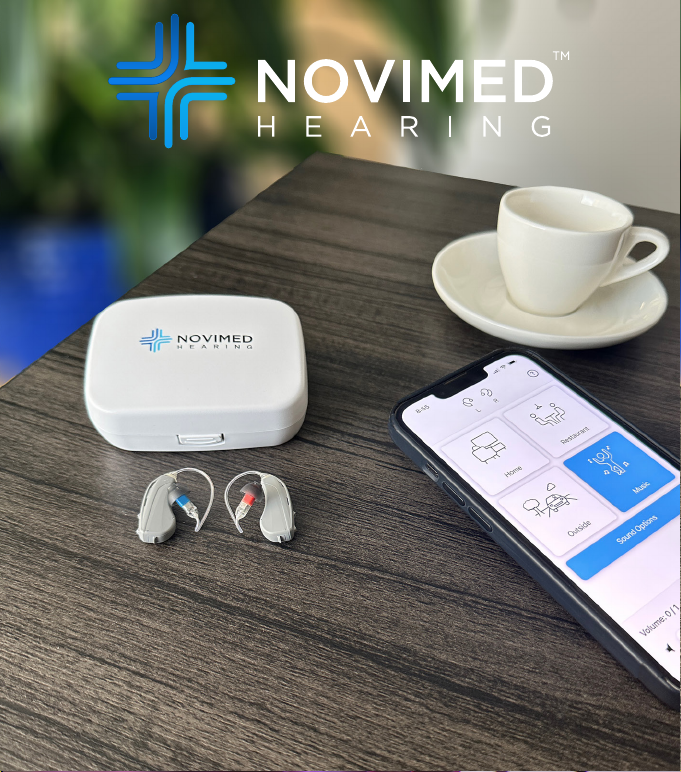
NoviMed Pro Wireless
OTC Hearing Aids
User Manual


1
WARNING: If you are younger than 18, do not use this.
You should go to a doctor, preferably an ear-nose-
throat doctor (an ENT), because your condition needs
specialized care. Over-the-counter hearing aids are
only for users who are age 18 or older.
This OTC hearing aid is for users who are 18 and older.
People who are younger than 18 with hearing loss should see
a doctor, preferably an ENT, because they may need medical
testing and management. Hearing loss can aect speech and
learning, so professional fitting and continuing care are also
important.
WARNING: When to See a Doctor
If you have any of the problems listed below, please see a
doctor, preferably an ear-nose-throat doctor (an ENT).
• Your ear has a birth defect or an unusual shape. Your ear
was injured or deformed in an accident
• You saw blood, pus, or fluid coming out of your ear in the
past 6 months
• Your ear feels painful or uncomfortable
• You have a lot of ear wax, or you think something could be
in your ear
• You get really dizzy or have a feeling of spinning or
swaying (called vertigo)
• Your hearing changed suddenly in the past 6 months
• Your hearing changes: it gets worse then gets better again
• You have worse hearing in one ear
• You hear ringing or buzzing in only one ear

2
WARNING: This hearing aid should not cause pain when
inserting it.
Remove this device from your ear if it causes pain or
discomfort when you insert or place it. To try again,
make sure to follow the instructions. If you feel pain or
discomfort again, contact the manufacturer. If your pain or
discomfort doesn’t go away, contact your hearing healthcare
professional. You can also report this to FDA as an adverse
event according to the instructions that appear later.
Caution: This is not hearing protection.
You should remove this device if you experience overly loud
sounds, whether short or long-lasting. If you’re in a loud
place, you should use the right kind of hearing protection
instead of wearing this device. In general, if you would use
ear plugs in a loud place, you should remove this device and
use ear plugs.
Caution: The sound output should not be uncomfortable or
painful.
You should turn down the volume or remove the device if
the sound output is uncomfortably loud or painful. If you
consistently need to turn the volume down, you may need to
further adjust your device.

3
Note: If you remain concerned, consult a professional.
If you try this device and continue to struggle with or remain
concerned about your hearing, you should consult with a
hearing healthcare professional.
Note: What you might expect when you start using a
hearing aid.
A hearing aid can benefit many people with hearing loss.
However, you should know it will not restore normal hearing,
and you may still have some diculty hearing over noise.
Further, a hearing aid will not prevent or improve a medical
condition that causes hearing loss.
People who start using hearing aids sometimes need a few
weeks to get used to them. Similarly, many people find that
training or counseling can help them get more out of their
devices.
If you have hearing loss in both ears, you might get more
out of using hearing aids in both, especially in situations
that make you tired from listening–for example, noisy
environments.
Caution: You might need medical help if a piece gets stuck
in your ear.
If any part of your hearing aid, like the eartip, gets stuck in
your ear, and you can’t easily remove it with your fingers,
get medical help as soon as you can. You should not try to
use tweezers or cotton swabs because they can push the
part further into your ear, injuring your eardrum or ear canal,
possibly seriously.

4
Note: Tell FDA about injuries, malfunctions, or other
adverse events.
To report a problem involving your hearing aid, you should
submit information to FDA as soon as possible after the
problem. FDA calls them “adverse events,” and they might
include: skin irritation in your ear, injury from the device (like
cuts or scratches, or burns from an overheated battery),
pieces of the device getting stuck in your ear, suddenly
worsening hearing loss from using the device, etc.
Instructions for reporting are available at https://www.fda.
gov/Safety/MedWatch, or call 1-800-FDA-1088. You can also
download a form to mail to FDA.

5
1. Getting Started 8
Download the App 9
What’s in the Box 10
Wireless Connectivity 11
Streaming for iOS
Connecting Your Hearing Aids to
Your Phone and the App
Clearing Saved Bonds in Your Hearing Aids 13
Hearing Aid Parts 14
Battery Door Positions 15
Installing the Battery 16
2. Setting Up Your Hearing Aids 17
Left and Right Indicators
Inserting Your Hearing Aids in Your Ears 18
Physical Fit of Your Hearing Aids 19
Removing Your Hearing Aids from Your Ears
Selecting Eartip Size 20
Selecting Eartip Type 21
Selecting Your Cable 22
Adjusting the Volume & Programs 23
Rocker Switch Volume Control
Mobile App Volume Control 24
Mobile App Streaming Volume Control 25
Programs 26
Mobile App Program Control
Rocker Switch Program Control 27
Adjusting Sound Quality of Programs 28
Table of Contents

6
3. Care and Maintenance of Your Hearing Aids 30
Cleaning Your Hearing Aids
Component Replacement Recommendations 31
Replacing the Battery 32
Replacing the Cable 33
Replacing an Eartip 34
Inspecting the Eartips 35
Hearing Aid Storage 36
Hearing Aid Troubleshooting
Mobile App Troubleshooting 41
Service and Warranty 44
Hearing Aid Repair
Available Replacement Components 45
4. Product Specifications 46
Operating Conditions
Conditions Causing Adverse Eect 47
Storage Conditions
Features 48
Technical Data 50
Wireless Information 51
Table of Contents

7
5. Safety, Regulatory and Legal Information 57
Keep Out Reach of Children and Pets
Warnings and Cautions
Intended Use 60
Indications for Use
Validation Data
Legal 61
Symbols and Descriptions 62
Important Information from the FDA
Children with Hearing Loss 63
Table of Contents

8
Congratulations on purchasing your new NoviMed Pro
Wireless OTC Hearing Aids! In this User Manual is a brief
introduction to the product and an explanation on how your
hearing aids work. Delivered in these little hearing aids are
state-of-the-art digital signal processing features based on
the latest advances in hearing science. This product has been
finely tuned by us to create an elite listening experience.
Getting Started
1
Indice


