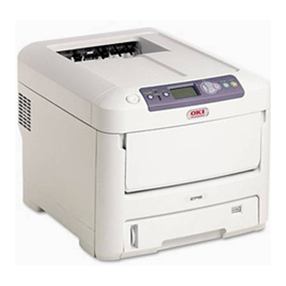
Oki OKIPAGE 4W PLUS Manuale utente

All specifications are subject to change without notice.
OKIPAGE 4w
LED Page Printer
Maintenance Manual
¡

PREFACE
This Maintenance Manual describes the field maintenance methods for LED Page Printers.
This manual is written for use by service persons. Please note that you should refer to the Printer
Handbook for the handling and operating methods of the equipment.

CONTENTS
1. CONFIGURATION..................................................................................... 1 - 1
1.1 System Configuration ........................................................................ 1 - 1
1.2. Printer Configuration.......................................................................... 1 - 2
1.3 Specification ...................................................................................... 1 - 3
1.4 Safety Standards ............................................................................... 1 - 5
1.4.1 Certification Label.................................................................................... 1 - 5
1.4.2 Warning Label .........................................................................................1 - 5
2. OPERATION DESCRIPTION .................................................................... 2 - 1
2.1 Main Control Board............................................................................ 2 - 3
2.2 Power Supply Unit ............................................................................. 2 - 4
2.3 High-Voltage Power Supply Board .................................................... 2 - 4
2.4 Electro-Photographic Processor........................................................ 2 - 6
2.5 Electro-Photographic Process ........................................................... 2 - 10
2.5.1 Explanation of Each Process Operation.................................................. 2 - 12
2.6 Paper Jam Detection ......................................................................... 2 - 18
2.7 Toner Low Detection.......................................................................... 2 - 20
2.8 Cover Open ....................................................................................... 2 - 21
3. PARTS REPLACEMENT........................................................................... 3 - 1
3.1 Precautions for Parts Replacement................................................... 3 - 1
3.2 Parts Layout....................................................................................... 3 - 3
3.3 Replacing Parts ................................................................................. 3 - 6
3.3.1 Extend Plate ............................................................................................ 3 - 6
3.3.2 LED Head and Head Spring.................................................................... 3 - 7
3.3.3 Transfer Roller.........................................................................................3 - 8
3.3.4 Upper Cover Assy ................................................................................... 3 - 9
3.3.5 High-Voltage Power Supply Board .......................................................... 3 - 10
3.3.6 Top Cover Assy and Flat Cable Assy...................................................... 3 - 11
3.3.7 Paper Holder ........................................................................................... 3 - 12
3.3.8 Side Plate M and Idle Gear ..................................................................... 3 - 13
3.3.9 Registration Roller ................................................................................... 3 - 14
3.3.10 Drive Shaft E (Eject) and Eject Roller ..................................................... 3 - 15
3.3.11 Heat Assy ................................................................................................ 3 - 16
3.3.12 Pressure Roller B (Back Up Roller)......................................................... 3 - 19
3.3.13 Separator Guide ...................................................................................... 3 - 20
3.3.14 Pulse Motor (Main) .................................................................................. 3 - 22
3.3.15 Hopping Shaft Assy ................................................................................. 3 - 23
3.3.16 Paper Sensor E, Paper Sensor Exit and Toner Sensor Assy ................. 3 - 24
3.3.17 Base Plate ............................................................................................... 3 - 25

4. ADJUSTMENT........................................................................................... 4 - 1
4.1 Adjustment Types and Functions ...................................................... 4 - 1
4.1.1 Printer Driver ........................................................................................... 4 - 1
4.1.2 Engine Maintenance Utility ...................................................................... 4 - 2
4.2 Adjustment When Replacing a Part................................................... 4 - 2
4.2.1 Setting LED Head Drive Time ................................................................. 4 - 2
4.2.2 Setting the LED Head Dot Count ............................................................ 4 - 3
4.2.3 Uploading and Downloading EEPROM Data .......................................... 4 - 4
5. PERIODICAL MAINTENANCE ................................................................. 5 - 1
5.1 Periodical Replacement Parts ........................................................... 5 - 1
5.2 Cleaning............................................................................................. 5 - 1
5.2.1 Cleaning of LED Lens Array .................................................................... 5 - 1
6. TROUBLESHOOTING PROCEDURES .................................................... 6 - 1
6.1 Troubleshooting Tips ......................................................................... 6 - 1
6.2 Check Points Before Correcting Image Problems ............................. 6 - 1
6.3 Notes When Correcting Image Problems .......................................... 6 - 1
6.4 Preparation Before Troubleshooting.................................................. 6 - 1
6.5 Troubleshooting................................................................................. 6 - 2
6.5.1 Status Monitor Message List ................................................................... 6 - 2
6.5.2 Status Message Troubleshooting............................................................ 6 - 6
6.5.3 Image Troubleshooting............................................................................ 6 - 13
7. WIRING DIAGRAM................................................................................... 7 - 1
7.1 Interconnect Signal Diagram ............................................................. 7 - 1
7.2 PCB Layout........................................................................................ 7 - 2
8. PARTS LIST .............................................................................................. 8 - 1
APPENDIX A LOCAL PRINTING ............................................................... A - 1
APPENDIX B PARALLEL INTERFACE ..................................................... B - 1
APPENDIX C MAINTENANCE UTILITY..................................................... C - 1

1. CONFIGURATION

1 - 1
1. CONFIGURATION
1.1 System Configuration
The OKIPAGE 4w consists of a control block, a power supply unit, and an engine block. (See
Figure 1-1.)
Electro-photographic
Processor
Paper Feed Mechanism
ENGINE UNI
T
Hopper
Plate
High-Voltage Power
Supply Board
Power Supply Unit
Main Control Board
Figure 1-1

1 - 2
1.2 Printer Configuration
The printer unit consists of the following five hardware components:
• Electro-Photographic Processor
• Paper Feeder
• Main Control Board
• High-Voltage Power Supply Board
• Power Supply Unit
Figure 1-2 is the configuration of the printer unit.
Figure 1-2
Upper Cover Assy
EP Unit
Heat Assy
Top Cover Assy
Power Supply Unit
Main Control Board
High-Voltage Power
Supply Board

1 - 3
1.3 Specification
(1) Type Desktop
(2) Outside dimensions Height 5.9” (150 mm)
(excludes protruding Width 12.2” (310 mm)
portion) Depth 7.5” (191 mm)
(3) Weight 3.8 kg
(4) Development method Dry non-magnetic development system
Exposure method LED stationary head
(5) Paper used <Type>
• Standard paper
– Xerox 4200 (20 lbs)
• Application paper (manual face-up feed)
– Label
– Envelope
– OHP paper (Transparency)
<Size>
14" (355.6 mm) (Max.) x 8.5" (215.9 mm)
<Thickness>
– Automatic feed: 16 to 28 lbs (60 to 90 g/m2)
– Manual feed: Label,Envelope,OHPpaper(transpar-
ency)
(6) Printing speed First print: 25 seconds (A4) (after warm-up)
Continuous print: 4 sheets/minute (A4)
Warm-up time: 40 seconds (120 VAC for ODA, 230
VAC for OEL/INT) (at room tempera-
ture 77 ˚F (25 ˚C))
(7) Paper feeding method Automatic paper feed or manual paper feed
(8) Paper delivery method Face down
(9) Resolution 300 dpi x 300 dpi, 600 dpi x 600 dpi (quasi)
(10)Power input 230 VAC +15%, -14% (for OEL/INT)
120 VAC +6%, -15% (for ODA)
(11)Power consumption Peak: 450W
Typical operation: 100W
Idle: 30W
Power save mode: 5W

1 - 4
(12) Temperature and humidity
Temperature
During operation
In storage
10 to 32 ˚C
–10 to +43 ˚C
20 to 80% RH (relative humidity)
10 to 90% RH (relative humidity)
No condensation is permissible.
Humidity
C
aution: Temperature and humidity in storage are measured with the PN212
being packed; they are valid for one year.
(13) Noise During operation: 48 dB (A) or less
Standby: 38 dB (A) or less
(14) Consumables Toner cartridge kit 1,000 (5% duty)
Image drum cartridge 10,000 (at continuouts printing)

1 - 5
1.4 Safety Standards
1.4.1 Certification Label
The safety certification label is affixed to the following location of the OKIPAGE 4w:
1.4.2 Warning Label
Warning labels are affixed to the locations that may cause bodily injury.
During maintenance, do work with enough care while following instructions on these warning
labels.
ODA
OEL
/OKI-INT
Altri manuali per OKIPAGE 4W PLUS
2
Indice
Altri manuali Oki Stampante

Oki
Oki LE810DT Manuale del proprietario

Oki
Oki C330dn Istruzioni originali

Oki
Oki B8300 Manuale utente

Oki
Oki Okicolor8 Manuale utente

Oki
Oki OKIPAGE 8c Plus Manuale utente

Oki
Oki C3450m Manuale utente

Oki
Oki OKIOFFICE84 Manuale di istruzioni

Oki
Oki C 5650dn Manuale utente

Oki
Oki LE810DT Manuale utente

Oki
Oki IP-6620 Manuale utente

Oki
Oki B6500 Series Manuale utente

Oki
Oki C5100n Manuale utente

Oki
Oki C941 Manuale utente

Oki
Oki C5800Ldn Series Manuale utente

Oki
Oki C7550 Istruzioni per l'installazione

Oki
Oki B2200 Manuale utente

Oki
Oki OKIPAGE 14e Manuale utente

Oki
Oki Executive 2024 Manuale di servizio

Oki
Oki C5300n Manuale utente

Oki
Oki ML620 Guida rapida