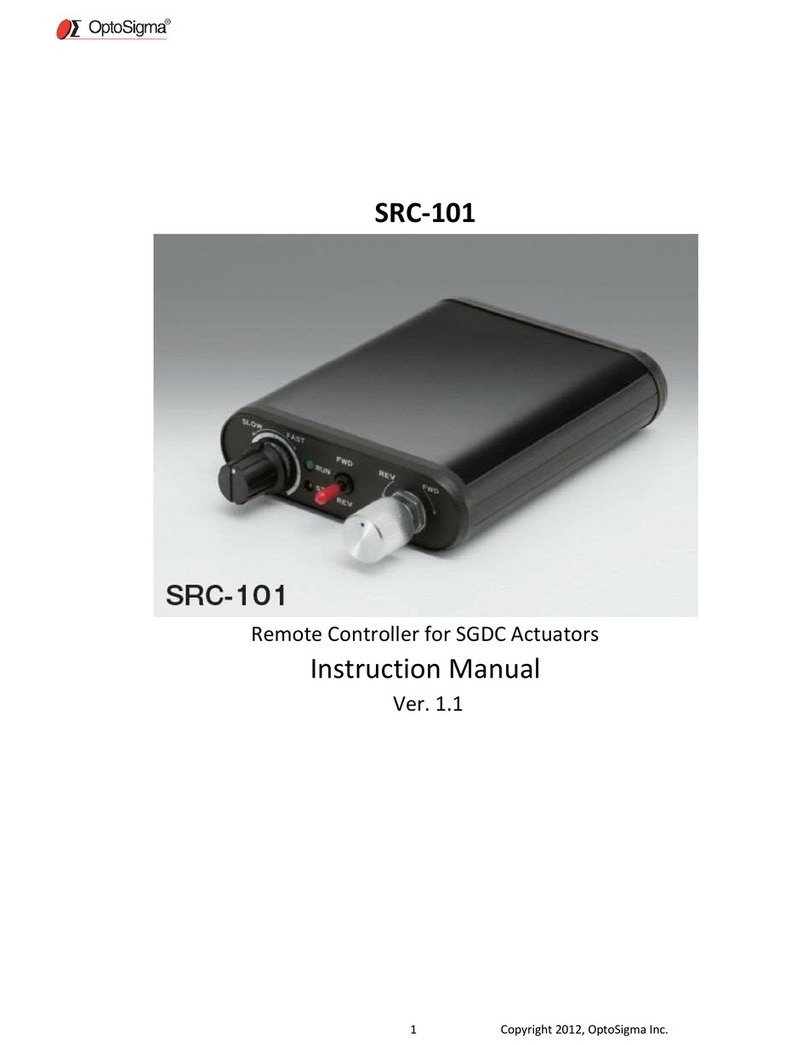
OptoSigma GSC-02A Manuale utente

User's Manual
Intelligent Driver
Two-AxisStageController
GSC-02A
https://jp.optosigma.com/en_jp/
User's Manual
Intelligent Driver
GSC-02A
https://jp.optosigma.com/en_jp/
2
0
21
.
11
.
Firstedition
Tel
:
+
8
1
-
3
-
5
6
3
8
-
8
2
2
8
Fax
:
+
8
1
-
3
-
5
6
3
8
-
6
5
5
0
E-mail:international@sigma-koki.com
4
-
9
-
2
8
,Nishi-Nakajima,Yodogawa-ku,Osaka5
3
2
-
0
0
1
1
,
JAPAN
1
-
1
9
-
9
,
Midori,SIGMAKOKITokyoHeadoffice,Sumida-ku,Tokyo1
3
0
-
0
0
2
1
,
JAPAN
Tel
:
+
8
1
-
6
-
6
3
0
7
-
4
8
3
5
Fax
:
+
8
1
-
6
-
6
3
0
7
-
4
8
3
4
E-mail:sales.osaka@sigma-koki.com
3
-
1
7
,Hie-machi,Hakata-ku,Fukuoka-shi,Fukuoka8
1
2
-
0
0
1
4
,
JAPAN
Tel
:
+
8
1
-
9
2
-
4
8
1
-
4
3
0
0
Fax
:
+
8
1
-
9
2
-
4
8
1
-
4
3
1
0
E-mail:sales.kyushu@sigma-koki.com
Kyushu Sales
o
ff
i
c
e
Osaka Branch
1
-
1
Yatsukaho,Hakusan-shi,Ishikawa9
2
4
-
0
8
3
8
,
JAPAN

・These materials are intended as a reference to assist our customers in the use of the SIGMA-
KOKI CO., LTD. Product best suited to the customer’s application; they don’t convey any
license under any intellectual property rights, or any other rights, belonging to SIGMAKOKI
CO., LTD. or a third party.
・SIGMAKOKI CO., LTD. assumes no responsibility for any damage, or infringement of any
third-party’s rights, originating in the use of any product data, diagram, charts, programs, or
algorithms contained in these materials.
・All information contained in these materials, including product data, diagrams, charts, programs
and algorithms represents information on products at the time of publication of these materials,
and are subject to change by SIGMAKOKI CO.,LTD. without notice due to product improve-
ments or other reasons.
・When using any or all of the information contained in these materials, including product data,
diagrams, charts, programs, and algorithm, please be sure to evaluate all information and
products. SIGMAKOKI CO., LTD. assumes no responsibility for any damage, liability or other
loss resulting from the information contained herein.
・SIGMAKOKI CO., LTD. products aren’t designed or manufactured for use in equipment or
system that is used under circumstances in which human life is potentially at stake. SIGMAKO-
KI CO., LTD. products can’t be used for any specific purposes, such as apparatus or systems
for transportation, vehicular, medical, aerospace, nuclear, or undersea repeater use.
・The prior written approval of SIGMAKOKI CO., LTD. is necessary to reprint or reproduce in
whole or in part these materials.
・If these products or technologies are subject to the Japanese export control restrictions, they
must be exported under a license Japanese government and can’t be imported into a country
other than the approved destination.
Any diversion or re-export contrary to the export control laws and regulations of Japan and/ or
the country of destination is prohibited.
Notes regarding these materials

■ GSC-02A
User's Manual
■
Contents
For your safety ………………………………………………………………… 2
Chapter 1: Before you begin ……………………………………………… 3
1. Package contents …………………………………………………………………… 3
2. Overview ………………………………………………………………………………… 4
3. The GSC-02A System ……………………………………………………………… 4
4. Parts of the GSC-02A ……………………………………………………………… 5
Chapter 2 Basic Operations ……………………………………………… 6
5. GSC-02A Connection procedure ………………………………………………… 6
6. GSC-02A Setting ……………………………………………………………………… 7
Chapter 3: Using GSC-02A to position Motorized Stages …… 9
7. Using Computer to position Motorized Stages ………………………………… 9
Chapter 4: Specication ………………………………………………… 23
8. Specication ………………………………………………………………………… 23
9. Connector Pin Numbers and Signals ………………………………………… 25
10. Exterior Dimensions ……………………………………………………………… 26
1
Osakabranch

■ GSC-02A
User's Manual
■
For your safety
Before using this product, read this manual and all warnings or cautions in the documentation provided.
Only Factory Authorized Personnel should be changes and/or adjust the parts of controller.
The symbols used in this manual
WARNING CAUTION
This symbol marks warnings that should be read and
used to prevent serious injury or death.
This symbol indicates where caution should be used to
avoid possible injury to yourself or others, or damage to
property.
The above indications are used together with the following symbols to indicate the exact nature of the warning or
caution.
Examples of Symbols Accompanying Warnings and Cautions
△Symbols enclosed in a triangle indicate warnings and cautions. The exact nature of the warning
or caution is indicated by the symbol inside (the symbol at left indicates risk of electrocution).
○Symbols enclosed in a circle mark indicate prohibitions(actions that must not be performed).
The exact nature of the prohibition is indicated by the symbol inside or next to the circle mark (the
symbol at left indicates that the product must not be disassembled).
●Symbols inside a black circle mark actions that must be performed to ensure safety. The exact
nature of the action that must be performed is indicated by the symbol inside (the symbol at left is
used in cases in which the AC adapter must be unplugged to ensure safety).
Symbols on the product
The symbol mark on the product calls your attention. Please refer to the manual, in the case that you operate the
part of the symbol mark on the product.
This symbol labeled on the portion calls your attention.
Disclaimer of liability
① SIGMAKOKI CO., LTD. does not accept liability for damages resulting from the use of this product or the inability
to use this product.
② SIGMAKOKI CO., LTD. does not accept liability for damages resulting from the use of this product that deviates
from that described in the manual.
③ SIGMAKOKI CO., LTD. does not accept liability for damages resulting from the use of this product in extraordinary
conditions, including re, earthquakes, and other acts of God, action by any third party, other accidents, and
deliberate or accidental misuse.
④ If the equipment is used in a manner not specied by the SIGMAKOKI CO., LTD., the protection provided by the
equipment may be impaired.
● Don’t use this product in the presence of ammable gas, explosives, or corrosive substances, in areas exposed to high levels
of moisture or humidity, in poorly ventilated areas, or near ammable materials.
● Don’t connect or check the product while the power is on.
● Installation and connection should be performed only by a qualied technician.
● Don’t bend, pull, damage, or modify the power or connecting cables.
● Don’t touch the products internal parts.
● Connect the earth terminal to ground.
● Should the product overheat, or should you notice an unusual smell, heat, or unusual noises coming from the product, turn o
the power immediately.
● Don’t turn on the power in the event that it has received a strong physical shock as the result of a fall or other accident.
● Don’t touch the stage while operation.
● Use dry clothes only for cleaning the equipment.
WARNING
2
Osakabranch

■ GSC-02A
User's Manual
■
Chapter 1: Before you begin
1. Package Contents
Purchasers of the Stage Controller should nd that the package contains the items listed below.
Check the package contents using the following checklist. Contact your retailer as soon as
possible in the event that you should nd that any item is missing or damaged.
You can download sample software from our web page.
WEB https://jp.optosigma.com/en_jp/software__sample
□GSC-02A Stage Controller :1
□User’s Manual (This Manual) :1
□SJT-02 Terminal Cap :1
3
Osakabranch

■ GSC-02A
User's Manual
■
2. Overview
This controller is two axes stage controller featuring stepping motor drivers.
When the GSC-02A is connected to an ordinary personal computer via an RS232C interface, the
stage can be accurately moved to the desired position by simple commands sent from the PC.
In addition, manual operation is possible by connecting SJT-02 (an optional product).
3. The GSC-02A System
Note that applicable cables and drive current values are depending on the
specications of stages used. Check if your controller can adequately control desired
devices before forming a system.
PC
TAMMseries
OSMS-60series
HPSseries
HDSseries
GSC-02A
OSMS40ZF/60ZFseries
SGSP40/60YAWseries
OSMS40/60YAWseries
SGSP-A/Bseries
TSDMseries
SGSP-ACTseries
OSMS-40series
SJT-02
RS232C/STR
Cable
D15RP-CA
Cable
D15RP-CA
Cable
OSMS20/26series
D15D15A-CA
Cable
Figure3-1: The GSC-02A system
4
Osakabranch

■ GSC-02A
User's Manual
■
4. Parts of the GSC-02A
Make sure to set up and wire the cable supplying DC+24 [V] and GND to the GSC-
02A so that the maximum length of cable isn’t longer than 2 [m].
Turn o a power supply in the case of the connector connection for security.
Functions:
①POWER LED : Lights up in green when powered.
②RUN LED : Lights up in red while driving stages.
③DIP switch : Makes basic settings for GSC-02A.
④RS232C connector: : This connector is used when the device is controlled from the computer via an
RS232C interface.
⑤SJT-02 connector : This connector is used when controlling with the SJT-02.
⑥, ⑦ Stage driving connector : Connect to the motorized stage of your choice. Supports up to two axes.
⑧Earth terminal : Should be grounded properly in your environment.
⑨Power terminal : Connect to the power source (+24 [V], 2 [A]).
⑩STAGE1 RUN volume Volume control adjusting the RUN current output through the stage drive connector. (Axis 1)
⑪STAGE1 STOP volume Volume control adjusting the STOP current output through the stage drive connector. (Axis 1)
⑫STAGE2 RUN volume Volume control adjusting the RUN current output through the stage drive connector. (Axis 2)
⑬STAGE2 STOP volume Volume control adjusting the STOP current output through the stage drive connector. (Axis 2)
①POWERLED
③DIPswitch ④RS232Cconnector ⑤SJT-02connector
②RUNLED
SJT-02
⑧Earthterminal
⑨Powerterminal
⑥Stagedrivingconnector(Axis1) ⑦Stagedrivingconnector(Axis2)
Figure4-2: GSC-02A rear panel
Figure4-3: GSC-02A side panel
Figure4-1: GSC-02A front panel
⑩STAGE1RUNvolume
⑪STAGE1STOPvolume
⑬STAGE2STOPvolume ⑫STAGE2RUNvolume
5
Osakabranch

■ GSC-02A
User's Manual
■
Chapter 2 Basic Operations
5. GSC-02 Connection procedure
5-1. Connecting to Motorized Stages
First, connect GSC-02A to the motorized stages.
① Please conrm the power source is turning o.
② Connect a standard cable (D15RP-CA / D15D15A-CA) to the connector of the motorized stage.
③ Connect the stage to be controlled as the rst axis to the STAGE1 connector of the GSC-02A
controller. Also connect the stage controlled as the second axis to the STAGE2 connector.
5-2. Connecting to PC and peripheral device
Connect GSC-02A to PC and peripherals (SJT-02).
RS232C interface is used for the connection between the PC and GSC-02A.
The following descriptions premise the RS232C interface.
① Please conrm the power source is turning o.
② Use a genuine cable RS232C/STR, or 9-pin, D-SUB straight cable with male/female ends using
inch screw threads.
③ Insert the male connector of communications cable into the RS232C connector on the GSC-
02A. Insert the female end into the serial port on your PC.
Connect to the peripheral device (SJT-02) using the SJT-02 dedicated accessory cable.
① Please conrm the power source is turning o.
② Connect the attached cable for SJT-02 to the SJT-02 connector on GSC-02A. Connect the
female side to the SJT-02.
③ Set the baud rate of the GSC-02A by adjustment on the DIP switch. SJT-02 can’t use on the
baud rate set to 2400 [bps].
Note) For more information about SJT-02, refer to the instruction manual attached to SJT-02.
6
Osakabranch

■ GSC-02A
User's Manual
■
6. GSC-02A Setting
Initialize your GSC-02A to match to the target stages and host environment (your PC, etc.). The
initialization includes DIP Switch settings and current adjustments (RUN/STOP) for each axis
motor.
6-1. Set parameters with DIP Switch
Initialize your GSC-02A by setting each switch to ON/OFF as follows:
Parameter Assignment in the DIP Switch:
Table6-1-1: DIP switch setting items
DIP Switch No. Items Parameters
1,2 Baud rate 2400 / 4800 / 9600 / 19200
3 Detecting the mechanical origin MARK method / MINI method
4 Input logic for the limit sensor Normal open/ Normal close
5Specify whether to return mechanical origin
for each axis First axis only/ Both axis
Switch settings and Corresponding Parameters (Set to ON by turning to the downside)
Table6-1-2: DIP switch setting list
Items Dip Switch No. Descriptions
Baud rate
SW No.1 SW No.2
ON ON 2400 [bps]
OFF ON 4800 [bps]
ON OFF 9600 [bps]
OFF OFF 19200 [bps]
Detecting the
mechanical origin
SW No.3
ON MARK method*
OFF MINI method*
Input logic for the
limit sensor
SW No.4
ON Normal open
OFF Normal close
Specify whether to
return mechanical
origin for each axis
SW No.5
ON First axis only
OFF Both axis
Note) Shaded areas in the list show our factory settings. Tale care to handle the very small DIP
Switch so as to avoid giving damage to them during the settings. Use appropriate tools
such as sharp tweezers for setting switches on the DIP Switch. For our OSMS series
stages, select MINI method and Normal close.
*) For details on the method of return to origin, see page 20.
7
Osakabranch

■ GSC-02A
User's Manual
■
6-2. Setting the drive current
Set current values supplied from GSC-02A to stages. Turn a RUN
current volume, provided on the side of the unit, to adjust RUN current
corresponding to the stages to use. Use a STOP current volume to set a
ratio to RUN current according to your conditions for the case where the
current down function works. You can make each current adjustment for
Axis 1 or Axis 2 independently.
Note that for the STOP current, adjustment is available not for current
values, but for a ratio [%] to the RUN current.
Note) Generally the ratio of the STOP current to the RUN current is approx. 50 [%].
Driving current settings (RUN)
Factory-set to 0.35 [A/Phase]
Table6-2-1: Driving current settings
Volume No. 0 1 2 3 4 5 6 7 8 9 10
RUN current
[A/phase] 0.25 0.26 0.3 0.34 0.44 0.53 0.6 0.67 0.75 0.78 0.8
Stop current settings (STOP current setting to 50 [%] for RUN current)
Factory-set to volume No.0
Table6-2-2: STOP current settings
RUN No. 0 1 2 3 4 5 6 7 8 9 10
STOP No.00001223333
Note) Each value cited in the above table is a guide to adjust the current without instrument, and
may uctuate within an allowable range.
6-3. Power ON
When you have completed procedures above, connect the power source. GSC-02A is power ON
and the green power LED lights up.
Now the setup has been done, and your GSC-02A is ready to use. For the details of commands
applicable to GSC-02A, see Chapter 3.
Volume
0
2
4 6
8
10
8
Osakabranch
Indice
Altri manuali OptoSigma Controllori