
Parker ACR8020 Manuale utente
Automation
p/n YPM08126
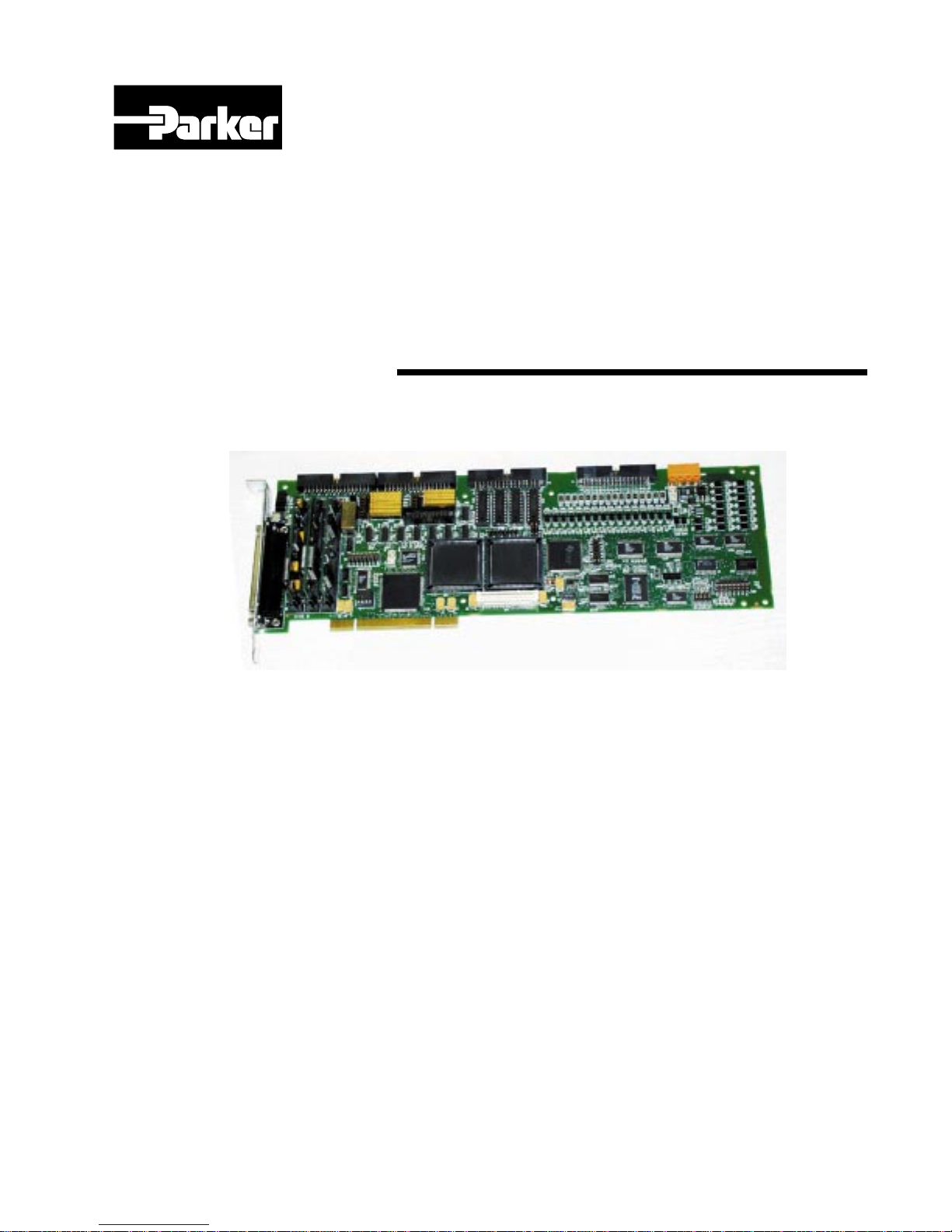
ACR8020
Hardware Manual
Effective: October 7, 2002

This page intentionally left blank.

i
CHANGE NOTICE
ACR8020 Hardware Manual P/N PM08126 Version Change:
From: Version 1.00, Dated 12/8/2000
To: Version 1.01, Dated 12/8/2001
1. Page 6, Plug and Play Capability Added Plug and Play information.
2. Page 16, Digital Input Reference Select
(JP17 and JP18)
Added figure.
3. Page 17, Digital Output Sink/Source
Select (JP15 and JP16)
Added output driver IC source.
4. Page 18, Digital Output Sink/Source
Select (JP15 and JP16)
Added figure.
5. Page 32, Serial Communications Corrected MUX table.
6. Page 33, ACRCOMM Module Setup Added figure information.
7. Page 42, Technical Specification Corrected operating temperature range.
ACR8020 Hardware Manual P/N PM08126 Version Change:
Version 1.00, Dated 12/08/00
1. ACR8020 Hardware Manual
Initial Release

ACR8020 Hardware Manual
P/N PM08126
ii
TABLE OF CONTENTS
INTRODUCTION........................................................................................................... 1
CHAPTER 1.................................................................................................................... 3
ACR8020 MOTHERBOARD PLUG AND PLAY CAPABILITY................................ 3
Chapter 1 Overview ............................................................................................ 5
ACR8020 Motherboard Plug and Play Capability .............................................. 6
Dual Port Memory Address Select............................................................... 6
CHAPTER 2.................................................................................................................... 7
ACR8020 MOTHERBOARD HARDWARE SETUP ................................................... 7
Chapter 2 Overview ............................................................................................ 9
ACR8020 Motherboard Switches ....................................................................... 11
Serial Communication Card Selection /User Switch (SW1) ....................... 11
ACR8020 Motherboard Jumpers ........................................................................ 12
ACR8020 Jumper Table List ....................................................................... 12
Encoder Pull-up Select Jumpers (JP5-JP14)................................................ 13
Digital Input Reference Select Jumper (JP17 and JP18) ............................. 15
Digital Output Sink / Source Select Jumpers (JP15 and JP16).................... 17
ACR8020 Motherboard Hardware Wiring.......................................................... 19
Encoder Inputs (P1A, P1B, P1C)................................................................. 20
Analog Input / Output (P2) .......................................................................... 24
Digital Inputs / Outputs (P3 and P4)............................................................ 25
Miscellaneous Output (P9)........................................................................... 26
Digital I/O Power (PWR1)........................................................................... 27
CHAPTER 3............................................................................................................... 29
ACRCOMM MODULE HARDWARE SETUP (OPTIONAL) ................. 29
Chapter 2 Overview ............................................................................................ 31
ACRCOMM Serial Communications ................................................................. 32
ACRCOMM Module Jumpers ............................................................................ 34
ACRCOMM Jumper Table List................................................................... 34
RS-422 Termination Jumpers (J1 thru J4)................................................... 35
Battery Enable Jumpers (J5 and J6) ............................................................. 36
Autobaud Detect Jumper (J7) ...................................................................... 37
ACRCOMM Module Hardware Wiring (Optional)............................................ 38
ACRCOMM Standalone Power (PWR2) .................................................... 39
ACRCOMM Communications (P5) ............................................................ 40
CHAPTER 4............................................................................................................... 41

iii
TECHNICAL SPECIFICATIONS ...................................................................... 41
ACR8020 Technical Specification...................................................................... 42
CHAPTER 5............................................................................................................... 45
ACR8020 MECHANICAL DETAILS................................................................ 45
ACR8020/ACRCOMM Board............................................................................ 46
ACR8020 Typical Connection Diagrams............................................................ 47

ACR8020 Hardware Manual
P/N PM08126
iv
TABLES
Table 2.1 ACR8020 Serial Communication Card Number Select................................. 11
Table 2.2 ACR8020 Encoder Pull-Up Jumpers ............................................................. 14
Table 2.3 ACR8020 Digital Input Reference Jumper .................................................... 15
Table 2.4 ACR8020 Digital Output Sink/Source Select Jumper ................................... 17
Table 2.5 ACR8020 Encoder Input Connectors P1A and P1B...................................... 20
Table 2.6 ACR8020 Encoder Input Connector P1C ...................................................... 21
Table 2.7 ACR8020 Analog I/O Connector................................................................... 24
Table 2.8 ACR8020 Digital I/O Connector ................................................................... 25
Table 2.9 ACR8020 Miscellaneous Output Connector P9 ............................................ 26
Table 2.10 ACR8020 SVCC Power Fuses.................................................................. 26
Table 2.11 ACR8020 Isolated Power Connector ........................................................ 27
Table 2.12 ACR8020 Isolated Power Fuses................................................................ 27
Table 3.1 ACRCOMM RS-422 Termination Jumpers .................................................... 35
Table 3.2 ACRCOMM Autobaud Detect Jumper............................................................ 37
Table 3.3 ACRCOMM Communications Connector....................................................... 40

v
FIGURES
Figure 1. ACR8020 Motherboard Outline..................................................................... 10
Figure 2. ACR8020 Digital Input User Circuit ............................................................. 16
Figure 4. ACRCOMM RS-422 Interface Schematic..................................................... 32
Figure 5. ACRCOMM Module Outline ........................................................................ 33

ACR8020 Hardware Manual
P/N PM08126
vi
This page intentionally left blank.

Introduction
1
INTRODUCTION
This document provides hardware connection information for the Acroloop ACR8020
motion controller.
WARNING
The ACR8020 board requires that the PC has BOTH
3.3VDCand 5VDC available on the backplane. ATX Style
Power Supplies and Backplanes with both 3.3V and 5V are
recommended for use. Powering up the board without
BOTH 3.3VDC and 5VDC available will permanently
damage the ACR8020 board.
Before powering up any ACR8020 board, please verify the
required voltages are present.
Included in this document is the hardware connection information for the following
optional plug-in modules:
a. ACRCOMM module. This board is required for serial communication operation
of the ACR8020 motion controller. The external power supply input and battery
back-up functions provided by this board are not used with the ACR8020 board.
WARNING
Wiring external power to the ACR8020 through the
ACRCOMM module will permanently damage the
ACR8020 board.

ACR8020 Hardware Manual
P/N PM08126
2
This page intentionally left blank.
Indice
Altri manuali Parker Hardware per computer

Parker
Parker Dynaserv G2 Manuale utente

Parker
Parker Compumotor OEM350 Manuale utente

Parker
Parker Compumotor OEM-AT6400 Manuale utente

Parker
Parker ACR2000 Manuale utente

Parker
Parker OEM6250 Manuale utente

Parker
Parker Compumotor AT6200 Manuale utente

Parker
Parker Sporlan IB Series Manuale utente

Parker
Parker ACR1200 Manuale utente

Parker
Parker Sporlan IB-G Manuale utente
Manuali Hardware per computer popolari di altre marche

EMC2
EMC2 VNX Series Manuale del proprietario

Panasonic
Panasonic DV0PM20105 Manuale utente

Mitsubishi Electric
Mitsubishi Electric Q81BD-J61BT11 Manuale utente

Gigabyte
Gigabyte B660M DS3H AX DDR4 Manuale utente

Raidon
Raidon iT2300 Manuale utente

National Instruments
National Instruments PXI-8186 Manuale utente


