PicoBrew Zymatic Manuale utente

Zymatic® User Manual

Important Safety Information
!Read all instructions before operating the machine.
!Exercise common sense while operating the Zymatic.
!Always use the keg cozy to shield the hot metal of the keg.
!Close supervision is needed when used around children.
!Allow machine to fully cool before removing or replacing parts.
!Do not operate with a frayed or broken plug.
!Test the GFCI circuit breaker on the plug before every brew.
!Do not remove step filter from the Zymatic unless in pause mode or brewing is completed.
!The step filter and contents may be hot when removing from the machine.
!Do not immerse or soak the machine.
!Make sure all hoses are connected before starting a recipe, rinse or cleaning cycle.
!There are no user serviceable parts inside. To avoid risk of electric shock hazard do not disassemble the Zymatic.
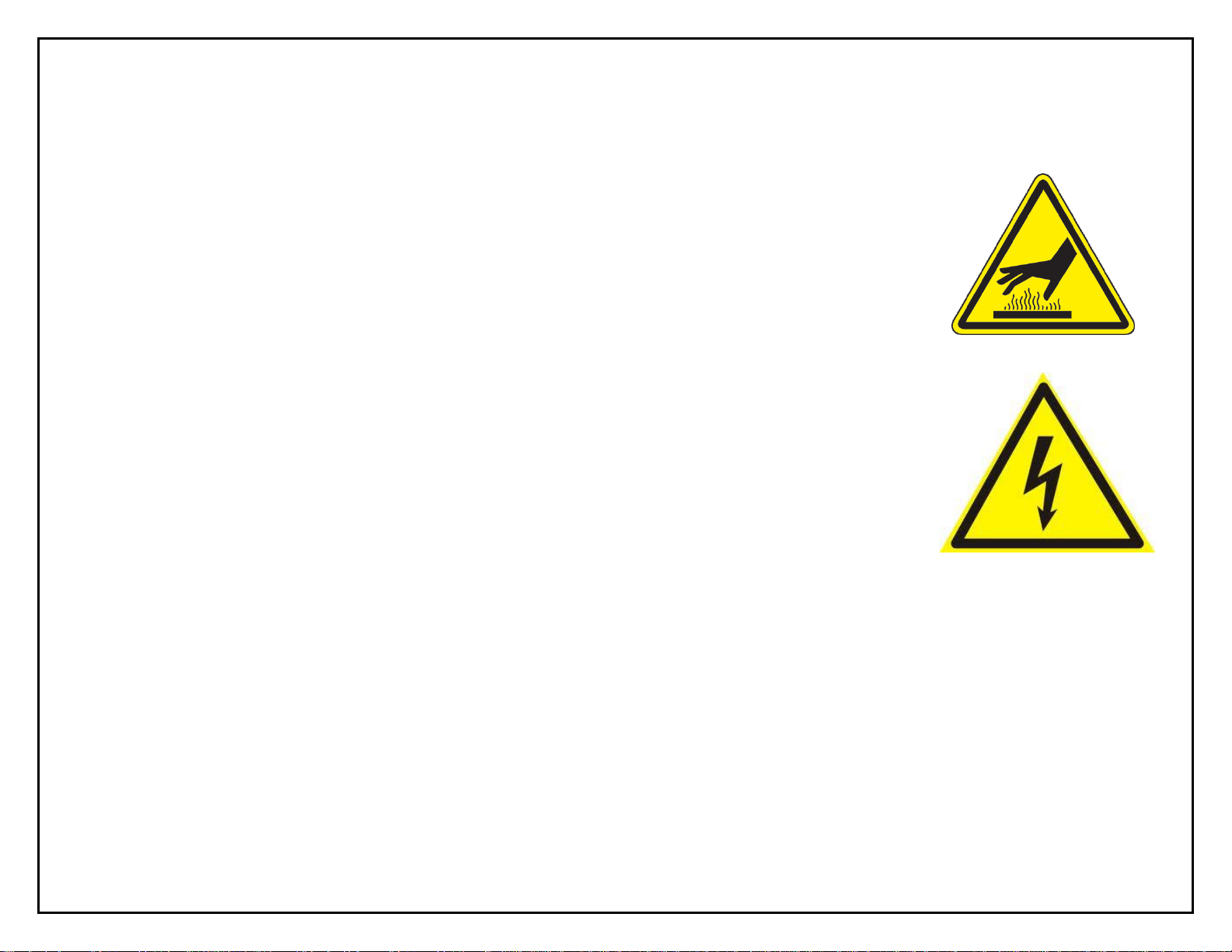
!Various surfaces can get extremely hot during the brewing cycle, use caution when handling the keg, hoses and components.
!Do not remove the hose clamps, hot liquid spray may result.
!Do not remove the keg attachments while brewing.

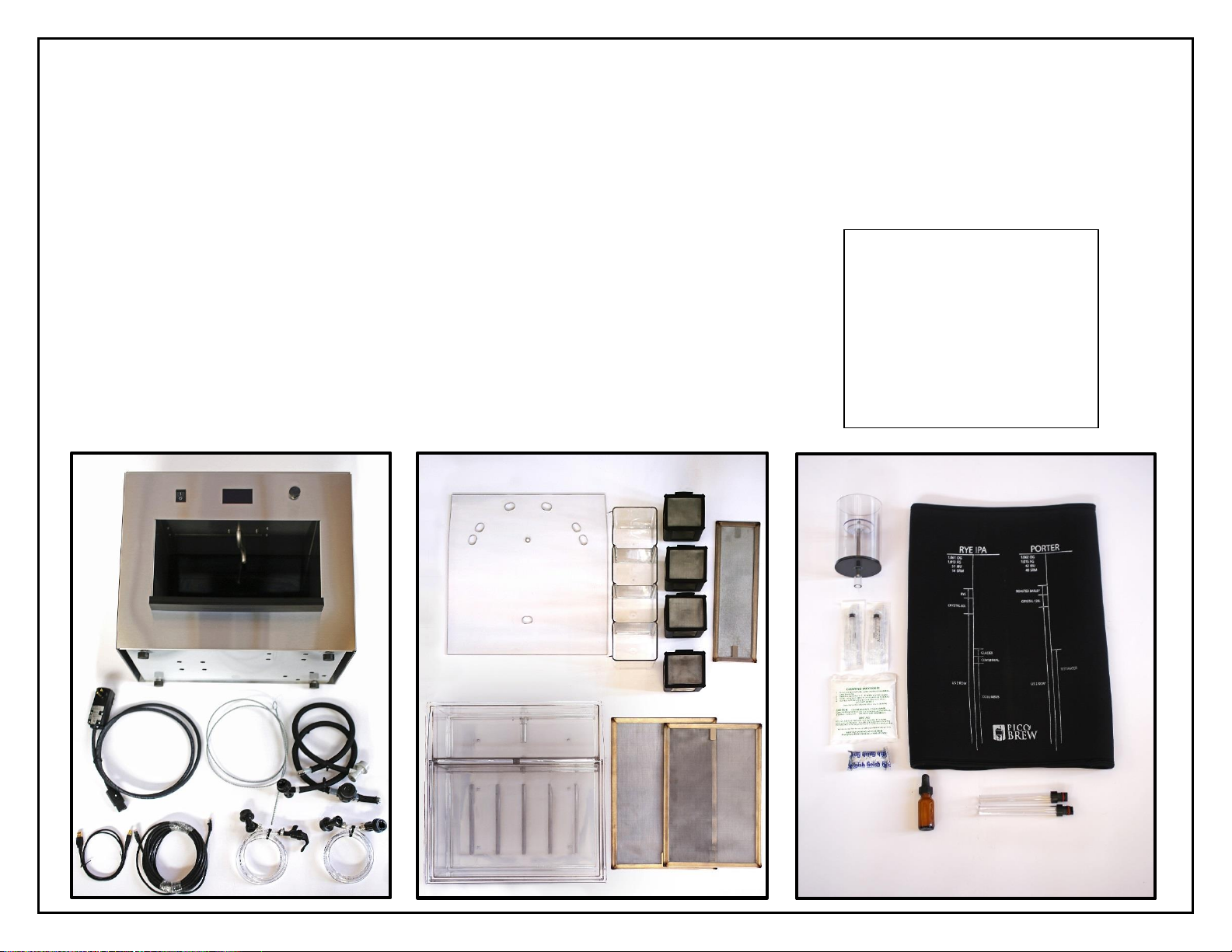
A. Zymatic®
B. 1 6’ Power Cord
C. 1 USB Cable
D. 1 25’ Ethernet Cable
E. Diptube Cleaning Brush
F. 1 In Hose (gray ball lock)
G. 1 Out Hose (black ball lock)
H. 1 Party Tap
I. 1 Transfer Tube
Unpack the Zymatic®
J. 1 Step Filter Lid
K. 1 Adjunct Compartment
L. 4 Hop Cages and Lids
M. 1 Adjunct Screen
N. 1 Step Filter
O. 2 Mash Screens
P. 1 Foam Trap
Q. 2 Needle-less Syringes
R. 1 Package of PBW
S. 1 Dishwasher Tablet
T. 1 Bottle of Antifoam
A
B
A
E
A
F
A
G
A
C
A
D
A
H
A
I
A
J
A
K
C
A
L
A
M
A
N
A
O
A
P
A
Q
A
R
A
S
A
T
A
U
A
V
A
Unpack the Zymatic®
A. Zymatic®
B. 1 6’ Power Cord
C. 1 USB Cable
D. 1 25’ Ethernet Cable
E. Diptube Cleaning Brush
F. 1 In Hose (gray ball lock)
G. 1 Out Hose (black ball lock)
H. 1 Party Tap
I. 1 Transfer Tube
J. 1 Step Filter Lid
K. 1 Adjunct Compartment
L. 4 Hop Cages and Lids
M. 1 Adjunct Screen
N. 1 Step Filter
O. 2 Mash Screens (different sizes)
P. 1 Foam Trap
Q. 1 Needle-less Syringe
R. 1 Package of PBW
S. 1 Dishwasher Tablet
Included, not pictured:
1 plastic hose wrench
4 small white nylon washers
4 silicone bands
1 Keg Seal
1 airlock
1 Party Porter ingredient kit
T. 1 Bottle of Antifoam
U. 2 Cleaning Tubes
V. 1 Keg Cozy

Gather Materials
Before You Brew
Zymatic (A)
(assembled with Power Cord (B), In Hose (F), Out Hose (G), plastic
hose wrench and 2 white cone seat seals)
Step Filter Lid (J)
Step Filter (N)
Mash Bottom Screen (O)
Adjunct Screen (M)
Corny Keg
Keg Seal
1 gallon of water
During Your Brew
Zymatic
Step Filter Lid (J)
Adjunct Compartment (K)
Cages (L)
Step Filter (N)
Adjunct Screen (M)
Mash Top and Bottom Screen (O)
Foam Trap (P)
Anti-Foam (T)
Keg Cozy (T)
5-gallon Corny Keg
Keg Seal
Water (amount varies by recipe)
Recipe kit (grains, hops, yeast)
Post-Brew
5-gallon Corny Keg (with wort)
Ice
5-gallon bucket
Yeast
Airlock
Sanitized water or alcohol
Rinse
Zymatic
Step Filter (N)
2 large containers for water
1 gallon of water
2 Cleaning Tubes (U)
Deep Clean
Zymatic
Step Filter (N)
Dishwasher Tablet (S)
1 gallon of water
2 large containers for water
2 Cleaning Tubes (U)
Miscellaneous
Sampling from the Sampling Port
Needleless Syringes (Q)
Keg Cleaning
Diptube Cleaning Brush (E)
Pro Brewers Wash (R)
Racking/Transferring
Transfer Tube (I)
Sampling from Keg/Serving
Party Tap (H)
Non-WiFi Internet Connection
Ethernet Cord (D)
Firmware Updates
USB Cable (C)

How the Zymatic®Works
Mash
Heat
Grains go in the mash compartment,
where wort is filtered through the
mesh false bottom and recirculated
through the keg and Zymatic, which
controls the temperature.
1
2
3
4
Hops are boiled in cages in the Adjunct Compartment. Each
cage corresponds to a timed addition to the boil. The
cascading motion caused by the Adjunct Compartment mimics
manually adding hops to a boil pot. When a new hop addition
is added, the cascade motion continues to boil the previous
addition, while keeping the others dry until they are added.
To heat the water or wort up to either mash or
boil temperature, the Zymatic will bypass the
grain and hops in an area of the Step Filter
called the Pass Through. The Pass Through is
the narrow area between the Mash
Compartment and the Adjunct Compartment.
When water or wort is heating up, it passes
through directly to the bottom of the step filter,
where it circulates through the drain and back
into the keg. The Zymatic has been calibrated to
keep the water level in the bottom of the step
filter below the grain and hops, so they are only
incorporated when the recipe calls for it.
Boil

Operating the Zymatic®
On/Off Switch
OLED Display
Selector Knob
twist to scroll
press to select
Inline Filter
IN Hose
connects to IN post of keg
controls flow into keg
OUT Hose
connects to OUT post of keg
controls flow into Step Filter
Step Filter
Drip Tray

Display
Main Menu
Brew a Recipe
Select to see the list of recipes synced to your Zymatic, then
select one to brew.
Clean/Rinse
Clean: Use this program for a deep clean every 5 brews with a
dishwasher tablet.
Rinse: Use this program after initial set-up and after every brew
to rinse out your machine.
Machine Set-Up
Ethernet: Use to check your Ethernet connection. You must
have an Ethernet cable connected.
WiFi: Use to check your WiFi connection.
Account Sync: Use to sync recipes to your account if it didn’t
automatically sync.
Help
Drain: Will drain the machine for 5 minutes or until you
manually press stop.
Circulate: Will run the keg and drain pump while displaying the
current temperatures. Do not select this option if you do not
have a Step Filter inserted and a keg or tubes connected to your
ball locks.
System Diagnostics: This option will lead through a
diagnostics test that will allow PicoBrew to help you figure out
the cause of any issues you may run into with your Zymatic®.
Help from PicoBrew: Select if you are seeing any issues with
your machine and your Zymatic® will send an error log and
contact customer support at PicoBrew.
Continue from Last Brew: If for some reason your Zymatic®
ran into a power fault or any other errors and stopped your brew
and it is now safe to continue your brew, you can select this
option to continue where you left off.
About Zymatic
Information on account information, serial numbers, and
firmware version.

Display
Brew Menu
(Pressing the selector knob during a brew will bring up a menu, while the brew continues normally.)
Continue
Leaves the menu and continues the brew normally. The time and temperature regulation continues while you are in the menu, although
it will not move to a new step until you leave the menu.
Next Step
Will skip immediately to the next programmed step in the brew. It does not recognized programmed drains, however, so use caution if
you are skipping through during mash, as it will not automatically drain.
Drain
Flow from the keg will stop, and the Zymatic®will drain the step filter until you press Continue.
Exit Brew
Exits brew immediately and goes to the main menu. Use caution as this will also skip all programmed drains and will not continue
where you left off.

Set Up the Zymatic®
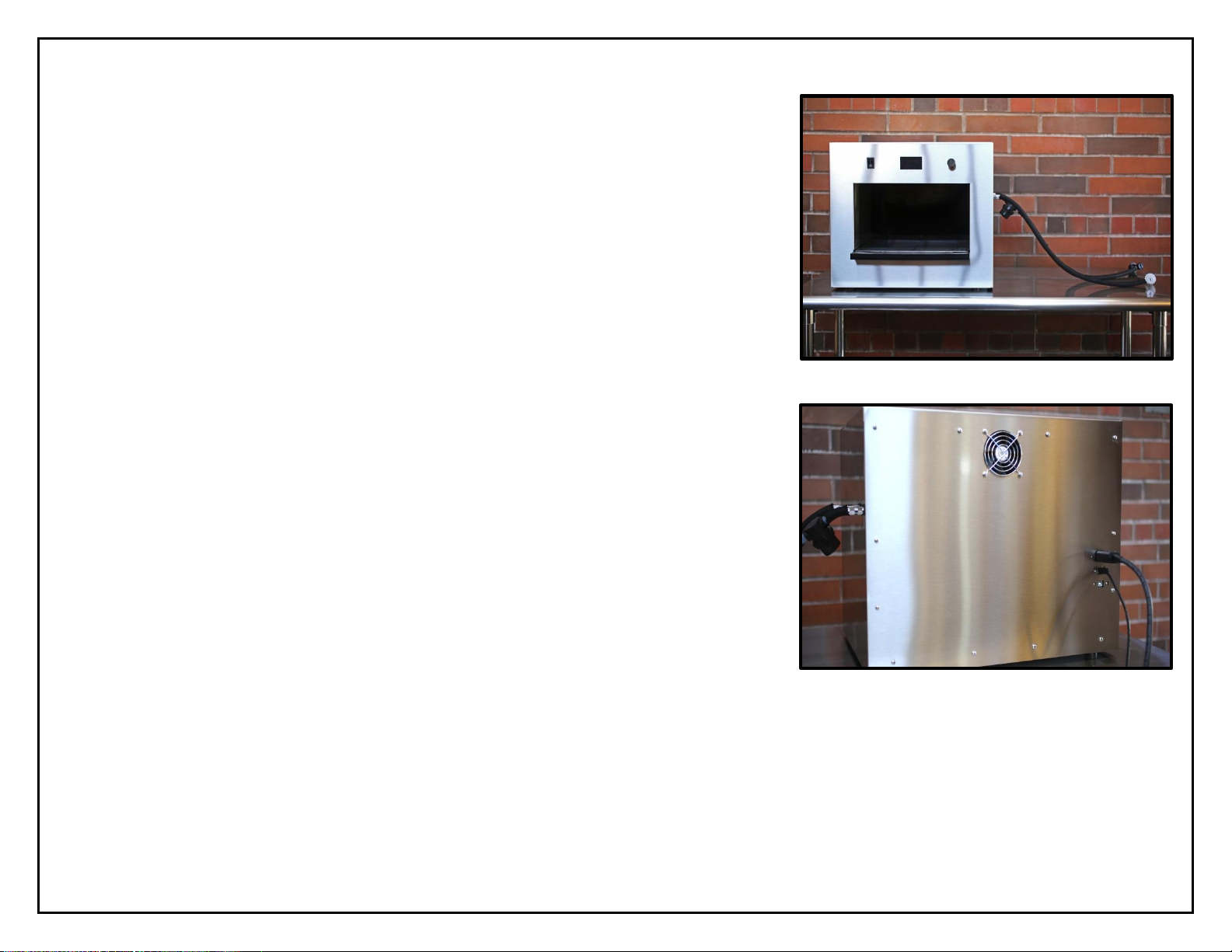
1) Set the Zymatic®on a sturdy, level surface, such as a
kitchen counter. Peel off any remaining white protective
film from all surfaces.
2) Attach the hoses to the machine (Parts F and G) using
the included black plastic wrench.
a. Place one white nylon washer inside of the flare
nut fitting on the end of each hose before attaching the hose to the
Zymatic®. This prevents the hose from pumping air or leaking.
b. Make sure the OUT hose (with the filter) is the closer of the hoses toward
the back of the Zymatic®.
c. Hand tighten first by screwing the flare nut onto the Zymatic® and then
use the black plastic wrench to tighten it further.
d. Keep the black plastic wrench and extra nylon washers with this manual
in case they are needed for any repairs.
Front
Back
IN hose
OUT hose

3) Plug the power cord into the back of the machine and into an outlet. The
Zymatic® requires at least a 15 amp outlet (standard in most houses.) Do not
overload an outlet with appliances that will use more than 15 amps.
4) If using Ethernet, plug in an Ethernet cord into the back of the machine. If you
are using WiFi, skip this step. WiFi set up will be completed upon the initial
startup of the Zymatic® with on-screen instructions.
Altri manuali per Zymatic
1
Indice
Altri manuali PicoBrew Sistema di fermentazione

PicoBrew
PicoBrew Pico C Manuale utente

PicoBrew
PicoBrew Z Series Manuale utente

PicoBrew
PicoBrew Z Series Manuale utente

PicoBrew
PicoBrew Z2 Manuale utente

PicoBrew
PicoBrew 2AJZKS1PICO Manuale utente

PicoBrew
PicoBrew PicoStill Istruzioni operative

PicoBrew
PicoBrew C Manuale utente

PicoBrew
PicoBrew Z Series Manuale utente

PicoBrew
PicoBrew Z Manuale utente
Manuali Sistema di fermentazione popolari di altre marche

Curtis
Curtis ThermoPro G4 Series Manuale utente

Animo
Animo ComBi CB5 Manuale utente

MoreBeer
MoreBeer BrewSculpture Manuale utente

Keurig Hot
Keurig Hot Commercial Series Manuale utente

Keg King
Keg King KEGMASTER XL Manuale utente

Blichmann Engineering
Blichmann Engineering BrewEasy Compact TC Istruzioni per l'installazione