
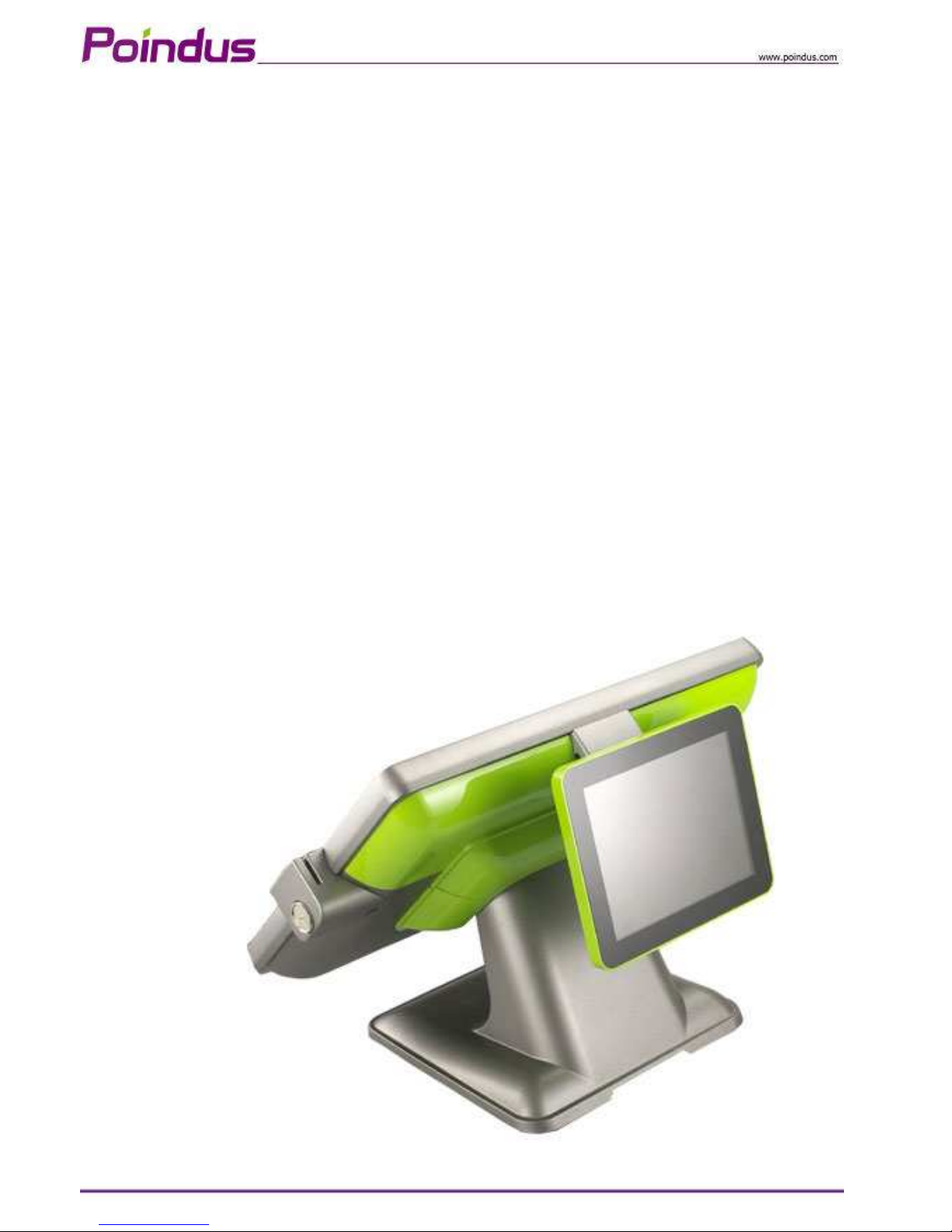
Poindus VariPOS-815 Manuale utente
© Copyright Poindus Systems 2011 P1 / 50
User Manual
Version V1.1 FEB. 2012
VariPOS™ -815

© Copyright Poindus Systems 2011 P2 / 50
Copyrigh 2011
All Righ s Reserved
Manual Version 0.1
The information contained in this document is subject to change without notice.
We make no warranty of any kind with regard to this material, including, but not limited to, the implied
warranties of merchantability and fitness for a particular purpose. We shall not be liable for errors
contained herein or for incidental or consequential damages in connection with the furnishing,
performance, or use of this material.
This document contains proprietary information that is protected by copyright. All rights are reserved. o
part of this document may be photocopied, reproduced or translated to another language without the
prior written consent of the manufacturer.
TRADEMARK
Poindus
®
/ VariPOS
TM
are registered trademarks of Poindus Systems.
Intel
®
/ Core i3 / i5 are registered trademarks of Intel
®
Corporation. Microsoft
®
and Windows
®
are
registered trademarks of Microsoft Corporation.
Other trademarks mentioned herein are the property of their respective owners.

© Copyright Poindus Systems 2011 P3 / 50
Safe y
IMPORTANT SAFETY INSTRUCTIONS
1. To disconnect the machine from the electrical power supply, turn off the power switch and remove
the power cord plug from the wall socket. The wall socket must be easily accessible and in close
proximity to the machine.
2. Read these instructions carefully. Save these instructions for future reference.
3. Follow all warnings and instructions marked on the product.
4. Do not use this product near water.
5. Do not place this product on an unstable cart, stand, or table. The product may fall, causing serious
damage to the product.
6. Slots and openings in the cabinet and the back or bottom are provided for ventilation to ensure
reliable operation of the product and to protect it from overheating. These openings must not be
blocked or covered. The openings should never be blocked by placing the product on a bed, sofa, rug,
or other similar surface. This product should never be placed near or over a radiator or heat register
or in a built-in installation unless proper ventilation is provided.
7. This product should be operated from the type of power indicated on the marking label. If you are
not sure of the type of power available, consult your dealer or local power company.
8. Do not allow anything to rest on the power cord. Do not locate this product where persons will walk
on the cord.
9. ever push objects of any kind into this product through cabinet slots as they may touch dangerous
voltage points or short out parts that could result in a fire or electric shock. ever spill liquid of any
kind on the product.
CE
This device complies with the requirements of the VariPOS
TM
directive 2004/108/EC with regard to
“Electromagnetic compatibility”.
FCC
This device complies with part 15 of the FCC rules. Operation is subject to the following two
conditions:
(1) This device may not cause harmful interference.
(2) This device must accept any interference received, including interference that may cause
undesired operation
CAUTION ON LITHIUM BATTERIES
There is a danger of explosion if the battery is replaced incorrectly. Replace only with the same or
equivalent type recommended by the manufacturer. Discard used batteries according to the
manufacturer’s instructions.

© Copyright Poindus Systems 2011 P4 / 50
Table of Con en s
1
Packing Lis 5
1-1 Standard items ...........................................................5
1-2 Accessory items ..........................................................6
2
Sys em Overview 7
2-1 I/O Interface...............................................................8
3
Specifica ion 9
4
Sys em Assembly & Disassembly 11
4-1 Open the System ......................................................11
4-2 Replace the HDD ......................................................13
4-3 Install a Customer Display........................................15
4-4 Install a Second Display............................................16
4-5 Install a Cash Drawer ...............................................19
4-6 Install the MSR & iButton Reader .............................21
4-7 Install the Metal Stand .............................................22
4-8 Install the Wall Mount Kits........................................23
5
Jumper Se ings 24
5-1 Motherboard Layout (Intel Sandy Bridge CPU).........24
6
Serial Por Pin 9 Mode Se ings 30
7
Spare par s Lis 32
8
Appendix 48
© Copyright Poindus Systems 2011 P5 / 50
1Packing Lis
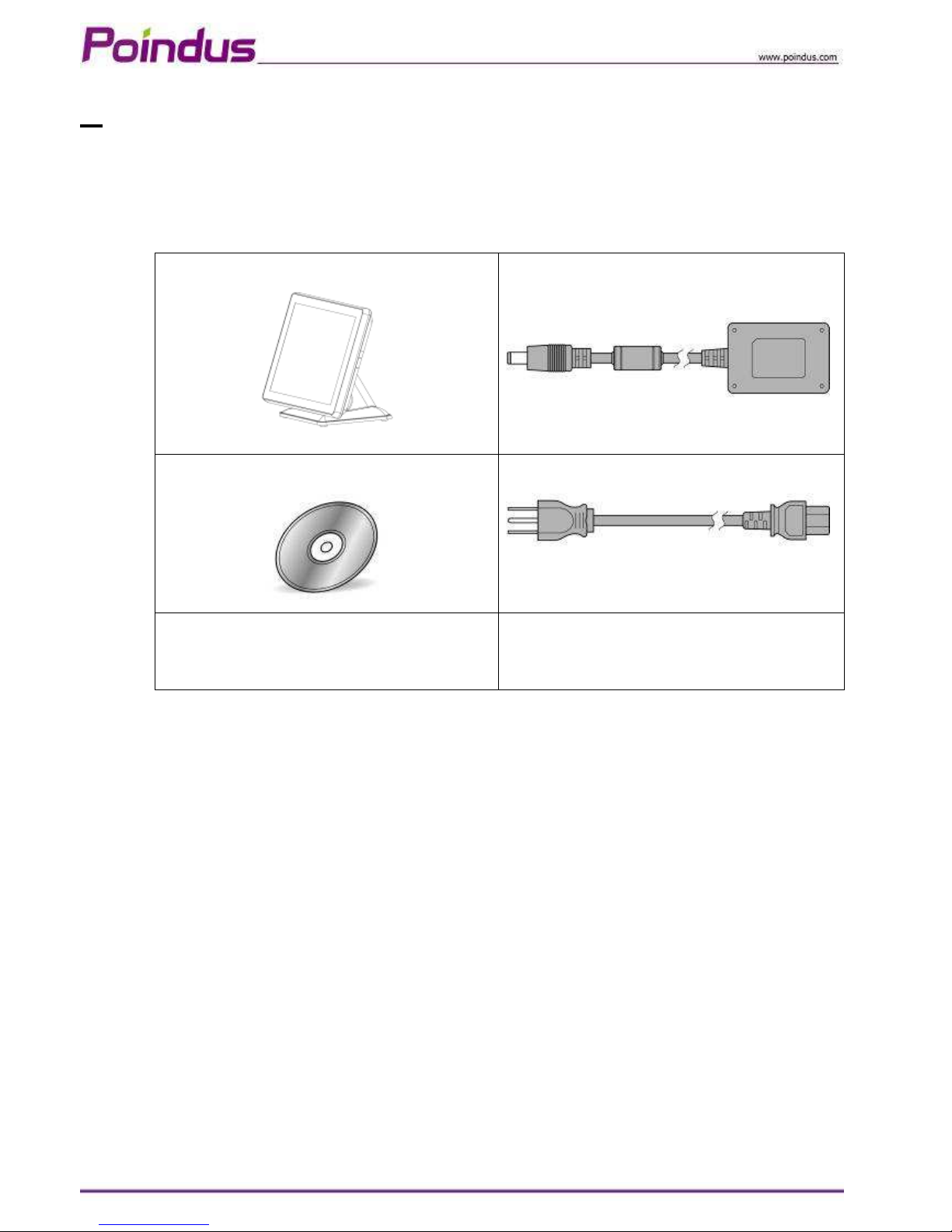
1-1 S andard i ems
【
【【
【 VariPOS
™
™™
™
-815】
】】
】
a.
c.
b.
d.
a.
System
b.
Driver bank CD
c. Power adapter
d. Power cord

© Copyright Poindus Systems 2011 P6 / 50
1-2 Accessory i ems
Par No Descrip ion Q’ y
1 3XCC00000010 Touch Screen Wipes ,20*15mm 1
2 3XPP00000010 SPIRAL WARPPI G BA DS SWB-16,L15mm 1
3 *7P0000000030 *
1
SCREW PACK: security screws 1
Screw driver 1
4 3CMD9MJT0100 RJ-45 Cable 1
5 3CW000000190 VGA Cable*
2
1
6 3CW000000550 PS/2 CABLE 1
*1: There are security screws and a screw driver for replacing the hard drive fixing screw. Customers can
use the security screws to ensure HDD security.
*2: VGA Cable is only for I/O interface with VGA port.
© Copyright Poindus Systems 2011 P7 / 50
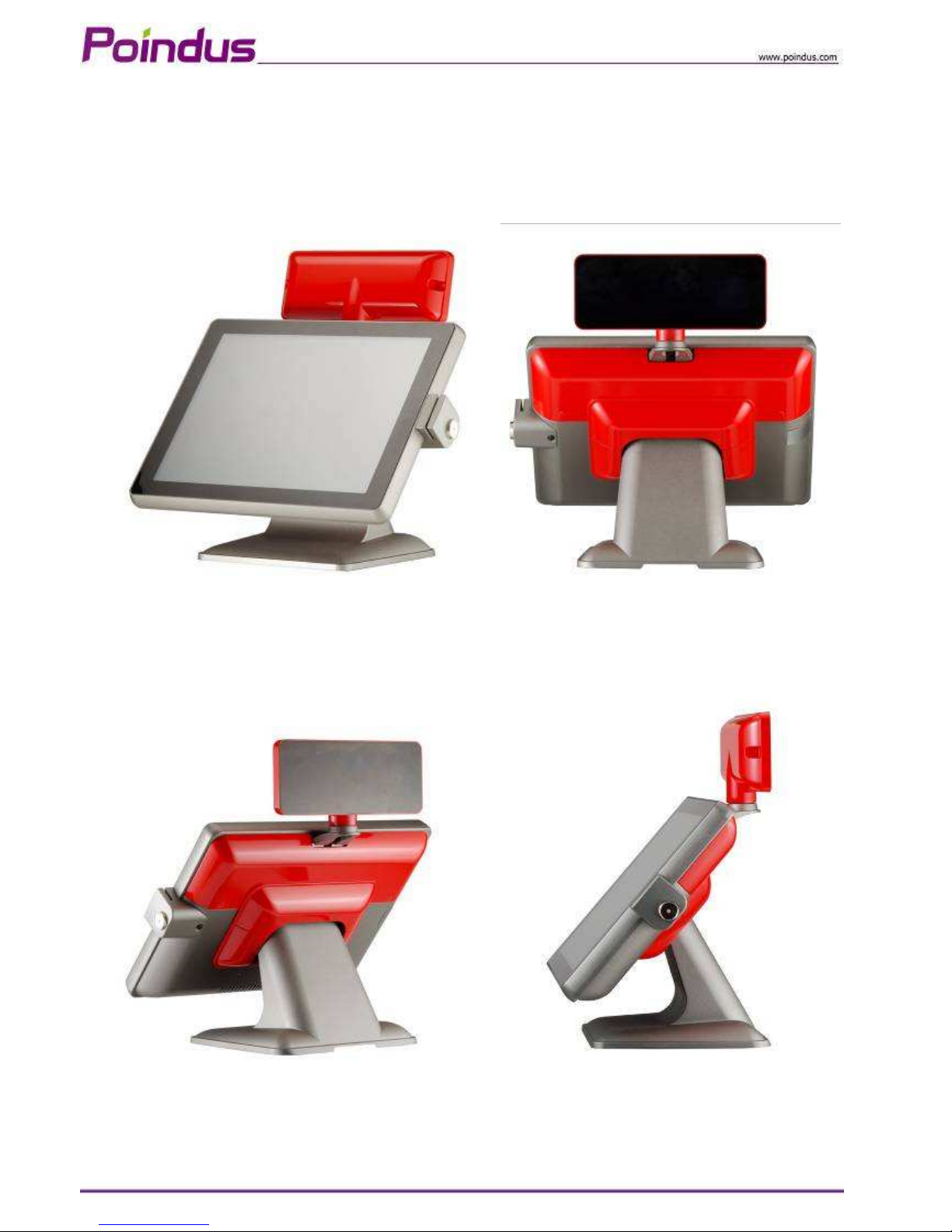
2Sys em Overview
【
【【
【VariPOS-815】
】】
】
© Copyright Poindus Systems 2011 P8 / 50
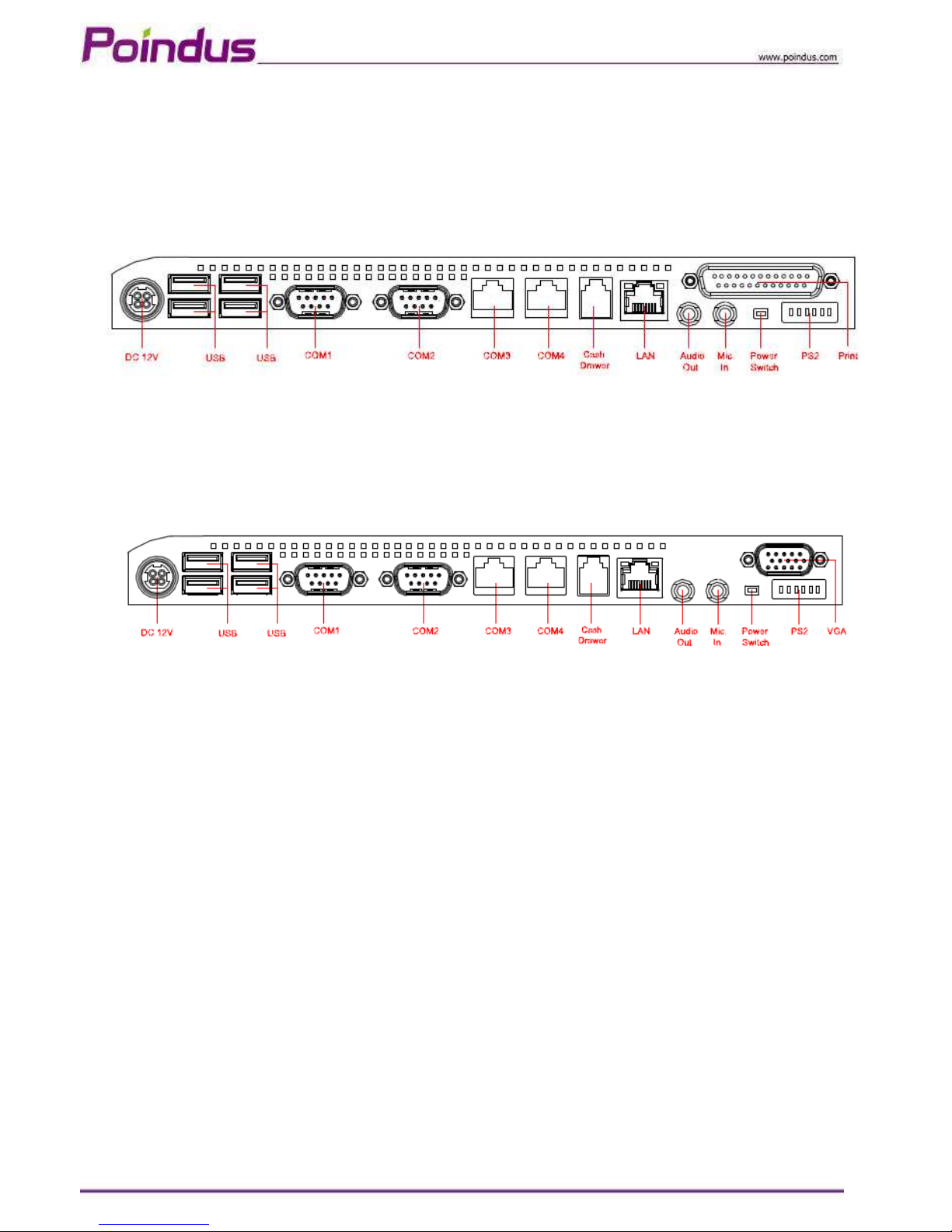
2-1 I/O In erface
【
【【
【S andard Version】
】】
】
【
【【
【VGA Version】
】】
】
© Copyright Poindus Systems 2011 P9 / 50
3Specifica ion
VariPOS 815
CPU Intel® Mobile Celeron B810 1.6GHz with L3 Cache 2MB
Intel® i3-2330E 2.2 GHz with L3 Cache 3MB
Intel® i5-2510E 2.5 GHz with L3 Cache 3MB
Chipset HM65
System Memory 1 x SO-DIMM DDRIII 1333, up to 4GB
Display
TFT LCD 38.1cm (15”)
Brightness 250nits
Resolution 1024 x 768
Touch Screen True Flat Projected Capacitive Technology / True Flat 5-Wire Resistive
Storage
HDD / SSD Type 1 x SATA 6.4cm (2.5”)HDD , SSD (optional)
I/O Ports -External
DC Input 1 x Mini Din 4P (DC 12V only)
Cash Drawer 1 x RJ-11 (Power Pin 12V)
Network (LAN) 1 x Gigabit Ethernet by RJ-45
USB Port 4 x USB 2.0
Serial Port 4 x RS-232
COM1/2 : DB-9, RS-232, Pin9 w/RI/5V/12V Selectable by BIOS
COM3/4 : RJ-48 , RS-232, Pin10 w/RI/5V/12V Selectable by BIOS
Audio Port 1 x Line-out ; 1 x Mic-In
PS/2 Port 1 x PS/2 connector for Keyboard
LPT Port 1 x DB-25 Printer Port (Standard)
VGA Port 1 x DB-15 VGA Port (Optional)

© Copyright Poindus Systems 2011 P10 / 50
I/O Ports -Internal
Card Reader & iButton COM5 : Internal Pin header for Card Reader & iButton
Audio HD Audio, 2W Speaker x 2
Bus Expansion 1 x Mini-PCI-E Slot
Compliance IP 66 on front panel
System Management
Desktop Management Interface (DMI)
Preboot Execution Environment (PXE)
Wake on LAN (WoL)
Advanced Configuration and Power Interface (ACPI)
OS Support Windows 7, Windows POSReady 2009, WEPOS, Windows XP Pro for Embedded,
Fedora(Linux)
Power Supply External adapter, DC Model:120 Watts, Voltage:+12VDC 10 Amax
Material Main Unit: Die-casting aluminum ; I/O Cover: Plastic
Color Main Unit: Grey / White / Black *Customized color for plastic parts
Certifications CE, FCC, Class-B, RoHS, WEEE
Dimension( W x H x D ) 370 x 300 x 236 mm
Weight 5.96 Kg (Aluminum Base: 1 Kg )
VESA Mounting 100 x 100mm
Operating Temperature 0ºC ~ 40ºC, 10% ~ 90% RH, non-condensing
Storage Temperature -20ºC ~ 60ºC, 10% ~ 90% RH, non-condensing
*The right has been reserved to change the specification without prior notice.
Indice
Altri manuali Poindus Terminale touch


