
PSI Matrix PP 408 Manuale utente

PSi Matrix GmbH Freudenberg
User Manual
PP 407 / PP 408

User Manual PP 407 / PP 408
Uwe Panthel - PSi Customer Support
.
A Publication of Psi Matrix GmbH
Hommeswiese 116
57258 Freudenberg, Germany
hp://www.psi-matrix.eu
Copyright © September 2018 by PSi Matrix GmbH
Great care has been taken to ensure that the informaon in this handbook is accurate and
complete. However, should any errors or omissions be discovered or should any user wish to make
suggesons for improving this handbook, please feel encouraged to send us the relevant details.
The contents of this manual are subject to change without noce. Copyright © by PSi Matrix
GmbH.
All rights strictly reserved. Reproducon or issue to third pares in any form is not permied
without wrien authorizaon from the publisher.
Acknowledgements
EPSON is a Trademark of Seiko Epson Corporaon.
IBM is a Trademark of Internaonal Business Machines Corporaon.
ProPrinter is a Trademark of
internaonal Business Machines Corporaon.
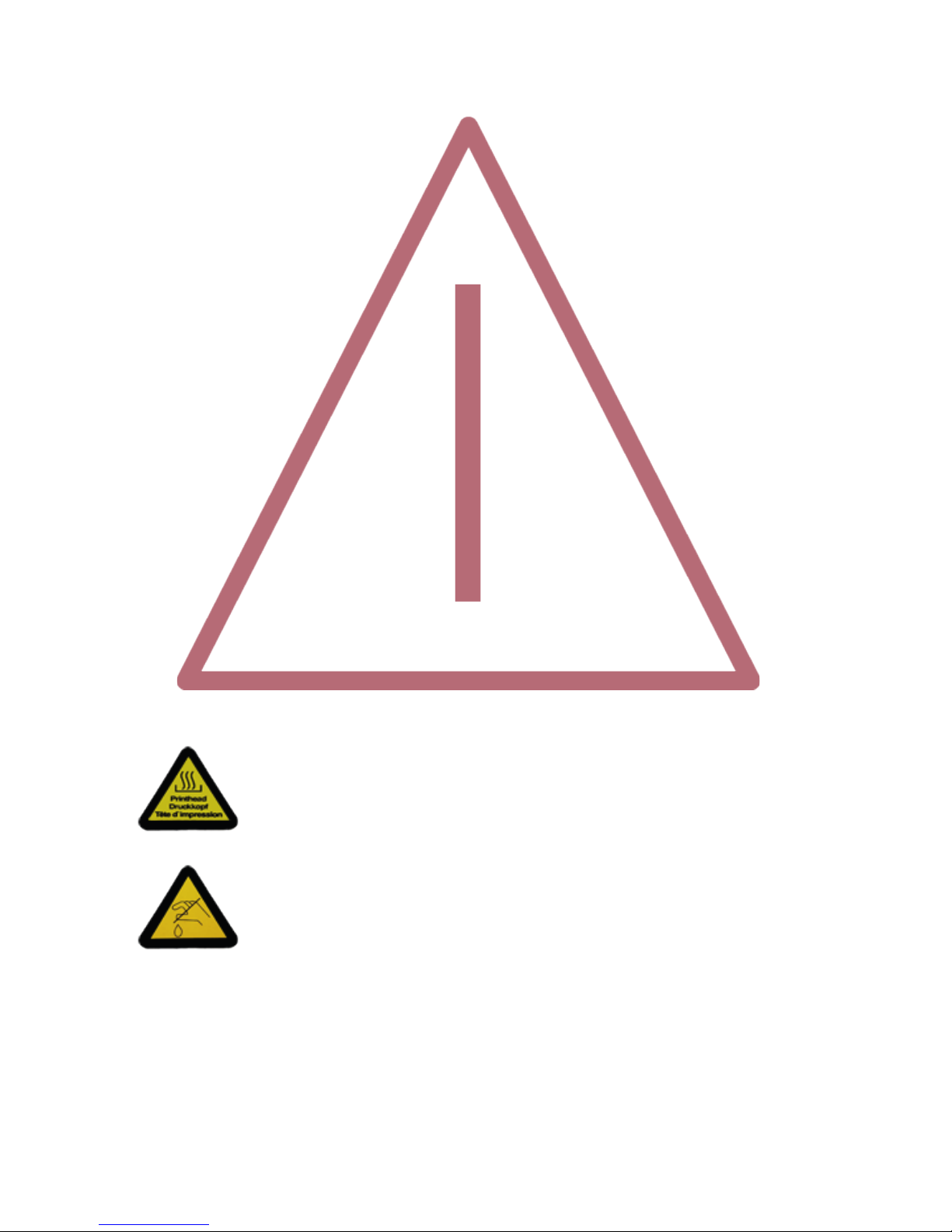
Safety Regulaons
The printers PP 407 (High Speed Fanfold Printer) and the
PP 408 (High Speed Fanfold Printer with Cuer) fulls the safety regulaons according to EN 60950-
1, UL 60950-1 and CAN/CSA 22.2/No. 60950-1 for Informaon Technology Equipment.
The mains cable must be connected to a ground protected wall-socket. The indicated voltage of the
printer needs to agree with the local voltage.
The power plug must be easily accessible at any me so that it can be disconnected immediately in
case of danger or for maintenance purposes.. Comme le câble de secteur sert de diposif d‘arrêt-
urgence, sa connexion à l‘imprimante doit être tout le temps accessible.
Before installing the printer, check the surrounding condions in which the printer will be placed
(see next page, Operang Environment and chapter 2).
During a thunderstorm you should never aempt to connect or disconnect any data transfer cables.
The power supply should only be opened and checked by authorized personnel. Repairs and
maintenance beyond the descripons of chapter 7 Maintenance may only be aempted by
authorized personnel as well. Repairs deine inappropriately may cause damage and severe danger
for the user.
There are warning symbols to draw the user‘s aenon to possible injuries:
This symbol is visible when the top cover has been opened. It indicates that the print
head is extremely hot aer leing periods of prinng.

Electromagnec Compability
We cerfy that the equipment at issue,
• Printer PP 407 (High Speed Fanfold Printer) and
• Printer PP 408 (High Speed Fanfold Printer with Cuer)
corresponds to the law regulaons ruling electromagnec compability of
appliances (2004/108/EC)
and, therefore, fulls the requirements for conformity marking with the CE-sign.
To assure the compliance with the liming values in according to the test
standards for interference
(EN 55022, class B) and noise immunity (EN 55024), shielded interface cables must be used.
This equipment has been tested and found to comply with the limits for a Class B digital device,
pursuant to Part 15 of the FCC rules. These limits are designed to provide reasonable protecon
against harmful interference in a residenal installaon. This equipment generates, uses, and can
radiate radio frequency energy and, if not installed and used in accordance with the instrucon
manual, may cause interference to radio communicaons.
However, there is no guarantee that interference will not occur in a parcular installaon. If this
equipment does cause harmful interference to radio or television recepon, it can be determined by
turning the equipment o and on. The user is encouraged to try to correct the interference by eine
or more of the following measures:
• Reorient or relocate the receiving antenna.
• Increase the separaon between the equipment and receiver.
• Connect the equipment to an outlet on a circuit dierent from the circuit to
which the
receiver is connected.
• Consult the dealer or an experienced radio/TV technician for help.
Shielded interface cables should be used with this unit to ensure compliance with Class B limits.
Changes and modicaons not explicitly allowed by the equipment‘s manufacturer could void the
user‘s authority to operate the equipment.
Changes et modicaons pas expressément approuvés par le producteur peuvent dévaluer
l‘autorité d‘opérer l‘équipement.

6
Operang Environment
Avoid installing the printer where it is exposed to moisture or heat (eg. direct sun light).
• Temperature: + 10°C to + 35°C (+50°F to +95°F)
• Humidity: 20% to 80%
Slots and openings in the printer‘s housing are provided for venlaon. Always ensure that these
openings are not obstructed.
Also ensure that the cables at the rear of the printer do not interfere with the output paper path.

Chapter 1-1
1. Preface
About this Manual
This manual is covering the two printers
• High Speed Fanfold Printer
• High Speed Fanfold Printer with Cuer
The operaon and funconality are nearly the same. In most illustraons, the High Speed Fanfold Printer
with Cuer is used. In case there are dierences in the handling you will nd the note:
• High Speed Fanfold Printer
or
• High Speed Fanfold Printer with Cuer
The Interface (Personality Module (PM)) is an integral part of the printer, and the type of PM used,
determines the funconality of the printer especially regarding the user and system interface.
The manual is divided into the following chapters:
1. Preface
About the manual
2.
This chapter explains how to unpack and set up the printer and how to install the personality
has not yet taken place.
3. Operang the Printer
This chapter discusses in detail the operaon of the operator panel, all menu funcons, and
the general operaon of the menu.
4. Maintenance
Shows how to clean the printer and how to replace the platen and the print head.
5. Trouble Shoong and Diagnoscs
Suggests how to idenfy and correct simple problems.
6. Technical Data
All technical details or data about the printer can be found here.

Chapter 1-2
Appendix
A Interface Descripon
This chapter gives hints about possibilies to connect the printer to the various computer
systems and explains parcularies depending on the version of the operang system.
Addionally, cable connecon is illustrated
B Print examples of the standard fonts
C Character Set Tables
All printer supported character sets are listed in this chapter
D / E Control Codes
• IBM ProPrinter and IBM ProPrinter AGM (4207, 4208 XL24) Emulaon.
• EPSOM LQ 2550 / ESC/P2 Emulaon
F Barcode Reference

Chapter 1-3
The following convenons are used:
Bold Headlines and important informaon.
Note: Contains special advice to facilitate handling.
Contains important informaon to prevent damage of the equipment.
Aenon: Informaon that requires special aenon
[ENTER] Key funcons are always depicted in brackets or you will nd the symbol of the key
e.g
AGC AAutomac Gap Control
EE Eastern European
LCD Liquid Crystal Display
LED Light Eming Diode
DK PrintHead
MACRO User dened groups (1 - 4) of printer parameters
PM Interface (Personality Module), Serial, USB and Parallel
LQ Leer Quality
NLQ Near Leer Quality
DQ Dra Quality
The operaon of both printers is almost idencal. Most of the illustraons show the PP 408 printer.
Dierences in handling have special references to the printer PP 407 or PP 408.

Chapter 2-1
2.1 Unpacking High Speed Fanfold Printer (Content PP407)
Check each item against the check list detailed below. Contact your reseller immediately if any
item is missing or damaged.
The printer package should contain the following parts:
• 24-Needle Printer (1)
• Ribbon cassee (2)
• Powercord (3)
• Quick Reference Guide (4)
• Interface PM (must be ordered separatly)
• Produkt CD with documentaon, drivers ect. (6)
An interface module (5), also called “Personality Module” or briey “PM”, is in a separate packing
and must be ordered separatly.
Note: All packaging materials should be for future transport of the printer be kept.
• Do not connect to the mains unl the main‘s voltage seng has been checked
• The transport lock has been removed and the PM is installed.
• The printer drivers for Windows ® are available on the enclosed CD-ROM.
Chapter 2-2
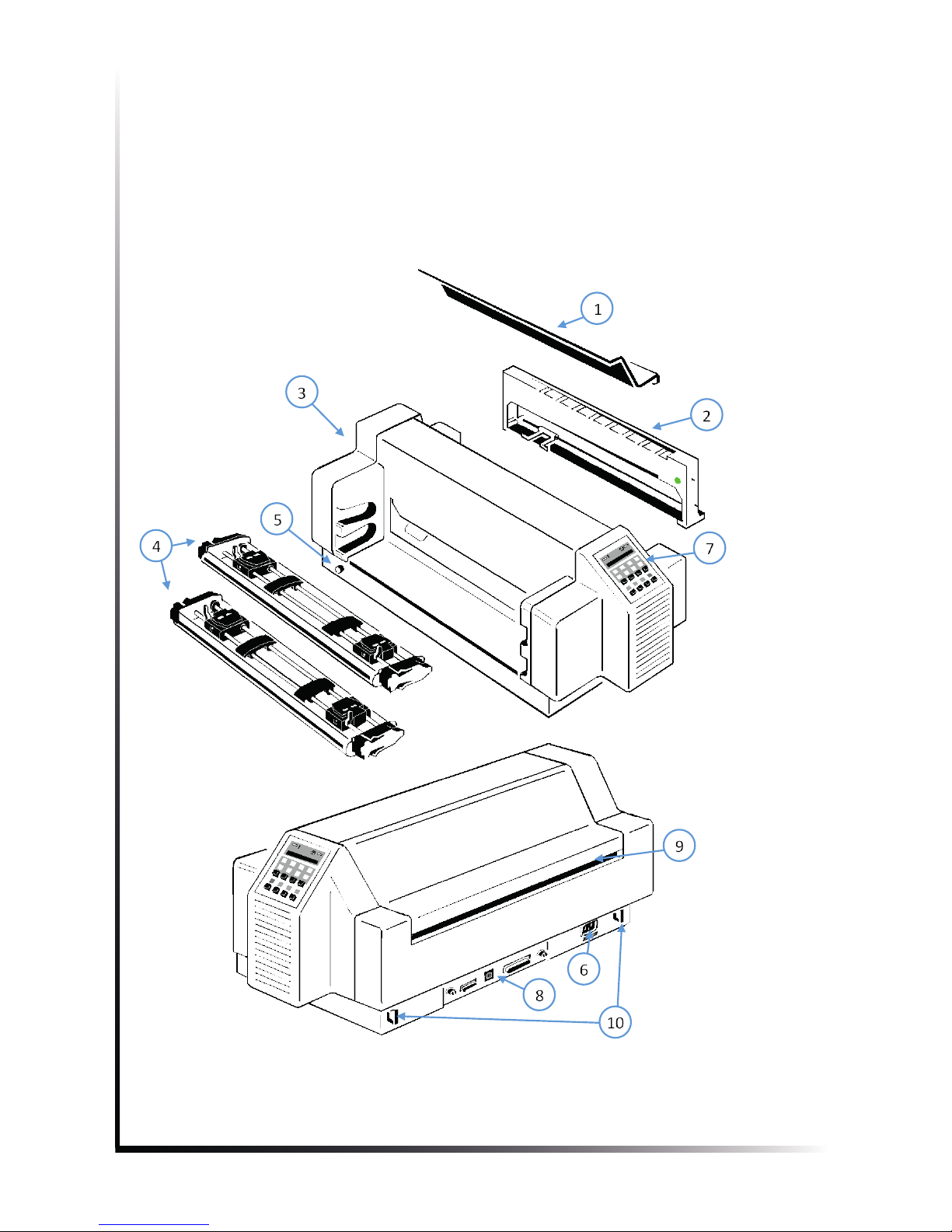
2.1.1 A First Look at the High Speed Fanfold Printer
Before installing the printer, spend some me familiarizing yourself with the printer.
Top cover (1) Power cord socket (6)
Ribbon cassee (2) Control panel (7)
Printer base (3) Interface serial, parallel, USB (8)
Tractor cassees (4) Tear o edge (9)
Power switch(5) Cable clip(10)
Altri manuali per PP 408
1
Questo manuale è adatto per i seguenti modelli
1
Indice
Altri manuali PSI Matrix Stampante


