
RIX AURORA Series Manuale utente
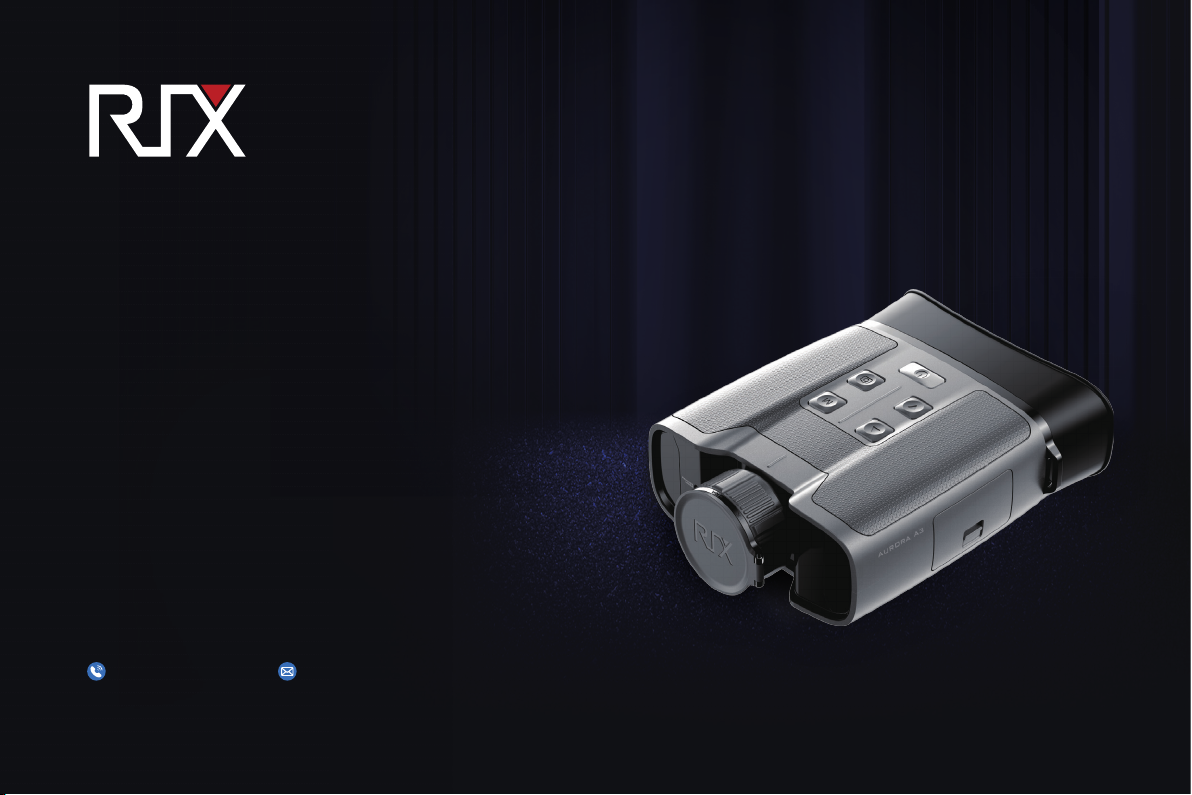
AURORA Series
Thermal Imaging
Binoculars
Visir Inc.
User Manual v1.0
(510)988-5580 info@rix-nv.com

AURORA Series A3R features laser rangefinding.
Do not aim the rangefinding laser at an eye
directly or by transmitting through a reflective surface
(for example, specular reflection).
(FCC ID:2A7ZZ-2G-00)

CONTENTS
03
03
Package Contents
Product Overview
04
Product Features
04
Components and Buttons
05
Button Operations
08
External Power Supply
08
Digital Zoom
Power On
09
Stadiametric Rangefinder 10
09
PIP Function
06
Power Supply
11
11
Calibration
Photographing and Video Recording
13
Status Bar
14
Shortcut Menu
15
Main Menu
19
Product Updates and APP Instructions
19
Maintenance
Technical Check
20
20
Troubleshooting
18
Wi-Fi
◀ 01

Technical Specifications
* The actual service time depends on the use
frequency of photographing, video-recording,
Wi-Fi usage, and other functions.
* The weight in the table does not include the
external battery.
* The design and software programs may be
continuously updated in order to refine the
features of the product.
*The technical parameters of the products are
subject to change without notice.
Model A3 A3R
Detector
Parameters
Optical
Parameters
Display
Battery
Laser
Rangefinding
Physical
Specifications
Uncooled Vox
384×288
12μm
≤50mk
50Hz
35mm
1.0
4×~16×
1×/2×/3×/4×
OLED
768×576
2.69″
Lithium-ion battery pack 3800mAh/DC 3.7V
AA battery×8
3V~4.2V
5V (Type C USB)
32GB
-4°F to +122°F/-20℃ to +50℃
7.9"×5.9"×2.4"/200×150×60mm
Type
Resolution
Pixel size
NETD
Frame rate
Objective lens
F-number
Optical Magnification
Digital Zoom
Type
Resolution
Dimension
Battery
External battery
Service Voltage
External Voltage
Safety Requirements
Laser Wavelength
Measurement Range
Measurement Accuracy
Service Time
Memory Capacity
Operating Temperature
Weight
Size
Class 1 (IEC:60825-1)
900-908nm
5.5-1312yd/5-1200m
±1.09yd/±1m
20h※
1.98lb/0.9kg
/
/
/
/
24h※
1.92lb/0.87kg
02 ▶

Package Contents
01
● AURORA series thermal imaging binoculars
● Portable bag
● Power adapter
● Backband
● Lens cleaning cloth
● User manual
Product Overview
02
The AURORA series thermal imager is a handheld thermal imaging device that integrates infrared observation, photograph-
ing, video recording, and Wi-Fi connection. With 2.69-inch large size OLED displays and 2.5 times eyepiece, it provides thermal
binocular observation while eliminating visual fatigue problems after prolonged exposure, for more comfortable observa-
tion. As infrared thermal imaging does not need an external light source and is not affected by intense light illumination, the
AURORA series works well in observing targets covered by various obstacles (such as tree branches, tall grass, shrubs) no
matter in days with severe weather conditions (rain, snow, fog, haze, etc.) or night. It can be widely used for night hunting,
observation and terrain positioning, and search and rescue operations.
◀ 03
04 ▶
Components and Buttons
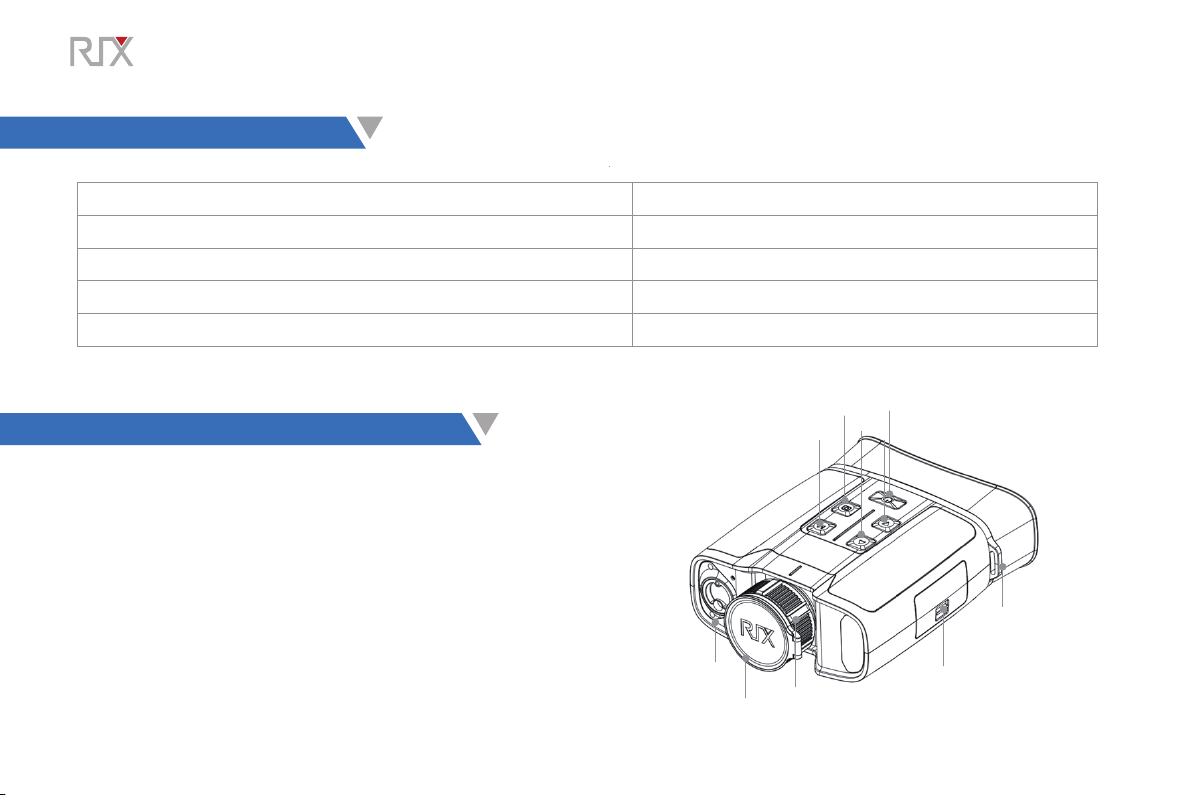
04
M
Photo
Down
Power
Up
Eyepiece
Battery compartment cover
Focusing ring
Lens cap
LRF
Product Features
03
●Extra-large 2.69" display ●
●Large eyepiece for comfortable binocular observation ●PIP function
Digital zoom: 1×/2×/3×/4×
●
●
High image quality ●Built-in Wi-Fi module, mobile application (iOS and Android)
Built-in and external battery, ultra-long battery life ●Image enhancement
●
Built-in 32G storage space, photographing and video recording available

Button Operations
05
◀ 05
Button Status Press Press and hold
Power button
Powered off
-- Power on the device
Power on the device
Home screen Standby
Standby mode Cancel Standby
--
--
Main menu interface Return to the upper menu without saving changes
--
Up button Home screen Digital zoom Turn on/off the PIP function
Menu interface Navigate up
Menu M button
Home screen Open the shortcut menu Go to the main menu
Shortcut menu interface Switch and confirm parameters --
--
Main menu interface Enter the submenu/Switch and confirm parameters
Defective pixel correction interface Direction switching X/Y
--
--
Down button Home screen Enable/disable rangefinding*
Home screen
Menu interface
Take a photo
Navigate down
Photo button Defective pixel correction interface Add/delete defective pixels
Calibration
Turn on/off the video recording function
Power Supply
06
The AURORA series has built-in rechargeable lithium-ion batteries, each with a service life of ten hours. It also supports
replaceable AA batteries, and can hold up to eight batteries at a time. Please charge the device before first use. (Note: When
this device is charged with the power adapter, only the internal battery is charged, not the external battery. Once four external
AA batteries are installed on the same side, the device is ready for use.)
Built-in Battery Charging
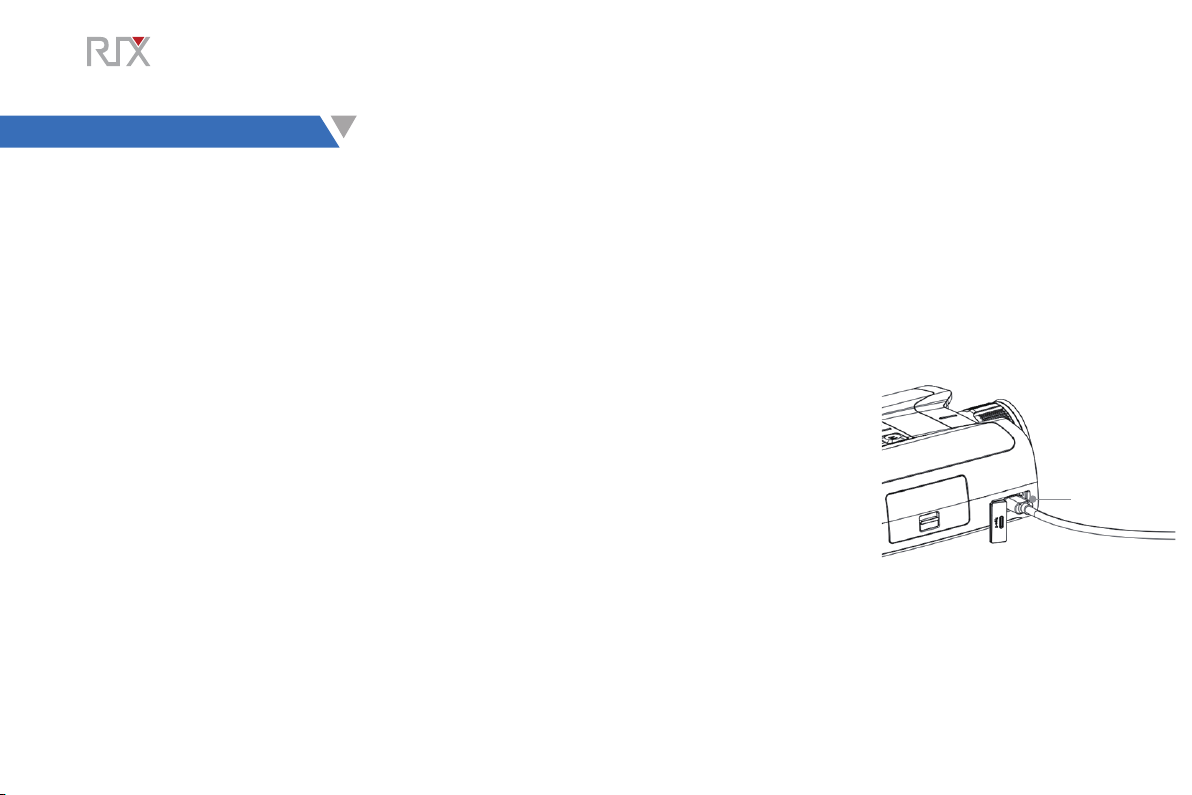
• Open the Type-C cover on the device and connect the Type-C charging cable of the power adapter to the
port of the device.
• Plug the power adapter into a 100‒240V outlet for charging.
• When the power adapter is connected, the LED on the device glows or blinks.
• If the indicator is steady red, the Battery Pack is being charged
• If the indicator turns green, the Battery Pack is fully charged.
• When charging is complete, unplug the Type C charging cable and close the Type-C cover.
LED
External Battery Installation
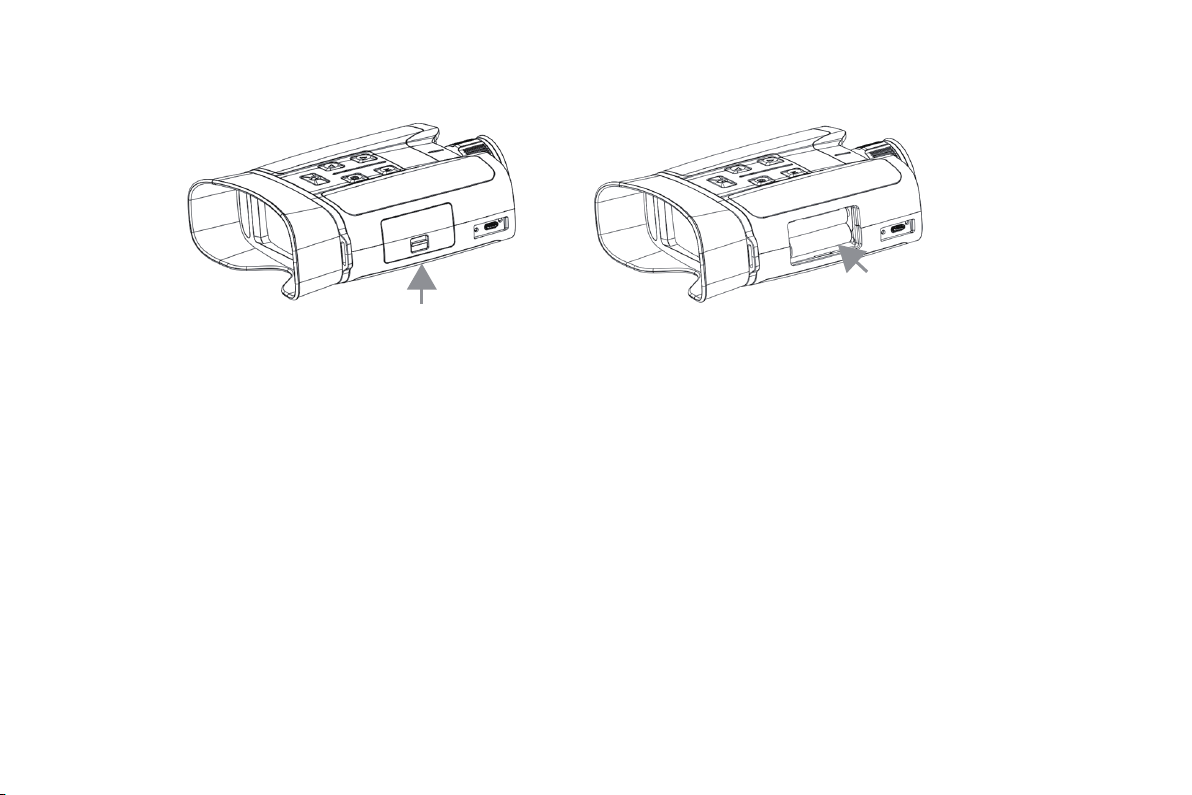
• Push the switch on the battery compartment cover to open the cover.
• Install four AA batteries in order and pay attention to the positive and negative sides.
• After the batteries are installed, push and press the switch to close the battery compartment cover.
• When you need to remove the batteries, you can pull out the cord to eject the batteries.
• Repeat the above steps to install external batteries on the other side.
06 ▶
◀ 07
Safety Precautions
• When not used for a long time, the device needs to be partially charged and should not be fully charged or out of battery.
• When the device is brought from a cold environment to a warm environment, do not charge it immediately. Please wait
30‒40 minutes for the device to warm up.
• Avoid leaving the device charging unattended.
• Do not use a damaged or modified charger for charging.
• Charge the device at a temperature between 0°C and 45°C; otherwise, its battery life may be reduced.
• Do not charge for more than 24 hours.
• Do not expose the device to high temperatures or open flames.
• Do not connect with any third-party device that exceeds the rated current.
• Do not disassemble or alter the battery pack without authorization. Do not knock or drop the battery pack.
• When used in sub-zero temperatures, the device may suffer a battery drop, which is normal and not defective.
• Do not use the device at temperatures above 50°C — this may result in reduced battery life.

The AURORA series can be powered with an external power supply, such as a mobile charge pal.
• Connect the external power supply to the Type C port of the AURORA series.
• The device switches to external power supply and its built-in battery pack is charged at the same time.
• The battery icon on the display changes to a charging icon.
• When the external power supply is disconnected, the AURORA series is still powered on and automatically
switches to battery power supply.
• Remove the lens cap. Press and hold the Power button to power on the device. The Home screen is displayed after several
seconds.
• Rotate the focusing ring of the objective lens to focus on desired object.
• To set the scene mode, image mode, display brightness, image contrast, and other parameters, refer to the shortcut menu
functions in this manual.
• After use, press and hold the Power button to shut down the device. A countdown is displayed. Release the button after the
countdown. The thermal imager is now turned off.
External Power Supply
07
Power On
08
08▶
Altri manuali per AURORA Series
1
Questo manuale è adatto per i seguenti modelli
2
Indice
Altri manuali RIX Binocolo


