
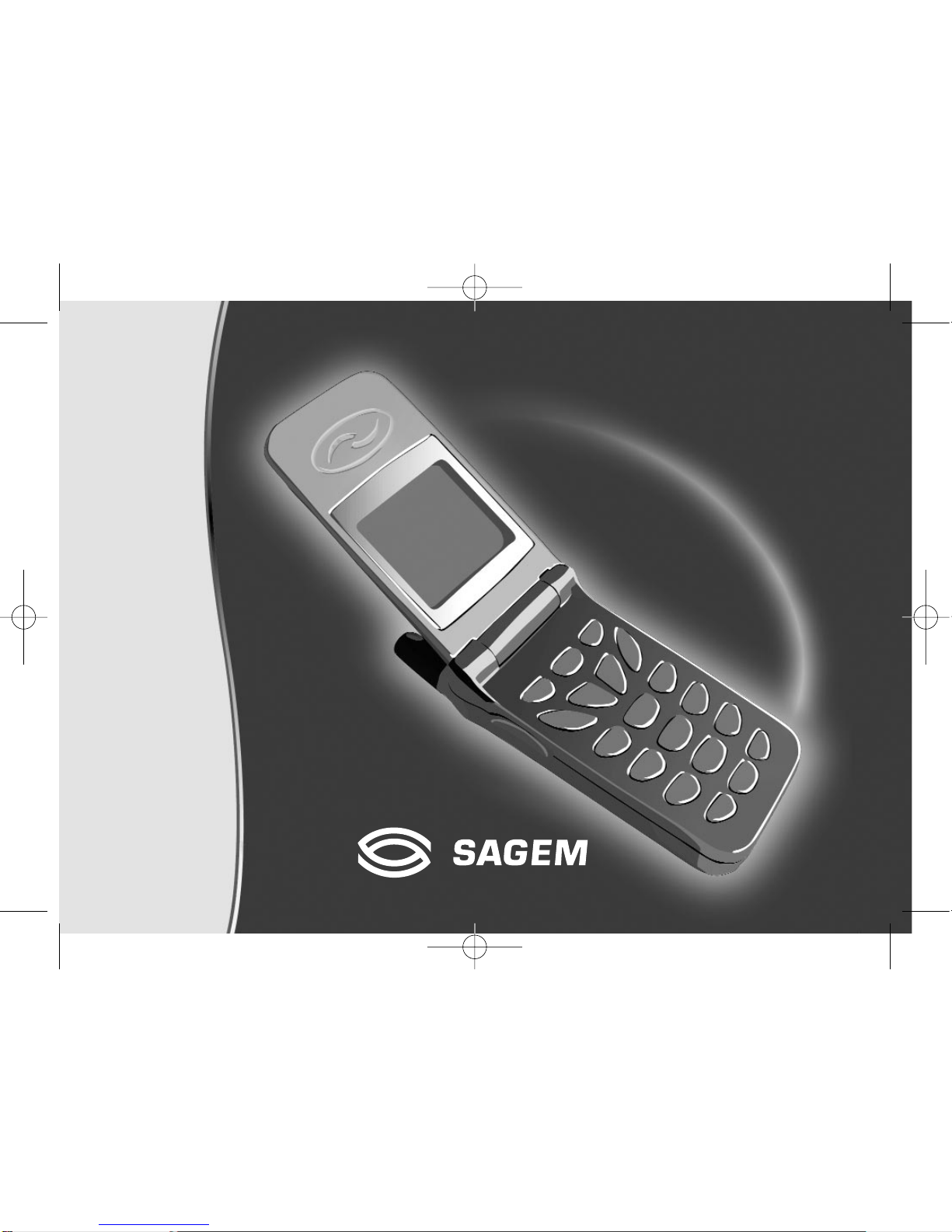
Sagem MY3088 Manuale utente
ENGLISH
MY 3078
MY 3088
251200705.qxd 25/09/02 14:04 Page 1

1
IN A FEW WORDS ...
Switch on
Press .
Call
Dial the number then press .
Answer
Open the flap or press .
Hang up
Press or close the flap.
Switch off
Press (long press).
Redial last number
Press twice.
Make a call from a number stored
in the directory
By name: enter the first letter of the name,
press , scroll down the list to find your
correspondent, then press to call.
By location in the directory: enter the location
number then press *to call.
Briefly, the functions
✄
MY_3078_3088_EN-00.p65 04/10/2002, 14:061

2
MENUS
With lateral keys:
Enter using or
Navigate using and
Validate using OK
Quit or return to the previous
menu using C
Briefly, the menus
✄
Services
Directory
Text messages
Call services
Ringing and beeps
Games
Accessories
Security
Controls
MY_3078_3088_EN-00.p65 04/10/2002, 14:062

3
You have just bought a mobile phone and we
congratulate you on your choice.
Your phone will allow you to use different international
networks depending on the roaming agreements
between the operators.
We would like to remind you that this phone is
approved to European standards.
To get the most out of using your phone, we
recommend that you read this manual carefully and
keep it handy for future reference if needed.
WARNING
According to the configuration of the networks and
associated subscriptions, certain functions may not be
available (indicated by *).
GLOSSARY
Outgoing call A call made from your phone.
Incoming call A call received by your phone.
SIM card The card containing your subscription
and access rights to services. The
detachable part is the “micro-SIM”.
PIN The personal code linked to your SIM
card.
PIN2 The second personal code linked to
your SIM card to access certain
functions (*).
Phone code The phone code is a secret code
intended to protect the phone in case
of theft.
IMEI The identification number of your
phone.
SMS Short Message Service: sending and
receipt of text messages, icons,
animated screen savers and
melodies.
Service Company which manages the network
provider or subscription.
Operator
Compatibility of
your SIM card
Your phone is
compatible with SIM
3V cards only.
The SAGEM logo and trademark are the property of SAGEM SA.
AT is a registered trademark of Hayes Microcomputer products Inc.
Hayes is a registered trademark of Hayes Microcomputer Products Inc.
T9™ Text Input is a registered trademark of ©Tegic Communications Inc.
T9 is licensed under one or more of the following U.S. Patents: 5,818,437,
5,953,541, 5,187,480, 5,945,928, 6,011,554 and additional patents are
pending worldwide.
If an incompatible SIM card is
inserted, a message will be
displayed when switching on your
phone. For further information,
contact your Operator.
MY_3078_3088_EN-00.p65 04/10/2002, 14:063

4
Conformance Document
SAGEM SA declare under its sole responsibility that
the product Dual Band GSM/DCS Type+# conforms
to the requirements of the following EEC directives:
EEC Directive 1999/5/CE
Safety EN 60950
EMC ETS 300-342-1
Low voltage
directive 73/23/CEE
EN 60950
ETS 300-342-1
Network Requirements GT01 v 4.7.0
TBR 19 Edition 5
TBR 20 Edition 3
TBR 31 Edition 2
TBR 32 Edition 2
EN 301 419-1
Health EN 50360
EN 50361
MY_3078_3088_EN-00.p65 04/10/2002, 14:064

5
Contents
1. Presentation of the phone ....................................... 7
2. Getting started ..................................................... 11
2.1 Information on the SIM card .............................. 11
2.2 Installing the SIM card and the battery .............. 12
2.3 Charging the battery ......................................... 13
2.4 Switching on/switching off, starting up .............. 14
2.5 Menu access .................................................... 15
2.6 Deleting characters ........................................... 15
3. Initial communication ........................................... 16
3.1 Making a call ..................................................... 16
3.2 Receiving a call ................................................ 17
3.3 Volume control .................................................. 17
3.4 Ending a call ..................................................... 17
4. Menu list .............................................................. 18
5. How to use the directory ...................................... 21
5.1 Directory display ............................................... 21
5.2 Storing a number .............................................. 21
5.3 Deleting a number ............................................ 22
5.4 Call groups ....................................................... 22
5.5 Sorting .............................................................. 24
5.6 Sending a short message to a stored number .. 24
5.7 Directory space memory ................................... 24
5.8 Displaying personal numbers ........................... 24
5.9 Making a call with a stored number .................... 24
6. SMS ..................................................................... 26
6.1 Receiving an SMS message ............................. 26
6.2 Editing a message using Easy Message T9™.. 29
6.3 Edited messages .............................................. 31
7. How to use the call related features .................... 32
7.1 Forwarding calls ............................................... 32
7.2 Viewing the list of the last numbers used .......... 33
7.3 Monitoring the duration and cost of calls (*) ...... 33
7.4 Displaying the numbers .................................... 34
7.5 Authorising double call ...................................... 35
7.6 Configuring automatic redial ............................. 35
7.7 Voice mail number ............................................ 35
7.8 Local information distribution ............................ 35
7.9 Replacing the international prefix ...................... 35
7.10 Placing calls on hold ........................................ 35
7.11 Multi-conferencing (*) ...................................... 36
8. How to adjust the ringing tones and the vibrator . 37
8.1 Selecting the volume and the type
of ringing tone ................................................... 37
8.2 Call groups ....................................................... 38
8.3 Personalising the ringing tone ........................... 38
8.4 Setting the vibrator ............................................ 38
8.5 Selecting silent mode ........................................ 39
8.6 Setting the beeps .............................................. 39
8.7 Deleting DTMF tones ........................................ 39
MY_3078_3088_EN-00.p65 04/10/2002, 14:065

6
Contents
9. How to adjust and customize your phone ............ 40
9.1 Customizing your phone ................................... 40
9.2 Selecting the display language ......................... 42
9.3 Select the type of response .............................. 42
9.4 Selecting the network ....................................... 42
9.5 Setting the time and date .................................. 43
9.6 Controlling screen contrast ............................... 43
9.7 Converting currencies ....................................... 44
9.8 Active flap ......................................................... 44
10.How to use the security features of your phone .. 45
10.1 Changing the PIN number ............................... 45
10.2 Changing the PIN2 number (*) ........................ 46
10.3 Changing the phone code ............................... 46
104 Changing the operator password (*) ................ 47
10.5 Limiting incoming calls (*) ................................ 47
10.6 Limiting outgoing calls (*) ................................ 47
10.7 Setting up the pre-set directory (*) ................... 48
10.8 Charge checking (*) ......................................... 48
11. Other functions .................................................... 49
11.1 Calculator ........................................................ 49
11.2 Setting the alarm ............................................. 50
11.3 Setting the timer .............................................. 50
11.4 Data parameters ............................................. 50
12.WAP Function Mobile Internet ............................. 51
13.Games ................................................................. 54
14.Available accessories .......................................... 55
15.Upkeep ................................................................ 56
16.Recommendations .............................................. 57
Answers to your questions ........................................ 60
MY_3078_3088_EN-00.p65 04/10/2002, 14:066
7
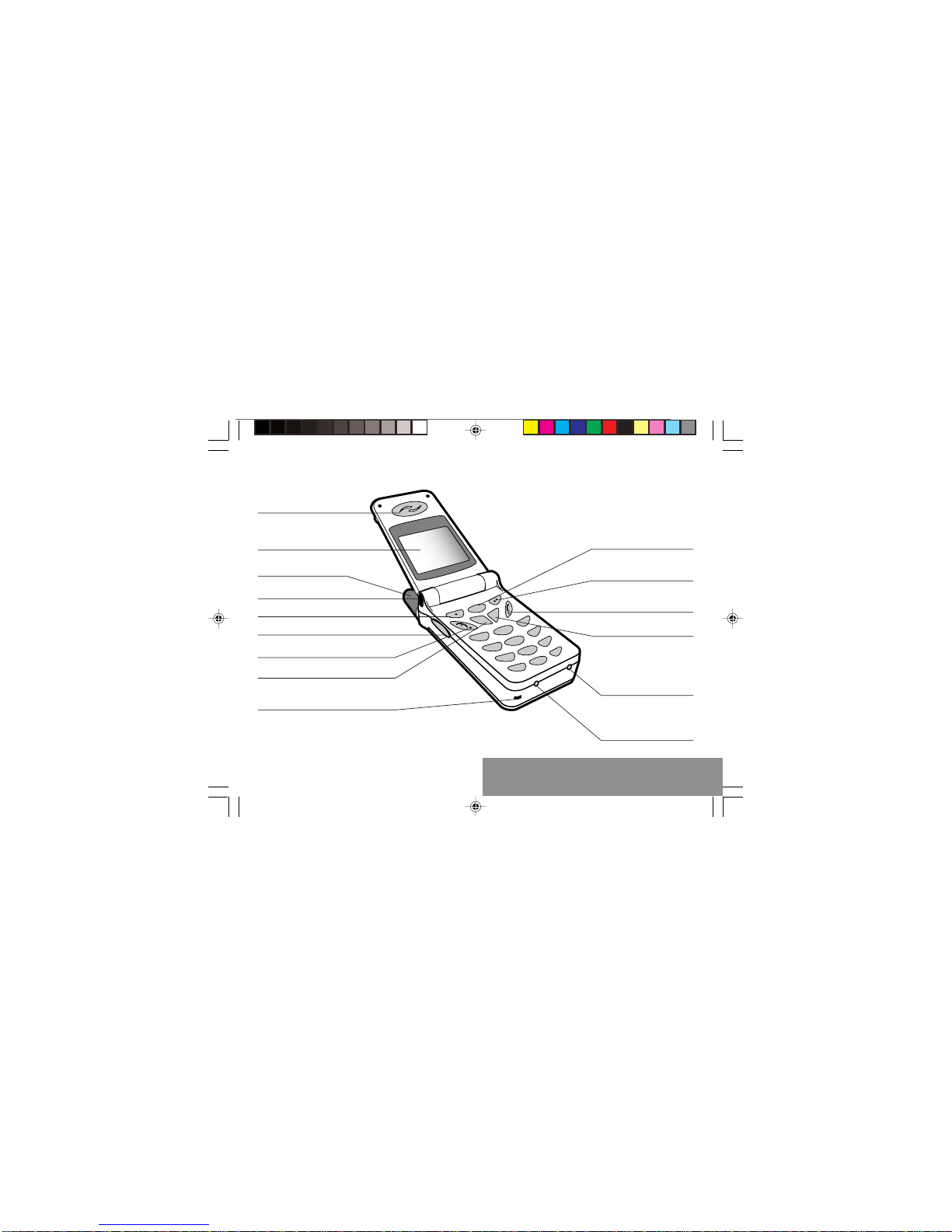
1. Presentation of the phone
2
@
ok
c
13
5
46
8
79
0
*#
Ear phone
Programmable key
(depending on model)
Mobile Internet access key
Operate/Call
Validate
Battery charging socket
Stop/End call
Correction
Programmable key
High definition graphics screen
Antenna
Microphone
WARNING!
During a call, mind you do not obstruct the
microphone with your hand.
Lateral key with scrolling arrows
Indicator light
Accessories socket
1. Presentation of the phone
MY_3078_3088_EN-01.p65 04/10/2002, 14:077

8
1. Presentation of the phone
Function keys
Stop –Reject a call –Hang up
Go –Call a number –Receive a call
CShort press: Return to the previous
menu –Delete a character
Long press: Exit menu mode –
Complete deletion of the entry
OK Validate
- Programmable keys for direct
access to the functions that you
have selected (depending on model)
- Contextual action
@- Mobile Internet access key
- Flap activation / deactivation
and Entry and scrolling through the
menus.
- Volume control during conversation
(key: lower, key: louder)
Alphanumeric keyboard
Made up of 12 keys: 0 to 9, *and #.
To obtain a number or letter, hold down the
relevant key until the desired number or
letter appears.
Letters with accents are obtained by a long
press on *after entering the letter with no
accent.
Punctuation marks and special symbols are
obtained by a long press on the # key.
Key 1
A long press on key 1allows you to access
the voicemail service (depending on model).
MY_3078_3088_EN-01.p65 04/10/2002, 14:078

9
1. Presentation of the phone
Display
The high definition graphics screen enables
you to read messages easily. Various icons
inform you about the status of functions.
Battery charge indicator
(black if charged, clear if
discharged)
Received signal strength
indicator (maximum
strength: 5 bars) ; the R
letter indicates if the
network found does not
correspond to the
subscription
If flashes, the phone is
searching for a network
Call in progress
Permanent call forwarding
Silent mode
Hands-free kit
Receipt of SMS and
presence of SMS not read;
Flashing: SMS memory full.
Voice messages present.
The three keys located under the screen are
allocated to actions described at the bottom
of the screen just above the key, each time it
is necessary.
For example:
Validate Pressing validates the current
function.
MY_3078_3088_EN-01.p65 04/10/2002, 14:079
Questo manuale è adatto per i seguenti modelli
1
Indice
Altri manuali Sagem Telefono cellulare

Sagem
Sagem MY501C Manuale utente

Sagem
Sagem MYX5-2 Manuale utente

Sagem
Sagem MY850V Crystal Manuale utente

Sagem
Sagem MY700X Manuale utente

Sagem
Sagem MW 304X Manuale utente

Sagem
Sagem OT 4X8 RF Manuale utente

Sagem
Sagem My-X2a Manuale utente

Sagem
Sagem MYW-8 Manuale utente

Sagem
Sagem MY300C Manuale utente

Sagem
Sagem MY401V Manuale utente

Sagem
Sagem B2005 Guida

Sagem
Sagem MY101X Manuale utente

Sagem
Sagem myC-1 Manuale utente

Sagem
Sagem 930 Manuale utente

Sagem
Sagem MYV-75 Manuale utente

Sagem
Sagem MY411C Manuale utente

Sagem
Sagem 912 Manuale utente

Sagem
Sagem MyX2-2m Manuale utente

Sagem
Sagem MY600V Manuale utente

Sagem
Sagem my501Ci Manuale utente


