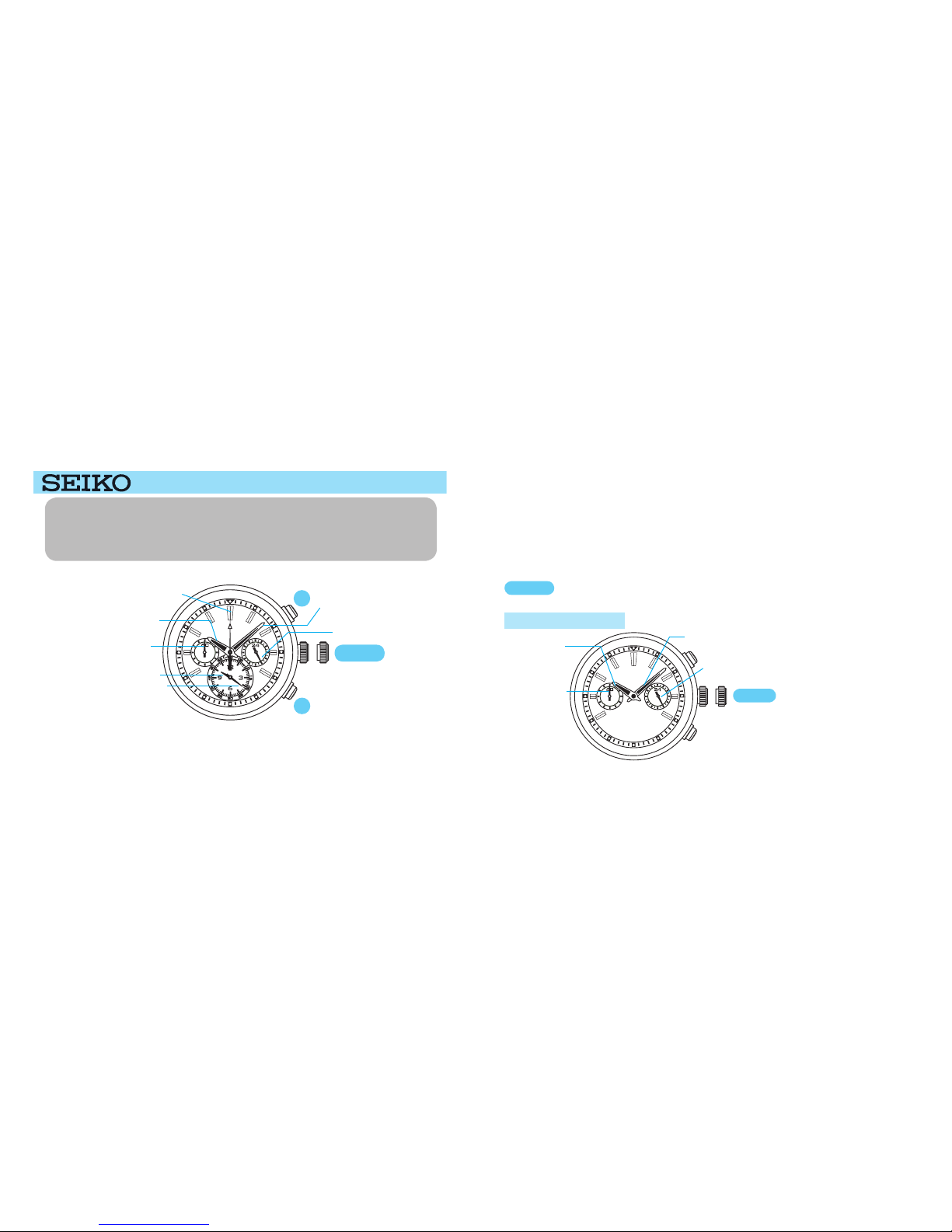
1. If the crown is pulled out while the stopwatch is measuring, the STOPWATCH hands will be
automatically reset.
2. It is recommended that the hands be set to the time a few minutes ahead of the current time,
taking into consideration the time required to adjust the STOPWATCH hand position.
3. When setting the hour hand, make sure that AM/PM is correctly set, checking the position of the
24-hour hand.
4. When setting the minute hand, first advance it 4 to 5 minutes ahead of the desired time, and then
turn it back to the exact minute.
STOPWATCH second hand
IIf the STOPWATCH hands are not in the 0 position, follow the procedure below to set them
to the 0 position.
2. STOPWATCH HAND POSITION ADJUSTMENT
t
Press for 2 seconds or longer again.
The STOPWATCH second hand turns a
full circle.
A
Press for 2 seconds or longer.
A
The watch enters the STOPWATCH hand
position setting mode.
t
Press repeatedly to set the STOPWATCH
second hand to the 0position.
The hand moves quickly if Button B is
kept pressed.
B
t
A
B
APress for 2 seconds or longer.
B
Press repeatedly to set the STOPWATCH
hour and minute hands to the 0 position.
The STOPWATCH hour and minute hands
turn a full circle.
• The hands move quickly if Button B is
kept pressed.
• The movement of the STOPWATCH
hour hand and STOPWATCH minute
hand are interlocked.
• Do not keep pressing down Button
A for longer than 2 seconds after
setting the STOPWATCH hour, minute
and second hands. If you do so by
mistake, push the crown back to the
normal position and carry out the same
procedure from the beginning once
again.
t
t
CROWN A f t e r a l l t h e a d j u s t m e n t s a r e
completed, push the crown back in to
the normal position.
STOPWATCH second hand
STOPWATCH hour and minute hands