
SelfieWorld mooni Manuale utente

INSTRUCTIONS
Bluetooth
®
Remote Shutter
INSTRUCCIONES
Disparador a
Distancia Bluetooth
®
OFFICIAL PRODUCT

THANK YOU
Thank you for purchasing our
product.
Mooni® has been specifically
designed to make taking Selfies
much easier. Never again will you
have to struggle to hold your
cellphone at arm’s length and press
the camera shutter whilst struggling
to keep your phone still.
Just Bluetooth®pair your Mooni® with
your compatible iOS 5.0+ or Android
4.3+ cellphone, hold your phone in
one hand, pose for your Selfie and
press the button on your Mooni®with
the other. Simple!
Mooni® is manufactured with fully
certified Bluetooth® 3.0 technology
which guarantees you instant pairing
as well as reliable and secure
connections every time.
GRACIAS
Gracias por adquirir nuestro produc-
to.
El Mooni® ha sido específicamente
diseñado para que hacerse selfis sea
mucho más fácil. Nunca más tendrá
que esforzarse en sostener su móvil
con el brazo estirado y pulsar el
disparador de la cámara mientras
trata de mantener inmóvil el teléfono.
Simplemente utilice Bluetooth®para
emparejar el Mooni® con un móvil
compatible con iOS 5.0+ o Android
4.3+, sostenga el teléfono con una
mano, pose para su selfi y pulse el
botón del Mooni® con la otra.
¡Sencillo!
Mooni® está fabricado con tecnología
plenamente certificada para
Bluetooth® 3.0 que le garantiza un
emparejamiento instantáneo, así
como conexiones fiables y seguras
en cada ocasión.
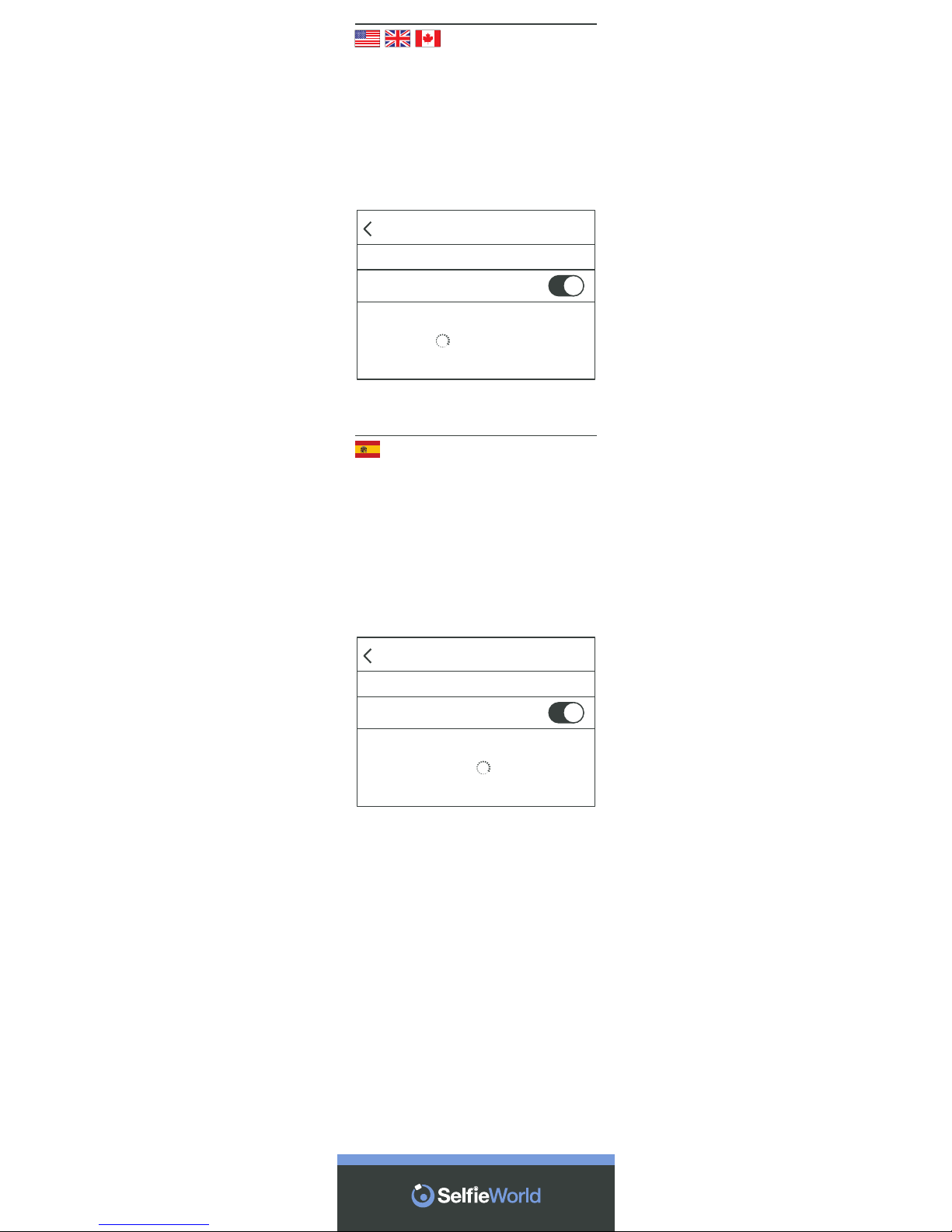
Step 1
ACTIVATE BLUETOOTH®ON YOUR
DEVICE
Prepare your Mooni®for pairing by
activating the Bluetooth®function on
your compatible cellphone or other
device.
Settings
Bluetooth
DEVICES
Bluetooth
Paso 1
ACTIVE EL BLUETOOTH®EN SU
MÓVIL
Prepare su Mooni® para el empareja-
miento activando la función
Bluetooth® en su teléfono o dispositi-
vo compatible.
Ajustes
Bluetooth
DISPOSITIVOS
Bluetooth
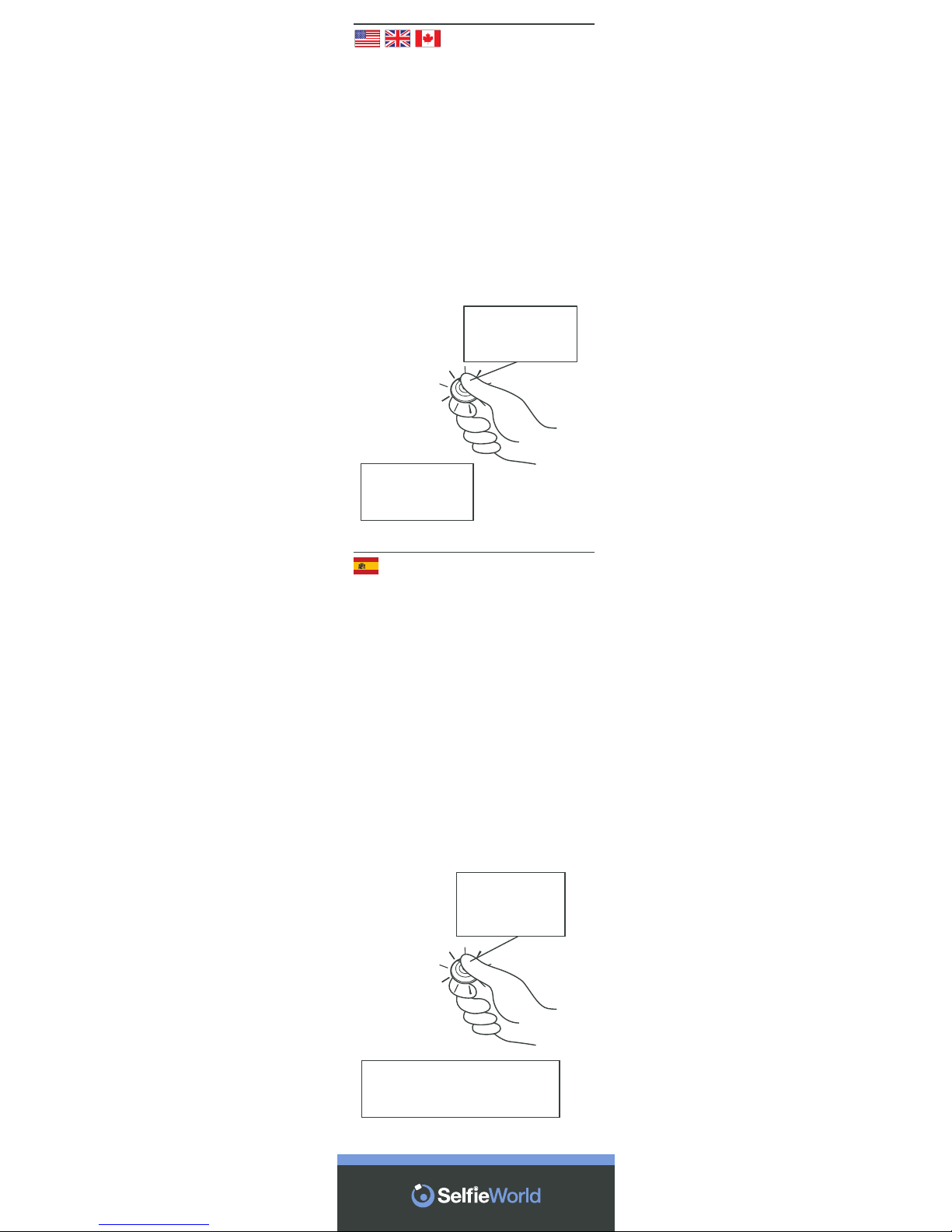
Step 2
SWITCH ON & ACTIVATE
BLUETOOTH
®
PAIRING MODE
The button in the center of your
Mooni
®
functions both as an ON/OFF
switch and a shutter release. To
switch on, hold down until the red
LED light appears. Wait a few
seconds until the LED flashes red
and blue alternately.
Mooni
®
is now in “pairing mode”.
Paso 2
ENCIENDA Y ACTIVE EL MODO DE
EMPAREJAMIENTO BLUETOOTH
®
El botón ubicado en el centro del
Mooni
®
actúa como interruptor de
ENCENDIDO/APAGADO y como
disparador. Para encender, mantén-
galo pulsado hasta que se ilumine el
piloto led rojo. Espere unos
segundos hasta que el led parpadee
alternativamente en rojo y azul.
El Mooni
®
se encuentra ahora en
“modo de emparejamiento”.
MODO DE EMPAREJAMIENTO
Los ledes rojo y azul parpadean
alternativamente.
ENCENDER
Mantenga pulsado
hasta que aparezca
el piloto rojo.
PAIRING MODE
Red and blue LEDs
flash alternately.
SWITCH ON
Press and hold until
Red light appears.
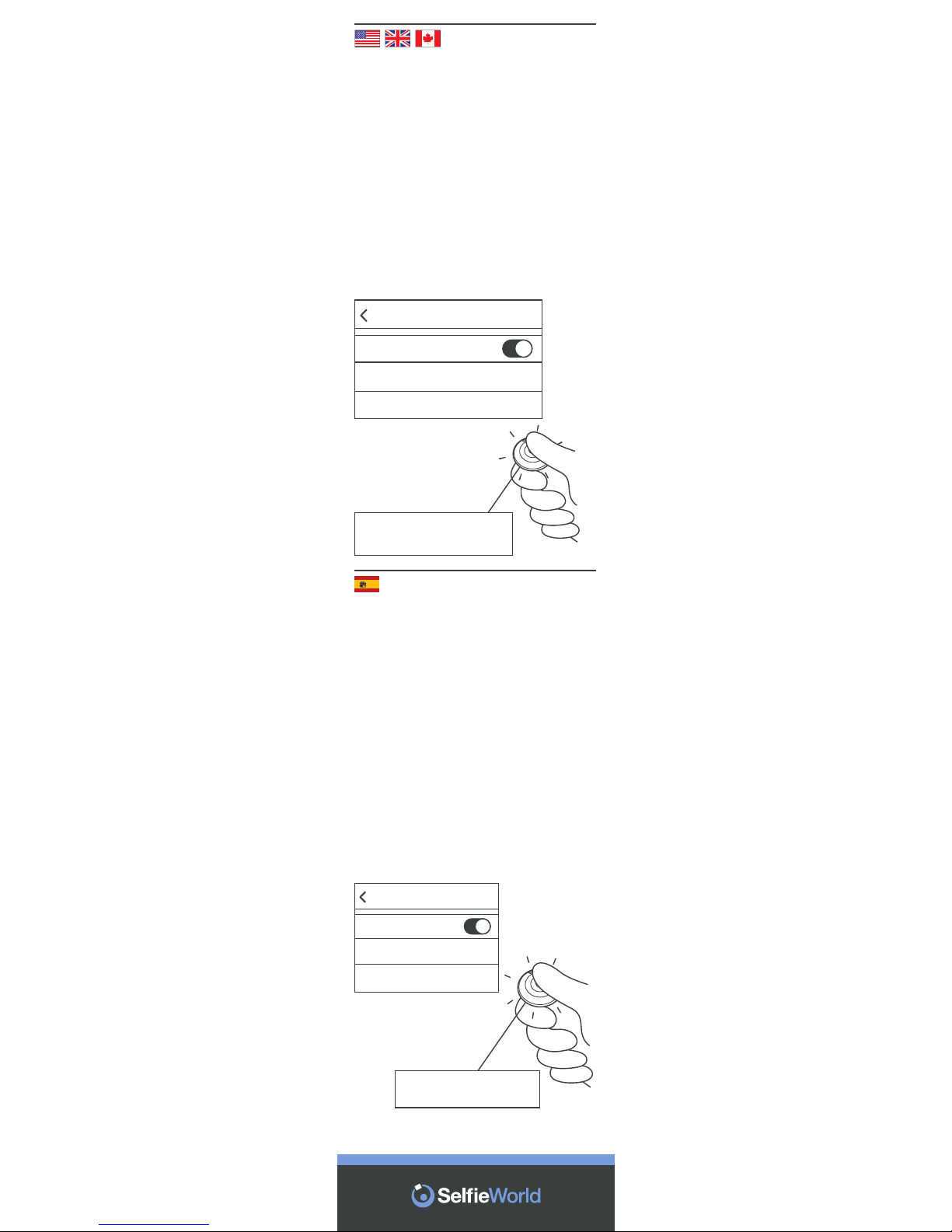
Step 3
CONNECT & PAIR
Mooni® will now appear in the
Bluetooth® device list. Connect it
with your cellphone in accordance
your model’s pairing instructions.
Normally, this requires you to simply
click on the device name.
When successfully paired, the LED
light will flash red intermittently every
3 seconds.
Settings
Bluetooth
Mooni Connected
MY DEVICES
Bluetooth
Red LED flashes intermittently
PAIRING SUCCESSFUL
Paso 3
CONECTE Y EMPAREJE
El Mooni® aparecerá ahora en la lista
de dispositivos Bluetooth®. Conécte-
lo a su móvil de acuerdo con las
instrucciones de emparejamiento de
su modelo. Normalmente, basta con
seleccionar el nombre del dispositi-
vo.
Una vez emparejado con éxito, el
piloto led parpadeará en rojo de
forma intermitente cada tres
segundos.
Ajustes
Bluetooth
Mooni Conectado
MIS DISPOSITIVOS
Bluetooth
El led rojo parpadea intermitentemente.
EMPAREJAMIENTO CORRECTO
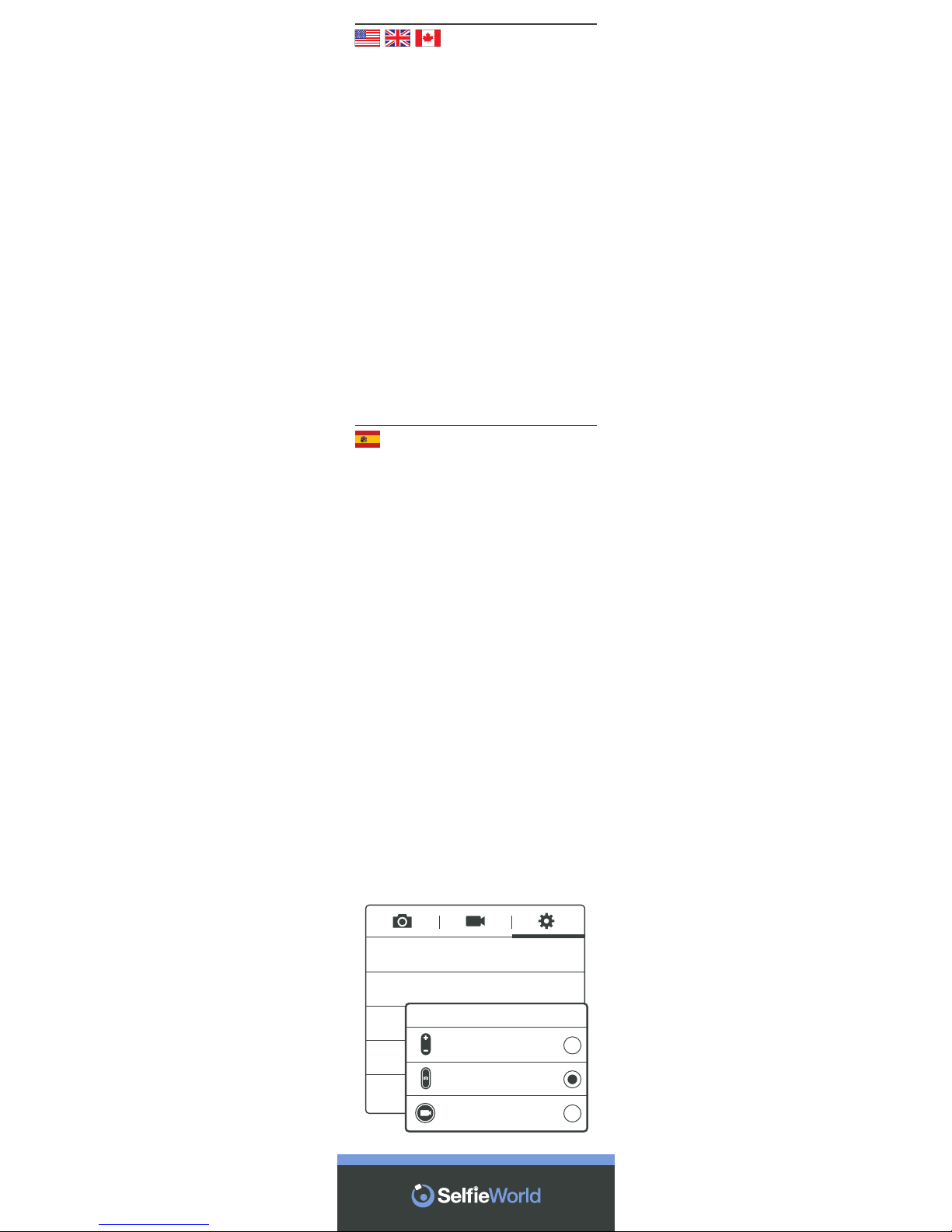
• Open Camera application
• Click 'gear' icon for Settings
• Click option 'Volume Key'
• Click 'The Camera Key'
*Note that screenshots and setting may
vary according to make, model and
Android version of cellphone.
*Tenga en cuenta que las capturas de
pantalla podrían variar.
GPS tag
Volume key
Timer
White balance
The camera
key
O
Auto
0
O
Volume key
The zoom key
The camera key
The record key
Step 4
IMPORTANT STEP FOR ANDROID USERS
Android users need to check their
camera settings are configured correctly
otherwise the Selfie stick button might
operate your camera's zoom function
and not the shutter.
Follow the steps below to ensure that
your "Volume Key" is set to operate the
"Camera Key".
• Abra la aplicación Cámara
• Toque el icono del engranaje para los
Ajustes
• Toque la opción “Tecla de volumen”
• Toque la opción “La tecla de cámara”
Paso 4
PASO IMPORTANTE PARA USUARIOS DE
ANDROID
Los usuarios de Android necesitan
comprobar que los ajustes de su
cámara se encuentren correctamente
configurados, o de lo contrario el botón
del paloselfi podría accionar la función
de zoom de la cámara en lugar del
disparador.
Siga los pasos indicados a continuación
para asegurarse de que la “Tecla de
volumen” esté configurada para actuar
como “La tecla de cámara”.
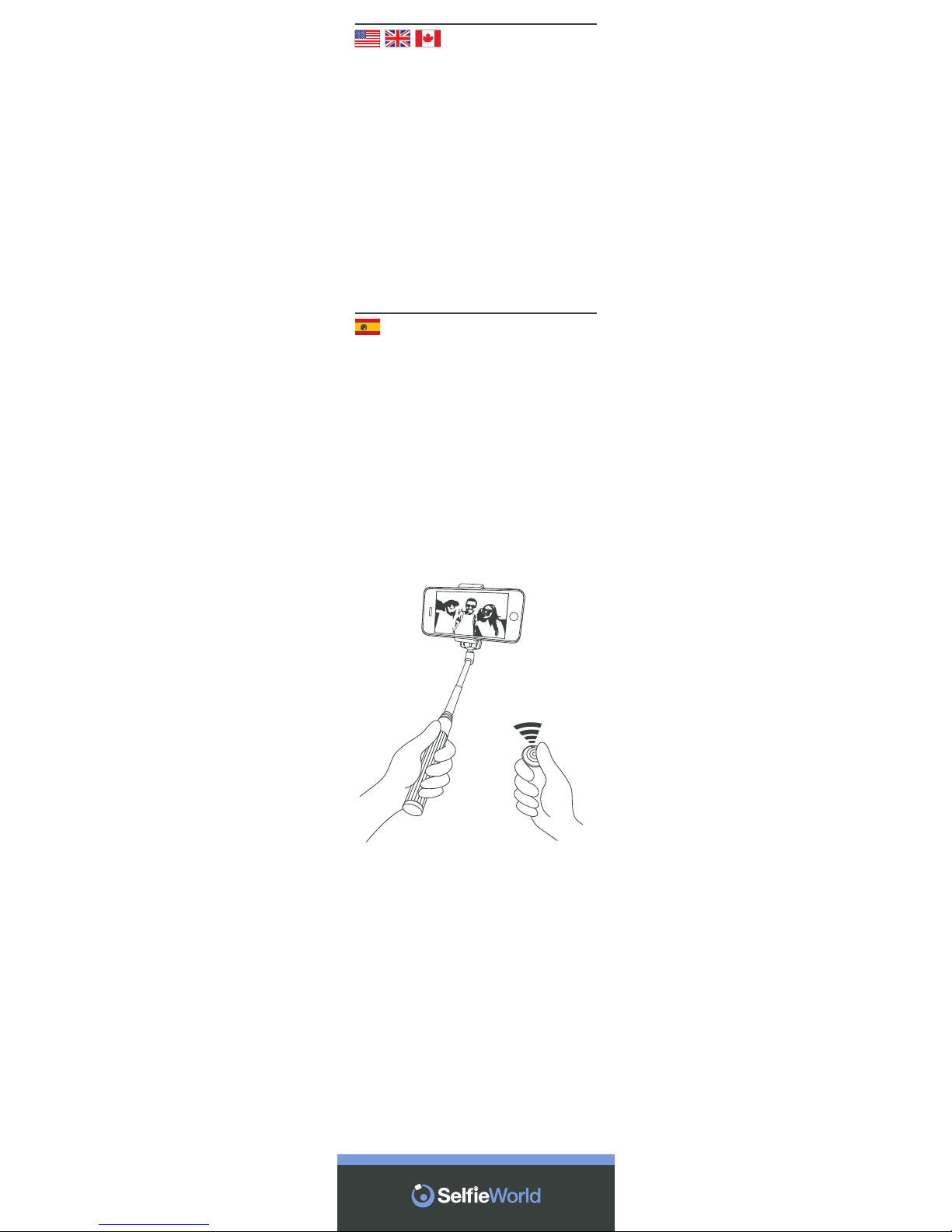
Step 5
OPEN CAMERA APPLICATION &
TAKE SELFIE
Open your cellphone’s camera
application, pose for your Selfie by
holding your cellphone in your
preferred hand.
Hold Mooni®in the other and press
the center button to remotely activate
the camera shutter.
Paso 5
ABRA LA APLICACIÓN DE LA
CÁMARA Y HÁGASE UN SELFI
Abra la aplicación de la cámara en su
móvil y pose para el selfi sosteniendo
el teléfono con la mano que desee.
Sostenga el Mooni® con la otra y
pulse el botón central para accionar
a distancia el disparador de la
cámara.
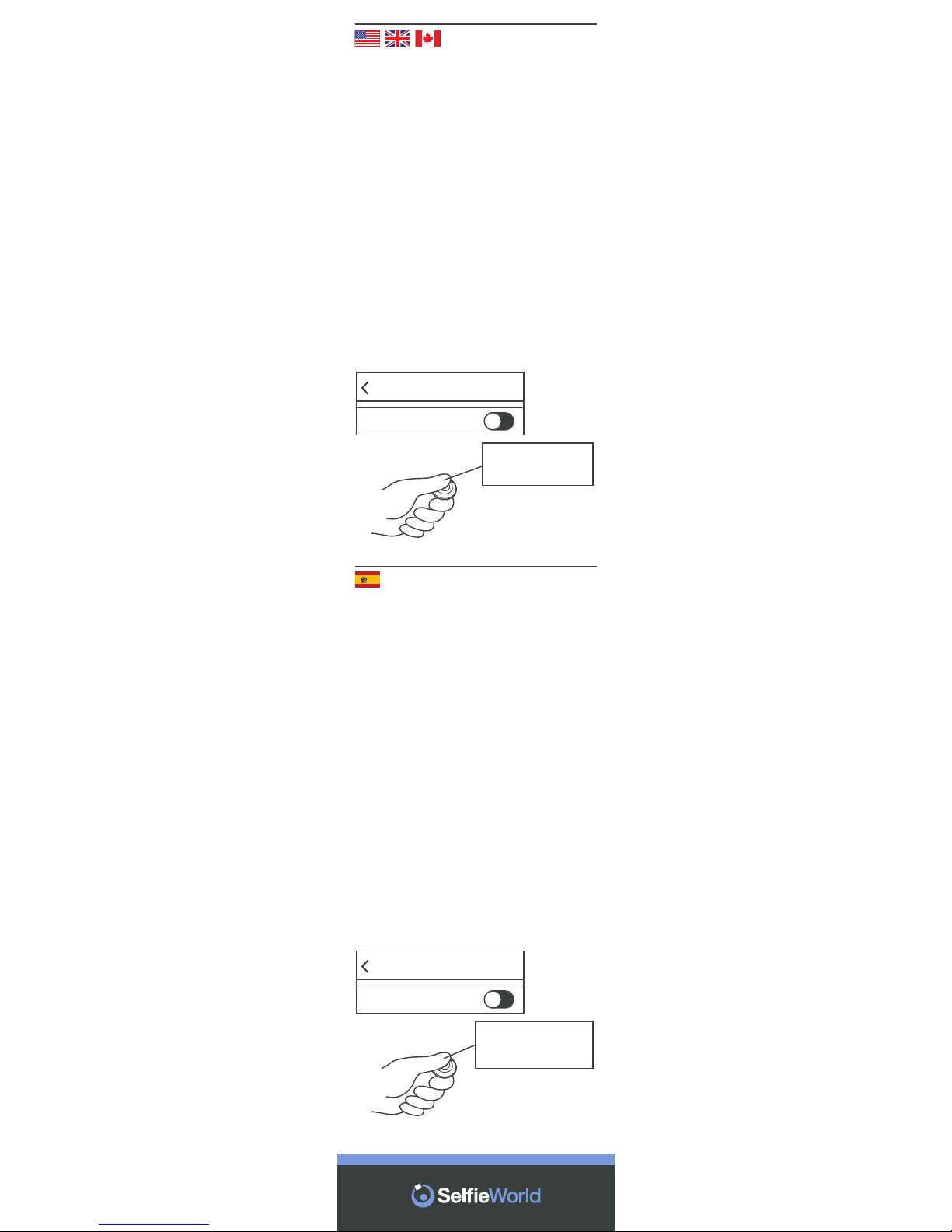
Step 6
SWITCHING OFF & RE-PAIRING
Mooni® will automatically switch itself
off when you deactivate the
Bluetooth®function on your
cellphone or device. Alternatively,
hold down the center button for 3
seconds. The LED will flash quickly
for a second before switching off.
Mooni® will automatically re-pair with
your Bluetooth®device assuming its
Bluetooth® function is already
activated and Mooni®is switched on.
You do not need to enter your
Bluetooth®settings again.
Settings
Bluetooth
Bluetooth
SWITCHING OFF
Press and hold for
3 Seconds.
Ajustes
Bluetooth
Bluetooth
APAGAR
Mantenga pulsado
durante tres segundos
Paso 6
APAGADO Y REEMPAREJAMIENTO
El Mooni®se apagará automática-
mente cuando desactive la función
Bluetooth® en su móvil o dispositivo.
Si lo desea, puede apagarlo
manteniendo pulsado el botón
central durante tres segundos. El led
parpadeará rápidamente durante un
segundo antes de apagarse.
El Mooni®se reemparejará automáti-
camente con su dispositivo
Bluetooth® siempre y cuando la
función Bluetooth® esté ya activada
en él y el Mooni®se encuentre
encendido. No necesita volver a
acceder a los ajustes de Bluetooth®.
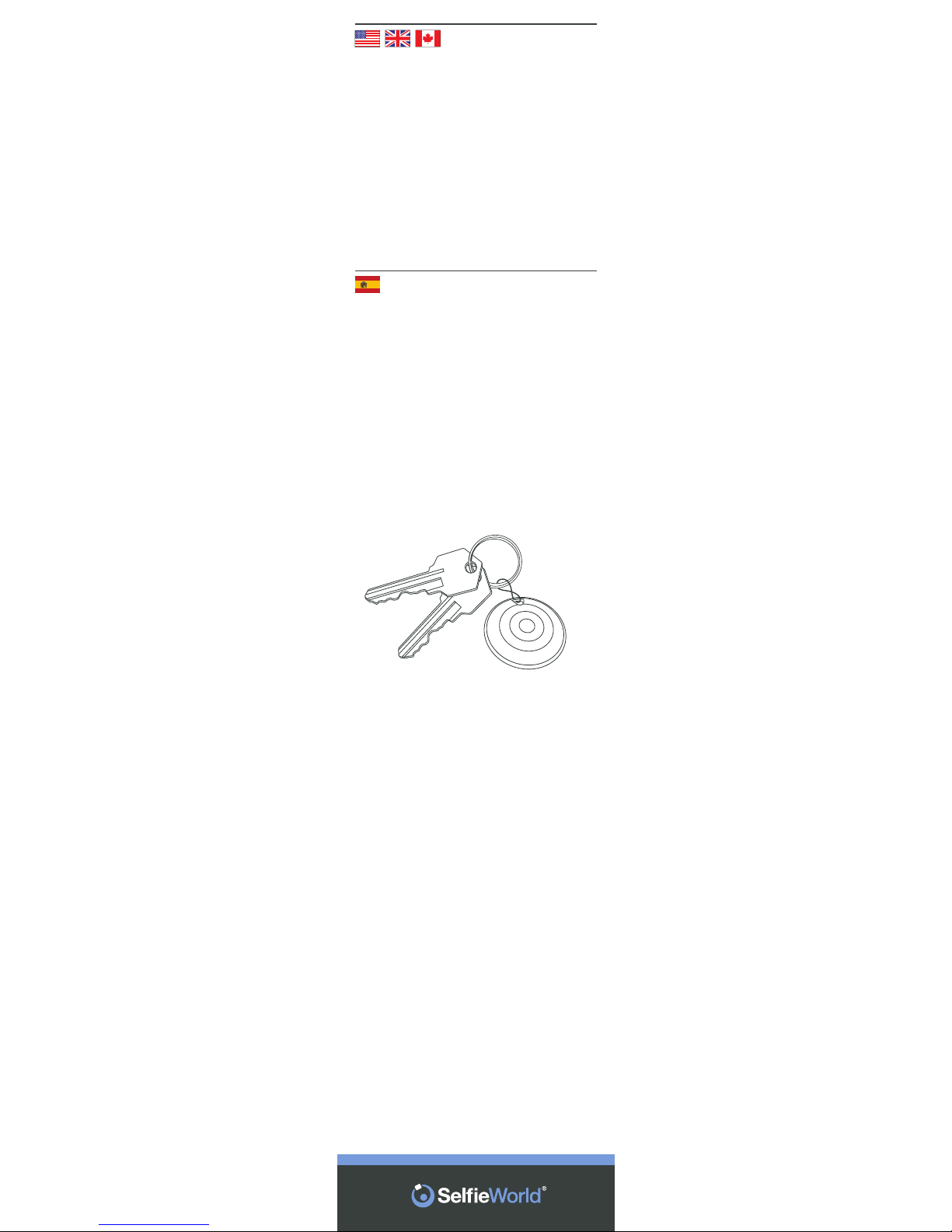
FIX YOUR MOONI
®
TO YOUR
KEYRING
Mooni
®
has been designed with
maximum convenience and portabili-
ty in mind.
Simply carry it on your keyring for the
perfect Selfie opportunity anytime.
COLOQUE EL MOONI
®
EN SU
LLAVERO
El Mooni
®
ha sido diseñado pensan-
do en la máxima comodidad y
portabilidad.
No tiene más que llevarlo en su
llavero para poder disfrutar de la
oportunidad perfecta para un selfi en
cualquier momento.
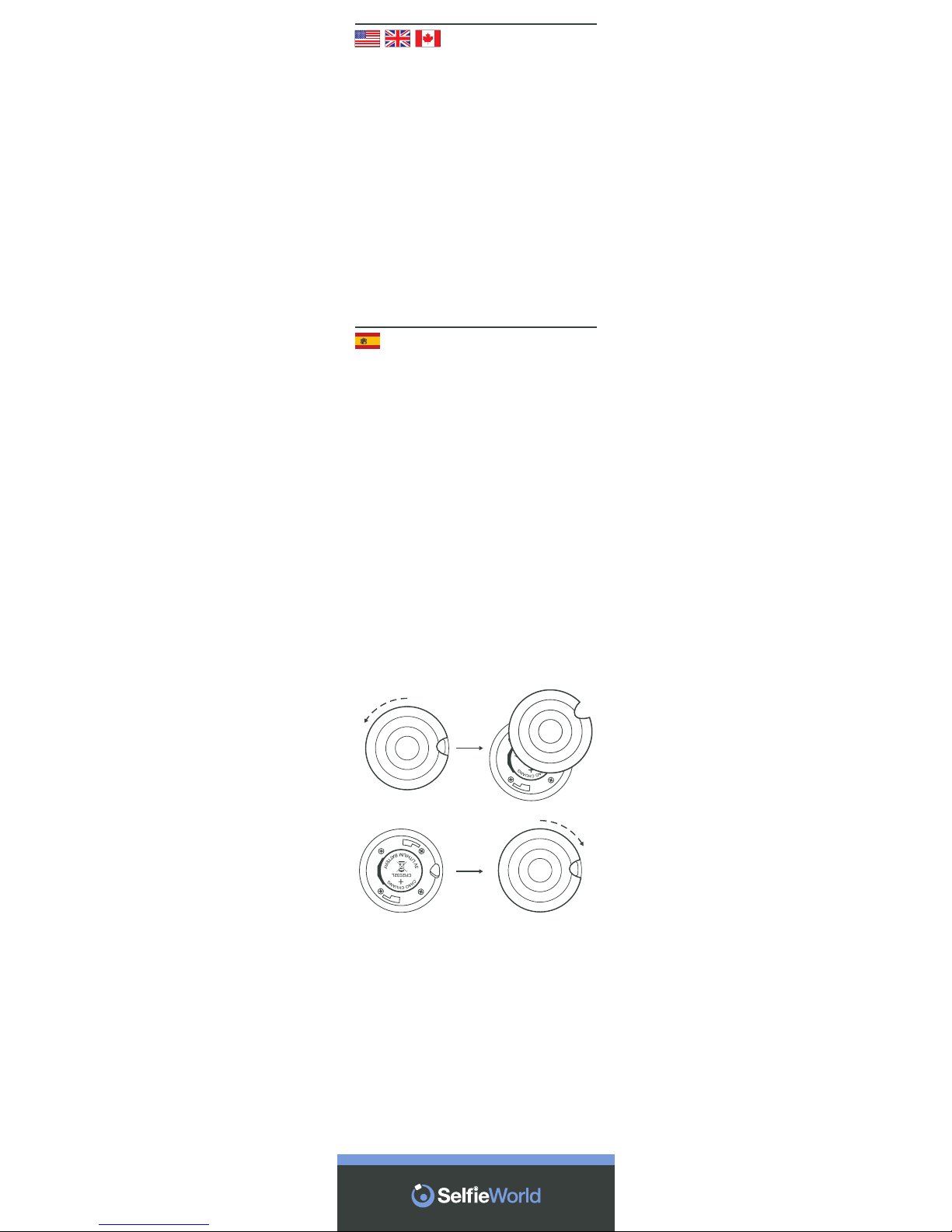
REPLACING THE BATTERY
Mooni® comes supplied with a
long-life lithium-ion battery. To
replace, hold Mooni®with rear facing
you and gently rotate the cover
counter-clockwise (anti-clockwise).
The cover will loosen exposing the
battery. Remove it and replace with
new battery. Replace cover and
rotate clockwise to tighten.
SUSTITUCIÓN DE LA BATERÍA
El Mooni®viene provisto de una
batería de ion de litio de larga
duración. Para reemplazarla,
sostenga el Mooni®con su parte
posterior hacia usted y gire la
cubierta con cuidado en sentido
antihorario (contrario a las agujas del
reloj).
Esta se liberará y dejará a la vista la
batería.
Extráigala y sustitúyala por la nueva
batería. Vuelva a colocar la cubierta y
gírela en sentido horario para
apretarla.
Indice


