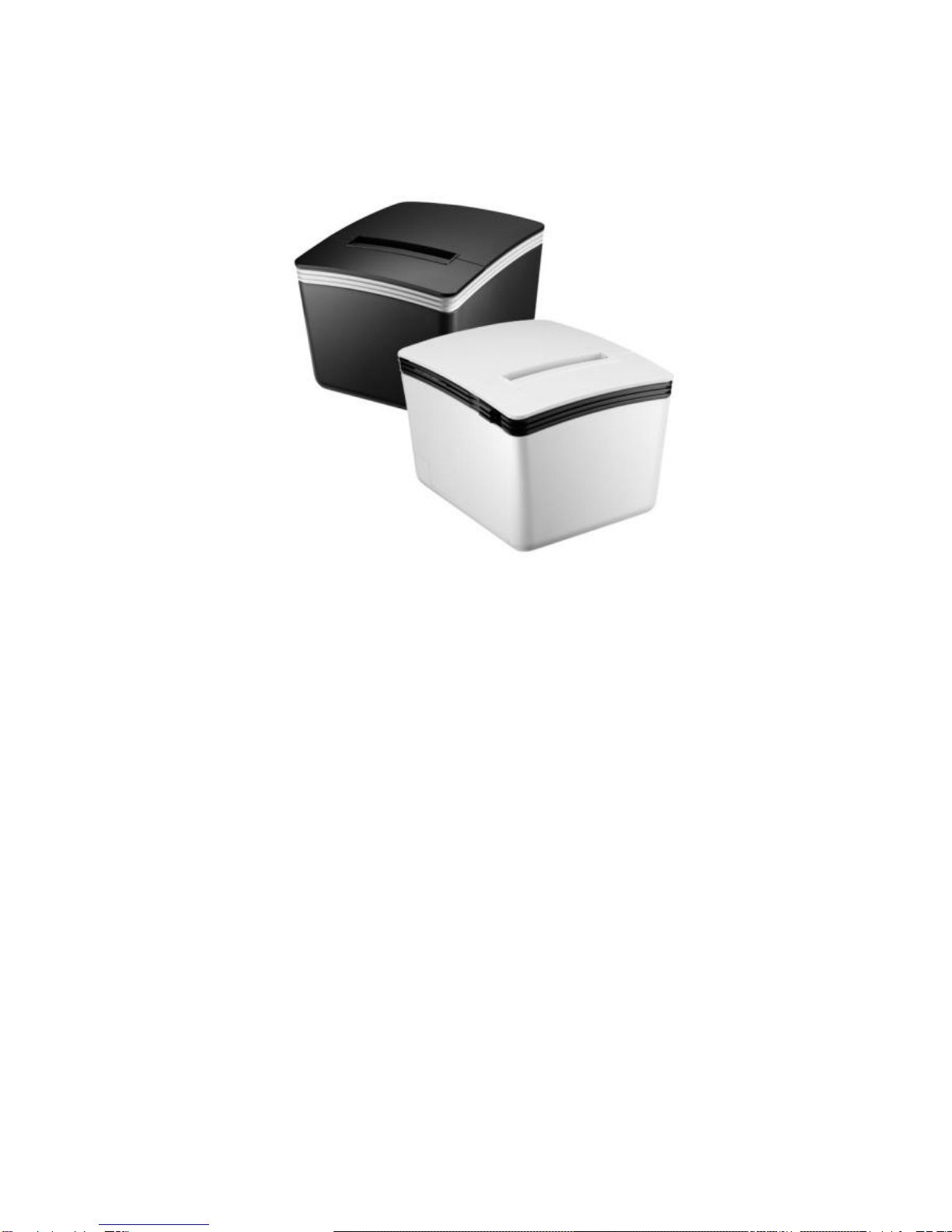
Seypos PRP-300 Manuale utente

Save the user manual for future reference.
Thermal Receipt Printer
Instruction Manual


Table of Contents
A. IMPORTANT SAFETY NOTIFICATION................1
B. PRODUCT OVERVIEW.........................................3
Main Features.................................................................3
Packing...........................................................................4
Specification ...................................................................5
Part Description..............................................................7
DIP Switch Configuration..............................................13
C. INSTALLING YOUR PRINTER ...........................15
Connecting Your Printer................................................15
Install/Replace the Paper Roll.......................................16
Printer Configuration.....................................................23
D. APPENDIX...........................................................29
1. Cutter Maintenance............................................. 29
2. RS-232 Pin Assignment ......................................31
3. RJ-11 Pin Assignment.........................................32
4. Self Test ..............................................................33
5. Virtual Serial Port Installation
(for USB Connection Only) ..................................34
6. Ethernet Connection and Configuration ..............43
7. Code Page Setup................................................60


-1 -
A. Important Safety Notification
Read the instruction manual carefully before use.
Save the manual in the near location for further
reference.
Use only parts or accessories, especially power adapter,
recommended by the manufacturer; unapproved parts
may be hazardous and cause injures to the product or
human.
WARNING:
IF ANY FUNCTIONAL PROBLEMS OR DEFECTS
OCCUR WHICH ARE ATTRIBUTABLE TO
IMPROPER USE OF THE PRODUCT SHALL
VOID THE WARRANTY.
Refer servicing to qualified personnel only.
Do not attempt to repair or dissemble the product on
your own. Opening or removing cover can expose you
to dangerous voltage or other hazards.
Before plugging the power cord into the AC inlet of the
power supply unit, make sure that the voltage applied to
the power outlet is within the specified range
(100V ~240V). Improper power source voltage range
will cause damage to the power supply unit.
Power off the product and remove the power adapter
while cleaning the system.
Before powering on the product, make sure all the
connectors, cables are firmly installed.

-2 -
Important Safety Notification
Do not expose the product to rain or moisture, such as a
bathtub, a washbowl, a kitchen sink, a laundry tub, and
a swimming pool.
Do not expose the machine under direct sunlight, and
keep it away from any heat source.
Do not place the product on an unstable location, stand
or table. If the machine falls, it may injure a person or
cause serious damage to the appliance.
Do not allow anything to rest on the power cord.
Do not locate the product where people may walk on the
cord.
Do not make the power outlet and extension cords
overload. Overload can result in fire or electric shock.
If any of the following situations occurs, unplug the
product from the power outlet immediately and consult
with a qualified service person:
1. The power cord or plug is damaged or frayed.
2. Liquid is spilled into the system.
3. The product is dropped and damaged.
Use a soft cloth to clean the product when it is dirty. In
case the dirt is hard to remove, use a mild detergent and
wipe the product gently.
Turn OFF and unplug the product before cleaning.
When the product is not in use, clean and stores it with
care.

-3 -
B. Product Overview
Main Features
Compact and Stylish Design
Paper Auto-Cutter
Multi-I/O Interface
(Serial +Ethernet +USB)
Cash drawer connection port (RJ-11)
Compatible with ESC/POS print commands set
Various Drivers support
User friendly, drop-and-print paper installation, simple
paper jam elimination
Multiple Language fonts selectable
DHCP Client support (Ethernet Connection)

-4 -
Packing
Printer Unit
Power Adaptor
*Power Cord
**Printer Cable
Paper Roll
Paper Roll
Holder
Paper Width
Guide
Manual
Utility CD
*Power Cord is selectable depending on the types of electrical plug.
** Printer cable is selectable depending on the interface required
(RS-232, USB, RJ-45 or Parallel).
Please refer to the nearest local representatives for further
information.

-5 -
Specification
General
Print Method
Thermal line printing
Print Speed
250mm/sec
Print Life
100 Km
Print
Font
(ASCII Mode)
ANK Font.
Font A: 12 x 24 dots,
Font B: 9 x 17 dots
Graphic Font)
Chinese Character: 24 x 24 dots
Print Resolution
576 dots/line or 512 dots/line
Print Font Character
Support *
International Font, Big 5 Chinese,
GB Chinese, Japanese,
Korean selectable
Character Per Line
48 (Font A) / 64(Font B)
Effective Print Width
72mm
Paper Width
79.5mm± 0.5mm
Paper Roll Diameter
≦83mm
Paper Thickness
0.06~0.08mm
Driver
Win 9X/Win ME/Win 2000/
Win 2003/Win NT/Win XP/
Win Vista/Win 7, Win 8
compatible with EPSON and
SAMSUNG
Print Command
ESC/POS print commands set
Buffer
Receipt
128K bytes
User-Defined
128K bytes
NV Flash
256K bytes

-6 -
Interface
I/O Interface
Multi I/O Interface
(Serial +Ethernet +USB)
Cash Drawer
DC 24V/1A, 6-Wire RJ-11
Notification
Indicator
Audio and LED Indicators
Auto Cutter
Partial
Paper End Notice
Yes
Over-Heat
Halt-on Protection
Yes
Others
Power Input
24VDC/2.5A
(External Adapter:
100~240VAC 50/60Hz)
Color
Black / White
Compliance
FCC / CE / WEEE / RoHS
Weight
1200g ( without cable )
Dimension (mm)
174(L) x 144(W) x 124(H)
Operating Temperature
0°C~45°C
Operating Humidity
10% ~ 80% RH, non-condensing
Storage Temperature
-10°C~ 60°C
Storage Humidity
10% ~ 90% RH non-condensing
* All specifications are subject to change without prior notice.
Indice
Altri manuali Seypos Stampante