
Sineoji PT492V Manuale utente

Quick Installation
Guide
PT492V, PT495V, PT497V, PT593V
Chapter 1: Hardware Installation
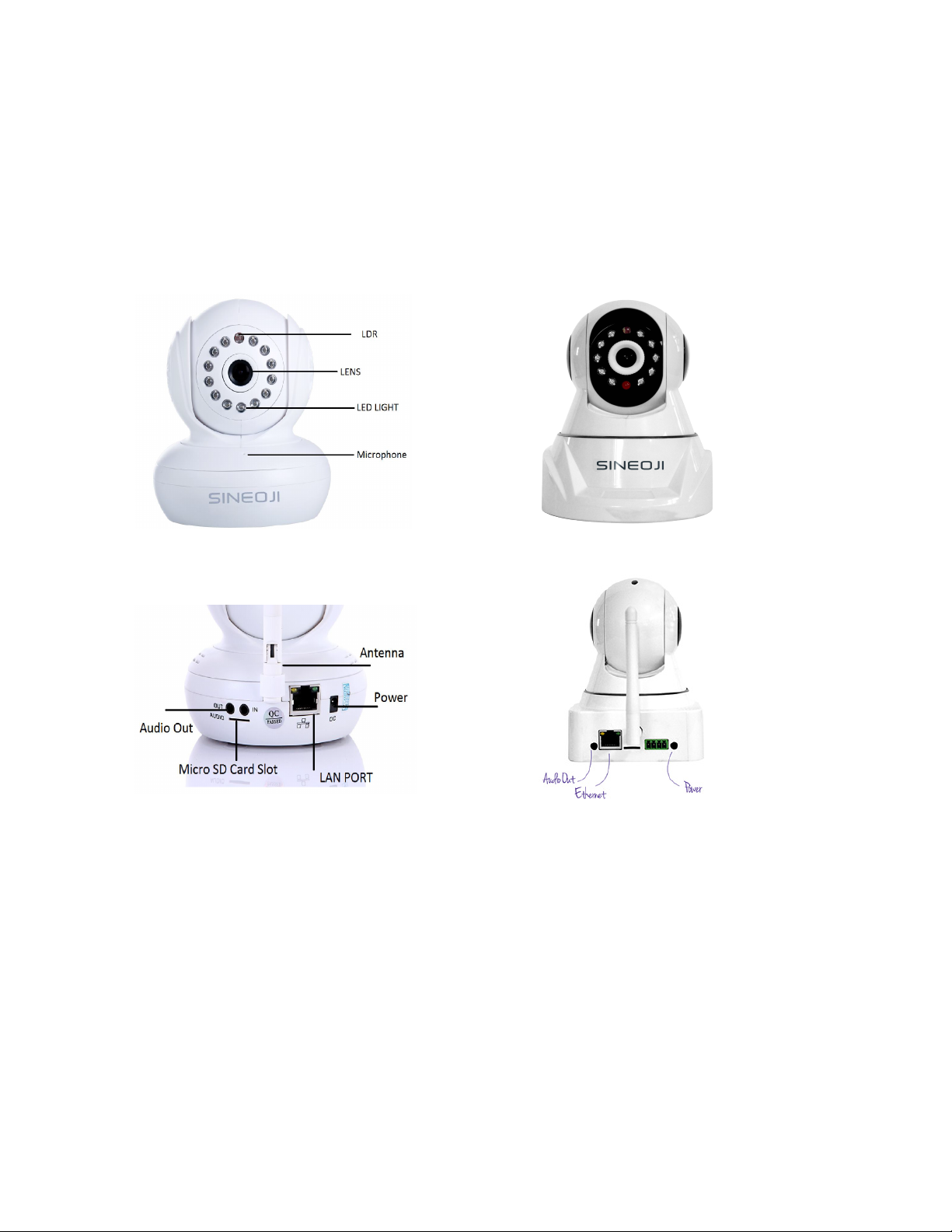
1. Connect the power adapter to the back of the ipcamera.
2. Plug in an ethernet cable to to the ethernet port of the ipcamera.
3. Connect the other end of the ethernet cable to the ethernet port of the Wireless Router (NOT MODEM).
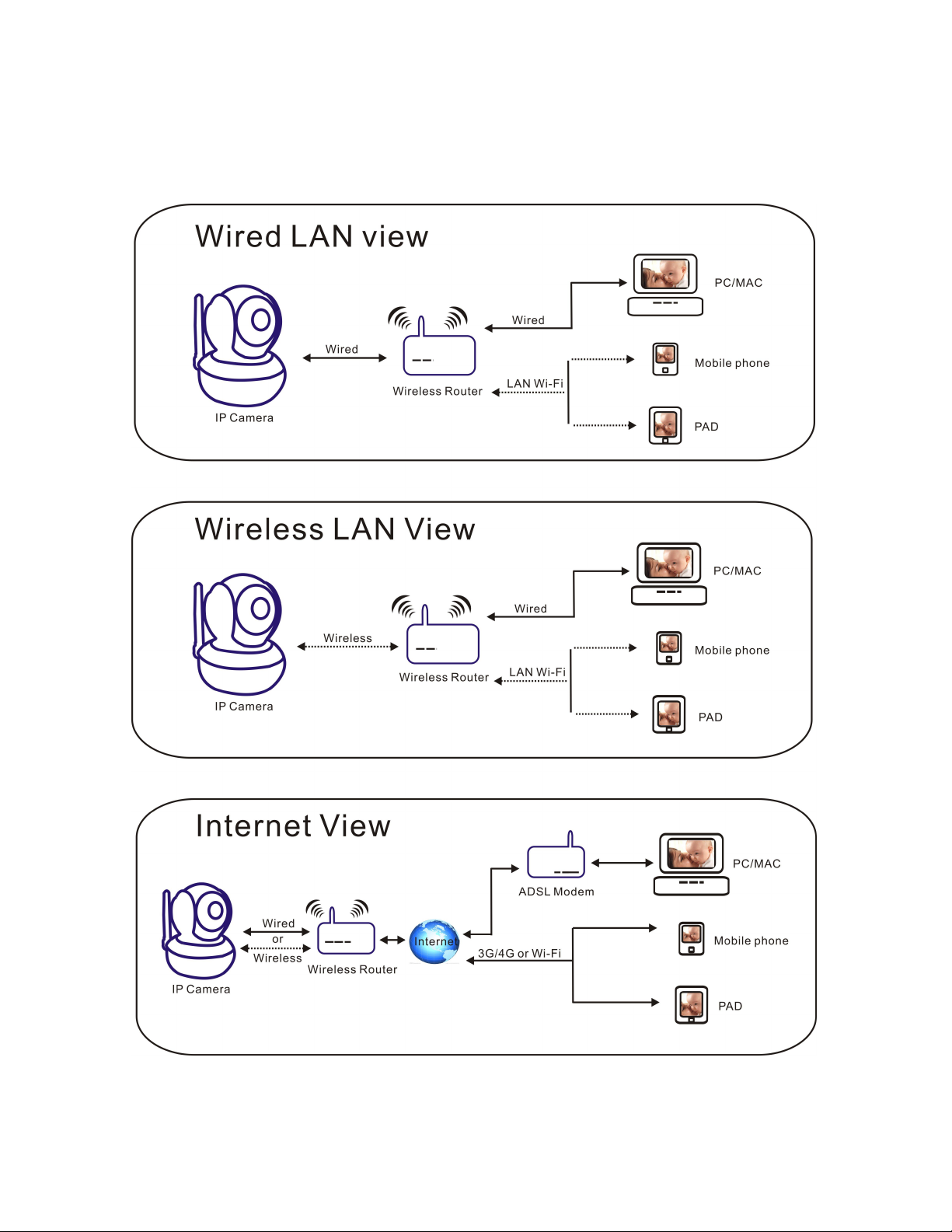
You may configure your ipcamera via wired or wireless connectivity:
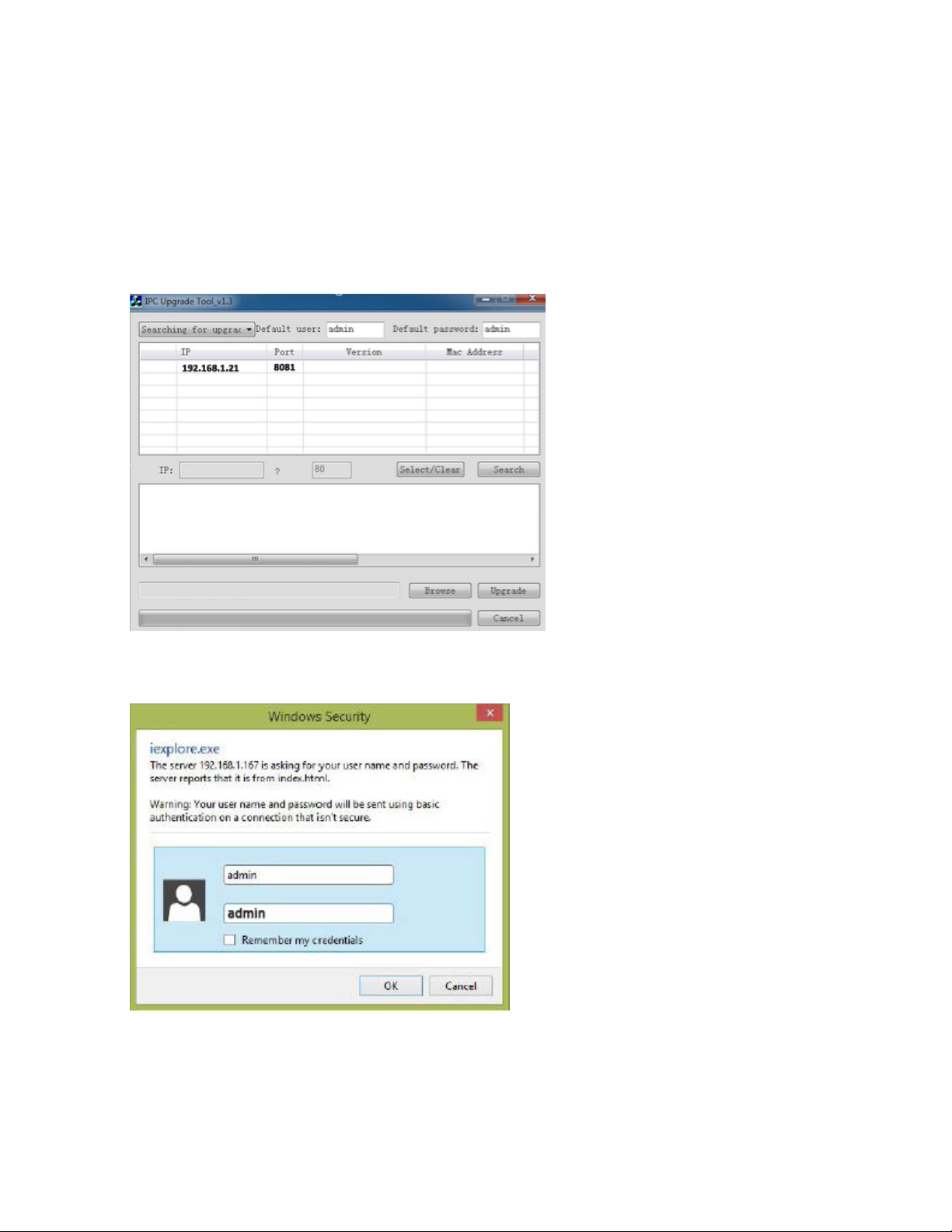

Note: If the plug-in has been installed, login directly.
A. Click 'plug-in” to download and Install it.
B. Refresh the webpage and login again,the camera video will be displayed as
below
C. Choose the Web Browser : IE, Google Chrome or FireFox. If your default Web
Browser on your PC is Google Chrome, ensure you select Google Chrome in this
option.

Listen Audio
Cruise Video Photograph
Digital zoom Video&Photo saving path
Background settings Video&Photo online playback
Chapter 3 : Background Configuration
Video settings
1) Background - the “Video settings”
2) Both the first and second stream can be edited .
3) Mobile picture resolution can be edited.
ie ideo of roser
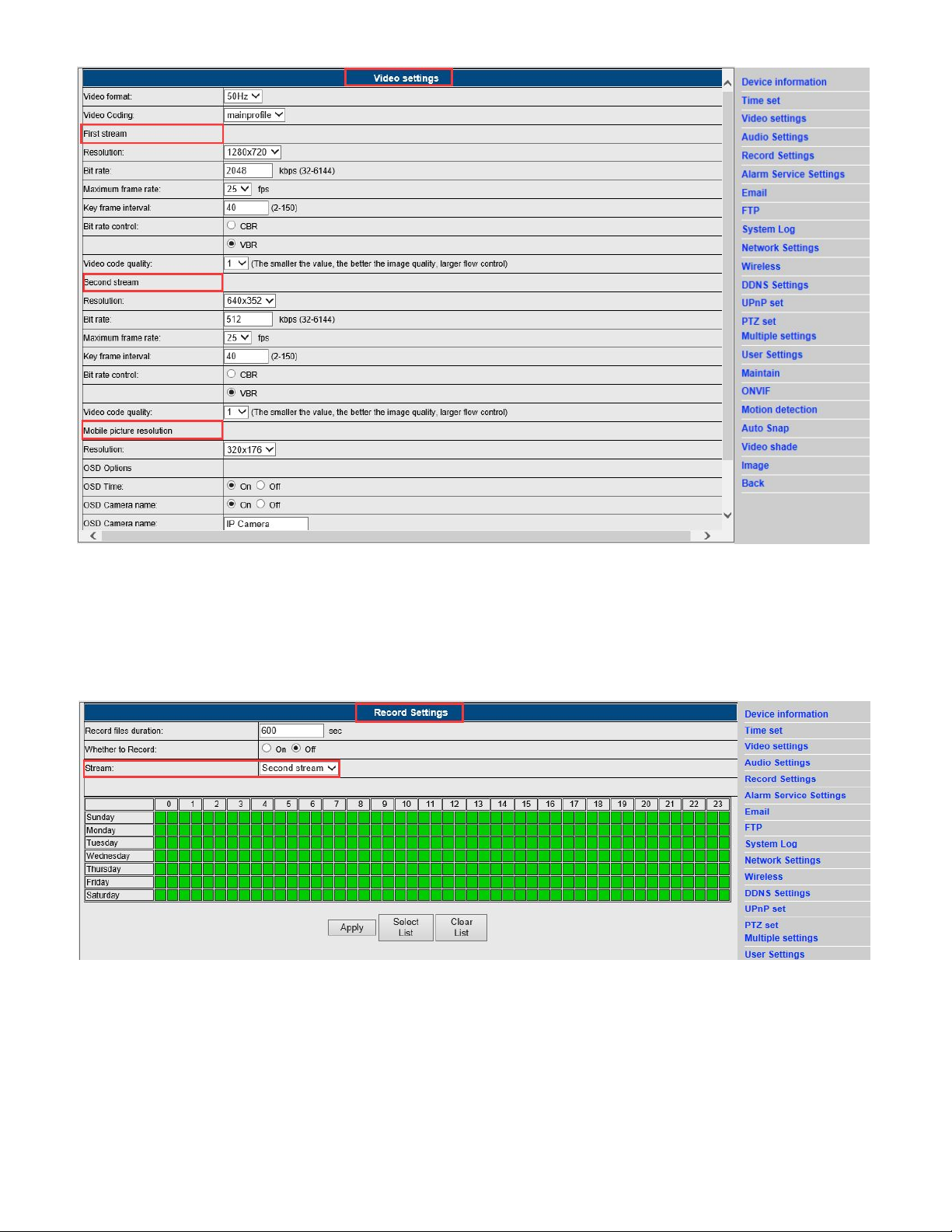
Record Settings
1) Background - the “Record settings”
2) Video files duration, switch , stream and schedule can be edited in this category .
Alarm Service Settings
1) Background - the “Alarm service settings”
2) Linkage set including path, relay time, siren and preset position.
3) Images capture number and schedule .

Email settings
1) Background - the “Email settings”
2) Fill out the email information exactly ,then apply it before submitting it for test.
3) This function works when the IP camera is connected to the network. Whe using Gmail, the port is
465, TLS. Make sure email has SMTP enabled.
Wireless settings
1)Background - the “Wireless settings”.
2) Search the WIFI signals and choose the designated SSID.
3) Make sure the parameters are the similar to your router, enter the WIFI network key.
4) Click on “check”. After 30 seconds, notification will confirm if the WIFI settings has been successful.
5). If its is successful, select “Apply” and disconnect the network cable from the camera to the router.,

Checking the WIFI signal connection situation
Motion detection
1) Background - the “Motion detection ”.
2) Four areas can be selected for motion detection. Once alarm has been triggered ,the green selection
will turn red.
3).The size , position can be changed accordingly.
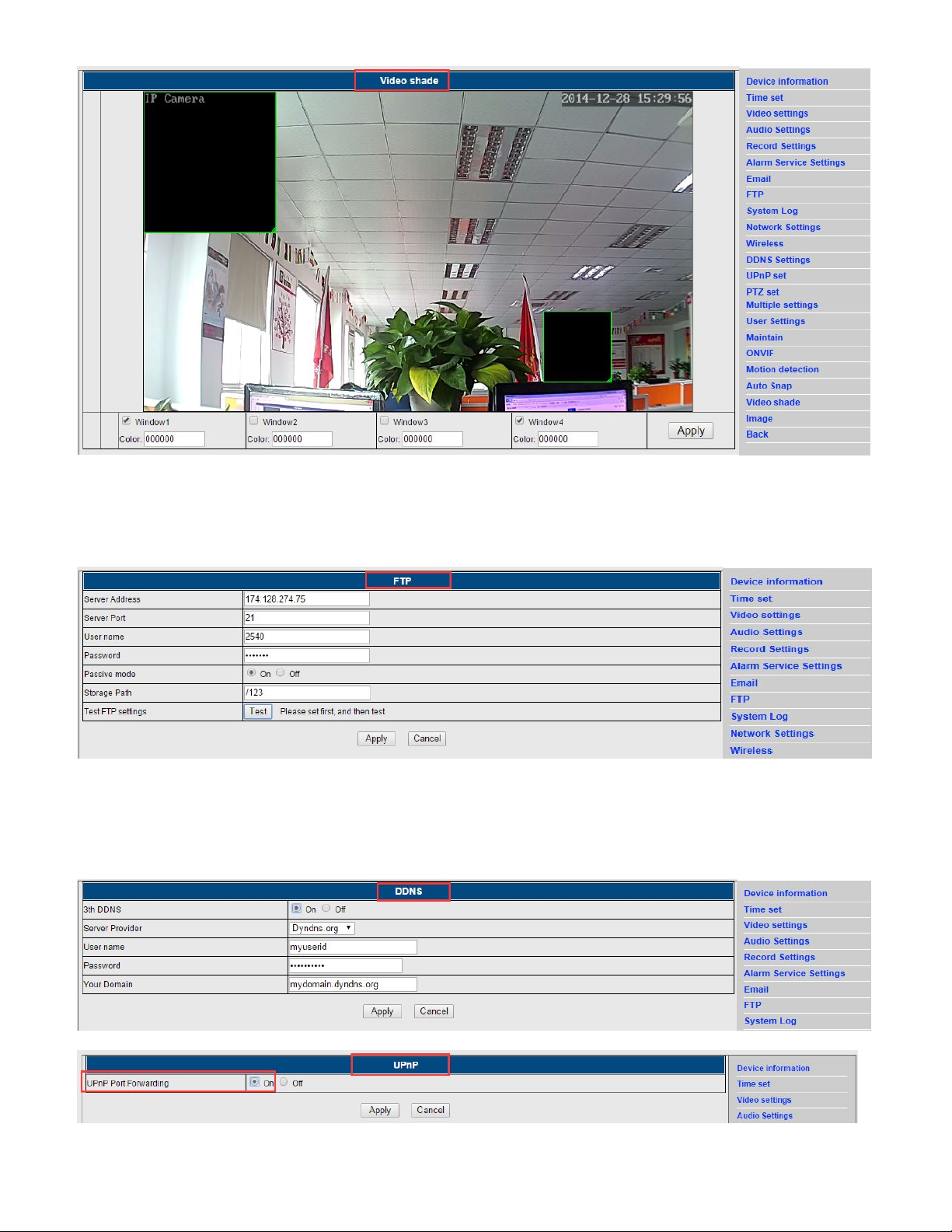
Video shade
1) Background - the “Video shade”.
2) Four areas can be selected for video shade ,the default color is black.
3) The size, position can be changed accordingly.
Chapter 4 : Basic functions settings
FTP settings
DDNS settings
1) Make sure the UPNP port forwarding is ON and port forwarding have been enabled on the main
router . 2) 2) Enter the server, username, password and domain, Select APPLY.
Questo manuale è adatto per i seguenti modelli
3
Indice
Altri manuali Sineoji Telecamera IP


