SMART SMART Height-Adjustable Wall mount... Manuale utente

SMART
HeightAdjustable Wall
Mount (HAWM-UX/UF)
Integration and Cabling
Guide
For SMART Board™ 600 and 800 interactive whiteboard
projector systems

Product Registration
If you register your SMART product, we’ll notify you of new features and software
upgrades.
Register online at www.smarttech.com/registration.
Keep the following information available in case you need to contact SMART
Technical Support.
Serial Number: ___________________________________________________
Date of Purchase: ___________________________________________________
FCC Warning
This equipment has been tested and found to comply with the limits for a Class A digital device, pursuant to Part 15 of the
FCC Rules. These limits are designed to provide reasonable protection against harmful interference when the equipment is
operated in a commercial environment. This equipment generates, uses and can radiate radio frequency energy and, if not
installed and used in accordance with the manufacturer’s instructions, may cause harmful interference to radio
communications. Operation of this equipment in a residential area is likely to cause harmful interference in which case the
user will be required to correct the interference at his own expense.
Trademark Notice
SMART Board, SMART Hub, smarttech, the SMART logo and all SMART taglines are trademarks or registered trademarks
of SMART Technologies ULC in the U.S. and/or other countries. Molex is a registered trademark of Molex, its affiliates,
related companies, licensors and/or joint venture partners. Blu-ray is a trademark of the Blu-ray Disc Association. HDMI is
a trademark or registered trademark of HDMI Licensing LLC. Phillips is a registered trademark of Phillips Screw Company.
All other third-party product and company names may be trademarks of their respective owners.
Copyright Notice
© 2011 SMART Technologies ULC. All rights reserved. No part of this publication may be reproduced, transmitted,
transcribed, stored in a retrieval system or translated into any language in any form by any means without the prior written
consent of SMART Technologies ULC. Information in this manual is subject to change without notice and does not
represent a commitment on the part of SMART.
02/2011

Contents
Product Registration B
Contents i
1Best practices for cabling your HAWM-UX/UF...................................................... 1
Introduction ..................................................................................................... 1
Best practices for cabling................................................................................ 2
Customizing your cables................................................................................. 4
2Cabling an 885ix system to a HAWM-UX/UF........................................................ 5
Introduction ..................................................................................................... 5
Mounting your HAWM-UX/UF mobility switch ................................................ 6
Placing cables for HAWM-UX/UF-mounted components ............................... 7
Placing cables for other components............................................................ 16
3Cabling an 880i4 or 885i4 system to a HAWM-UX/UF ....................................... 21
Introduction ................................................................................................... 21
Mounting your HAWM-UX/UF mobility switch .............................................. 22
Placing cables for HAWM-UX/UF-mounted components ............................. 24
Placing cables for other components............................................................ 30
4Cabling a 685ix or D685ix system to a HAWM-UX/UF ....................................... 35
Introduction ................................................................................................... 35
Mounting your HAWM-UX/UF mobility switch .............................................. 36
Placing cables for HAWM-UX/UF-mounted components ............................. 38
Placing cables for other components............................................................ 45
5Cabling a 600i4 or D600i4 system to a HAWM-UX/UF ....................................... 51
Introduction ................................................................................................... 51
Mounting your HAWM-UX/UF mobility switch .............................................. 52

ii | CONTENTS
Placing cables for HAWM-UX/UF-mounted components ............................. 54
Placing cables for other components............................................................ 58
6Cabling a 600i3 or D600i3 system to a HAWM-UX/UF ....................................... 65
Introduction ................................................................................................... 65
Mounting your HAWM-UX/UF mobility switch .............................................. 66
Placing cables for remotely mounted components ....................................... 68
Index ................................................................................................................... 83

Chapter 1
Best practices for cabling
your HAWM-UX/UF
Introduction ..................................................................................................... 1
Best practices for cabling................................................................................ 1
Customizing your cables................................................................................. 4
Introduction
Your SMART HAWM-UX/UF Height-Adjustable Wall Mount (HAWM-UX/UF) is an
easy-to-adjust platform for connecting the components of your SMART Board™
interactive whiteboard system. However, placing cables on your HAWM-UX/UF
requires care and attention. The HAWM-UX/UF enables you to operate your
interactive whiteboard system at multiple levels, depending on your users’ comfort,
access and personal height needs. Some equipment that you connect to your HAWM-
UX/UF isn’t movable and can pose a risk of cable damage unless you take special
precautions. By following this guide and carefully examining the lengths of cable you
need, you can ensure trouble-free installation and years of safe operation.
If you’re connecting your HAWM-UX/UF to a SMART Mobile Height-Adjustable Floor
Stand (FS-UX), see the FS-UX Height-Adjustable Floor Stand Installation and
Integrator’s Guide (smarttech.com/kb/147510) for additional instructions.

2 | CHAPTER 1 – BEST PRACTICES FOR CABLING YOUR HAWM-UX/UF
Best practices for cabling
Use the best practices in this section when placing cables for any type of interactive
whiteboard system mounted on a HAWM-UX/UF. Following these best practices
makes it easier to install peripheral devices to your interactive whiteboard system,
improves the safety and security of your system and prevents damage to your
devices.
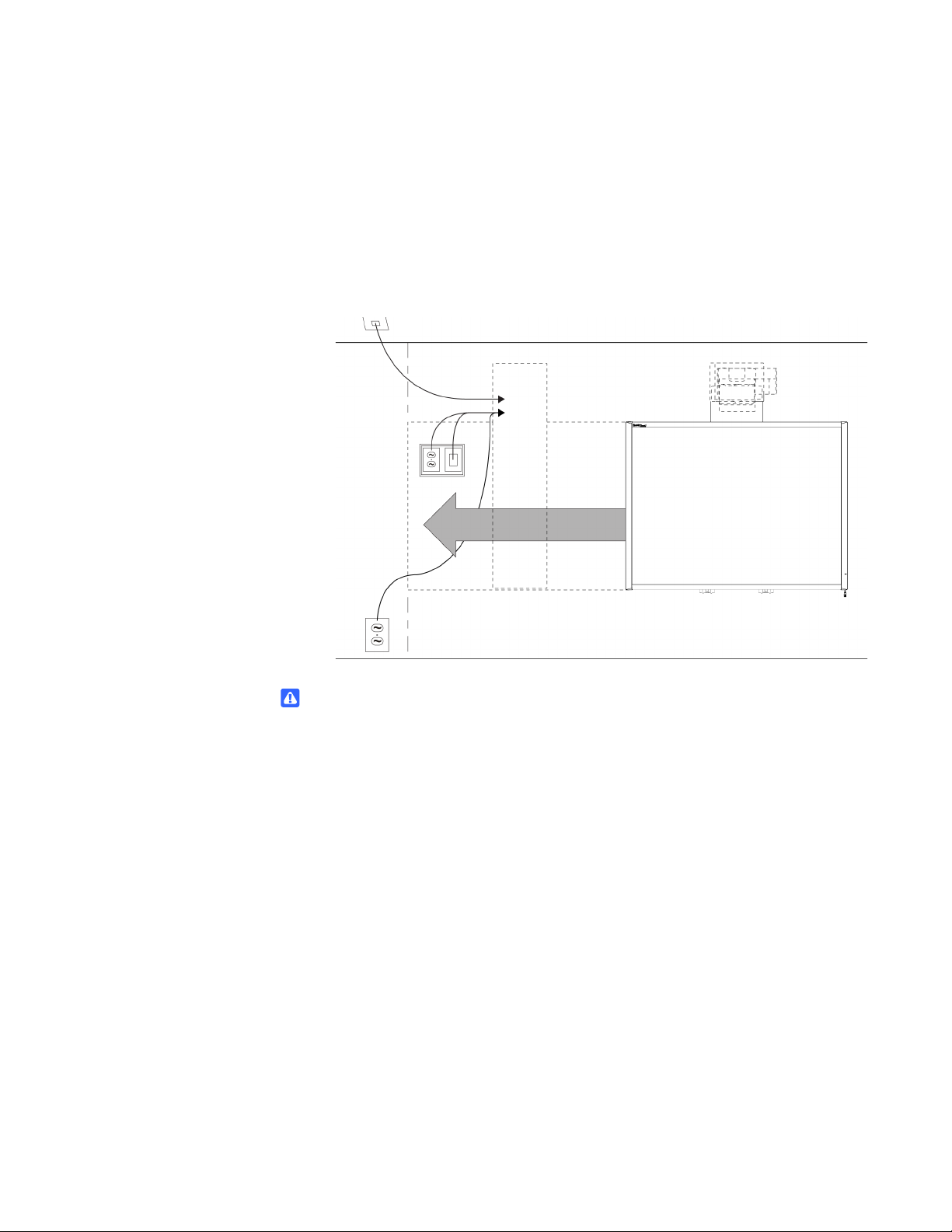
Don’t mount your HAWM-UX/UF in the way of power outlets or cable locations. If a
power outlet or cable crosses the HAWM-UX/UF’s path of travel, a power supply can
break or a cable an be damaged.
If you need to attach a peripheral device, guest computer or laptop to the interactive
whiteboard system, make sure that the cable is long enough so that, at this highest or
lowest height, the HAWM-UX/UF doesn’t pull the laptop or peripheral.

3 | CHAPTER 1 – BEST PRACTICES FOR CABLING YOUR HAWM-UX/UF
Mount your peripheral devices to a permanent location near the HAWM-UX/UF. If the
peripheral device moves or can move, it can cause cable strain if the device is moved
too far from and interferes with the HAWM-UX/UF.
Before placing cables, note the height and location of cable access points (such as
cable tray access hatches, ethernet ports and power outlets) and restrictions in the
room, and note alternative routing options. If you can, move the HAWM-UX/UF closer
to these access points.
WARNING
To prevent a tripping hazard, bundle excess cabling or use cable-ties and cable
management clips to secure the cables above floor level.

4 | CHAPTER 1 – BEST PRACTICES FOR CABLING YOUR HAWM-UX/UF
Customizing your cables
Cables supplied by SMART for connecting your projector to the extended control
panel (ECP) or interactive whiteboard are long enough to accommodate the additional
distances your HAWM-UX/UF requires. You might need longer cables to attach your
interactive whiteboard system to your computer and to other peripherals.
Before customizing or buying cables, assess your installation location and follow
these best practices for customizing your cabling to your peripheral devices:
• Carefully measure the distance between your devices and their connection
locations on the interactive whiteboard system. Measure the distances at the
HAWM-UX/UF’s lowest and highest height, and use the longest distance as your
minimum cable length.
• Make sure there’s enough slack in your cables to minimize cable strain.
• When measuring the minimum cable length make sure there are no obstructions
in the cable’s path. A rising or descending cable can catch on an obstruction
unless the cable is properly secured out of the way of the obstruction.

Chapter 2
Cabling an 885ix system to
a HAWM-UX/UF
Introduction ..................................................................................................... 5
Mounting your HAWM-UX/UF mobility switch ................................................ 6
Placing cables for HAWM-UX/UF-mounted components ............................... 7
Placing cables for other components............................................................ 13
Introduction
SMART Board 885ix interactive whiteboard systems always include a SMART UX60
ultra-short-throw projector and an extended control panel (ECP) located on the
interactive whiteboard.
IMPORTANT
Before following these instructions, install your HAWM-UX/UF and interactive
whiteboard system according to the SMART HAWM-UX/UF installation guide
(smarttech.com/kb/145745). The instructions below are a supplement to, and not
a substitute for, the installation guide.

6 | CHAPTER 2 – CABLING AN 885ix SYSTEM TO A HAWM-UX/UF
Mounting your HAWM-UX/UF mobility
switch
The mobility switch controls the vertical movement of the HAWM-UX/UF and your
interactive whiteboard system. The mobility switch is wired directly to the rear panel of
the HAWM-UX/UF. Use the installation guide with the following procedure to place and
mount the mobility switch.
To mount the
mobility switch
1. Locate the HAWM-UX/UF mobility switch, and then remove and discard the
plastic bag that holds the mobility switch.
2. Choose the mobility switch’s mounting location. There are mounting holes on the
left and the right sides and near the top and the bottom of the interactive
whiteboard.
IMPORTANT
If you installed or plan to install the SMART Audio™ projection audio system
(SBA-L), mount the mobility switch on the bottom mounting holes.
Questo manuale è adatto per i seguenti modelli
2
Indice
Altri manuali SMART Rack e supporto

SMART
SMART FSE-420 Manuale utente

SMART
SMART HAWM-UX Manuale utente

SMART
SMART FSE-400 Manuale utente

SMART
SMART WSE-410 Manuale utente

SMART
SMART WSE-400 Manuale utente

SMART
SMART FSE-300 Manuale utente

SMART
SMART FSSBID 100 Istruzioni di montaggio

SMART
SMART FSE-400 Manuale utente

SMART
SMART FSSBID 100V Manuale utente

SMART
SMART WSE-400 Manuale utente