
Smarte 4K-866 Manuale utente


4K-866 USER MANUAL V1.0
© 2018 Smart-e (UK) Ltd
www.smart-e.co.uk
PAGE | 2
SYMBOLS
To ensure the safe and correct use of equipment, we use a range of symbols on the equipment and in the
manuals. These symbols demonstrate the risk of physical harm or possible damage to property for the user
or others and provide guidance on standards and disposal. Symbol indications and their meanings are as
follows. Please ensure that you correctly understand these instructions before reading the manual and
operating the equipment.
WARNING. This symbol is used to indicate where important instructions are provided to
ensure the correct operation of the equipment and user safety.
To prevent fire or shock hazards, do not expose this equipment to rain or moisture. Also,
do not use this equipment’s polarized plug with an extension cord receptacle or other
outlets unless the prongs can be fully inserted. Refrain from opening the cabinet as there
are high voltage components inside. Please refer all servicing to qualified service personnel.
This symbol warns user that uninsulated voltage within the unit may have sufficient
magnitude to cause an electric shock. Therefore, it is dangerous to make any kind of contact
with any part inside this unit.
This is a WiFi product, which may cause or be susceptible to radio interference. Users may
need to take additional measures to mitigate the interference.
This is a Bluetooth product, which may cause or be susceptible to radio interference. Users
may need to take additional measures to mitigate the interference.
This is an RF Radio product, which may cause or be susceptible to radio interference. Users
may need to take additional measures to mitigate the interference.
This is an Infrared product, which may cause or be susceptible to frequency interference.
Users may need to take additional measures to mitigate the interference.
This is a product which conforms to HDbaseT specification.
This product supports full High Definition 1080p resolution.
This product supports 4K Ultra High Definition resolution.
This product supports 3D definition display.
CE certification means that the product has reached the directive safety requirements
defined by the European Union.
SGS certification means that the product has reached the quality inspection standards
proposed by the world's largest quality standards body - SGS.
This product has passed the ISO9001:2000 international quality certification
EU-wide legislation, as implemented in each Member State, requires that waste electrical
and electronic products carrying the mark (left) must be disposed of separately from
normal household waste. This includes monitors and electrical accessories, such as signal
cables or power cords. When you need to dispose of your equipment, please follow the
guidance of your local authority, or ask the agent where you purchased the product. If you
wish to dispose of used electrical and electronic products outside the European Union,
please contact your local authority so as to comply with the correct disposal method.

4K-866 USER MANUAL V1.0
© 2018 Smart-e (UK) Ltd
www.smart-e.co.uk
PAGE | 3
WARNING
In order to ensure the reliable performance of the equipment and the safety of the user, please observe the following
matters during the process of installation, use and maintenance. :
INSTALLATION
◆Please do not use this product in the following places: places with high levels of dust or soot; places with high electric
conductivity; places with corrosive or combustible gas; places exposed to high temperature, condensation, wind or
rain; places subject to the occasion of vibration or impact.
◆When installing screw or wiring, make sure that metal scraps and wire heads will not fall into the screw shaft of the
equipment, as it could cause a fire, fault, or incorrect operation.
◆When the installation work is completed, ensure there is nothing left on the ventilated vents of the equipment, including
packaging items. Blocked vents may cause a fire, fault, incorrect operation.
◆Avoid wiring and inserting cable plugs in a charged state, otherwise it is easy to cause shock, or electrical damage.
◆The installation wiring should be strong reliable and earthed.
◆For installations in areas of high interference, the installer should choose shielded cable as the high frequency signal
input or output cable, so as to improve the anti-interference ability of the system.
◆Switch off and disconnect the equipment from all power sources prior to handling, installation or wiring, otherwise it
may cause electric shock or equipment damage.
◆This product grounds to earth by the grounding wires. To avoid electric shocks, grounding wires and the earth must
be linked together. Before the connection of input or output terminals, please make sure this product is correctly
grounded.
◆All terminals and wiring should be fully sheathed or otherwise covered before connecting the equipment to a power
supply so as to avoid cause electric shock.
OPERATION AND MAINTENANCE
◆Be sure to read this manual, and fully comply with the safety recommendations, before undertaking maintenance or
operation.
◆Do not touch terminals whilst the equipment is in a powered state, or it may cause a shock, incorrect operation.
◆Switch off and disconnect the equipment from all power sources prior to cleaning or tightening terminals or
connections. These operations can lead to electric shock in a live current state.
◆Switch off and disconnect the equipment from all power sources prior to the connection or disconnection of
communication signal cables, expansion modules, or other adapters, or it may cause damage to the equipment,
incorrect operation, or lead to electric shock in a live current state.
◆Do not dismantle the equipment and avoid damaging the internal electrical components. Please refer all servicing to
qualified service personnel.
DISPOSAL
◆Be sure to dispose of the equipment in accordance with local regulations.

4K-866 USER MANUAL V1.0
© 2018 Smart-e (UK) Ltd
www.smart-e.co.uk
PAGE | 4
CONTENTS
1FUNCTION................................................................................................................................................5
2FEATURES................................................................................................................................................6
3CHASSIS PANEL DESCRIPTION ..............................................................................................................7
3.1 4K-TX866 ................................................................................................................................................ 7
3.2 4K-RX866 ................................................................................................................................................ 8
4APPLICATION DIAGRAM .........................................................................................................................9
5WHAT IS INCLUDED ..............................................................................................................................10
6ACCESSORIES........................................................................................................................................11
6.1 INFRA-RED RECEIVERS (IR RX) ..................................................................................................................... 11
6.2 INFRA-RED TRANSMITTERS (IR TX) ............................................................................................................... 12
6.3 RS232 PLUGS........................................................................................................................................... 13
6.4 POWER SUPPLY AND MAINS ADAPTER PLUG .................................................................................................. 14
7BASIC SETUP .........................................................................................................................................15
8STATUS LEDS ........................................................................................................................................16
8.1 HDBASET LINK LED...................................................................................................................................... 16
8.2 HDMI DATA LED.......................................................................................................................................... 16
8.3 HDMI HOT-PLUG DETECT LED ........................................................................................................................ 17
9HDBASET CABLING ...............................................................................................................................18
10 TECHNICAL SPECIFICATION ..............................................................................................................19
10.1 4K-TX866........................................................................................................................................... 19
10.2 4K-RX866 .......................................................................................................................................... 21

4K-866 USER MANUAL V1.0
© 2018 Smart-e (UK) Ltd
www.smart-e.co.uk
PAGE | 5
1FUNCTION
The 4K-866 is a 100m HDBaseT extender, capable of extending all 5 signals of the 5 Play feature set. These
are:
➢UHD Video
➢Audio
➢Remote Power (PoC –Power On Cable)
➢10/100 BaseT Ethernet
➢Control Signals (including RS232 and Infra-Red)
All of these signals can be transmitted between a transmitter (4K-TX866) and a receiver (4K-RX866) at a
distance of up to 100m over Cat5e-8 cabling.
The 4K-866 can extend resolutions up to 4K @30Hz 24bpp (8-bit colour depth) or 4K @24Hz 30bpp (10-bit
colour depth) over 100m of Cat5e-8 cable. This makes the 4K-866 the ideal extension solution for a Sky Q or
4K-UHD Blu-ray player. The 4K-866 is compliant with the HDMI 1.4 standard meaning it can transmit any
HDMI signal up to a total TMDS clock of 340MHz. The 4K-866 is also compliant with the HDCP 2.2 standard
making it suitable for the extension of UHD signals with copy protection such as movies or encrypted content
from satellite and cable receivers.
Within the HDBaseT protocol it is also possible to transmit surround sound up to 7.1 channels. This makes
the 4K-866 ideal for feeding your surround sound system or AV receiver. The audio through the 4K-866 is
carried embedded within the HDMI signal, to extract you can use the optical output on the rear of your screen,
commonplace in most modern screens or use an inline audio de-embedder.
The 4K-866 requires a single 24V power supply (power supply included with purchase of a single item or pair).
Whichever end the power is supplied to, the 24V power will be sent remotely to the other unit. This enables
the user to place the power supply in the most convenient location, for example to keep unsightly cables away
from the screen location the power supply could be attached to the transmitter in your AV source cupboard
and power supplied remotely to the receiver at the screen location.
The 4K-866 also offers the ability to extend ethernet at speeds up to 100BaseT (100 Mbps) otherwise known
as Fast Ethernet. This makes it ideal for use with laptops at remote stations where wireless is not available or
to provide a wired Ethernet connection to your Smart TV providing download speeds that would not be possible
via a wireless connection. This increased speed will enable your Smart TV to take advantage of 4K streaming
utilities from apps such as BBC iPlayer, Netflix or Amazon Prime which may have struggled to maintain a 4K
stream via a wireless connection.
Another feature of the 4K-866 is the ability to send bi-directional infra-red signals. Each unit, TX and RX, are
supplied with an infra-red receiver and an infra-red transmitter. These devices make it possible to send infra-
red signals to and from each unit’s location. For example, with the use of a Sky Q box, the user can watch the
content on the screen and send infra-red signals back to the Sky Q box located up to 100m away with the use
of the Sky Q handset or a suitably programmed 3rd party handset.
The 4K-866 can handle bi-directional RS232. With a baud rate of up to 115200, control signals can be sent
from either the transmit or receiver device and receive back the appropriate responses generated. This means
the 4K-866 can be used to integrate in to a wider control system or be used to send commands directly to a
screen or a projector from a serial control device.
Finally, the 4K-866 provides a transparent EDID path from source to sink (screen) device. EDID is the method
by which a screen tells a source what resolution, refresh rate, colour depth and many other factors it is capable
of. By presenting a transparent path the 4K-866 allows the optimal image and sound quality to pass through
the HDBaseT link.

4K-866 USER MANUAL V1.0
© 2018 Smart-e (UK) Ltd
www.smart-e.co.uk
PAGE | 6
2FEATURES
▪Small form factor –Only 25mm high
▪Utilizes easy to install and relatively inexpensive CAT 5e-8 cabling
▪Support HDMI up to 340MHz TMDS clock
▪HDCP/EDID/DCC transparent link
▪HDMI resolutions 4K, 2K & 1080p
▪HDCP 2.2 compatible
▪Full duplex RS232 passthrough
▪Bi-directional infra-red passthrough
▪100BaseT Ethernet passthrough
▪1x CAT5e U/FTP or S/FTP cable required
▪Supplies 24V remote power (PoC) to either end
▪Uses HDBaseT technology
▪Status LEDs
▪Lockable DC jack connection
▪Vented and robust housing

4K-866 USER MANUAL V1.0
© 2018 Smart-e (UK) Ltd
www.smart-e.co.uk
PAGE | 7
3CHASSIS PANEL DESCRIPTION
3.1 4K-TX866
1. 24V lockable DC jack input
2. Infra-red input port
3. Infra-red output port
4. HDBaseT link indicator LED
5. HDBaseT output port
6. HDMI data indicator LED
7. HDMI hot-plug detect indicator LED
8. HDMI input port
9. Ethernet port
10. RS232 connection

4K-866 USER MANUAL V1.0
© 2018 Smart-e (UK) Ltd
www.smart-e.co.uk
PAGE | 8
3.2 4K-RX866
1. 24V lockable DC jack input
2. Infra-red input port
3. Infra-red output port
4. HDBaseT link indicator LED
5. HDBaseT input port
6. HDMI data indicator LED
7. HDMI hot-plug detect indicator LED
8. HDMI output port
9. Ethernet port
10. RS232 connection

4K-866 USER MANUAL V1.0
© 2018 Smart-e (UK) Ltd
www.smart-e.co.uk
PAGE | 9
4APPLICATION DIAGRAM

4K-866 USER MANUAL V1.0
© 2018 Smart-e (UK) Ltd
www.smart-e.co.uk
PAGE | 10
5WHAT IS INCLUDED
4K-866
➢1x 4K-TX866
➢1x 4K-RX866
➢1x 24V power supply
➢1x Mains adapter (regional variation)
➢2x IR receivers
➢2x IR transmitters
➢2x RS232 3-pin plugs
4K-TX866
➢1x 4K-TX866
➢1x 24V power supply
➢1x Mains adapter (regional variation)
➢2x IR receivers
➢2x IR transmitters
➢2x RS232 3-pin plugs
4K-RX866
➢1x 4K-RX866
➢1x 24V power supply
➢1x Mains adapter (regional variation)
➢2x IR receivers
➢2x IR transmitters
➢2x RS232 3-pin plugs
Please ensure you have all parts listed above prior to installation, if any components are missing or
damaged please contact Smart-e support immediately.
Questo manuale è adatto per i seguenti modelli
2
Indice
Altri manuali Smarte Estensione

Smarte
Smarte SDS Manuale utente

Smarte
Smarte SLX-111 Manuale utente

Smarte
Smarte SLX-211 Manuale utente

Smarte
Smarte SDS-901 Manuale utente

Smarte
Smarte SDS-1002 Manuale utente

Smarte
Smarte SNX-8x8 X+ Manuale utente
Smarte
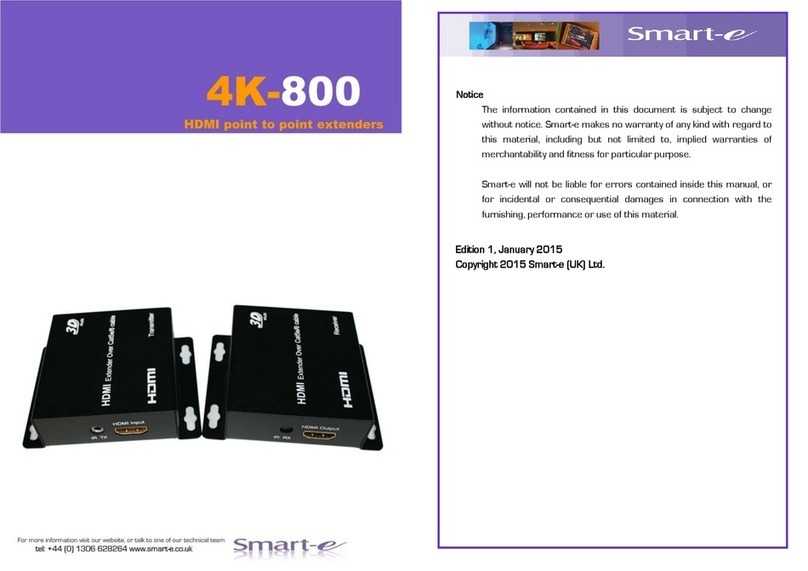
Smarte 4K-800 Manuale utente

Smarte
Smarte SmartLynx SLX-800 Manuale utente

Smarte
Smarte SmartLynx-X+ SLX-212/D Manuale utente

Smarte
Smarte SNX-16x16 X+ Manuale utente


