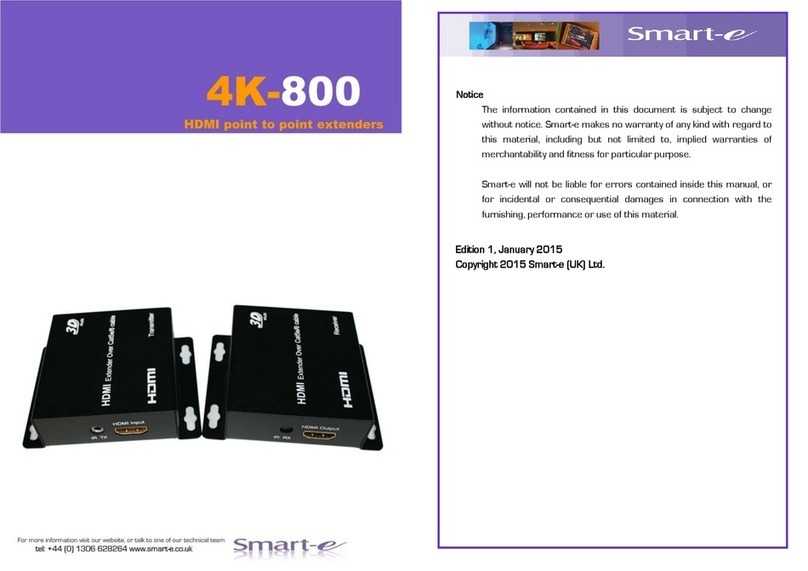
Smarte SDS-901 Manuale utente


Notice
The information contained in this document is subject to change without
notice. Smart-e makes no warranty of any kind with regard to this
material, including but not limited to, implied warranties of
merchantability and fitness for particular purpose.
Smart-e will not be liable for errors contained inside this manual, or for
incidental or consequential damages in connection with the furnishing,
performance or use of this material.
No part of this document may be photocopied, reproduced, or
translated into another language without prior written consent from
Smart-e (UK) Ltd.
Edition 1, August 2011
Copyright 2011 Smart-e (UK) Ltd.

Table of Contents
Introducing Smart Digital Solutions (SDS) .........................................
What’s in the box ...........................................................................................1
What is the SDS-901? .................................................................................2
Why is the SDS-901 necessary? ............................................................2
How does the SDS-901 work? .................................................................2
Installation and Operation
Transmitter ........................................................................................................3
Receiver................................................................................................................8
Appendix
Specifications.....................................................................................................11
Limited warranty statement ......................................................................12
Partial Product List.....................................................................................Back

What‘s in the box?
Thank you for buying the Smart-e SDS CAT 5 AV Extender. Depending
on the configuration of your system various quantities of the parts
below may be included in your shipment.
If any of the accessories listed below are missing please contact the
Smart-e dealer you purchased products from or contact Smart-e
customer support at:
+44 (0) 1306 628264
If you ordered a SmartLynx Set:
Item Description SLX-900
Transmitter Unit One Input and one CAT 5 Output Yes
Receiver Unit One CAT 5 Input and one Output Yes
Power Supply 24Volt 20Watt earthed PSU Yes
Mains Cable IEC Mains Lead Yes
-1-
Introducing SDS-901 CAT 5 AV Extender

What is the SDS-901?
The SDS-901 is a combination of transmitter and receiver devices, de-
signed to transmit high resolution HDMI video and audio signals over CAT 5
-8 wire. AV stands for Audio Visual and includes such signal formats as
Broadcast Video (TV video signal—1080p, 720p & 1080i), Computer Video
(VGA, SVGA, SXGA and etc. signals) and various formats of Audio signals.
Why is SDS-901 necessary?
Sometimes AV signals need to be transmitted over distances greater than
commonly specified product limitations of 5m. In this case several choices
are available, but most are expensive and bulky, which is in some cases
simply not practical, due to space limitations in the conduits.
The SDS-901 allows the transmission of AV signals over a standard CAT 5
–8 UTP cable over distances of up to 100m. The actual distance is a func-
tion of cable type, see below:
How does the SDS-901 work?
The Smart-e SDS-901 is a transmitter and receiver pair designed to extend
HDMI and IR/RS232 signals over (UTP) unshielded twisted pair category 5 -
8 (CAT 5) cabling. They are supplied with a universal input voltage power sup-
ply and consist of a transmitter with a HDMI input and a RJ45 output and a
receiver with a RJ45 input and corresponding HDMI output. Both IR and
RS232 are available simultaneously on 3.5mm mini-jack sockets. The SDS-
901 also has an additional audio channel which can be used for analogue
stereo or S/P DIF via a mini-TOSlink connector all on the same CAT5-8 cable
The system is a ‘plug and play’ solution which no setup required and can com-
pensate for any cable length up to 100m automatically.
Cat Cable Type Maximum Cable Length
CAT5 50m
CAT5e—CAT8 100m
-2-
Introducing SDS-901 CAT 5 AV Extender

1. Preparing for installation
Start installation process by ensuring that all video displays and audio
devices are compatible with the computers or multi-media sources being
used.
This is accomplished by connecting the devices directly to the computer
and checking that the devices operate as desired without the SDS-901
system.
Potential System Set-up:
Install CAT 5 wiring between desired locations. In order to minimize system
operation difficulties, avoid routing the system cables near fluorescent
lights, air conditioners, or machines that may create electrical noise.
Installation and Operation
-3-

Installation and Operation
2. Connect Transmitter to the video signal source
2.1 Connect the HDMI output of the source device to the input of the
transmitter using a high quality HDMI cable
2.2 If needed connect the audio input to either an analogue or a TOSlink
output of the AV source. Select audio type as required by pressing
the Audio Select button on the front panel and check the audio
status LED —on for analogue, off for digital
2.3 Connect the Cat cable to the RJ45
2.4 Plug in the 24V PSU and connect to the mains, check the power
LEDs —green on RJ45, shows 24V inline power, green on front
panel, shows internal 5Volts
-4-

Installation and Operation
3. Connecting Infra-red and RS232 to the transmitter
3.1 The Infra-red is accessed via a 3.5mm mono jack on the left hand side
of the rear panel. Using the appropriate interconnecting device (SM-
LED) connect the jack end to the SDS-TX901 and stick the other end to
the AV device you want to control, making sure the emitter is placed
close to the IR receiver in the AV device.
Note: the pin connections of the SM-LED are an industry standard so
other manufactures should be compatible
3.2 If using RS232 connect control cable to the mini-jack input as shown
in the diagram below, using a CAB-JDF-1M
-5-

Installation and Operation
-6-
4. LED and Audio function
4.1 There are 4 LED indicators on the SDS-901 pair
i) Green on RJ45—shows 24V inline power
ii) Yellow on RJ45—pulses showing correct working
iii) Green on front panel—show internal 5Volts
iv) Green next to the audio connector—on for analogue, off for
digital
4.2 The additional audio channel can be accessed through the mini-
TOSlink connector. This connector has a dual function and can
accept either a standard 3.5mm mini-jack plug or an optical fibre
cable with a mini-TOSlink ends. Alternatively use a TOSlink cable with
an adaptor. Note that what you connect to the transmitter is what
get out at the receiver i.e. digital in digital out or analogue in
analogue out

5. System Power up
5.1 Turn the system on by plugging in the power adapter to the
SDS-900 Transmitter (or Receiver if preferred)
5.2 Power up your computer.
5.3 Observe both transmitter and receiver power LED are ON,
and source device is switched on.
6. Preparing and connecting System CAT-5 cable
The SmartLynx utilizes category 5 (CAT 5), unshielded twisted pair (UTP) cable to
transport signal between transmitter and receiver.
CAT 5 cable is more desirable than coaxial cable, due to its low cost and ease of
installation. This cable is used for LAN applications and is found in abundance,
already installed, in many buildings . The category 5 is a standard which estab-
lishes minimum requirements for telecommunications cabling within a commer-
cial building. The standard covers various aspects of wiring including telecommu-
nications outlets.
Following is the wiring standard for terminating CAT 5 cable using RJ 45 connec-
tor:
Pair 1 Pins 1 & 2
Pair 2 Pins 3 & 6
Pair 3 Pins 4 & 5
Pair 4 Pins 7 & 8
Connectors: RJ-45
Capacitance: 14 pf/ft (46.2 pf/m)
Conductor Gauge: 24 AWG
Impedance: 100 +/- 15 ohms
4 - Pair
Installation and Operation
-7-
Indice
Altri manuali Smarte Estensione

Smarte
Smarte SLX-111 Manuale utente

Smarte
Smarte SDS Manuale utente

Smarte
Smarte 4K-5W155 Manuale utente

Smarte
Smarte SNX-16x16 X+ Manuale utente

Smarte
Smarte 4K-866 Manuale utente

Smarte
Smarte 4K-710 Manuale utente

Smarte
Smarte SLX-211 Manuale utente

Smarte
Smarte SDS-1002 Manuale utente

Smarte
Smarte SmartLynx SLX-800 Manuale utente

Smarte
Smarte SmartLynx-X+ SLX-212/D Manuale utente