
Sonic Blue Volt SP60 Manuale utente
Index
Welcome
1
Contents
RioVolt SP60 User’s Guide
Welcome
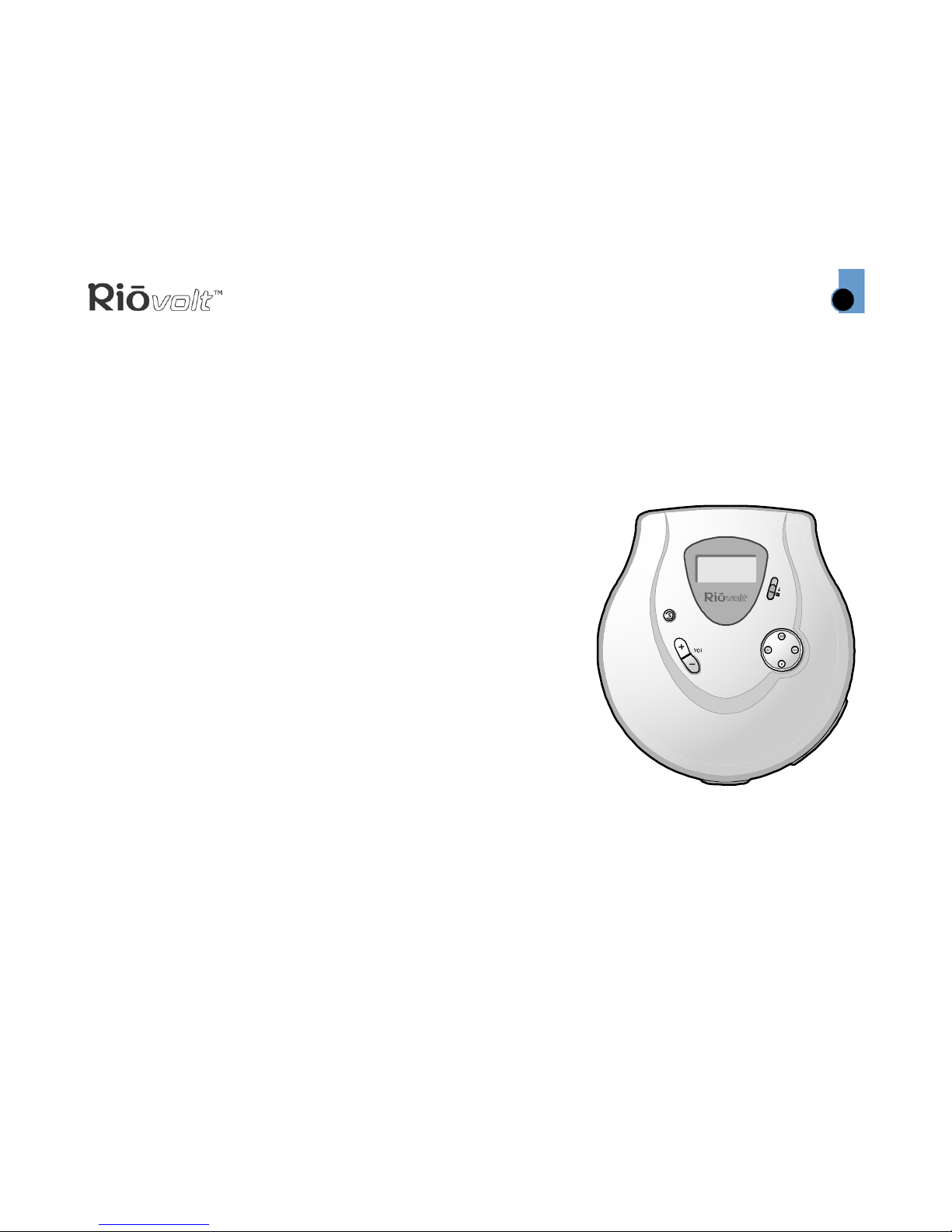
Thanks for your purchase of the RioVolt SP60. The SP60 is a portable CD player that plays MP3 CDs, and
regular Red Book audio CDs. The SP60 includes earphones, two AA-size 1.5 volt alkaline batteries, a lighted
LCD display, and provides Electronic Shock Protection (ESP) to guard against skipping during playback—up
to 40 seconds of ESP for Red Book audio CDs and 120 seconds of ESP for MP3 CDs.
Contents
Navigating the User’s Guide / Using Acrobat
Tour of the RioVolt
Getting Started
Playing Music
Advanced Features
Glossary of Digital Audio Terms
Frequently Asked Questions (FAQ) and Troubleshooting
Warranty Information
Regulatory Information
Customer Care
Index
To learn more:
• Refer to the Quick Start poster for the basics on how to set up and start using your RioVolt.
•VisittheSONICblue Web site at www.sonicblue.com.
Index
Welcome
2
Contents
RioVolt SP60
Navigating the User’s Guide
This User’s Guide is in Adobe Acrobat (.PDF) file format.
Important: It is recommended that you use Adobe Acrobat Reader version 4.0 or higher to
view and print the RioVolt User’s Guide.
Click blue, underlined text links to jump to another location in the document or to a location on the
Internet.
Click the Contents link at the top of any page to go to the list of User’s Guide contents.
Click the Index link at the top of any page to go to the alphabetical Index of topics. Click page numbers in
the Index to jump to a topic.
Using Acrobat
Click the navigation buttons in the Acrobat toolbar to go to the first page, previous page,
next page, or last page of the User’s Guide.
Click the print button in the Acrobat toolbar to print the User’s Guide.
Click the show/hide navigation panel button in the Acrobat toolbar to show a list of bookmarks.
Bookmarks are links to the contents of the User’s Guide. Click any bookmark in the list to jump to the page
in the User’s Guide that contains the topic.
Index
Welcome
3
Contents
Legal Notices
© 2003 SONICblue Incorporated. All Rights Reserved.
SONICblue Incorporated shall not be liable for any errors contained herein or for any damages arising out of or related to this
document or the information contained herein, even if SONICblue has been advised of the possibility of such damages.
This document is intended for informational and instructional purposes only. SONICblue reserves the right to make changes in
the specifications and other information contained in this document without prior notification. SONICblue disclaims any obligation
to update the information contained herein.
Rio®is a registered trademark of SONICblue Incorporated. SONICblue and RioVolt are trademarks of SONICblue Incorporated.
All other product names may be trademarks of the companies with which they are associated.
SP60 P/N 41000836-001
Important Safety Information
WARNING
TO REDUCE THE CHANCE OF SHOCK OR INJURY, DO NOT USE or OPERATE THIS DEVICE IN OR NEAR
WATER OR WET LOCATIONS.
CAUTION
RISK OF EXPLOSION, DAMAGE OR BATTERY LEAKAGE IS POSSIBLE IF BATTERY IS REPLACED
INCORRECTLY OR BY AN INCORRECT TYPE. NEVER ATTEMPT TO CHARGE A NON-RECHARGEABLE
ALKALINE BATTERY. DISPOSE OF USED BATTERIES ACCORDING TO INSTRUCTIONS OR LOCAL LAWS.
Use of headphones while operating a vehicle is not recommended and is unlawful in some states and areas.
Be careful and attentive while driving. Stop operation of the player if you find it disruptive or distracting
while operating any type of equipment.
Listening to music at full power over extended periods of time can be damaging to the hearing of the user.
Class 1 Laser
Invisible laser radiation when open and interlocks defeated, avoid exposure to beam.

Index
Tour of the RioVolt
4
Contents
RioVolt SP60
Tour of the RioVolt
SKIP PREVIOUS
Press to skip to the previous track
Press and hold for fast backward
MODE
Press to set
Playback,
Equalizer, Search,
and ESP options
STOP
Press to stop playback
Press and hold to turn off player
Battery Compartment
Cover
Slide out and lift up
Insert 2 AA-size alkaline
batteries in compartment
PLAY/PAUSE
Press to play or pause playback
Press and hold to turn on player
SKIP NEXT
Press to skip to the next track
Press and hold for fast forward
Display (LCD)
VOLUME + and -
Press to adjust
volume level
LOCK/UNLOCK
Disable or enable key lock to prevent accidental
operation
Index
LCD
5
Contents
Tour of the RioVolt (continued)
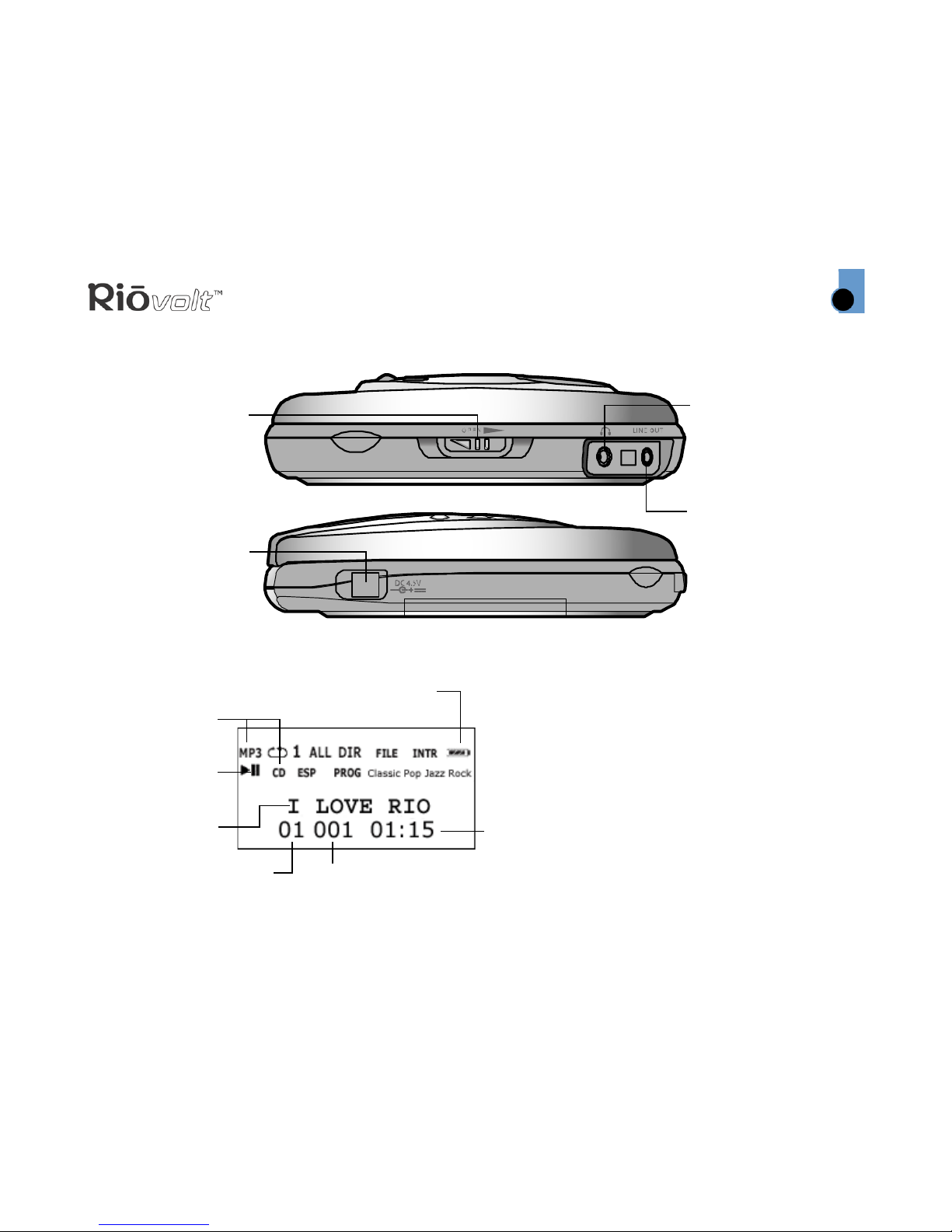
LCD
OPEN
Opens the player’s
front cover
EARPHONE
Connects to
earphones, and
headphones
DC IN
Connects to optional
power adapter to
save battery life
LINE OUT
Connects to external
audio system (cable
not included)
Right Side
Front
Power Indicator
Track Number
Play/Pause
Indicator
Album/
Track Title Track Time
CD Type
(Audio or
MP3)
Album Number

Index
LCD
6
Contents
RioVolt SP60
LCD (continued)
Playback Option
Album Number
Advanced
Features
Programmable
Playback
Track Number Preset Track
Electronic Shock
Protection
Indicator
(Audio CD Only)
Mode Option
Equalizer Option
Index
Getting Started
7
Contents
Getting Started
Unpack
Make sure your player includes the following
accessories:
• Two AA 1.5 volt alkaline batteries
•Earphones
•QuickStartposter
Insert Batteries
1 Slide open the battery compartment cover on the
back of the RioVolt.
2 Insert the two supplied batteries. Ensure the
batteries are inserted properly by matching the
+ and - symbols on the battery with the symbols
on the RioVolt.
3 Replace the battery compartment cover.
Connect Earphones
Connect the supplied earphones to the
EARPHONE port on the side of the player.
Tip: You can also use the LINE OUT jack to
connect the player to an external audio
system (cable not included) or optional car
kit (not included).
Index
Playing Music
8
Contents
RioVolt SP60
Playing Music
Insert Disc
1 Slide the OPEN button to release the latch, and
open the CD cover.
2 Remove the cardboard insert.
3 Insert an Audio CD or MP3 CD into the player,
label side up.
4ClosetheCDcover.
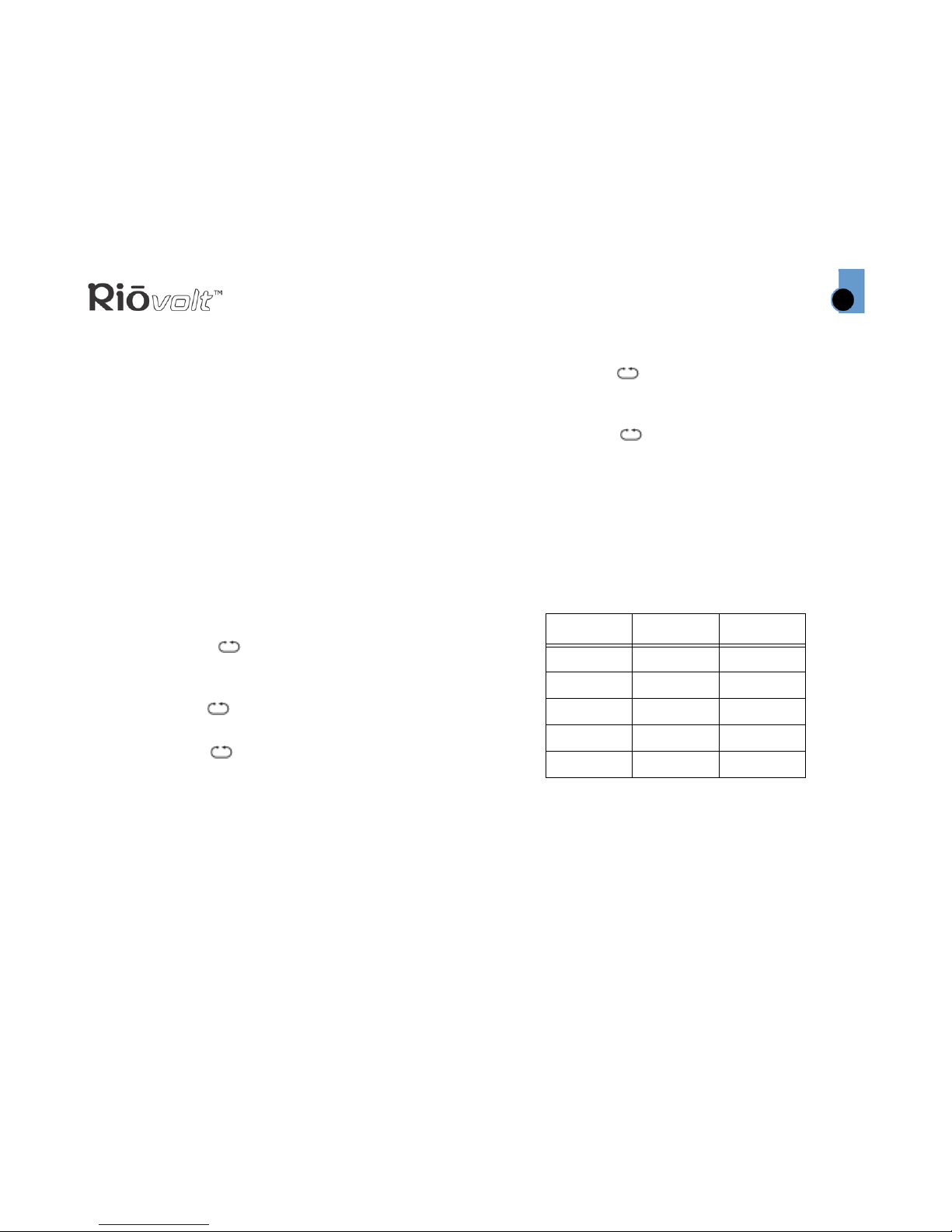
Note: The RioVolt can play CDs with the
following logos:
Play Disc
1 Press the PLAY/PAUSE button to turn on the
player and begin playback.
Note: There will be a short delay while the
player loads your music tracks and track
information.
2 Press STOP to stop playback. Press and hold
STOP to turn off the player.
Index
Advanced Features
9
Contents
Advanced Features
Available advanced features include:
Playback
Equalizer
Search
Electronic Shock Protection
Programmable Playback
Playback Options
While playing a track, press MODE once to display
the playback options. Press SKIP NEXT to select
from the following playback options.
•Repeat Off:
No advanced playback options have been set.
Repeat Off is the default setting.
•Repeat One: 1
Plays the current track playing on the CD then
repeats.
•Repeat All: ALL
Plays all tracks on the CD then repeats.
•Repeat Dir: DIR
Plays all tracks in the current album then
repeats. (MP3 CD only)
•Intro Scan: INTRO
Plays the first 10 seconds of all tracks on the CD.
•Random:
Plays all tracks on the CD in random order, then
stops.
•Random All: ALL
Plays all tracks on the CD in a random order then
repeats.
•Random Dir: DIR
Plays all tracks in an album in a random order
then repeats. (MP3 CD only)
Equalizer Options
While playing a track, press MODE twice to display
the equalizer options. Press SKIP NEXT to select
from the following equalizer options:
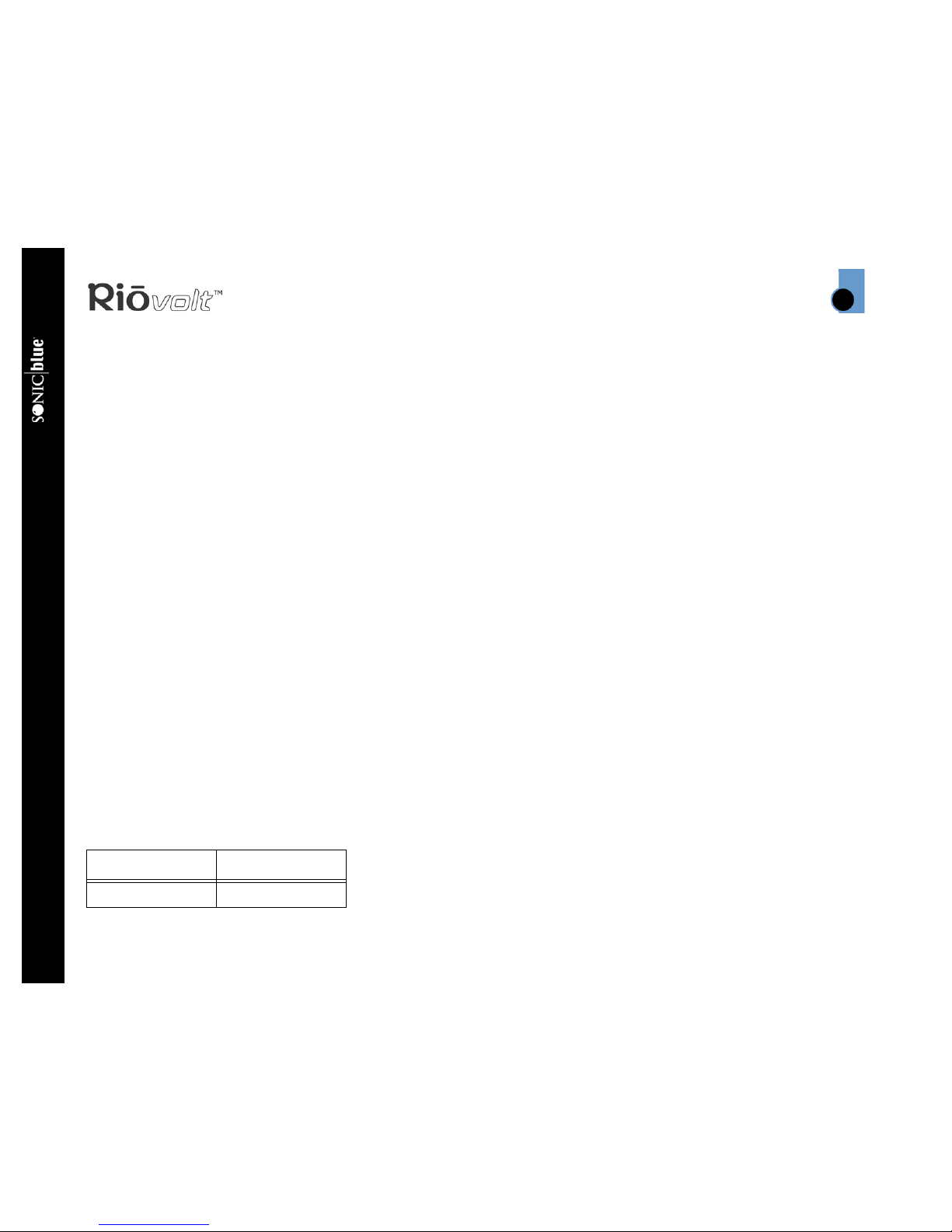
Option Bass Treble
Normal 0 0
Classic +2 +2
Pop +3 +3
Jazz +2 +3
Rock +4 +3
Index
Advanced Features
10
Contents
RioVolt SP60
Search Mode
While playing a track on a MP3 CD, press MODE
three times to access the search mode. Press SKIP
NEXT to select from the following two options:
•File Skip:
Sets SKIP PREVIOUS and SKIP NEXT to cycle
through tracks on the current album when
pressed during normal playback. File Skip is the
default setting.
•Album Skip:
Sets SKIP PREVIOUS and SKIP NEXT to cycle
through the albums on the CD when pressed
during normal playback.
Note: Search mode options are only available for
use with MP3 CDs. The Album Skip feature is only
available when MP3s on a CD are saved in different
directories on a CD.
Electronic Shock Protection
The Electronic Shock Protection (ESP) menu
controls how much digital audio is buffered (stored
in memory to prevent skipping) during CD playback.
The amount of digital audio the RioVolt SP60 can
buffer depends on the format of the digital audio.
While playing a track on an Audio CD, press MODE
three times to access the ESP menu. Press SKIP
NEXT to select from the following two options:
•ESP On:
Electronic Shock Protection is enabled. ESP on is
the default setting.
•ESP Off:
Electronic Shock Protection is turned off.
Note: Electronic Shock Protection is always on
during MP3 playback.
Programmable Playback
Up to 32 tracks can be programmed into a custom
playlist.
1 Press STOP once to cease CD playback.
2 Press MODE.
3 Press SKIP NEXT or SKIP PREVIOUS to cycle to
the desired track.
4 Press MODE to store the selected track into
memory.
The displayed program count will read P-001, P-
002, etc. as tracks are added to memory. When
no additional tracks can be added, the display
will read FULL.
5 Press PLAY/PAUSE to play.
The custom playlist will remain stored in memory
even if playback of a playlist is stopped. When
playback of a custom playlist is stopped the
following options become available:
CD Audio MP3
40 seconds 120 seconds
Questo manuale è adatto per i seguenti modelli
1
Indice
Altri manuali Sonic Blue Lettore CD

Sonic Blue
Sonic Blue SP100 Manuale utente

Sonic Blue
Sonic Blue Volt SP250 Manuale utente

Sonic Blue
Sonic Blue RioVolt SP65 Manuale utente

Sonic Blue
Sonic Blue Volt SP150 Manuale utente

Sonic Blue
Sonic Blue RioVolt SP50 Manuale utente

Sonic Blue
Sonic Blue Volt SP150 Manuale utente

Sonic Blue
Sonic Blue RioVolt SP350 Manuale utente

Sonic Blue
Sonic Blue SP100 Manuale utente

Sonic Blue
Sonic Blue Volt SP250 Manuale


