
Sunbeam FA7450 Manuale utente
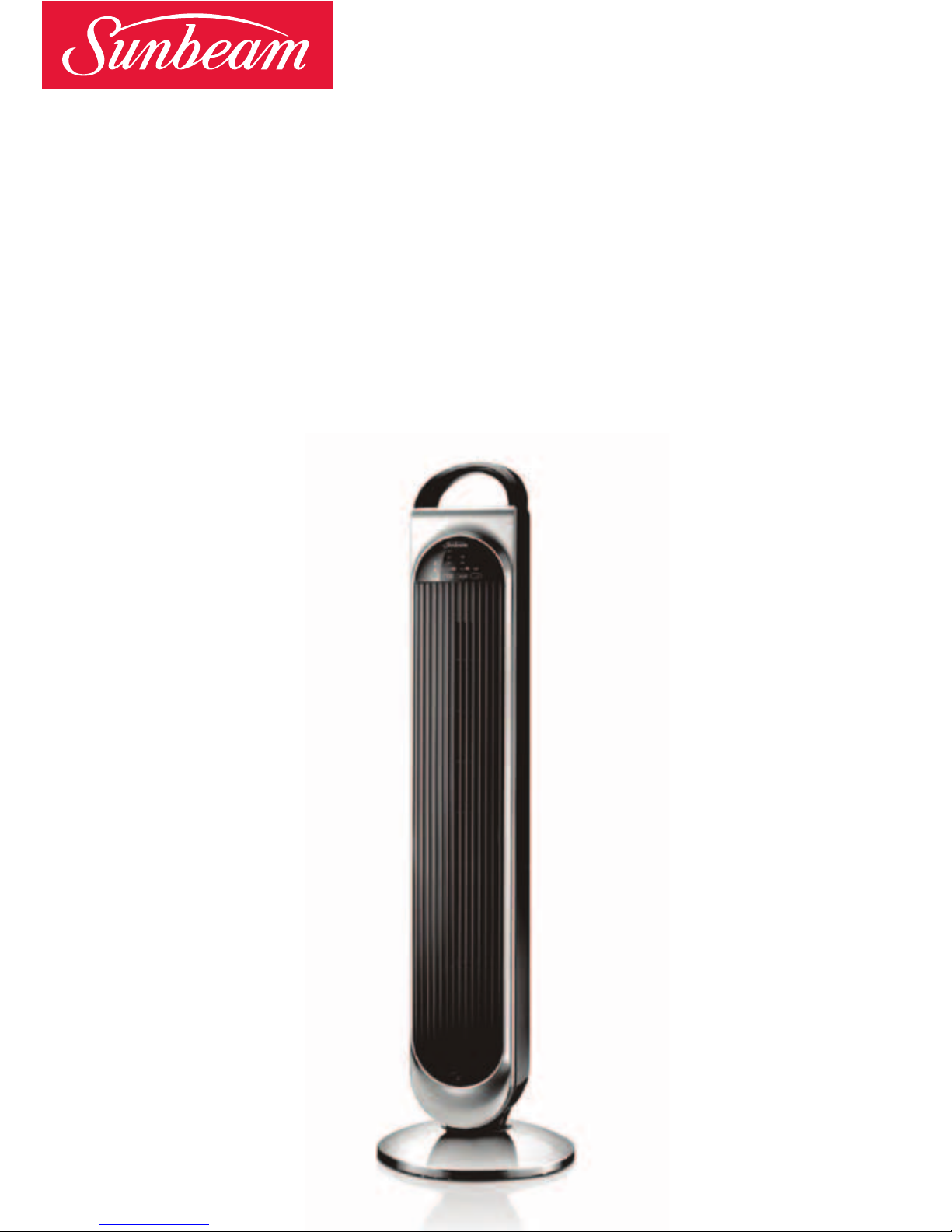
Please read these instructions carefully
and retain for future reference.
Sunbeam Tower Fan
with Remote Control
Instruction Booklet
FA7450 99cm Tower Fan

Contents
Important instructions – retain for
future use.
Sunbeams Safety Precautions 1
Safety Precautions For Your Tower Fan 2
Locating Your Tower Fan 3
Features of Your Tower Fan 4
Assembling Your Tower Fan 5
Remote Control 6
Using Your Tower Fan 7
Troubleshooting Guide 11
Care And Cleaning 11

Sunbeam is very safety conscious when
designing and manufacturing consumer products,
but it is essential that the product user also
exercise care when using an electrical appliance.
Listed below are important precautions for the
safe use of an electrical appliance.
• Readcarefullyandsavealltheinstructions
providedwithanappliance.
• Alwaysturnthepoweroffatthepoweroutlet
beforeyouinsertorremoveaplug.Remove
bygraspingtheplug-donotpullonthecord.
• Turnthepoweroffandremovetheplug
whentheapplianceisnotinuseandbefore
cleaning.
• Donotuseyourappliancewithanextension
cordunlessthiscordhasbeenchecked
andtestedbyaqualifiedtechnicianor
serviceperson.
• Alwaysuseyourappliancefromapower
outletofthevoltage(A.C.only)marked
ontheappliance.
• Thisapplianceisnotintendedforuseby
persons(includingchildren)withreduced
physical,sensoryormentalcapabilities,or
lackofexperienceandknowledge,unlessthey
havebeengivensupervisionorinstruction
concerninguseoftheappliancebyaperson
responsiblefortheirsafety.
• Childrenshouldbesupervisedtoensurethat
theydonotplaywiththeappliance.
• Thetemperatureofaccessiblesurfacesmaybe
highwhentheapplianceisoperating.
• Neverleaveanapplianceunattendedwhile
inuse.
• Donotuseanapplianceforanypurpose
otherthanitsintendeduse.
• Donotplaceanapplianceonornearahotgas
flame,electricelementoronaheatedoven.
• Donotplaceontopofanyotherappliance.
• Donotletthepowercordofanappliancehang
overtheedgeofatableorbenchtoportouch
anyhotsurface.
• Donotoperateanyelectricalappliancewith
adamagedcordoraftertheappliancehas
beendamagedinanymanner.Ifdamageis
suspected,returntheappliancetothenearest
SunbeamAppointedServiceCentre
forexamination,repairoradjustment.
• Foradditionalprotection,Sunbeam
recommendtheuseofaresidualcurrent
device(RCD)withatrippingcurrentnot
exceeding30mAintheelectricalcircuit
supplyingpowertoyourappliances.
• Donotimmersetheapplianceinwater
oranyotherliquidunlessrecommended.
•Appliancesarenotintendedtobeoperated
bymeansofanexternaltimerorseparate
remotecontrolsystem.
•Thisapplianceisintendedtobeusedin
householdandsimilarapplicationssuch
as:staffkitchenareasinshops,officesand
otherworkingenvironments;farmhouses;by
clientsinhotels,motelsandotherresidential
typeenvironments;bedandbreakfasttype
environments.
Sunbeam’s Safety Precautions
1
Ifyouhaveanyconcernsregardingtheperformanceanduseofyourappliance,
pleasevisitwww.sunbeam.com.auorcontacttheSunbeamConsumerServiceLine.
Ensuretheabovesafetyprecautionsareunderstood.

•Donotuseoutdoors.
• Donotrunthecordofthefanunder
carpeting.Donotcoverthecordwiththrow
rugs,runnersorotherfloorcoverings.
Arrangethecordawayfromtrafficareasso
thatitwillnotbetrippedover.
• Donotusethisfanintheimmediate
surroundsofabath,shower,laundryarea
orswimmingpool.
• Besurethefanisplacedonadry,even
surface.Donotuseonsoftsurfaces,such
asbeds,whereopeningmaybecome
blocked.
• Keepyourfanawayfromheatsources,
corrosivegasesandavoiddirectsunlight.
• Thisfanisonlytobeusedwiththebase
fittedandingoodcondition.
• Disconnectthepowerplugbefore
dismantling,assemblingorbeforecleaning.
• Alwaysunplugthefanwhennotinusefor
anylonglengthoftime.
• Thefanmustnotbeusediftheguardsare
damagedinanyway.
• Donotinsertorallowforeignobjectsto
enteranyventilationorexhaustopenings
asthismaycauseelectricshockorfire,or
damagetothefan.
• Neverinsertfingers,pencilsoranyother
objectsthroughtheguardswheneverthe
powerplugisconnected,especiallywhile
running.
• Avoidtouchingmobilepartsofthefan.
• Donotattempttomoveyourfanwhilstitis
operating.Ifyourfanneedstobemoved,
pleaseensurethatitisturnedoffandyou
usethecarryhandleontopofthetower.
• Whenscrappingthefanattheendofits
usefullife,followlocalregulations.
Safety Precautions For
Your Tower Fan
2

1.Alwayslocateyourfanonalevelsurface.
2.Yourtowerfanshouldbelocatedinadry,
cool,wellventilatedlocation.Keepyour
fanawayfromheatsources,corrosivegases
andavoiddirectsunlight.
3.Donotattempttomoveyourtowerfan
whilstitisoperating.Ifyourfanneedsto
bemoved,pleaseensurethatitisturned
offandyouusethecarryhandleontopof
thefan.
Locating Your Tower Fan
3

Features Of Your Sunbeam
Tower Fan
Carry handle
Convenientcarryhandleallowsyoutoeasily
carryyourfanfromroomtoroom.
Control Panel
Simplypresstheon/offbuttontoturnthe
uniton.Usetheotherbuttonstoselectwind
mode,timer,speedandoscillationfunctions.
Indication Panel
Theindicationpanelallowsyoutoquickly
seewhichfunctionshavebeenselectedon
yourtowerfan.
4

1.Locatethetwohalvesofthebase.
2.Removethetwobutterflyscrewsfrom
underneaththetowersectionofthefan
andsetaside.
3.Feedthepowercordbetweenthetwo
halvesofthebase.SeeFigure1.
4.Clipthetwohalvesofthebasetogether,
ensuringthecordremainswithinthe
channelformedwhenthetwohalvescome
together.
5.Placethetwobutterflyscrewsbackinto
theholestheywereremovedfromand
firmlyfasten.SeeFigure2.
6.Feedthepowercordthroughthetwo
guidesonthebottomofthebase;thecord
willthencomeoutthroughtheouterrim.
7.Insertthe4siliconfeetprovidedintothe
holesunderthebase.
8.Standthefanupright,itisnowreadyfor
use.SeeFigure3.
Assembling Your Tower Fan
5
Figure1
Figure2
Figure3

Remote Control
6
Remote control
Operateswithin8metresofthe
TowerFan.
Fan speed button
Choosefrom3speedsettings,
lowmediumorhigh.
Wind Mode
Youhaveachoiceof2Natureor
Sleepairflowtypes.
Whenusedinnaturemode,the
fanspeedisrandomlyadjusted,
givingthefeelingofanatural
breeze.
WhensettoSleepModethe
fanspeeddecreasesafter30
minutesfromhightomedium,
thenmediumtolow.Whenused
withthetimer,willultimately
switchtheunitoff.
Oscillation
Yourtowerfanoscillates70°,
distributingcoolairthroughout
theroom.
Preset/Timer
Thepresettimerallowsyouto
setyourtowerfantoturnon/off
after1,2,4or8hours.
Using the remote control
1. Point the remote towards the control panel
on the front of the tower to operate.
Inserting or changing the batteries
1. Slide the rear cover off the remote control
unit.
2. Insert the 2 AAA batteries provided with your
tower fan.
3. Replace the rear cover.

7
Switching the fan on
1. Place the fan on a level surface.
2. Insert the plug into a 230/240V power outlet
and turn the power on.
3. Press the power button on/off.
4. Press the fan speed button to select
low, medium or high depending on your
preference.
Switching the fan off
• To switch the fan off, simply press the power
button on/off .
• If you will not be using the fan for a length of
time, it is advisable to turn the power off at
the wall socket and unplug the power cord.
Selecting a fan speed setting
Your Sunbeam tower fan has 3 speed settings
as follows:
• low speed “ ” light illuminates
• medium speed “ ” light illuminates
• high speed “ ” light illuminates
To select a fan speed, simply press the fan
speed button on the tower or the remote. Each
press of the button will increase the fan speed
and then return back to the lowest speed
again.
Using Your Tower Fan

8
Using Your Tower Fan (continued)
Using the oscillation function
The 70 degree oscillation function can be used
on any setting.
1. Turn the unit on and select any fan speed.
2. Press the ‘OSC’ button on the tower or the
remote. The fan will begin to oscillate from
side to side.
To stop the fan from oscillating, simply press
the ‘OSC’ button once again.
Using the preset timer
To set the Timer to turn off
1. Press the on/off button.
2. Press the Preset/Timer button, which
automatically starts at 1hour (1H).
To change the time, press the Preset/Timer
button until the desired time is 1, 2, 4 or 8H.
3. To Turn off the timer, continue pressing the
Preset/Timer button until there is no light
illuminated.
Note: Alternatively, you can press the on/off
switch to turn off the fan and turn back on
again. This also disengages the timer function.
Indice
Altri manuali Sunbeam Fan

Sunbeam
Sunbeam SSF2120-CN Manuale

Sunbeam
Sunbeam FA8900 Manuale utente

Sunbeam
Sunbeam SSF1610B-CN Manuale

Sunbeam
Sunbeam SBF2012-CN Manuale utente

Sunbeam
Sunbeam FA7500 Manuale utente

Sunbeam
Sunbeam FA7200 Manuale utente

Sunbeam
Sunbeam FA7550 Manuale utente

Sunbeam
Sunbeam Holmes HTF3131 Manuale utente

Sunbeam
Sunbeam SFF2012B-CNB Manuale utente

Sunbeam
Sunbeam FA7250 Manuale utente


