
Symcode BROCHURE Manuale utente
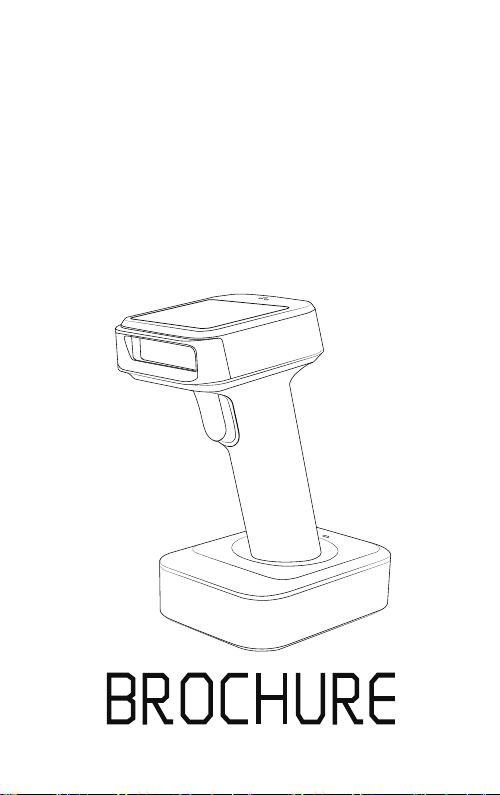
User 's manual
TFT Screen Intellectual Wireless
Barcode Scanner


1
Precautions
1. Please read the user manual carefully before using this barcode
scanner.
2. The working voltage of this barcode scanner is 3.3V, charging
voltage 5V. Please use our original USB cable and AC power adapter
to ensure the scanner is working properly.
3. Copyright and Patent Notice Our company reserves the copyright,
software copyright and sufficient patents of the ring
barcode scanner and its accessories(including firmware,MR Configurator,
illustration documents,appearance and so on. )
4. Our company reserves all rights, reserves the right to make any
changes to the product to improve its reliability, function or design.
Our company shall not be liable for applications or use of any
product or circuit with our scanner, or any liability arising therefrom
or in connection with any other applications described herein.
5. Our wireless barcode scanner accessories:
A:standard package: :barcode scanner (1 piece), WIFI dongle
(1 piece), USB cable (1 piece), user manual (1 piece).
Optional Accessory:Stand
Optional function:Vibration
6. The contents of this manual are subject to change without prior
notice.
TFT Screen Intellectual Wireless Barcode Scanner

2
Contents
1.Precaution
2.Introduction and Features
3.Application & Execution Standards
4.Working Conditions& Related regulations
5.Appearance
6.How to use the barcode scanner
7.Initialization Settings&Version Information
8.Bluetooth Pairing Method
10.2.4G Pairing Method
11. Sound and Vibration Setting
12.Standby Time Setting
13.Language Settings
14. End Character Setting
15.Transmission Speed Setting and Bluetooth protocal
16.Operating Mode
17.Bluetooth Name Change Setting
18.Hide front and back characters
19.Set Prefix and Suffix
1
.................................................................
3
...............................................
4
...................................
5
..........................
6-8
.................................................................
9-10
......................................
11
........................
11
.................................................
13
.......................................................
14
...........................................
15
.....................................................
16
..........................................................
17
...................................................
18
..........
19-20
............................................................
21
......................................
22-23
......................................
23
.......................................................
9.IOS Pull up and Hide Keyboard&Caps Lock Switch 12
...............
20.Add time in the prefix or suffix & Time Updating ...............24
TFT Screen Intellectual Wireless Barcode Scanner
21.Appendix A
21.Time Update Setting
29-38
..................................................................
25-28
.......................................................
22.FAQ(Frequently Asked Questions) 39
...................................
23.Buzzer and Indicator Light State 40
......................................

3
Our company's barcode scanner series are with strong scanning
light source and enhanced long distance scanning technology,
making it possible for long distance fast scanning capability for
damage, dirty and poor quality printed barcodes under various
ambient light conditions.
It is durable in use, since it is protected by the industrial safty
technique.High volume buzzer is another hint of success scanning
besides LED light.
Introduction
TFT Screen Intellectual Wireless Barcode Scanner
Features
Wired ,wireless and bluetooth triple-mode freely
switching.
Large capacity storage, safe and reliable.
Stores barcodes more than 50000pcs off-line scanning.
Unique power management system, ultra-long
standby time.
Rich symbologies supported
Adopting imported trigger button, long lifespan,
fitting perfectly in your hand for comfortable use.
Support Android/IOS devices/Windwos
Support HID、SPP、BLE protocol
Mini size, fashion design,and portable
Ultra low power consumption and standby time
setup available
Bluetooth transmission distance:15m (indoor)
Support upload data and charge the battery via
USB cable at the same time.

4
Application
* Applicable to Business (electrical, book, clothing, medicine,
cosmetics, etc.), retail industry, postal service, telecommunications
industry,warehousing, logistics industry, public security system,
customs systems,banking system, medical system.
* Compatible with Microsoft, Android, Linux and other operating
systems.
* Multi-national keyboard language
TFT Screen Intellectual Wireless Barcode Scanner
Scanner Execution Standards
Wireless protocol:bluetooth 2.4G
Memory: 16Mb
Processor: ARM Cortex 32bits
Bluetooth version: Bluetooth 4.1Module
Supported symbologies: 1D: Codabar,Code 11,
Code93,MSI,Code 128,UCC/EAN-128,Code 39,EAN-8,
EAN-13,UPC-A,ISBN,Industrial 25,Interleaved 25,
Standard 25,2/5 Matrix,
2D:QR,DataMatrix,PDF417,Aztec,Hanxin ,
Micro PDF417(option)
Indicator: Led、Buzzer、Vibrator(option)
Battery capacity:1800mA
Charging voltage/current: 5V/1A
Endurance:1D≤24H 2D≤16H(5seconds/scan)
Charge time:≤4hours
Standby: >30days

5
Related Regulations
Electrical safety:In accordance with UL1950、CSA C22.2 No.950、
EN60950/IEC950 EMI/RFI:FCC Part 15 Class B、
European Union EMC Directive、Taiwan EMC、
Environment Terms: In accordance with RoHS directive 2002/95/EEC
Working Conditions
Working Temperature: 32°F to 104°F/0°C to 40°C
Storage Temperature: -40°F to 140°F/-40°C to 60°C
Humidity: 5% to 95% relative humidity (no condensation)
Ruggedness: Resist about 6 times drops from 1.5m to concrete ground
Ambient Light Immunity: Under normal office and factory ambient
lighting conditions, or exposed to the sun
won’t take any effect to it.
Electrostatic discharge: In line with 15KV air discharge and
8KV contact discharge requirements
TFT Screen Intellectual Wireless Barcode Scanner
6
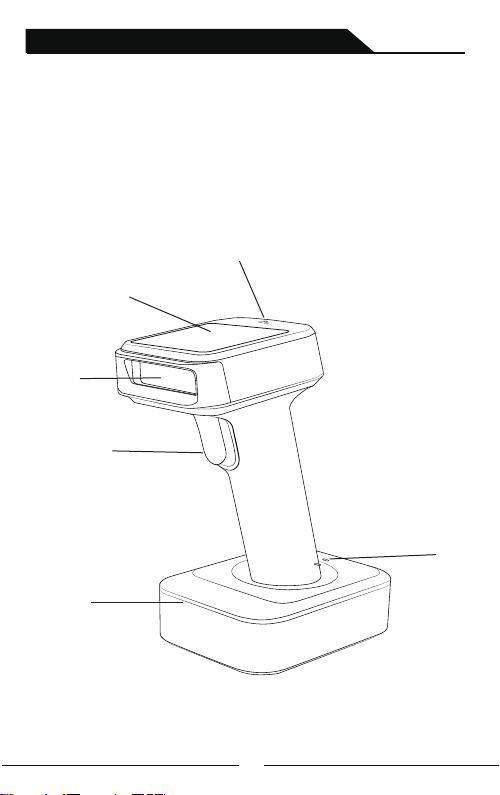
Appearance
Indicator
Scanning
Window
Scan Trigger
Pedestal
Viewing Screen
Power Indicator Light
TFT Screen Intellectual Wireless Barcode Scanner
7
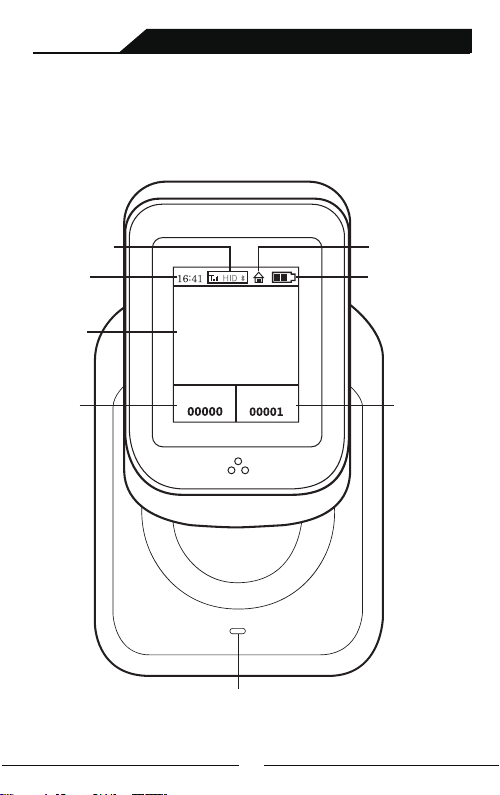
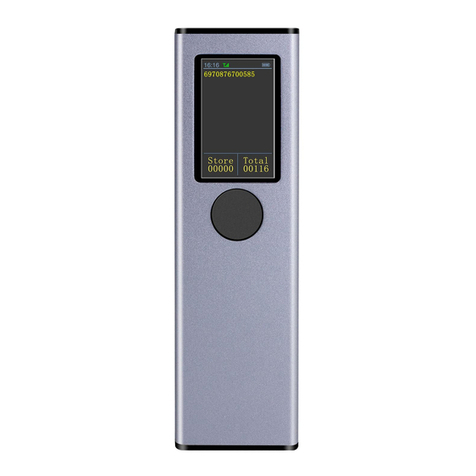
Discription of Viewing Screen
Battery LevelCurrent Time
Normal/Storage Mode
Connection Mode
Power Indicator Light
Barcode Data
Total stored
barcodes
Total amount
Store Total
TFT Screen Intellectual Wireless Barcode Scanner
8
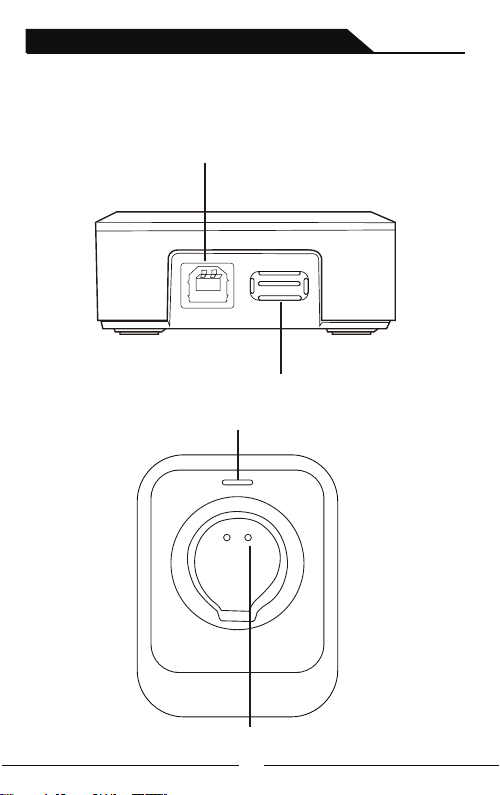
USB cable interface
2.4G receiver interface
Barcode scanner charging tank
Power Indicator Light
diagram of base side(Option )
TFT Screen Intellectual Wireless Barcode Scanner
Altri manuali per BROCHURE
1
Questo manuale è adatto per i seguenti modelli
1
Indice
Altri manuali Symcode Lettore di codici a barre
Manuali Lettore di codici a barre popolari di altre marche

POSMicro
POSMicro Datalogic PowerScan D7100 Manuale utente

Marson
Marson MT780 Guida rapida alla configurazione

NCR
NCR RealPOS Manuale utente

Motorola
Motorola SE3300 Guida rapida alla configurazione

Element
Element P130BT Manuale utente

Motorola
Motorola Symbol LS3008 Manuale di installazione e funzionamento


