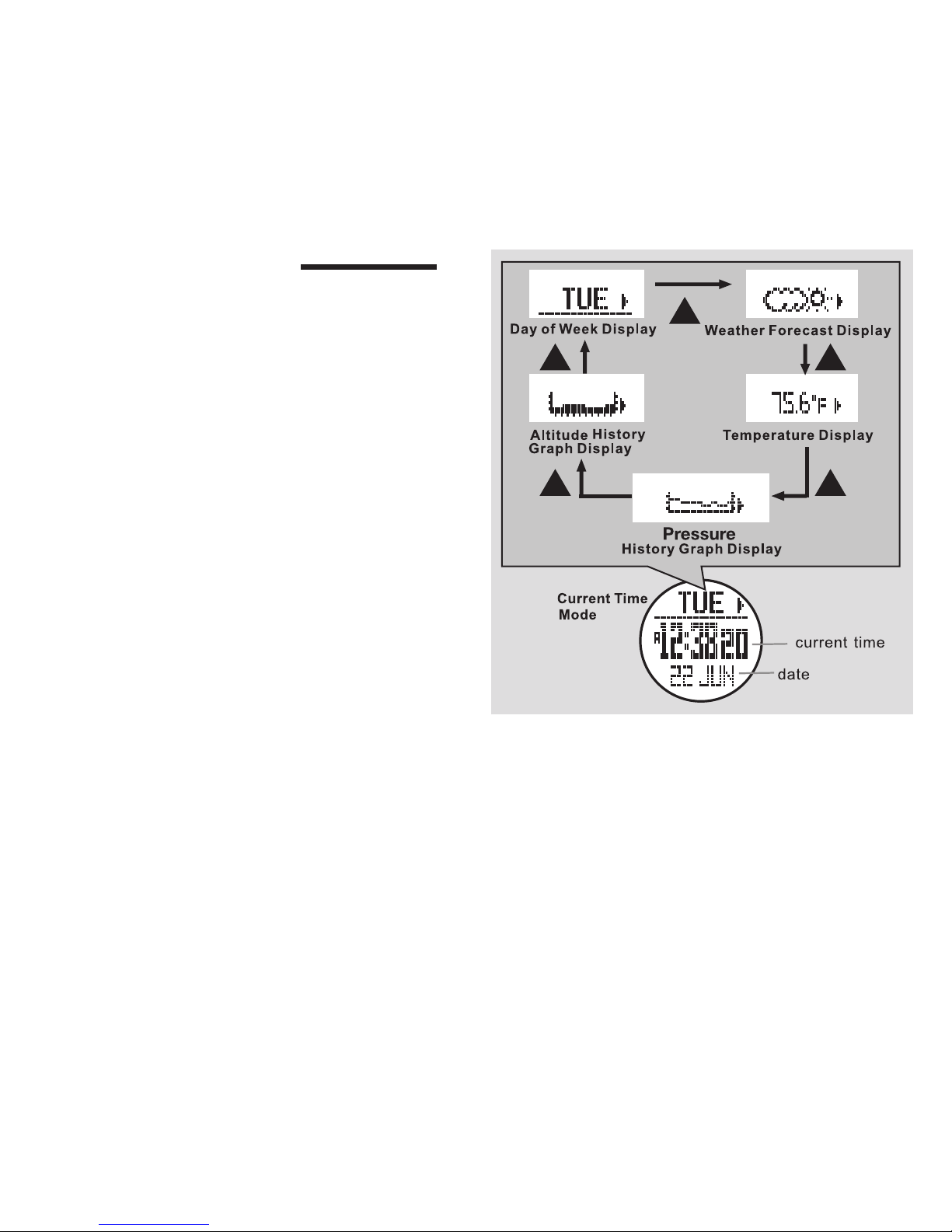
* Press ▼to scroll to Pressure
* Press Mto select Pressure
* Press ▲or ▼to select: mb, hPa or inHg
* Press ESC to confirm and exit Pressure
Continue to scroll through the remaining windows in
this screen- Temperature, Speed ,Other- and use
▲or ▼to select temp- ˚F or ˚C, speed- km/h,
m/h or knot, and metric or imperial
• Press ESC to exit the Time/Date/System/User/Unit
set menu
1.6 Enter Your Personal Data (Gender, Birth, Height,
Weight, Stride)
Access the Time/Date Mode Display.
• Hold Mfor 3 seconds to enter Time/Date/ System/
User set menu
• Press ▼to scroll to User
• Press Mto enter User
* Press Mto enter Gender
* Press ▲or ▼to scroll to Male or Female
* Press ESC to confirm and exit Gender
Continue to scroll through the remaining windows
in this screen- Birth, Height, Weight, Stride- and
press Mto enter and use ▲or ▼to enter your
personal data
• Press ESC to exit the Time/Date/System/User set
menu
See www.tech4o.com for our stride length calculator.
2.0 ALARM MODE
You can set two alarms for daily, weekly or never.
Access the Alarm Mode Display.
See fig. 6.
Display Features:
* Top Row: Alarm 1 or 2. Press ▲
to select between them
* Middle Row: Alarm Time
* Bottom Row: Alarm Status
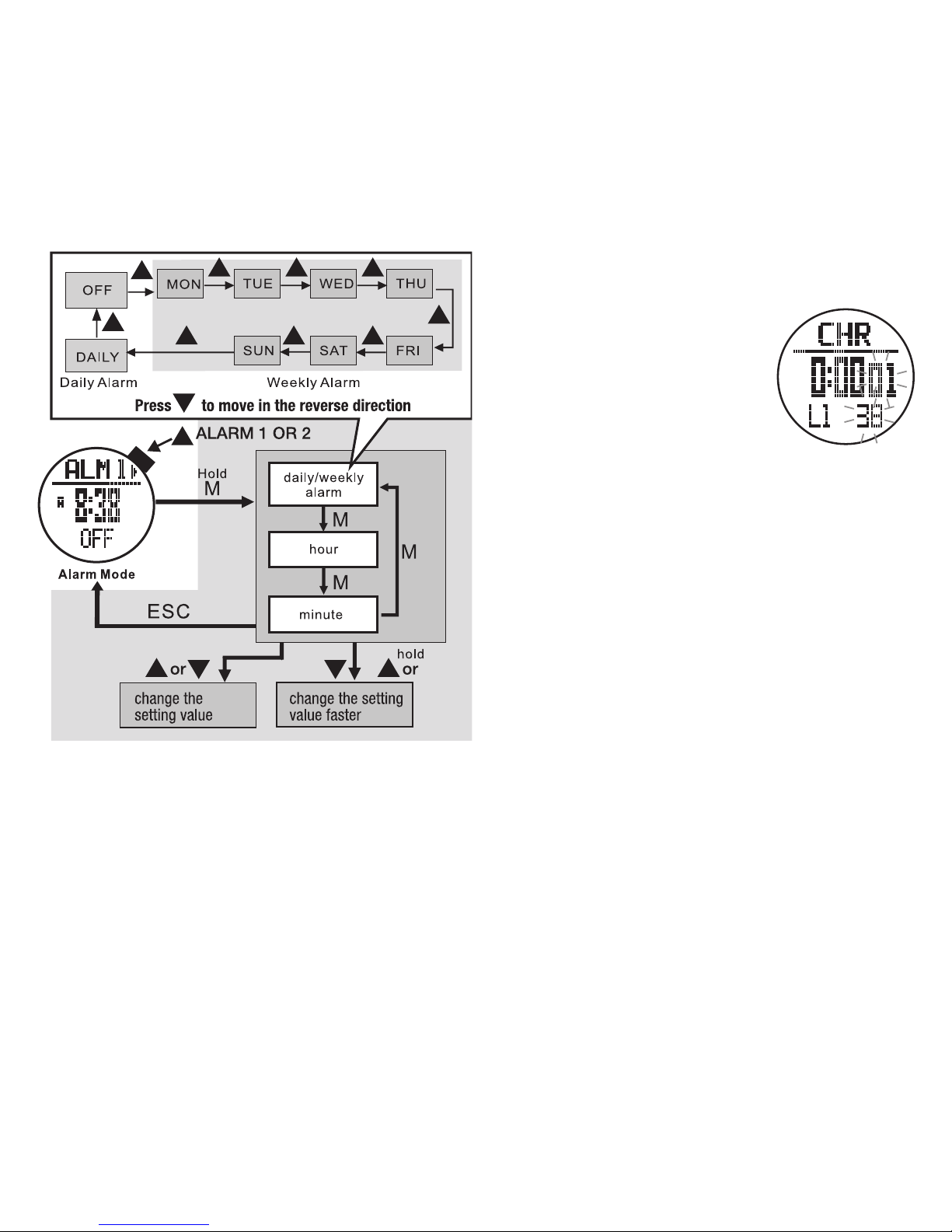
2.1 Set an Alarm Daily/Weekly/Off, Hour, Minute
Access the Alarm Mode Display.
See fig. 7 on the next page.
• Press ▲to select between alarm 1 or 2
• Hold Mfor 3 seconds to enter Alarm set mode
* Press ▲or ▼to select a daily or weekly alarm
or to turn off
* Press Mto confirm your selection
* When an alarm is scheduled, the alarm icon
will appear at the display bottom
* Press ▲or ▼to adjust the hour
* Press Mto confirm selection
* Press ▲or ▼to adjust minute
* Press ESC to confirm selection
• Repeat to set additional alarms
2.2 Alarm Function
a scheduled alarm will chime for 30 seconds and
then turn off.
fig. 6