Tenmars TM-83D Manuale utente

THERMOMETER
TM-83
TM-84
TM-83D
TM-84D
User’s Manual
HB2TM8300002


Contents
1Introduction..............................................................1
2Accessories..............................................................1
3Safety Precaution....................................................1
4Meter Description....................................................2
5Operation..................................................................3
5.1 Backlight...........................................................3
5.2 Alarm Function:...............................................3
5.3 Thermocouple Type Selection (TYPE).........4
5.4 Manual Record (Rec) .....................................4
5.5 Data Hold.........................................................5
5.6 Auto Power Off................................................5
5.7 Relative Value Measurement ........................6
5.8 Offset Setting (OFFSET):...............................7
5.9 T1-T2 Display: (TM-84/TM-84D)...................8
5.10 Maximum /Minimum/ Average Value:...........9
5.11 FunctionSettings:Step1~Step5....................10
6Software Installation (TM-83D/84D) ...................14
7General Specifications..........................................16
8Electrical Specifications........................................17
9Maintenance and Repair......................................18
10 Battery Replacement............................................18
11 Product disposal....................................................18

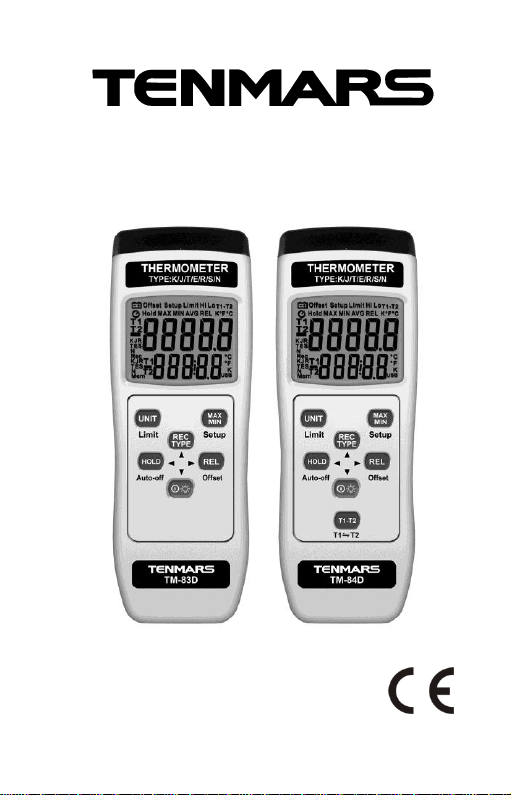
TM-83/83D TM-84/84D
- 1 -
1
1 Introduction
The TM-8X series thermometers are K /J/ T / E/ R /
S/ N type thermocouple thermometers.
2 Accessories
1
Meter
1
User manual
1
9V alkaline battery
1
Carrying case
1
9V AC to DC adaptor (TM-83D/84D)
1
USB cable (TM-83D/84D)
1
Installation disk (TM-83D/84D)
3 Safety Precaution
Note! Please refer to this manual.
Improper use may damage the meter and its
components.
Complies with European Directive.
Do not operate in environments with flammable gas or
humid environments.
Operating altitude:up to 2000M.
Operating environment: Indoor use; Pollution degree 2.
Clean with soft cloth when dirty, such as glasses cloth. Do
not clean with chemicals and other solvents.
EMC: EN61326-1:CISPR 11:Group 1, Class B
Class B –Equipment for use in all establishments
other than domestic.
Group 1 –RF energy generated is needed for internal
functioning.

TM-83/83D TM-84/84D
- 2 -
2
4 Meter Description
1. Thermocouple input terminal T1
2. Thermocouple input terminal T2 (TM-84/84D)
3. LCD display: The top row is the main display
and the bottom row is the secondary display
4. Unit °C/°F/ K alarm switch button
5. Maximum value, Minimum value, Average
value, elapsed time / Setup button
6. K /J/ T / E/ R / S/ N type switching/record
single data button
7. Hold/auto power off button
8. Relative value / offset value button
9. Power / backlight button
10. T1 - T2 / T1 and T2 top and bottom switch
button (TM-84/84D)
11. Battery installation
12. Battery cover
13. DC 9V input
14. Data output socket(TM-83D/84D)

TM-83/83D TM-84/84D
- 3 -
3
5 Operation
1. Quickly press the button for less than a
second and release to turn the thermometer
ON or OFF.
*The power cannot be turned off under SETUP
mode; please exit SETUP mode first.
2. Select Celsius °C, Fahrenheit °F or Kelvin °K;
the temperature unit will be switched once
every time the button is pressed.
3. Move the front of the thermocouple towards
the test subject to measure its temperature.
4. Read the measured value on the LCD.
5.1 Backlight
While under ON status:
Press and hold the button for over 2 seconds to
turn on the backlight; press and hold the button
for over 2 seconds again to turn off the backlight
function.
*The backlight will automatically turn off after being lit for
15 seconds.
5.2 Alarm Function:
Press and hold the button for 2 seconds and the
LCD will display whether the alarm function is ON or
OFF. A maximum and minimum value for the
temperature can be set manually; when the
temperature reading exceeds this range, the buzzer
will give an alarm until the temperature returns to
within the range or the alarm function is turned OFF.

TM-83/83D TM-84/84D
- 4 -
4
5.3 Thermocouple Type Selection (TYPE)
Every time the button is pressed for less than a
second, the termocouple type will switch in the
order of K/J/E/T/R/S/N.
5.4 Manual Record (Rec) (TM-83D / TM-84D)
Press and hold the button for over 2 seconds to
save 1 temperature data; 00001 will be displayed on
the LCD and will increase by 1 every time it is
pressed.
Repeat this process, the manual record will
continue to add 1,0002 will be displayed.

TM-83/83D TM-84/84D
- 5 -
5
5.5 Data Hold
Press the button to turn on or turn off hold the
data and stop updating.
When HOLD is enabled, all buttons will stop working
except for the power button.
5.6 Auto Power Off
The device is preset to automatically shut down
after 15 minutes of inactivity.
Press button more than 1 second to turn on or
turn off auto power off.

TM-83/83D TM-84/84D
- 6 -
6
5.7 Relative Value Measurement
Function(REL):
Use only one thermocouple to compare the
difference between 2 temperatures. For example if
the first temperature was measured to be 25°C,
press the button now and the LCD will display
0°C; then a second temperature was measured to
be 30°C, and the LCD will display 5°C (30-25=5°C).
Press the button again to turn off this function.
The main display shows the REL value and the
secondary display shows the temperature value
currently being measured.
To display the relative value of another channel,
please press and hold the button to switch
between T1 and T2 displays. (TM-84/84D)

TM-83/83D TM-84/84D
- 7 -
7
5.8 Offset Setting (OFFSET):
Users can manually set the offset value to use as
compensation for the error of the thermocouple
cable that you are currently using.
1. Press and hold the (OFFSET) button for 1
second to enter settings for the offset value.
2. Press the top and bottom buttons to
increase or decrease the offset value; the unit for
every time it is pressed is 0.1°C/°F/°K. The setting
range is between±5°C, ±5°K and ±9°F.
3. Press the (Setup) button to save the setting
and exit the setting mode.
To set the offset for another channel, please press
the button to switch. (TM-84/84D)
The device will automatically save the offset value
set as the default value for the next power ON.
Questo manuale è adatto per i seguenti modelli
3
Indice
Altri manuali Tenmars Termometro


