Thrane&Thrane IP Handset Manuale utente

Thrane IP Handset
USER MANUAL

Thrane IP Handset
User Manual
Document number: 98-126059-D
Release date: August 22, 2008
VoIP_UM.book Page i Friday, August 22, 2008 3:35 PM

Disclaimer
Any responsibility or liability for loss or damage in connection with the use of this
product and the accompanying documentation is disclaimed by Thrane & Thrane. The
information in this manual is provided for information purposes only, is subject to
change without notice, may contain errors or inaccuracies, and represents no
commitment whatsoever by Thrane & Thrane. This agreement is governed by the laws of
Denmark.
Manuals issued by Thrane & Thrane are periodically revised and updated. Anyone
relying on this information should satisfy himself/herself as to the most current version.
Providers with access to Thrane & Thrane’s Extranet may obtain current copies of
manuals at: http://extranet.thrane.com.
Thrane & Thrane is not responsible for the content or accuracy of any translations or
reproductions, in whole or in part, of this manual from any other source.
Copyright © 2008 Thrane & Thrane A/S. All rights reserved.
Trademark Acknowledgements:
•Thrane & Thrane is a registered trademark of Thrane & Thrane A/S in the European
Union and the United States.
•Windows and Outlook are registered trademarks of Microsoft Corporation in the
United States and other countries.
•Inmarsat is a registered trademark of International Maritime Satellite Organisation
(IMSO) and is licensed by IMSO to Inmarsat Limited and Inmarsat Ventures plc.
• Inmarsat’s product names are trademarks or registered trademarks of Inmarsat.
• Other product and company names mentioned in this manual may be trademarks or
trade names of their respective owners.
VoIP_UM.book Page ii Friday, August 22, 2008 3:35 PM

iii
Safety Summary 1
The following general safety precautions must be observed during all
phases of operation, service and repair of this equipment. Failure to comply
with these precautions or with specific warnings elsewhere in this manual
violates safety standards of design, manufacture and intended use of the
equipment. Thrane & Thrane A/S assumes no liability for the customer's
failure to comply with these requirements.
DO NOT OPERATE IN AN EXPLOSIVE ATMOSPHERE
Do not operate the IP Handset in the presence of flammable gases or fumes.
Operation of any electrical equipment in such an environment constitutes a
definite safety hazard.
KEEP AWAY FROM LIVE CIRCUITS
Operating personnel must not remove equipment covers. Component
replacement and internal adjustment must be made by qualified
maintenance personnel. Do not replace components with the cable
connected. Always disconnect power and discharge circuits before touching
them.
VoIP_UM.book Page iii Friday, August 22, 2008 3:35 PM

iv
About the Manual 2
Intended Readers
This manual is a user manual for the Thrane IP Handset. The
readers of the manual include anyone who is using or intends to
use the IP Handset. No specific skills are required to operate the
IP Handset. However, it is important that you observe all safety
requirements listed in the beginning of this manual, and operate
the handset according to the guidelines in this manual.
Manual Overview
This manual has the following chapters:
•Introduction contains an overview and a brief description of the
IP Handset.
•Getting started explains how to connect and start up the
handset and gives an overview of the display and keypad. It
also contains a short guide to initial configuration and to
making the first call.
•Operating the IP Handset describes how to use and configure
the handset and explains the display menus.
•Using the web server explains how to use the built-in web
server of the IP Handset.
•Troubleshooting contains a short troubleshooting guide and
gives information on where to get further help if needed.
This manual may not always reflect the latest software
functionality of your IP Handset. To obtain the latest version of the
manual, please enter the Thrane & Thrane Extranet and download
the latest version, or acquire it from your distributor.
VoIP_UM.book Page iv Friday, August 22, 2008 3:35 PM

v
Typography
In this manual, typography is used as indicated below:
Bold is used for the following purposes:
• To emphasize words.
Example: “Do not touch the antenna”.
• To indicate what the user should select in the user interface.
Example: “Select Settings > Display”.
Italic is used to emphasize the paragraph title in cross-
references.
Example: “For further information, see Connecting Cables on
page...”.
COURIER is used to indicate display text.
Example: “The display shows 39558880”.
VoIP_UM.book Page v Friday, August 22, 2008 3:35 PM

vi
VoIP_UM.book Page vi Friday, August 22, 2008 3:35 PM

vii
Table of Contents
Safety Summary ................................................................iii
About the Manual ..............................................................iv
Chapter 1 Introduction
Welcome ............................................................................ 1
In this chapter .................................................................... 1
Your IP Handset .................................................................2
Description ..........................................................................2
The wired IP handset ............................................................3
The wireless IP handset .........................................................4
Features .............................................................................5
What’s next? ......................................................................5
Chapter 2 Getting started
In this chapter ....................................................................7
Getting started with the wired IP Handset .........................8
Introduction .........................................................................8
Connectors ...........................................................................8
Connecting the cables to the IP cradle .....................................9
Installing the cradle ............................................................. 11
Connecting the wired handset to a BGAN terminal ...................12
Starting up the wired IP Handset ...........................................13
Getting started with the wireless IP Handset ....................14
Introduction ........................................................................14
Preparing the hardware ........................................................15
Charging the handset .......................................................... 18
Connecting the handset to your wireless access point ..............20
VoIP_UM.book Page vii Friday, August 22, 2008 3:35 PM

Table of Contents
viii
Establishing a connection using BGAN terminal ................ 21
Using a BGAN terminal ........................................................ 21
Establishing a connection ....................................................22
Connecting subsequent handsets to the BGAN terminal ...........24
Making the first call .........................................................26
The handset keypad and display .......................................27
The keypad ........................................................................27
The display ........................................................................33
What’s next? ....................................................................38
Chapter 3 Operating the IP Handset
In this chapter ..................................................................39
User interfaces .................................................................39
Handset functions ............................................................ 40
Making calls ...................................................................... 40
Making a call using a BGAN terminal ....................................43
Quick settings .....................................................................45
Writing text in the handset ...................................................47
Using a headset ..................................................................48
The menu system ..............................................................49
Accessing the menu system ..................................................49
Menu overview .................................................................. 50
Call log .............................................................................. 51
Contacts .............................................................................53
Status ................................................................................55
Network .............................................................................56
Settings .............................................................................63
SIP ....................................................................................70
BGAN ................................................................................74
What’s next? ....................................................................75
Chapter 4 Using the web server
In this chapter ..................................................................77
VoIP_UM.book Page viii Friday, August 22, 2008 3:35 PM

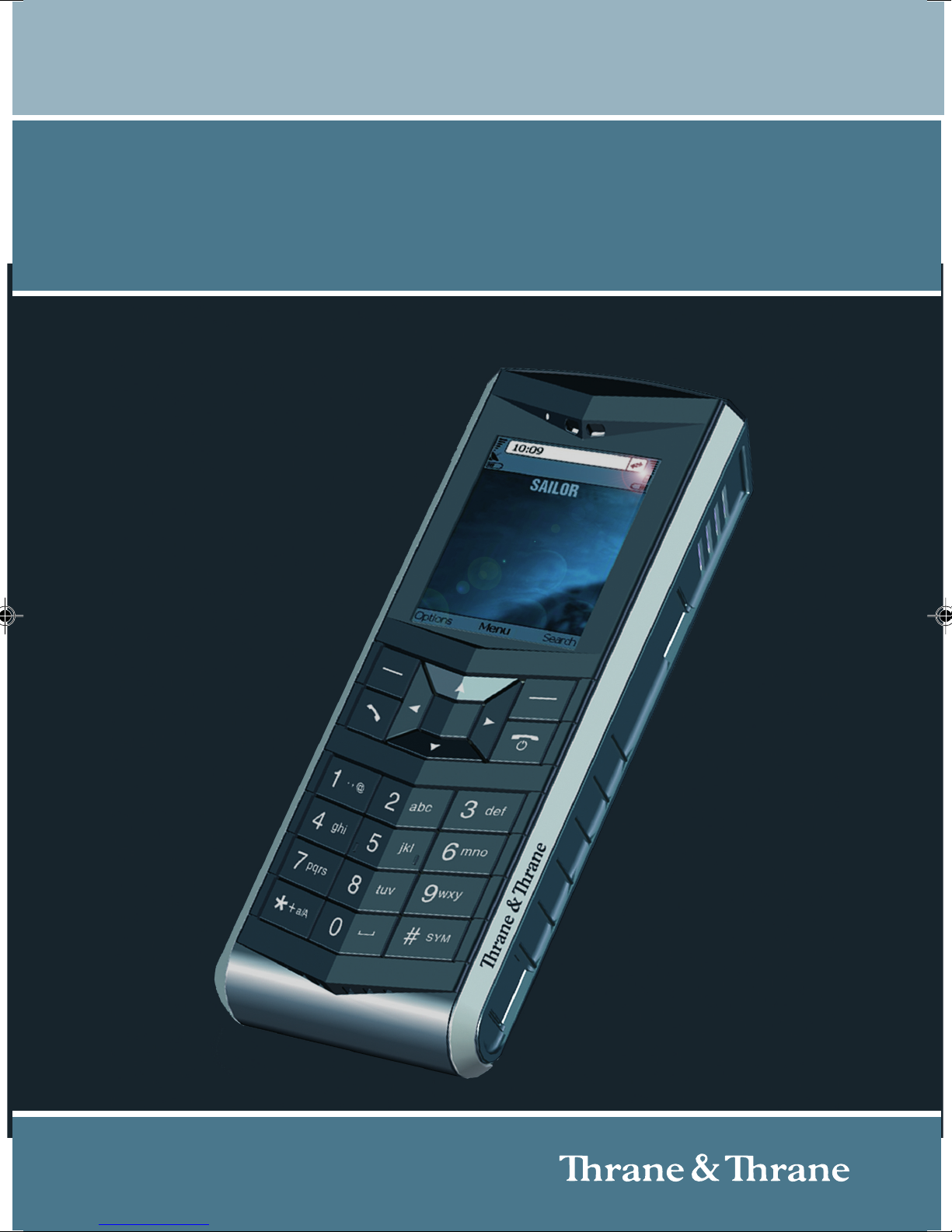
Table of Contents
ix
Introduction ..................................................................... 77
The web server ................................................................... 77
Browser settings ................................................................. 77
Accessing and navigating the web server ...............................79
Pages in the web server ................................................... 81
The Home page .................................................................. 81
Contacts ............................................................................82
Call log ..............................................................................83
SIP settings ........................................................................84
Uploading firmware ............................................................86
Import/Export settings .........................................................87
Help ..................................................................................89
What’s next? ....................................................................90
Chapter 5 Troubleshooting
In this chapter ...................................................................91
Getting support .................................................................91
Troubleshooting guide .....................................................92
App. A Technical specifications
In this appendix ...............................................................93
Thrane IP Handset, wired .................................................93
Specifications, wired handset ...............................................93
Outline dimensions, wired handset .......................................95
Thrane IP Handset, wireless .............................................97
Specifications, wireless handset ...........................................97
Outline dimensions, wireless handset ....................................99
Thrane IP cradle outline dimensions ............................... 101
App. B Conformity
VoIP_UM.book Page ix Friday, August 22, 2008 3:35 PM

Altri manuali per IP Handset
1
Questo manuale è adatto per i seguenti modelli
6
Indice
Altri manuali Thrane&Thrane Cornetta