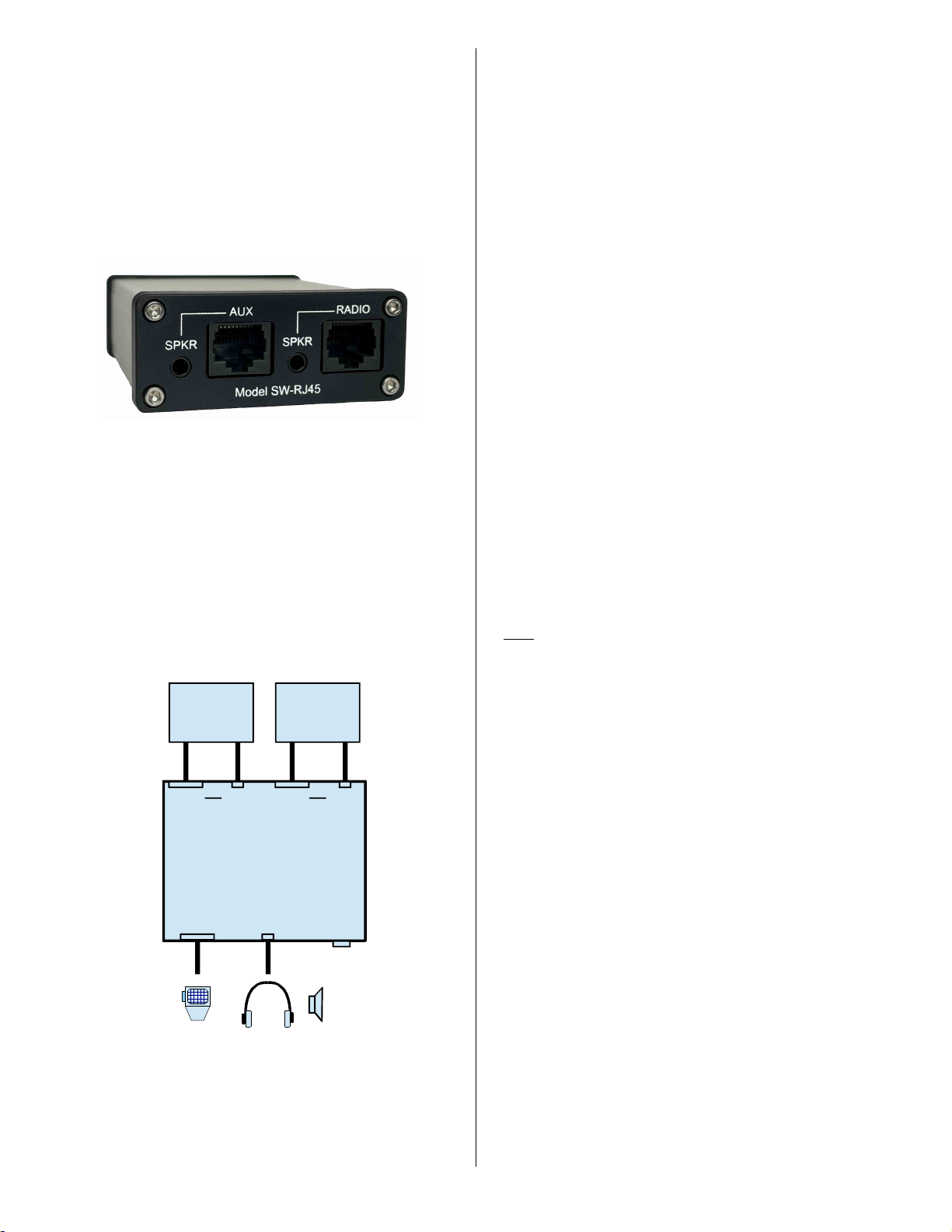
RJ-45 modular plug.
AUX-SPKR –This 3.5mm audio jack connects to the aux
communication device (SignaLink, NC, etc.) where
applicable. It accepts a standard 3.5mm (1/8”) stereo or mono
audio plug (tip, ring and sleeve are all switched).
RADIO –This 8-pin RJ-45 jack attaches to the radio's mic
jack.
RADIO-SPKR - This 3.5mm audio jack connects to the
radio's External Speaker / Headphone audio output jack where
applicable. It accepts a standard 3.5mm (1/8”) stereo or mono
audio plug (tip, ring and sleeve are all switched).
- VISIT US ON THE INTERNET -
www.tigertronics.com
Our website contains the latest news about Tigertronics’
products, support information, and other information of
interest to Hams and SWLs. This is also the best source for
downloadable programs that work with our products. The
site is updated often, so stop in on a regular basis to get the
latest news and updates.
- YOUR COMMENTS WELCOME -
We have made every effort to make the SW-RJ45 Microphone
Switch the best product possible. We welcome any comments
or suggestions that you would like to make. Please drop us a
note to let us know about your experiences, tips you would like
to share with other users, or how we might do a better job for
you.
- LIMITED WARRANTY -
Tigertronics warrants the SW-RJ45 Microphone Switch to
be free of defects in material and workmanship for a period
of 90 days from the date of shipment. Tigertronics will
repair or replace, at its option, any parts found to be
defective during the warranty period. This warranty does
not include any unit that has been subject to misuse, neglect,
improper installation or operation. This warranty is in lieu
of all others, express or implied, and no person or
representative is authorized to assume for Tigertronics any
other liability in connection with the sale or use of this
product. Tigertronics will not be responsible for any
expense or loss of revenue or property incurred by the user
due to operation or malfunction of this equipment.
Tigertronics reserves the right to make any changes
including but not limited to the circuit, components or
firmware, or to incorporate new features, at any time,
without obligation.
- RETURN POLICY -
A Return Material Authorization Number (RMA#) must be
obtained before any product will be accepted for return or
repair. Items received without an RMA# clearly marked on
the OUTSIDE of the package WILL BE REFUSED. Items
being returned must be sent prepaid. Returned items should
include a note showing the RMA#, customer name, return
address, phone number, email address, and action requested.
Units returned for warranty repair must be accompanied by a
copy of the original invoice showing the date of purchase.
Customers wishing to return a product for REFUND, for
ANY REASON, must receive an RMA# within 15 days
from the shipping date shown on the original sales invoice.
Customers returning products for refund will be charged a
Restocking Fee equal to 20% of the purchase price, to cover
the cost of re-testing and re-stocking. Products that have
been damaged or modified in any way may not be returned.
Contact our Technical Support department for the RMA#.
- TECHNICAL SUPPORT -
BEFORE YOU CALL –The vast majority of technical
issues can be resolved with the information that is available
in this manual. Please take some time to read through it.
If you encounter a problem that you cannot resolve and you
have gone through the troubleshooting information available
in this manual and on our website, then please contact our
Technical Support Staff at (541) 862-2639. They are
available every Monday, Wednesday, and Friday, from
1PM to 5PM Pacific Time (4PM to 8PM Eastern). Be
sure to have your equipment available for testing when you
call. Unless you are located over-seas or have extenuating
circumstances, please DO NOT mail, email, or fax your
technical inquiries. We realize that calling is a little more
expensive, but more can be accomplished in a few minutes
on the phone than can be done in hours of writing!
- TROUBLESHOOTING -
This section covers the most common issues that you may
experience with this product. If your problem is not covered
here then please see the Support pages of our website at
www.tigertronics.com. If you are still unable to resolve the
issue, then please see the “Technical Support”section of
this manual for instructions on contacting our Technical
Support Staff by telephone.
My microphone or SignaLink (or other communication
device) does not work when connected through the switch.
If you have grounded the switch chassis then you may have
grounded the wrong line by mistake. Please see
“Grounding The Switch Chassis”on page 1 of this manual
and use the steps there to double-check your work. You can
also try removing the ground jumper to see if that resolves
the issue. If it does, then you have most likely installed the
ground jumper incorrectly.
If you have enabled RFI filtering by means of the JP1-JP8
jumpers, then you can try removing them to see if it affects
the problem (see “Enabling RFI Filtering”on page 2 of