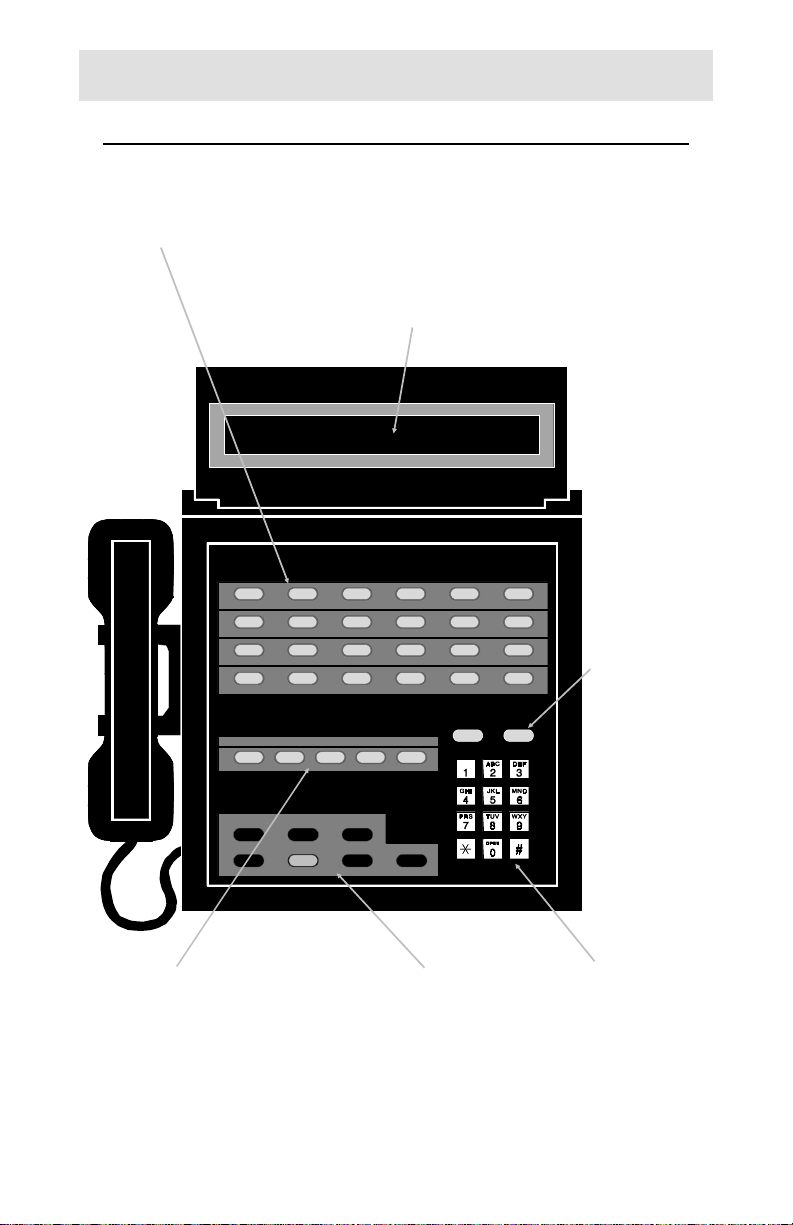
Line Buttons
Line buttons connect telephone lines to the handset, for incoming
or outgoing calls. Some special features of your telephone system
such as paging are accessed via line buttons.
DSS (Direct Station Select) Buttons
DSS buttons originate and transfer calls to stations.
Spare DSS buttons may be used for autodialing (speed dialing)
frequently-dialed numbers.
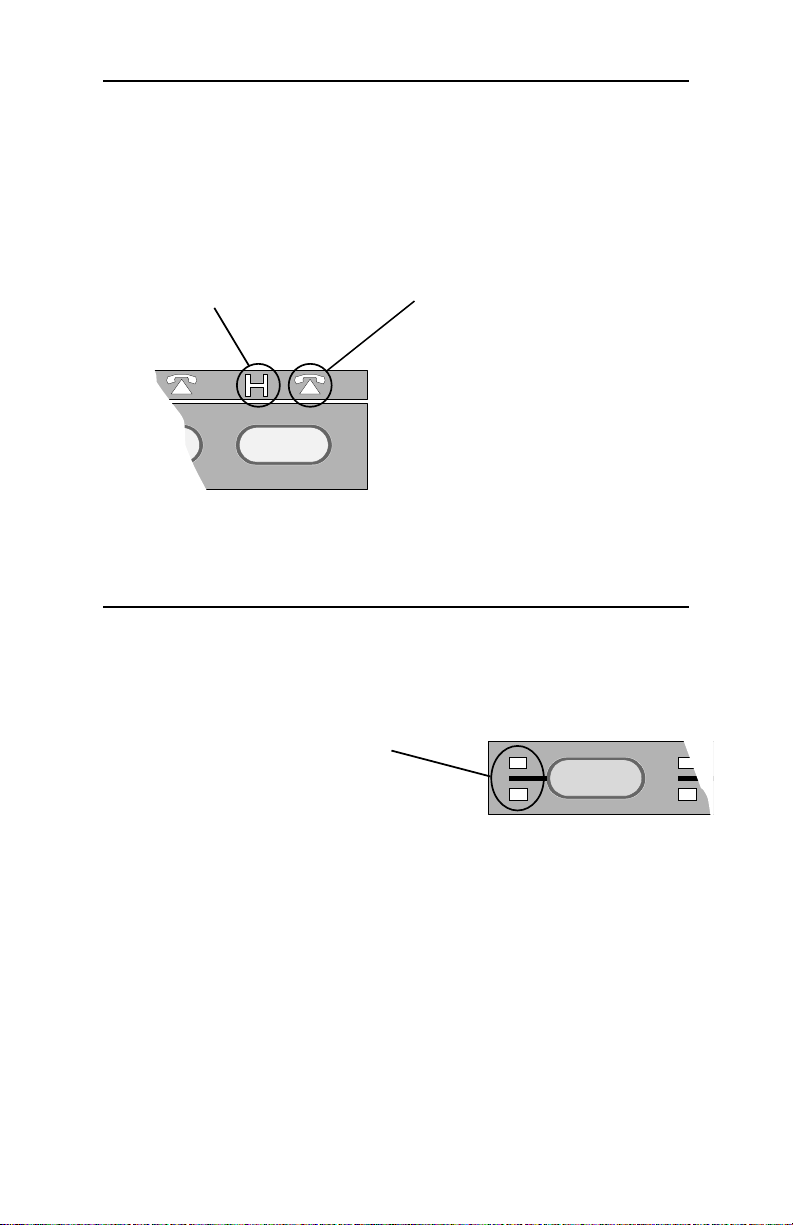
HOLD LIGHTS
winking – line is on hold
flashing – line that has
been on hold for too long
is ringing at the console
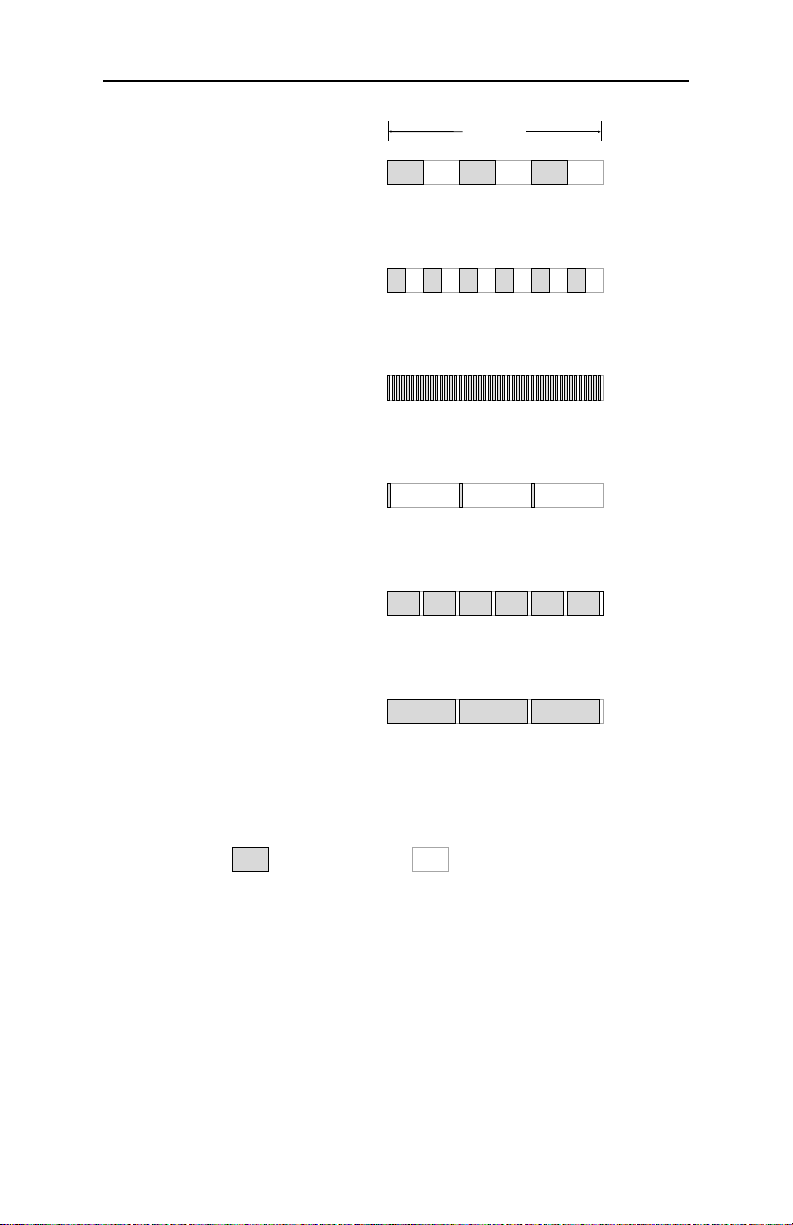
LINE STATUS LIGHTS
off – line is idle, or special feature
is inactive
slow blinking – line is ringing,
but not yet at the console
(delayed ringing)
flashing – line is ringing at the
console, or special feature is
active
flickering – line is currently in
use at the console (I-Use line).
on steady – line is in use at
another console, or special
feature is active
STATION STATUS LIGHTS
off – station is idle
slow blinking – call is ringing at the
station, but not at the console
(delayed ringing)
flashing – call is ringing at both the
station and the console
on steady – station is busy; also
indicates a waiting message after
the MESSAGE button has been
pressed
flickering – station has been
selected for DSS dialing
Tone Commander 524 Attendant’s Guide 3