
TOPSCCC EX-91151 Manuale utente

EX-91151 User Manual 1
EX-91151 Display Monitor
User Manual
ReleaseDate Revision
Sept. 2005 V0.1
May 2007 V0.2
®2005 All Rights Reserved. Published in Taiwan

EX-91151 User Manual 2
Warning!___________________________________
This equipment generates, uses and can radiate radio frequency energy and if not installed and
used in accordance with the instructions manual. It may cause interference to radio communications.
It has been tested and found to comply with the limits for a ClassA computing device pursuant to
FCC Rules, which are designed to provide reasonable protection against such interference when
operated in a commercial environment. Operation of this equipment in a residential area is likely
to cause interference in which case the user at his own expense will be required to take whatever
measures may be required to correct the interference.
Disclaimer
This information in this document is subject to change without notice.
Electric Shock Hazard – Do not operate the machine with its back cover removed. There are
dangerous high voltages inside.

EX-91151 User Manual 3
Table of Contents______________________
Warning!…………………………………………………………………………….……..….2
Disclaimer………………………………………………………………….…………………2
Chapter1 GettingStarted
1.1 Features………………………………………………………….…..…..…4
1.2 Specifications…………………………………………....……………...….4
1.3 Dimensions…………………………………...………………………….…6
1.4 Brief Description...................................................................................7
1.5 Display Mode……………………………………………………………….8
Chapter2 OSD
2.1 Front Panel Controls………….………………………………….…..…….9
2.2 OSD Controls………………………………………………………………..9
2.3 Main Menu…..……………………………………………………………..10
2.4 AD Board (TB-6020) OSD Functions……………………………………12
Figures
Figure 1.1: Dimensions of EX-91151..……………………..………………..6
Figure 1.2: Front View…..….………………………………………………….7
Figure 1.3: Rear View…………………..……………………………………...8
Appendix
Panelmounting…..…………………………………………………………….13
VESAmounting..…...………………………………………………………….13

EX-91151 User Manual 4
Chapter 1_____________________________
1.1 Features
● 15” TFT XGA LCD with luminance of 400 cd/m2
●Front panel NEMA 4/IP 65 rated
●Resistive touch screen (optional)
●Panel mount/VESA mount
●DVI, Video or S-Video input
● Supports wide-ranging resolutions from 640x480 to up to 1600x1200
with auto phase and auto position
1.2 Specifications
Display
● Display: 15” color active TFT flat panel display
● Maximum resolution: 1024 x 768 (native mode)
● Maximum colors: 16.2M
● Luminance: 400 cd/m2(EX-91151)
● Viewing angle: 170˚(H), 170˚(V) for EX-91151W; 140°(H), 125°(V) for EX-91151
● Backlight life: CCFL 4 tubes (EX-91151); 50,000 hrs
● OSD controls/indicators: automatic screen, setup (OSD), brightness,
contrast, horizontal/vertical position, image lock, color balance,
video information, power on and sync detection
● Touch screen: resistive antiglare
● OS compatibility: Win 95/98, XP, 2000, NT4.0, QNX, Linux
● Internal Power Adapter: Input: 100~240±10%V AC, full ranging
Output: 12V DC @5A
Mechanical
● Construction: steel chassis and aluminum front panel
● Mounting Options: panel mount/VESAmount
● OSD on the front side
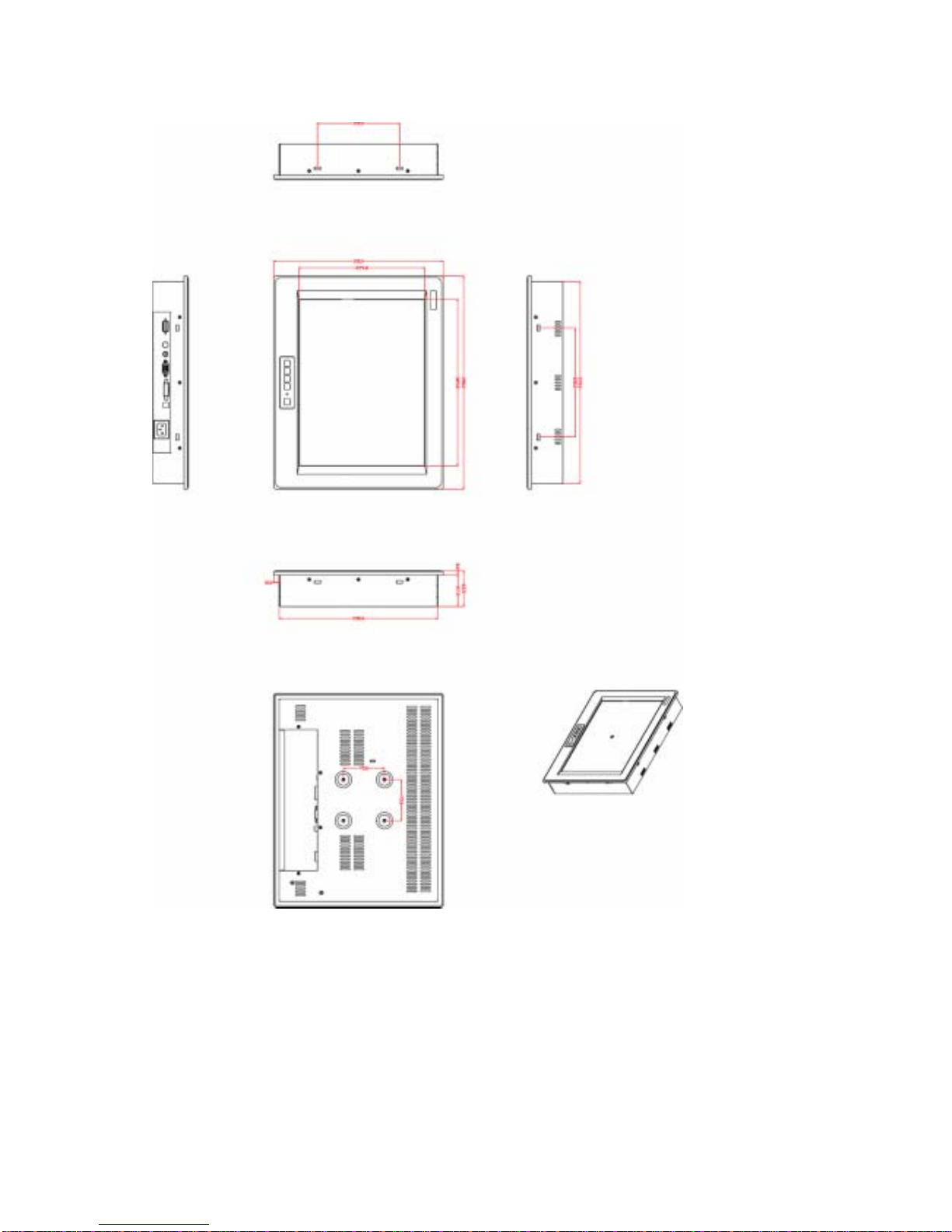
● Dimensions: 390(W) x 310(H) x 65.5mm (D)
● Cutout Dimensions: 305.8(W) x 290mm (H)
● Weight: 5.32kg

EX-91151 User Manual 5
Environmental
● Operating temperature: 0 to 50℃ (32to 122℉)
● Storage temperature: -20 to 60℃(-4 to 140℉)
●Relative humidity: 10 to 95% @40℃, non-condensing, without touch screen
●Vibration: 1G peak, 5~500Hz (at random)
●Shock: 15G peak acceleration (11 msec.duration)
●EMC: CE, FCC Class A
EX-91151 User Manual 6
1.3 Dimensions
Figure 1.1: Dimensions of the EX-91151

EX-91151 User Manual 7
1.4 Brief Description of the EX-91151
The EX-91151 features an excellent viewing ability for monitoring and control applications. It is
available with resistive touch screen that is easy to use and maintain.
The front panel of the display monitor is sealed with gasket for NEMA 4/IP 65 rating when it is
panel-mounted in a NEMArated cabinet or enclosure.
Figure 1.2: Front View of the EX-91151
Figure 1.3: Rear View of the EX-91151

EX-91151 User Manual 8
1.5 Display Mode
Display Mode Hori. Sync (KHz) Vert. Sync. (Hz)
31 60
VGA 640 x 480 38 72
38 75
35 56
SVGA 800 x 600 38 60
48 72
47 75
48 60
XGA 1024 x 768 56 70
60 75
1152 x 864 68 75
64 60
SXGA
1280 x 1024 80 75
EX-91151 User Manual 9
Chapter 2_____________________________
2.1 Front Panel Controls
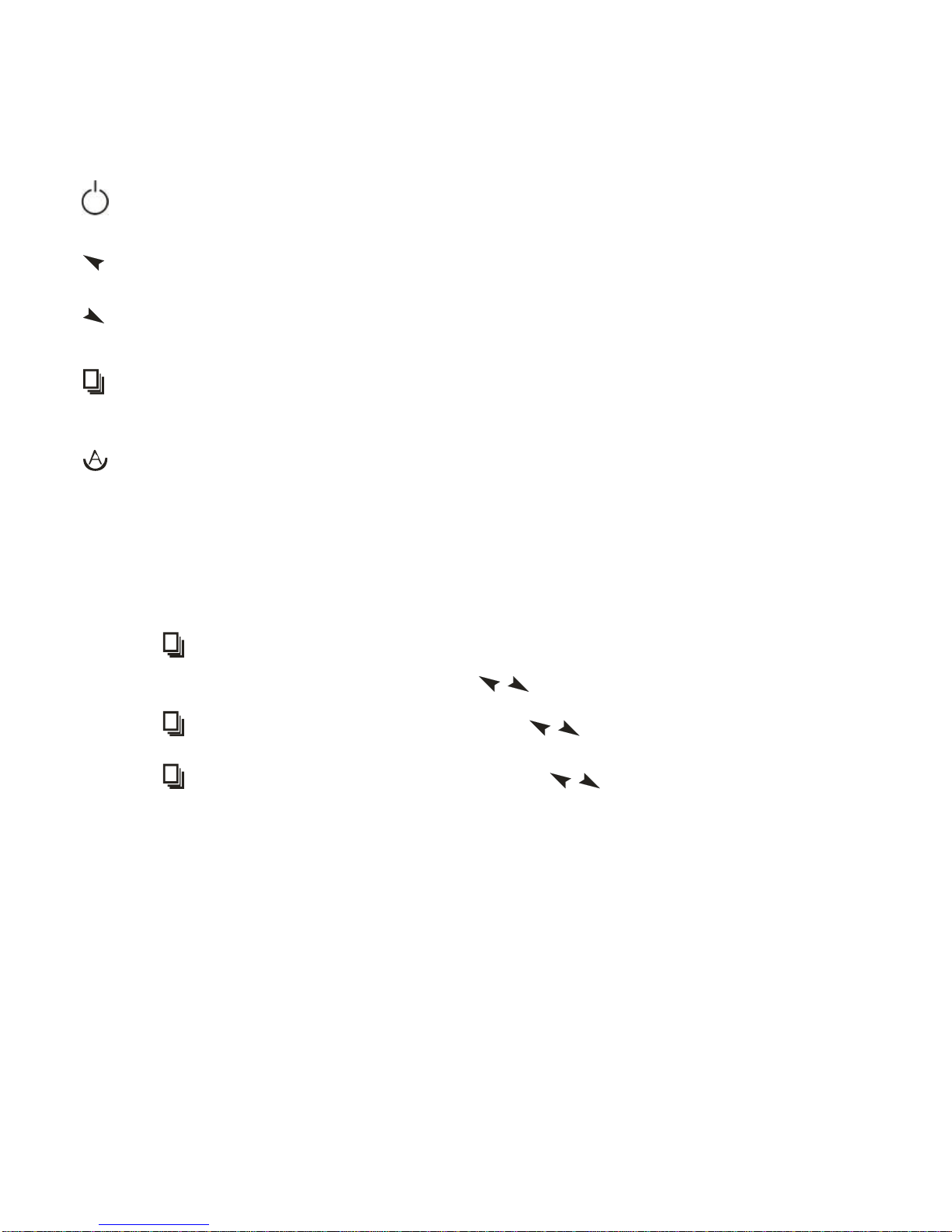
Power switch: To turn ON or OFF the power
Shift the icon to the right side or shift it up
Shift the icon to the left side or shift it down
Menu: To enter OSD menu for related icon and item.
Auto Button: One-touch auto adjustment
2.2 OSD Controls
To make any adjustment, select the following:
1. Press (Menu) to show the OSD menu or disable the OSD menu.
2. Select the icon that you wish to adjust with the ( / or +/-) key in the menu.
3. Press (Menu) and then choose the item with the ( / or +/-) key.
4. Press (Menu) and then adjust the quality with the ( / or +/-) key.

EX-91151 User Manual 10
2.3 Main Menu
In the Main menu, there are the following items:
zColor
zImage Setting
zPosition
zOSD Menu
zLanguage
zMisc
zExit
For Color, check out the following:
zContrast
zBrightness
zColor Adjust
zColor Temp
zBack
For Image setting, check out the following:
zClock
zPhase
zGamma
zSharpness
zBack
Indice
Altri manuali TOPSCCC Monitor


