
Tork EWZ101C Manuale utente

INSTRUCTION MANUAL
FOR TECHNICAL SUPPORT:
Programming videos at nsiindustries.com
EWZ101C
EWZ201C
DIGITIAL TIME SWITCH
MLI-225 (A)
CLOCK OPERATED SWITCH
469D

TABLE OF CONTENTS
Section Page
Capabilities ..................................1
Planning Your Program..........................1
Planning Your Holiday Schedule ...................2
Installation...................................3
Programming.................................3
1.0 Select 2 Ch Or DPST Mode........................3
2.0 Set Clock ................................... 4
3.0 Set Date.....................................4
4.0 Daylight Saving Time ...........................5
4.1 No Daylight Saving Time.........................5
4.2 To Modify Daylight Saving Time ...................5
5.0 Holiday Mode.................................5
5.1 Set Holiday Dates..............................5
6.0 Schedule Set Mode .............................6
6.1 Setting Hour, Minutes And Days ...................6
7.0 Astronomic Mode ..............................7
7.1 Selecting Astro Days............................8
8.0 Review, Modify, Delete Settings....................8
9.0 Override Key ................................10
10.0 Event Key ..................................10
11.0 Use As Momentary Unit ........................11
12.0 Notes......................................11
Schedule Sheets ..............................13
Astronomic Latitude Zones ......................16
Wiring Diagrams .............................17

1
TORK MODEL EWZ SERIES
7 DAY TIME SWITCH
CAPABILITIES:
• 7 Day scheduling.
• 32 set points.
• EWZ101C may be wired as SPST or SPDT.
• EWZ201C field convertible for 2 channel, 1 channel
DPST or Momentary.
• 20 Block Holidays.
• Astronomic Option. For automatic ON at sunset, OFF
at sunrise for outdoor lighting.
FEATURES:
Daylight Saving - Automatic (user selectable).
Leap Year - Automatic compensation.
Power Outage - Permanent schedule retention. Supercapacitor
provides 4 days of real time backup.
Manual Override - Until the next scheduled event.
Multi-Voltage Input - 120 – 277 Volts
Planning Your Program
EWZ201C two channel mode allows you to set-up different
control logic for each channel. A channel could be sunset to
sunrise while the other channel is sunset to time OFF.
EWZ201C one channel mode allows you to set-up the two
relays as DPST. Both relays turn ON and Off at the same
time. This is useful for switching 208 or 240 volts.
Momentary output mode is used for switching
latching contactors. The installation section describes
how to remove a jumper on the back to set timer
for this mode.
Two SCH events must be used to complete a schedule
for each channel. An event must be entered for ON and
an event for OFF. The event screen will indicate the number
of each event from 01 to 32.
Here are examples for the most common uses. For other
ideas call the toll free Tork Tech Help Line 888-500-4598.

2
1. Sunset ON and Sunrise OFF 7 days a week: After setting
CLK (clock), DATE, and DST (daylight saving time), go to
the ASTRO mode section 7.0 to enter latitude and enter
sunset and sunrise days.
2. Sunset ON and 10:00pm OFF 7 days a week: After set-
ting CLK (clock), DATE, and DST (daylight saving time), go
to SCH (schedule) mode section 6.0 to enter the 10:00pm
OFF time. Then go to the ASTRO mode section 7.0 to enter
latitude and enter sunset days.
3. Time ON and Time OFF: After setting CLK (clock), DATE,
and DST (daylight saving time), go to SCH mode section
6.0 for two entries. One for ON and the other for OFF at
the times you choose.
Planning Your Holiday Schedule
Select up to 20 holiday blocks that have a start date and
an end date. Holiday blocks can be anywhere from 1
day in length (the same start and end dates) or up to 364
consecutive days. Holiday blocks must not cross over
December 31st. If a holiday block must run from December
18th through January 5th, two blocks must be entered. One
block from 12/18 to 12/31, and then another from 01/01
to 01/05.
On these dates, the timer will execute the same special
schedule. Enter the holiday schedule in section 5. If no
schedule is entered with a holiday day group in section 5,
On/Off operations will be omitted for the holiday dates.
Astronomic schedule is not affected by holiday dates. The
timer will always execute the sunset/sunrise schedule if
chosen in section 7.

3
READ INSTRUCTIONS CAREFULLY BEFORE
ATTEMPTING TO INSTALL TIME SWITCH.
SEE WARNING ON FRONT PANEL – Failure to comply
with instructions could result in personal injury and/or
property damage.
INSTALLATION:
UNIT IS TO BE INSTALLED BY A LICENSED ELECTRICIAN
1. To remove unit from enclosure: Push the tab on right
outward and lift up on the mechanism on the right side.
Left side is held in place as the mechanism swings out
to the left then remove.
2. Mount the enclosure at eye level using screws or other
suitable fastening device. Bring supply and load wires
in through or side knockouts. DO NOT USE TOP.
3. EWZ201C can also be field converted to be used as
momentary unit. Jumper in place equals maintained
contacts. Jumper removed equals momentary opera-
tion. To make this conversion, remove a small black
jumper from the back of the mechanism. It is located
on the upper right next to R35 marking. After power is
restored press the reset button to set momentary opera-
tion. Reset the unit by inserting a small pin or paper
clip into the small hole next to the EVENT key. Press
and release.
4. Reinstall unit by reversing step #2 above and connect-
ing wires to units as per suggested wiring diagrams at
back of manual.
5. Apply power to unit. Unit should only be programmed
with AC power. Do not program under super capacitor
backup power.
6. AT POWER UP; When powering up the unit for the first
time, allow 1-2 minutes for super cap to charge. Press
reset button after 2 minutes if screen is blank.

4
PROGRAMMING YOUR EWZ101C STARTS WITH
STEP 2.0
PROGRAMMING YOUR EWZ201C STARTS WITH
STEP 1.0
NOTE: AFTER MAKING ANY CHANGES TO THE
PROGRAM, PRESS MODE TO GO TO RUN MODE AND
THEN PRESS EVENT TO UPDATE THE LOAD STATUS.
1.0 TWO CHANNEL / ONE CHANNEL SELECTION.
The first time unit is powered up, display will show a flash-
ing 2CH.
1.1 For 2 CHANNEL Operation.
Press ENTER then go to section 2.0.CLK (clock) mode.
1.2 For 1 CHANNEL DPST operation.
Press DEL and display will show a flashing 1CH.
Press ENTER to save change and go to section 2.0.CLK
(clock) mode.
2.0 TO SET CLOCK.
The display will show:
AM
CLK

5
Press HOUR and MIN to advance to today’s time. Check
AM/PM, and press ENTER.
3.0 TO SET DATE.
If you are setting for the first time, display will show a
default date:
Press MONTH, DATE, and YEAR key to advance to today’s date
then press ENTER.
NOTE: The day of the week will be automatically set once the
date is entered.
4.0 DAYLIGHT SAVING TIME.
The display will show dSt ON.
For standard USA daylight saving time (dSt), press MODE
then go to section 5.0.
4.1 NO DAYLIGHT SAVING TIME.
If daylight saving time (dSt) is NOT required, press DEL
display will show:
Press ENTER then go to section 5.0.
ON
OFF
MO
DATE

6
4.2 TO MODIFY STANDARD USA DAYLIGHT
SAVINGS DATES.
For dates other than standard USA dates, consult factory.
5.0 HOLIDAY MODE.
Holiday screen will show HdAY00 if no holidays are entered.
5.1 TO SET HOLIDAY START DATE.
Press the ENTER. The screen shows:
Press the MONTH, and DATE keys to set the desired start date
(ON). Press the ENTER key.
5.2 TO SET HOLIDAY END DATE.
The screen shows:
The first Holiday block end date (OFF) can now be entered.
Choose (a) or (b) below.
a) FOR SINGLE HOLIDAY. Press the ENTER key.
b) FOR BLOCK HOLIDAY DATES
Set the ending date (OFF). Press the MONTH, and DATE keys
to set the date to the desired end date. Press the ENTER key.
OFF
ON

7
5.3 ADDITIONAL HOLIDAY ENTRIES.
Repeat steps 5.1 and 5.2 for all holidays. Press MODE when
holidays are complete.
6.0 SCHEDULE SET MODE.
Press MODE until display shows:
EWZ201C in optional 1 channel or momentary mode or
EWZ101C allows only 1 channel for programming. For
EWZ201C in 2 channel mode, press CH1/CH2 to select
channel 1 or 2 for programming.
6.1 SETTING HOURS, MINUTES AND DAYS.
a. Press HOUR and MIN to set desired time.
b. Press EVENT to set desired event (ON or OFF).
c. Press DAY to change the selected day groups from all
days MO to SU.
A schedule with day group 12 (all days flashing) will be
executed on the Holiday block dates selected in section 5.
ON
SCH

8
NOTE: The holiday indication with all days flashing will only
show if a holiday date has been entered in section 5.0
Press ENTER. The display will show:
At the next blank screen press CH1/CH2 EWZ201C to select
desired channel and proceed with the steps above to set
more schedule entries.
Each ON and OFF setting must be entered separately. A
complete ON/OFF pair will include two schedules.
Always press ENTER to save a new entry. Continue to press
ENTER to review all 32 schedule positions. Press MODE when
schedule is complete.
7.0 ASTRONOMIC MODE (SUNSET/SUNRISE).
Display shows:
To skip, press the MODE key.
7.1 SELECTING CHANNEL AND LATTITUDE.
Press CH1/CH2 to select channel 1 or 2 for EWZ201C. Press
LATITUDE key to advance to the desired degree of latitude,
from 10° to 60° north or 10° to 60° south.
NOTE: A map is in the back of these instructions.
Press ENTER.
ASTRO
CH1
SCH
Questo manuale è adatto per i seguenti modelli
1
Indice
Altri manuali Tork Timer


Tork
Tork SS423 Manuale utente

Tork
Tork DGM100 Manuale utente

Tork
Tork 701B Manuale utente

Tork
Tork DTS200A Guida

Tork
Tork DGS180 Manuale utente

Tork
Tork SA210 Manuale utente

Tork
Tork DW200B Manuale utente

Tork
Tork EW101B Manuale di installazione
Tork
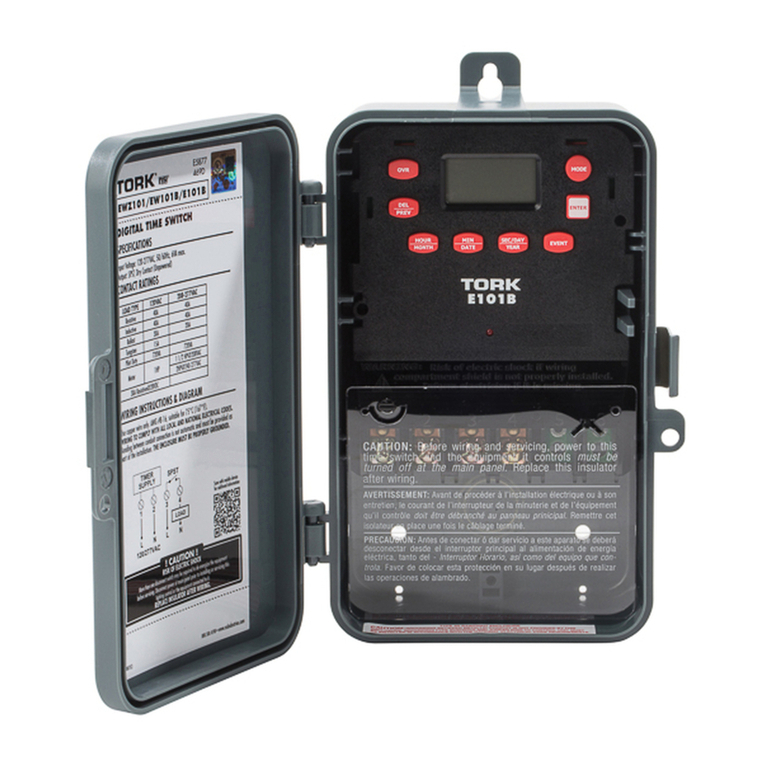
Tork E101B Manuale utente

Tork
Tork SS721Z Manuale di installazione


