TV Ears Wireless Speaker Manuale utente

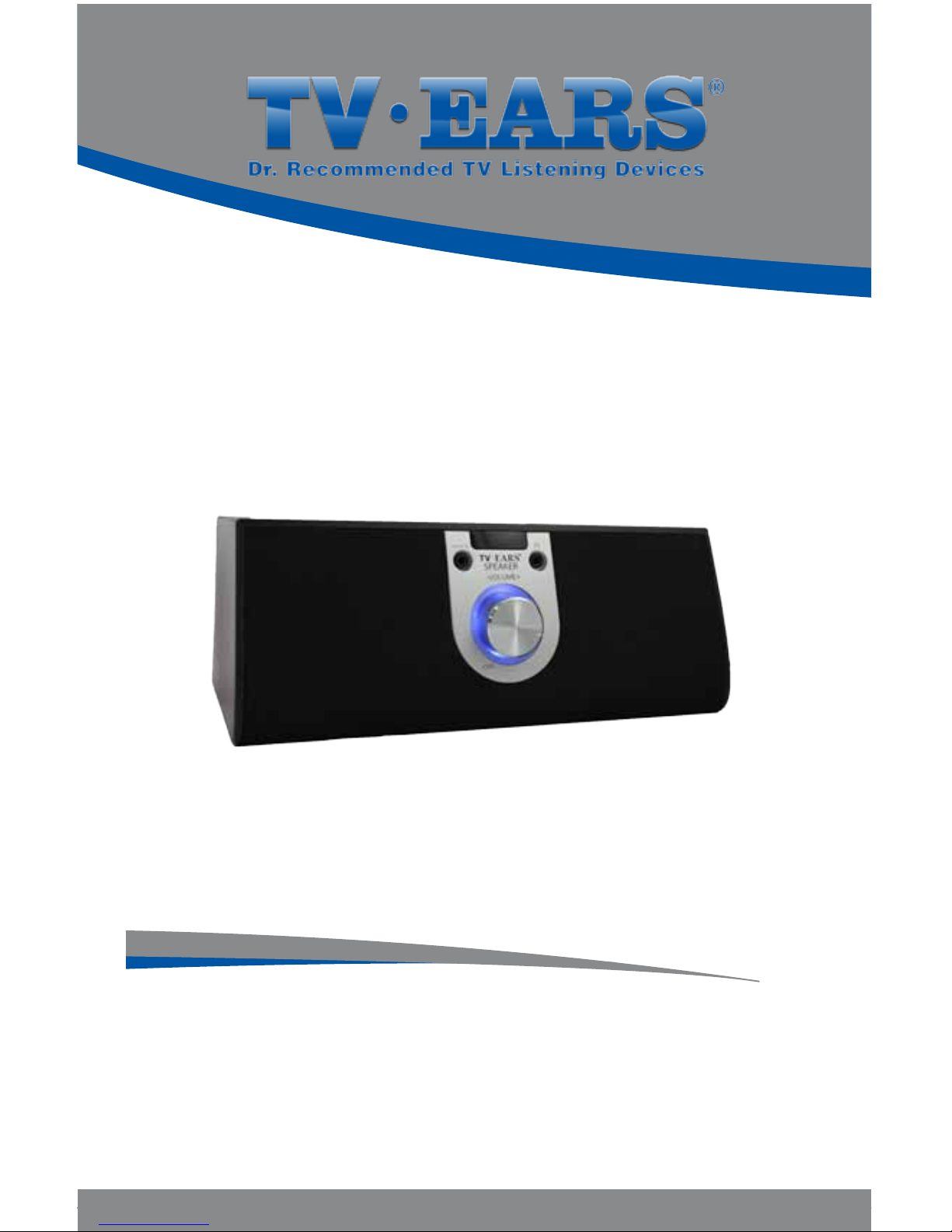
TV Ears
Wireless Speaker
User Manual

1
2
3
4
On / O and Volume Control
Music In jack
Headphone jack
12V DC (power port)
II 2.3 Transmitter & Cords
6
7
8
9
Infrared Diodes
Charging Indicator
Light
Charging Cradles
Audio Port
10 12V port
11
12
Ridged AC Adapter
for speaker
Smooth AC Adapter
for transmitter
IWireless Speaker
Included in Box:
Wireless Speaker & Power Adapter
2.3 Transmitter & Power Adapter
Audio Cord
25 ft. Extender Cord
3 ft. Auxiliary Cord
Ear Buds
5Aux In port
13
14
15
16
Audio Cord
25 ft. Extender Cord
3 ft. Auxiliary Cord
Ear Buds

3
1
2
4
I
5
Front
Back

6
7
8
10
9
II
11 12 13
14
15
16
Back
Front
Cords

L
R
AUDIO OUT
AUDIO OUT
AUDIO OUT
TV
Satellite
Cable
TV
Satellite
Cable
DVD
VCR
12
13
Installation Guide
11
or

Congratulations!
You’ve taken the rst step toward the TV Ears television
experience. The TV Ears 2.3 System will help you hear TV
better at your own volume. To ensure the best TV listening
experience please read this manual thoroughly.
TV Ears Customer Service
Please feel free to contact us with any questions, concerns, or
problems about your TV Ears product.
•
Call:
US Technical Support: 1-866-611-9944
US Customer Sales: 1-888-883-3277
•Visitwww.tvears.com
ENGLISH
TV Ears Wireless Speaker
User Manual

Table of Contents Page
ENGLISH
Important Safety Instructions
Warnings
Installation Instructions
Step 1 | Plug in the Audio Cord
Step 2 | Power and Place the TV Ears Transmitter
Step 3 | Power and Place the Wireless Speaker
Using the Speaker
Replacements
Accessories
Frequently Asked Questions (FAQ’s)
Troubleshooting Guide
Specications
Manufacturer Declaration
1
2
3
3
5
5
6
7
8
9
11
13
14

ENGLISH
Important Safety
Instructions
1. Read all instructions completely and heed all warnings.
Install in accordance with TV Ears, Inc.’s instructions.
2. Keep these instructions in a safe place for future reference.
3. Do not use or submerge TV Ears products near water,
moisture, or other liquids.
4. Clean with a dry cloth.
5. Do not install near any heat sources such as radiators,
heat registers, stoves, or other apparatus (including
ampliers) that produce heat.
6. For safety purposes, do not deface the prongs on the AC
adapters. If the provided plug does not t into your outlet,
purchase the correct adapter or consult an electrician for
replacement of the obsolete outlet.
7. Protect the power cord from being walked on or pinched
particularly at plugs, convenience receptacles, and the
point where the cord exits from the transmitter.
8. TV Ears recommends using a surge protector to protect
your TV Ears from power surges.
9. Only use attachments and accessories specied by
TV Ears, Inc. with your TV Ears system.
10. Refer all servicing to qualied service personnel.
Servicing is required when the TV Ears product has been
damaged in any way, such as power-supply cord or
plug is damaged, liquid has been spilled or objects have
fallen into the TV Ears product, the TV Ears product has
been exposed to rain or moisture, does not operate
normally, or has been dropped, cracked, or broken.
1

12
ENGLISH
Warning: To reduce the risk of re or electric shock, do not
expose the TV Ears product to rain or moisture. The TV Ears
product should not be exposed to dripping or splashing
liquids. Do not place objects lled with liquid such as vases
on or near the TV Ears product.
Warning: Keep batteries out of reach of children. Discard the
battery faceplate (leave batteries installed in faceplate)
appropriately and carefully. If swallowed, call:
The National Button Battery Ingestion Hotline:
202-625-3333
Warning: The magnetic eld emitted by the TV Ears ear tip
speakers is minimal. When used as indicated, TV Ears headsets
should not cause magnetic interference with pacemakers
or internal debrillators. The magnetic eld strength of the
speakers is less than 1 Gauss when within 1 inch (3 cm) of
the pacemaker or internal debrillator. It is recommended
that the user keep the ear tips at least an inch away from any
pacemaker or internal debrillator.
We have not had any customers indicate a problem using
TV Ears in the presence of a pacemaker or internal
debrillator. We recommend not placing the ear tip ends
of the headsets (where the speakers are) on your chest or
directly in the vicinity of a pacemaker or debrillator. If you
have concerns, we recommend you contact your physician.
WARNINGS

3
ENGLISH
For best results, plug the audio cord into your
television’s analog (RCA) audio out ports.
1. Plug the dual end of the audio cord (red and
black male plugs) into the analog (RCA) audio out
ports on the back of the television. *
2. Plug the single end of the audio cord into
the Audio jack
on the back of the TV Ears
transmitter.
* If audio out ports are not available on the back of
your television: use the audio out ports on your
cable or satellite box.
* If outside the U.S. and audio out ports are not
available on the back of your television: use a
SCART to RCA signal out adapter.
TouseaDVDplayerorVCRwhentheaudiocordis
plugged into a cable or satellite box:
1. Take the dual end of the audio cord (red and
black
male plugs); gently pull apart the red and black
plugs.
2. Insert the red plug into the analog (RCA) audio out
port of the cable or satellite box.
3. Insert the black plug into the analog (RCA) audio
out port of the DVD player or VCR.
4. Plug the single end of the audio cord into the
Audio jack on the back of the TV Ears transmitter.
When installed this way, you must turn o whichever
device is not in use. Turn o the cable/satellite box
when watching a DVD or video. Turn o the DVD/VCR
player when watching TV.
Step
1
Plug in the
Audio Cord
Installation
Instructions
13
13
13
L
R
AUDIO OUT 9
13
Altri manuali per Wireless Speaker
2
Indice
Altri manuali TV Ears Altoparlanti docking