
Venstar ACC0431 Manuale utente

Venstar Inc. 08/07
REMOTE CONTROL
/RECEIVER
ACC0431
Compatible with thermostat models:
T1700, T1800, T1900, T2700, T2800 T2900
Consult VENSTAR for a complete list.
OWNER’S
MANUAL
OWNER’S
MANUAL
Thermostat
Thermostat
Remote Control
& Receiver
Remote Control
& Receiver
Allows remote control operation of
basic thermostat functions
Unique ‘Warmer & Cooler’ commands

Overview
Page 2
This accessory allows for the remote operation of
the most basic thermostat functions.
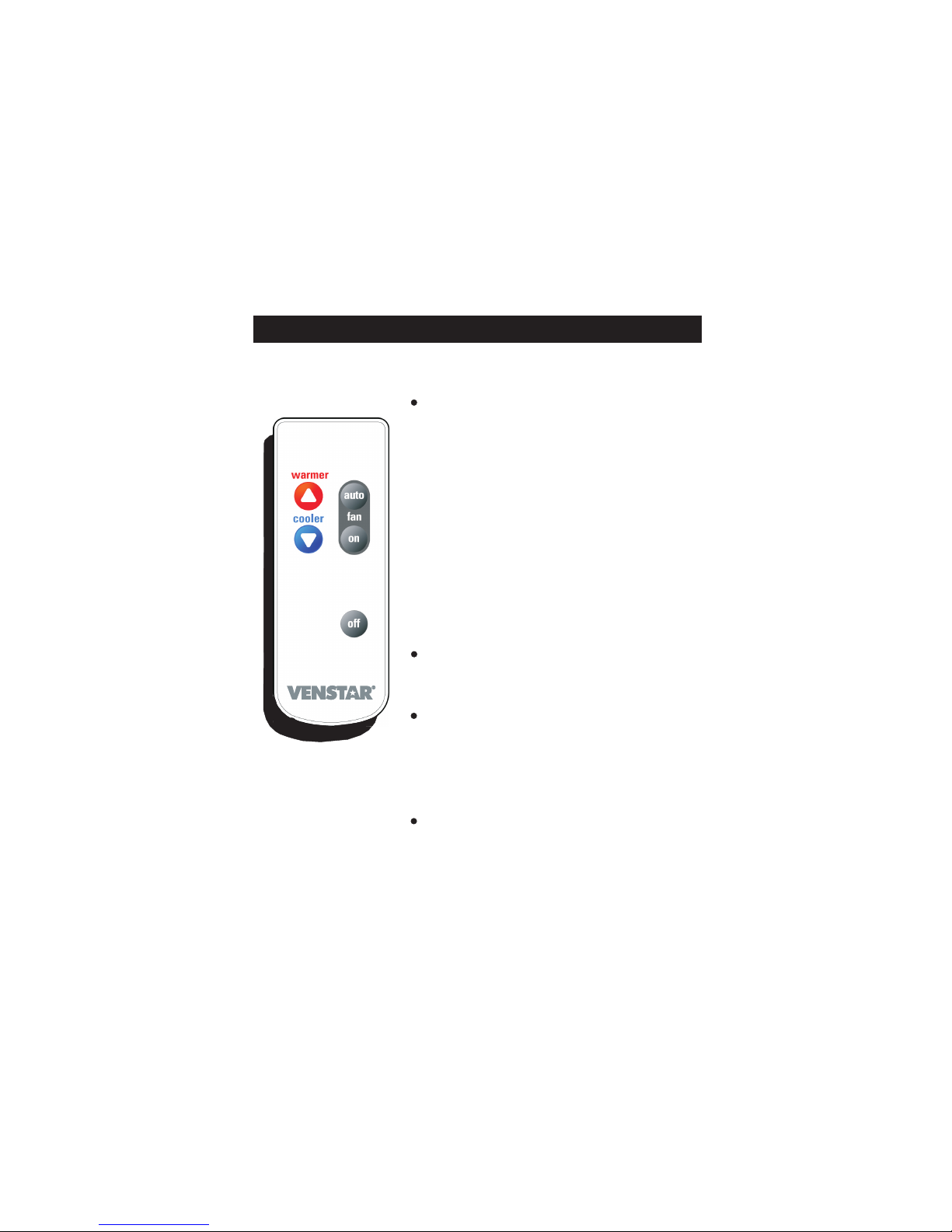
There are five buttons on the remote control. One
for Off, two for Fan control, one for Warmer and one
for Cooler.
The communication from the remote control to the
receiver is uni-directional, without feedback to the
user. It is because of this uni-directional control, we
have created a unique control algorithm for this
remote system.
The Warmer and Cooler buttons use a ‘fuzzy logic’
algorithm to decide whether to turn the heat or cool
on or off.
The Warmer or Cooler operational
sequence varies depending on whether the
thermostat is set to be a MANUAL or an AUTO
changeover thermostat.
control
Operation
Press the Warmer or Cooler
buttons and the heating -
cooling system will operate as
outlined in pages 4 through 8.
If the thermostat was off prior to
a Warmer or Cooler button
press, the system will turn on in
the last mode (Auto or Manual
changeover) of operation prior
to pressing Off.
Press the Fan On button for
continuous fan operation.
Pressing Fan Auto will allow the
Fan to turn on the fan only
when there is a heat or cool
demand.
Press the Off button to turn the
thermostat off.
Page 3

OWarmer & Cooler Commands in Manual Changeover
If the thermostat is configured for Manual
Heat/Cool changeover:
WARMER button press while in Heat or Off
mode:
When the thermostat receives a Warmer command
(button press) through the remote control and the
heater is not running, the set point will be raised
above the room temperature to start the heater
operation. This occurs even if the thermostat was
Off.
When the thermostat receives a Warmer command
and the heater is running, the set point will be
raised 2 degrees above the present set point.
WARMER button press while in Cool mode:
When the thermostat receives a Warmer command
(button press) through the remote control in Cool
mode, and the air conditioner is running, the set
point will be raised to the present room
temperature, which will turn off the air conditioner.
If the Warmer button is pressed and the air
conditioner is not running, the set point will be
raised 2 degrees.
Page 4

O
If the thermostat is configured for Manual
Heat/Cool changeover:
COOLER button press while in Cool or Off
mode:
When the thermostat receives a Cooler command
(button press) through the remote control and the
air conditioner is not running, the set point will be
lowered below the room temperature to start the
cooling operation. This occurs even if the
thermostat was Off.
When the thermostat receives a Cooler command
and the air conditioning is running, the set point will
be lowered 2 degrees below the present set point.
Cooler button press while in Heat mode:
When the thermostat receives a Cooler command
(button press) through the remote control, and the
heater is running, the set point will be lowered to
the present room temperature which will turn off the
heater.
If the Cooler button is pressed and the heater is not
running, the set point will be lowered 2 degrees.
Warmer & Cooler Commands in Manual Changeover
Page 5

OWarmer & Cooler Commands in Auto Changeover
If the thermostat is configured to Auto
Heat/Cool changeover:
WARMER button press while in Auto or Off
mode:
When the thermostat receives a warmer command
(button press) through the remote control, and the
heater is not running, the set points will be raised
to start the heater operation. If the heater is
running upon a Warmer button press, the set points
will be raised 2 degrees.
The remote control receiver will allow up to 3
successive Warmer button presses. After the 3rd
successive Warmer button press, the IR receiver
will not accept an additional Warmer button press
for 1 minute.
When the thermostat receives a Warmer command
(button press) and the air conditioner is running, the
set points will be raised so that the Cool set point is
the same as the present room temperature which
will then turn off the air conditioner. The thermostat
will not accept another Warmer button press for 10
seconds.
Page 6

O
If the thermostat is configured to Auto
Heat/Cool changeover:
COOLER button press while in Auto or Off
mode:
When the thermostat receives a Cooler command
(button press) through the remote control and the
air conditioner is not running, the set points will be
lowered to start the air conditioning operation. If
the air conditioner is running upon a Cooler button
press, the set points will be lowered 2 degrees.
The remote control receiver will allow up to 3
successive Cooler button presses. After the 3rd
successive Cooler button press, the IR receiver will
not accept an additional Cooler button press for 1
minute.
When the thermostat receives a Cooler command
(button press) and the heater is running, the set
points will be lowered so that the Heat set point is
the same as the present room temperature which
will then turn off the heater. The thermostat will not
accept another Cooler button press for 10 seconds.
Warmer & Cooler Commands in Auto Changeover
Page 7

O
Example #1
!The thermostat was turned off the prior day while
in Auto changeover mode.
!The following will occur if the Warmer button is
pressed while the thermostat is off:
!The thermostat changes from Off to Auto.
!The set point is raised to start heater
operation.
Example #2
!The thermostat was turned off the prior day while
in Manual, ‘standalone’ Heat mode.
!The following will occur if the Warmer button is
pressed while the thermostat is off:
!The thermostat changes from Off to Heat.
!The set point is raised to start heater
operation.
Example #3
!The thermostat was turned off the prior day while
in Manual, ‘standalone’ Cool mode.
!The following will occur if the Warmer button is
pressed while the thermostat is off:
!The thermostat changes from Off to Heat.
!The set point is raised to start heater
operation.
Examples of Typical Operation
The following 3 examples illustrate operation
when the thermostat is Off.
Page 8

Connection
Accessory jack located
on thermostat bottom
Accessory release button
To connect the IR Receiver to
the thermostat; insert the IR
receiver plug into the accessory
Jack of the thermostat. The
receiver will ‘lock’ into the
ventilation slots of the thermostat.
To remove the IR receiver from
the thermostat; press and hold
the accessory release button
while removing the IR receiver
from the thermostat’s accessory
jack.
COMMERCIAL PROGRAMMABLE THERMOSTAT
HUMIDITY FAN PROGRAM HOLIDAY
MODE OVERRIDE
OUTDOOR
SET CLOCK
PLATINUM eries
AUTO
I2:00
Su
Pm
HEAT
COOL
72
74
Page 9
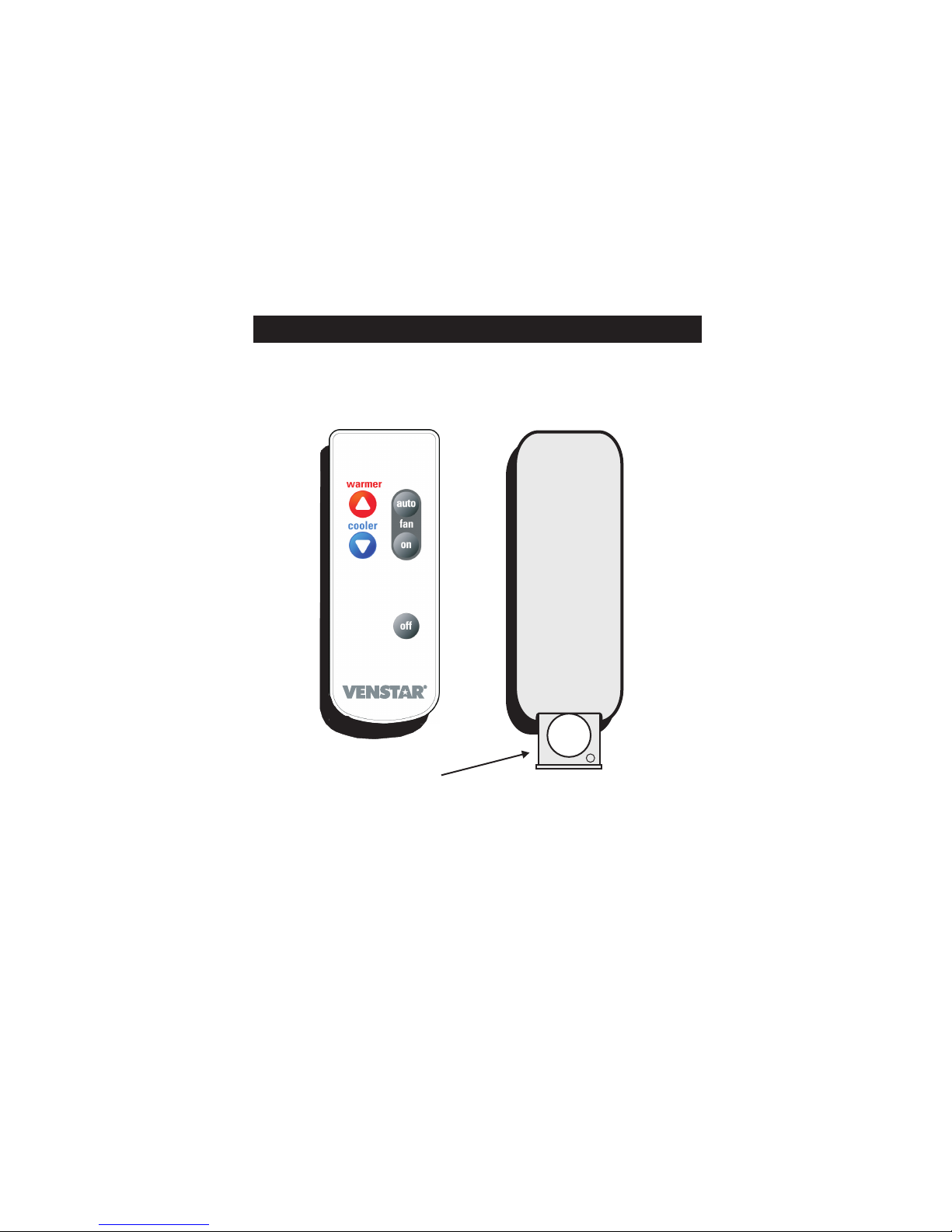
Remote Control Battery Replacement
Replace battery with CR 2025 or equivalent.
A replacement remote control may be purchased
separately, P/N ACC0433
Battery Door
Front View Rear View
+
+
Page 10
Indice
Altri manuali Venstar Telecomando


