
VuQube V10 Manuale utente
®
11200 Hampshire Avenue South, Bloomington, MN 55438-2453
Phone: (952) 922-6889 Fax: (952) 922-8424
www.kingcontrols.com
Solutions for Mobile Markets
Model VQ1
20992 REV D
®
Mobile Satellite TV Antenna
V10
Owner’s Manual


Page 1
IMPORTANT!
The satellite TV market is expanding and changing. The information in this manual was accurate at the time
of printing. If your VuQube does not operate as outlined in this manual please call King Controls at
(952) 922-6889 or visit our website at www.kingcontrols.com.
This VuQube must be installed with a King Controls bracket (MB100, MB101 or MB200). Failure to use one of
these brackets will void the VuQube warranty.
Please read this entire manual before beginning the installation.
TABLE OF CONTENTS
Section Contents Page
1. INTRODUCTION ........................................................2
2. INSTALLATION .......................................................3-6
3. OPERATION..........................................................8-9
4. AUTOMATIC SATELLITE SWITCHING FOR DISH AND BELL TV . . . . . . . . . . . . . . 10-15
5. ELEVATION MAPS...................................................16-19
6. TROUBLESHOOTING ...................................................20
7. ACCESSORIES . . . . . . . . . . . . . . . . . . . . . . . . . . . . . . . . . . . . . . . . . . . . . . . . . . . . . . . . 21
8. MAINTENANCE ........................................................22
9. FCC USER INFORMATION...............................................23
10. LIMITED WARRANTY ...................................................24
Bell TV is an ofcial trademark of Bell Canada.
DIRECTV is a registered trademark of DIRECTV, Inc.
DISH is a registered trademark of DISH Network L.L.C.
VuQube and King Controls are registered trademarks of Electronic Controlled Systems, Inc. DBAKing Controls.
Page 2
Section 1 INTRODUCTION
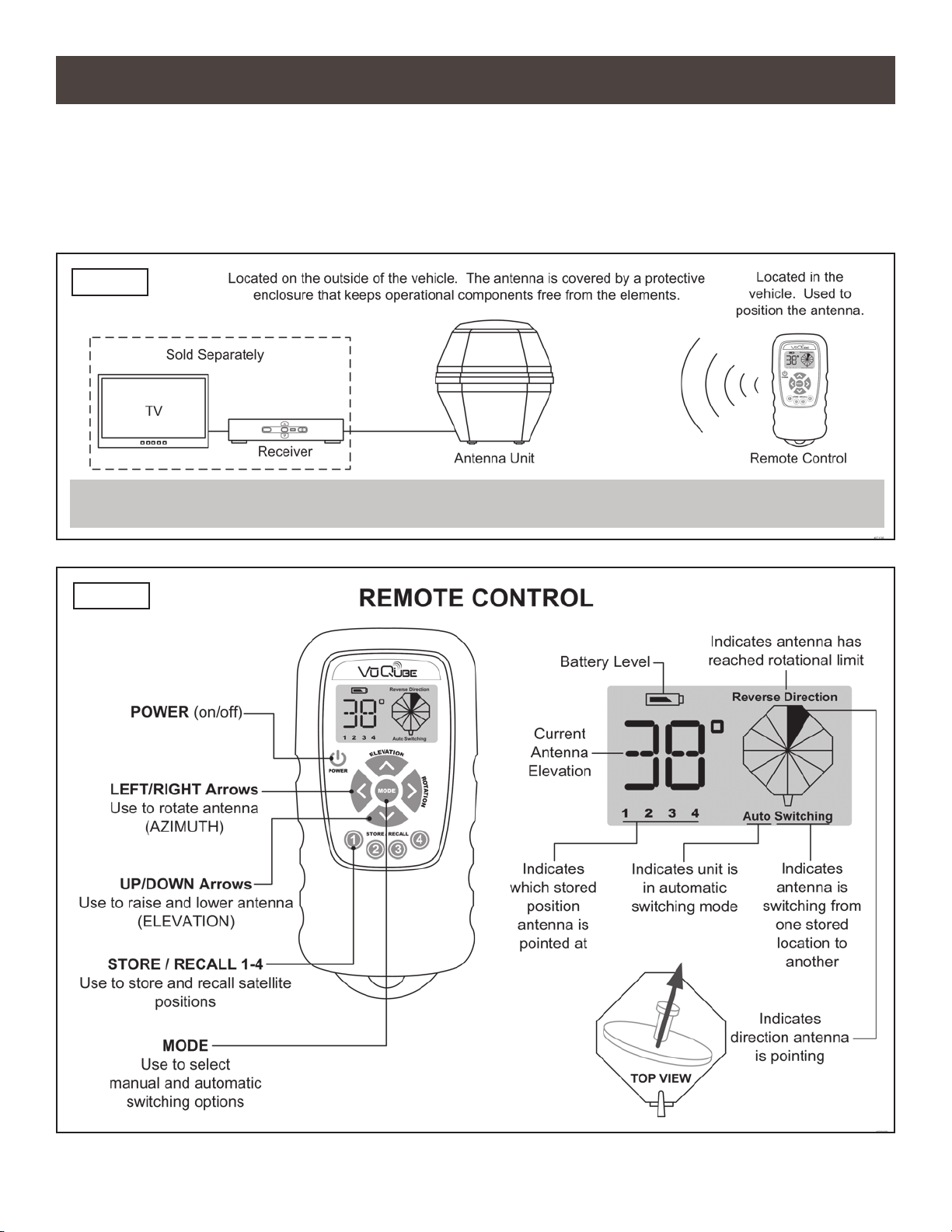
Congratulations on your purchase of the VuQube Model V10. The V10 is equipped with a wireless
remote control (Fig. 2) to allow quick and easy one person positioning of the antenna while
monitoring your receiver’s signal meter screen on your TV.
The V10 includes 2 main components (Fig. 1).
FIG. 1
FIG. 2
NOTE: ATV, satellite receiver, and program subscription are also required for satellite TV viewing (sold separately).
Page 3
Section 2 INSTALLATION
TOOLS AND MATERIALS REQUIRED
1. Read through the instructions and make sure you have all the tools and materials required to
complete the installation, including:
• King Controls mounting bracket (sold separately - for more information call King Controls
at 952-922-6889 or visit our website at www.kingcontrols.com) FAILURE TO USE AN
APPROVED KING CONTROLS MOUNTING BRACKET WILL VOID THE PRODUCT
WARRANTY.
• drill and drill bit set
• tape measure
• 7/16” open end wrench (coax connections)
• adhesive sealant (compatible with cab material)
• appropriate tools and fasteners to install all components and wiring
KIT CONTENTS
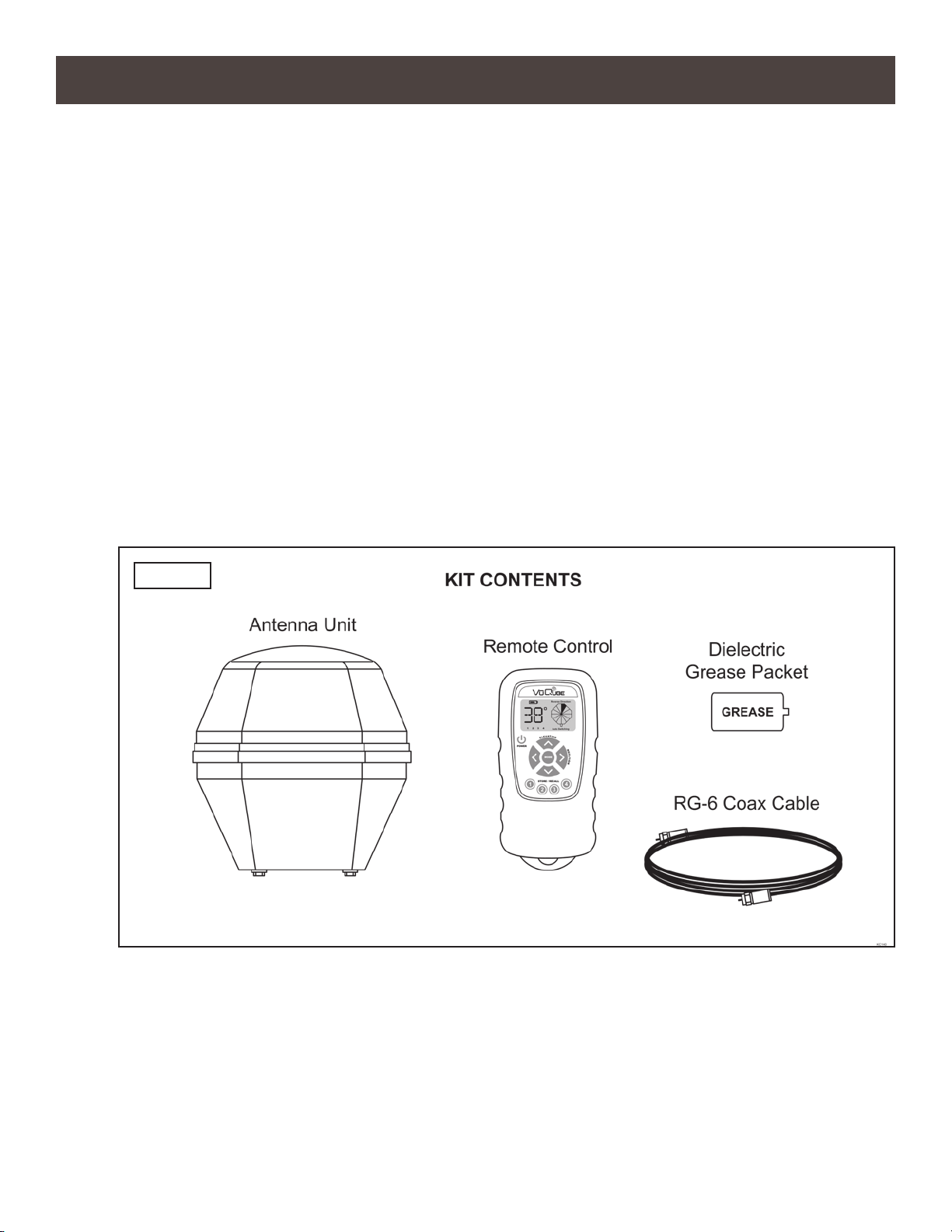
2. Unpack and identify all components (Fig. 3).
FIG. 3
Page 4
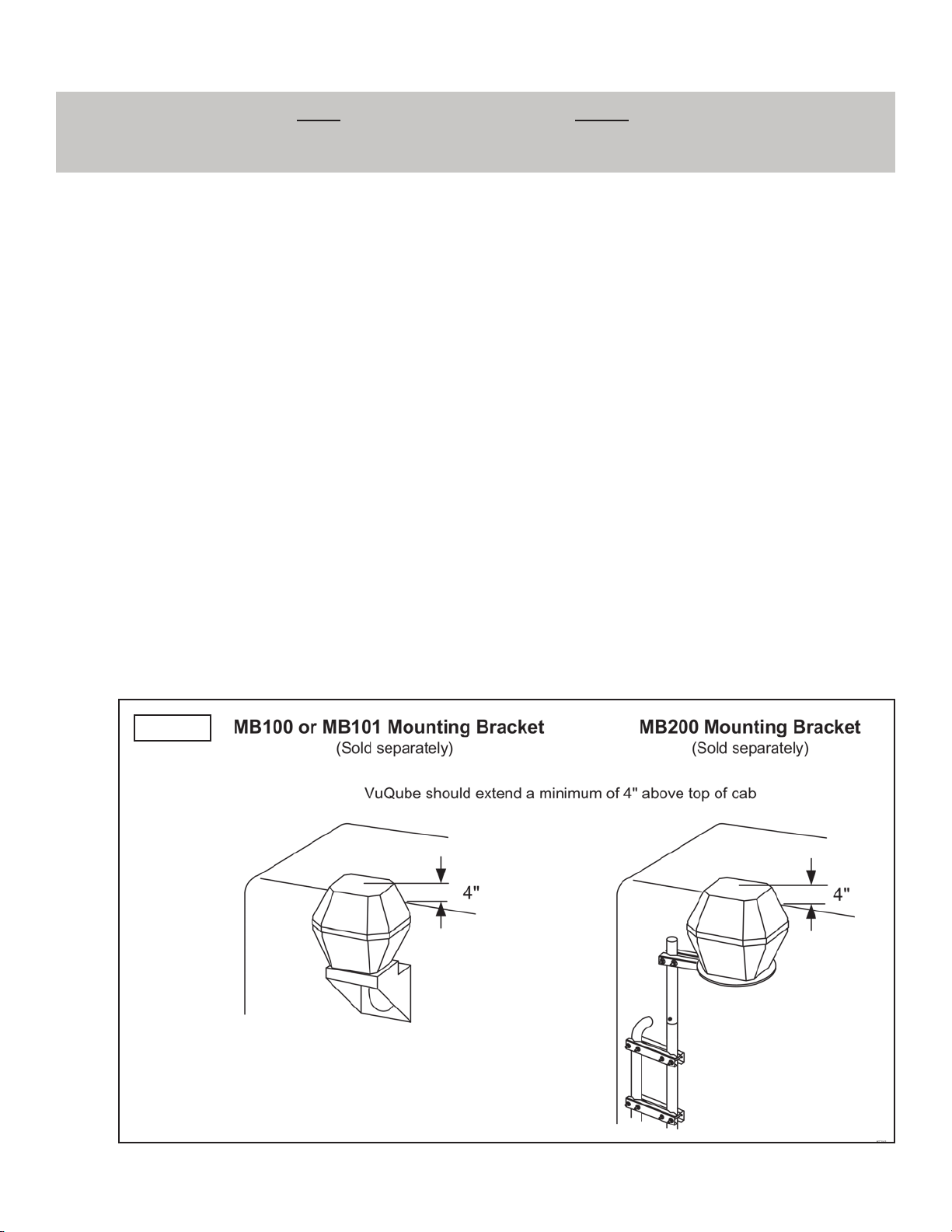
ANTENNA UNIT LOCATION (FIG 4.)
3. Determine the location of the antenna unit using the following criteria:
a) The antenna unit is designed to be mounted to a vehicle with either an MB100, MB101 or
MB200 mounting bracket (sold separately - for more information call King Controls or visit
our website at www.kingcontrols.com). FAILURE TO USE THE APPROPRIATE BRACKET
WILL VOID THE PRODUCT WARRANTY.
b) The antenna unit requires a 16” wide space for mounting.
c) It is highly recommended that the antenna unit extend a minimum of 4” above the highest
point of the cab or air shield for optimum satellite reception.
If you are unable to mount the antenna unit 4” above the cab due to height restrictions,
install with maximum clearance available. If the antenna unit is not high enough, you may
experience difculty acquiring the satellite signal.
d) The antenna unit should be as far as possible from objects like smoke stacks, beacons,
logistic units, etc. that can physically block the satellite signal.
e) The coax from the antenna unit may be run down the back of the cab and up into the cab
through an access bay, or a hole may be drilled in an appropriate location. There must be
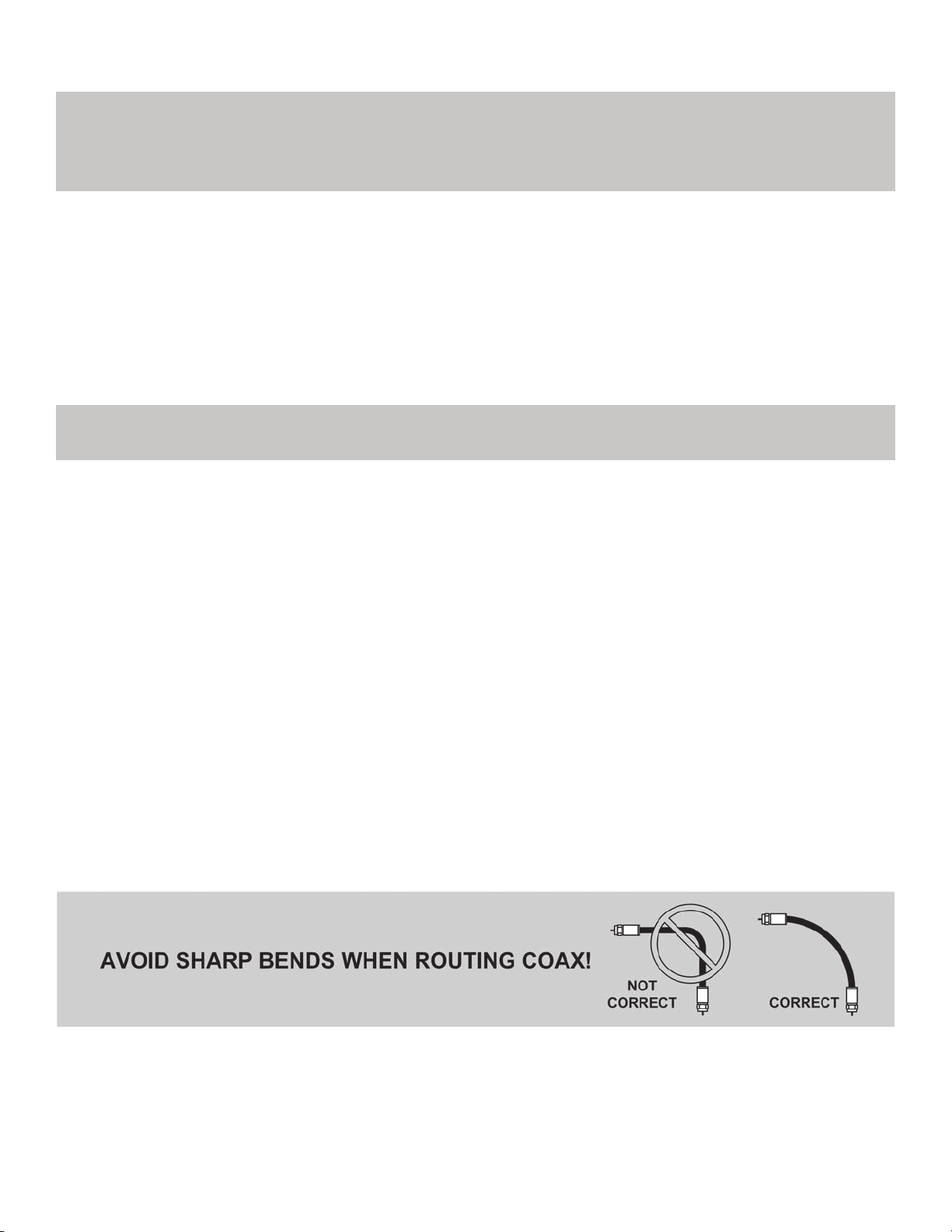
no sharp bends in the coax.
IMPORTANT! The antenna unit MUST be mounted to the air ride cab, NEVER to any structure mounted directly
to the frame (for example the headache rack). Mounting directly to the frame will void the
VuQube warranty.
FIG. 4
Page 5
INSTALLATION (FIG. 5 ON PAGE 6)
4. Mount the bracket to the cab (see bracket instructions-bracket sold separately).
5. Remove the bolts and lock washers from the bottom of the unit. Set the unit in place.
THE WIRING CONNECTION MUST FACE FORWARD (TOWARD THE FRONT OF THE
VEHICLE).
6. Install the bolts and lock washers up through the mounting bracket and into the unit. Tighten
bolts securely.
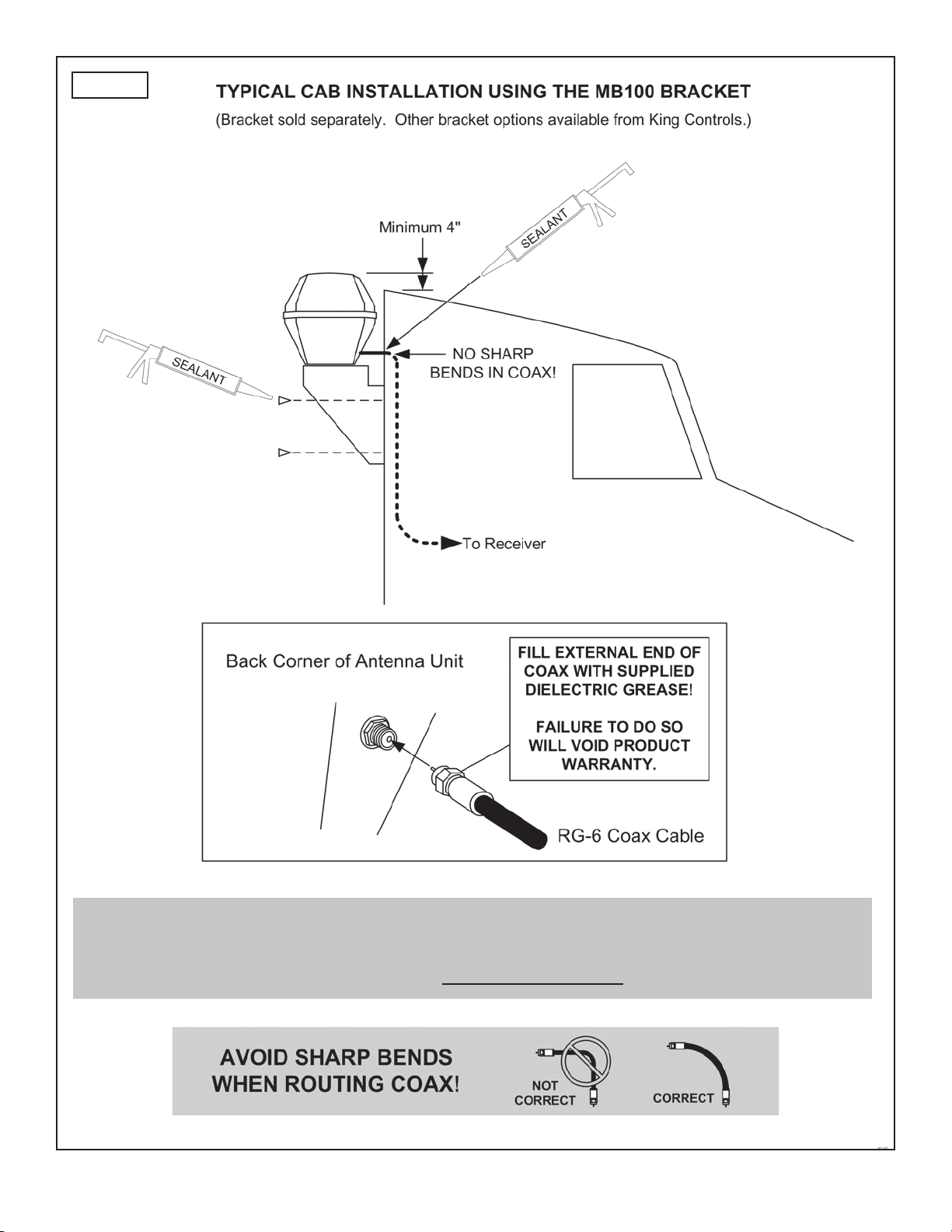
7. Fill end of coax cable with supplied dielectric grease. Connect this end of the coax cable to the
wiring port and tighten connection. DO NOT OVER TIGHTEN.
8. Run coax from the antenna unit to the location where it will be fed into the vehicle. Make sure
it is tied down securely (to a hand rail for example).
9. Drill 3/4” hole through the cab or use an existing hole to feed the coax inside the cab. Seal
opening with cab compatible sealant so that it is entirely waterproof (inside and outside of the
hole).
10. Inside the vehicle, connect the coax from the VuQube to the SATELLITE IN port on the
receiver.
The connection between the antenna unit and the receiver must be a direct connection
with no devices in between.
11. Make sure the satellite receiver is connected to the TV per the manufacturer’s instructions.
NOTE: The installer is responsible for determining the most appropriate fasteners to secure the mounting bracket to
the cab, and they should always be used in combination with a cab compatible sealant.
IMPORTANT! The installer is responsible for weatherproong all holes with sealant.
IMPORTANT! You must ll the end of the external coax cable with the supplied dielectric grease.
Failure to do so will void the product warranty.
Page 6
FIG. 5
IMPORTANT! Bracket mounting holes and wiring hole must be sealed so they are completely waterproof.
Sealant must be cab compatible.
Coax connection should be snug. DO NOT OVER TIGHTEN!

Page 7
This page intentionally left blank.
Page 8
SATELLITE ACQUISITION
1. Determine the look angle for your desired satellite at your present location from the appropriate
map in Section 5 ELEVATION MAPS, or by entering the local zip code into your receiver’s
setup menu (see your receiver’s owner’s manual).
2. Follow the instructions in your receiver’s owner’s manual and navigate to the signal meter
screen. Select the appropriate transponder:
DIRECTV®101 = 19 119 = 22
DISH®61.5 = 14 110 & 119 = 11 129 = 21
Bell TV 82 & 91 = 11
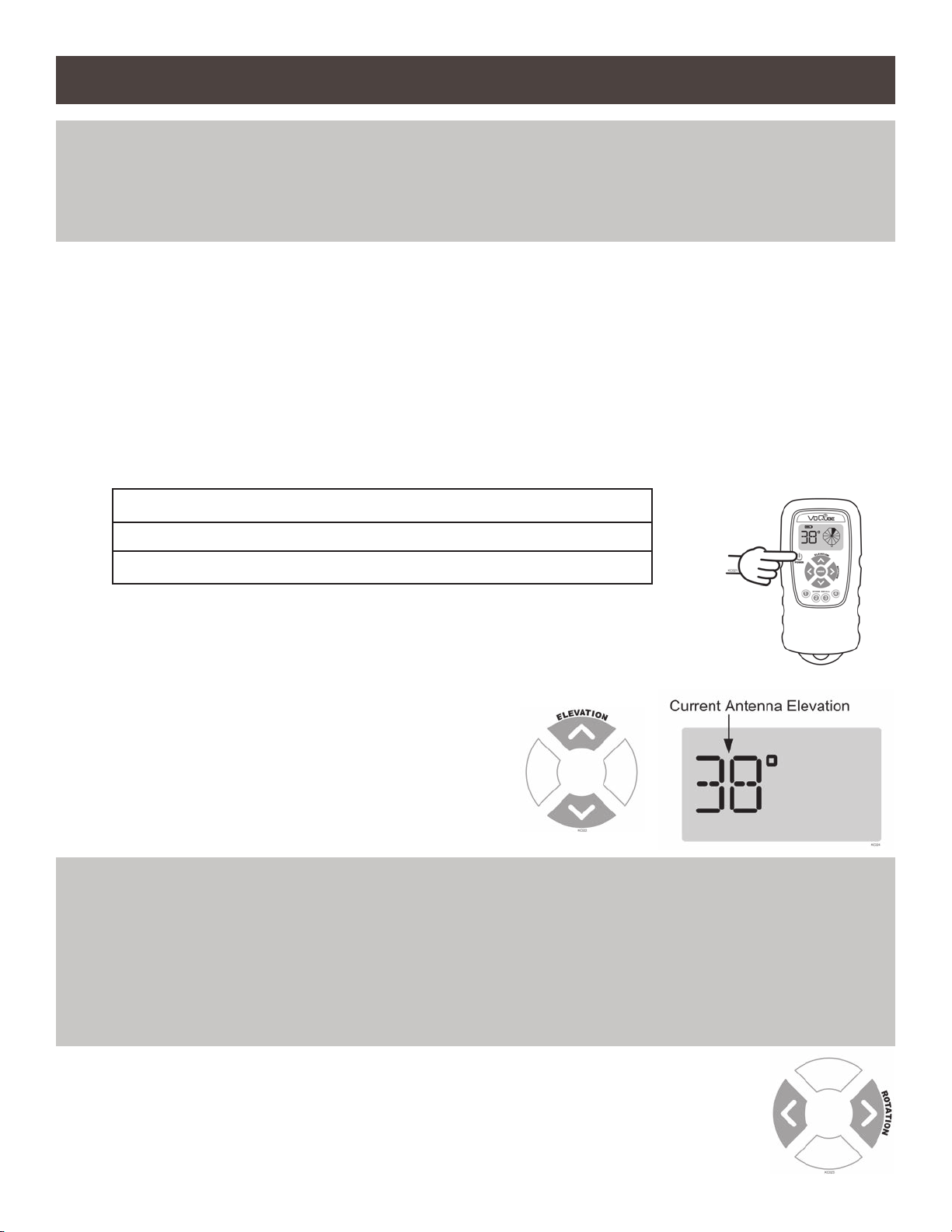
3. Press and hold POWER on VuQube remote until it turns ON.
The remote will display the current antenna elevation angle.
4. Use the UP and DOWN arrows to change the
antenna elevation angle as shown on the
remote control to the proper elevation
determined in step 1.
5. With the satellite signal meter screen displayed on your TV, use the
LEFT and RIGHT arrows to rotate the antenna and watch for signal
to appear on the meter.
Section 3 OPERATION
IMPORTANT! For satellite acquisition, there must be a clear “line of sight” to the southern sky. Mountains,
buildings, trees, telephone poles, etc. can all block the satellite signal from reaching the
antenna (inside the VuQube).
NOTE: Pressing and releasing buttons on the remote control will produce an electronic click.
IMPORTANT! STEP 5. You must watch your TV for signal strength while rotating the antenna in step 5. See
your receiver’s owner’s manual to determine how to display the signal meter screen on your TV.
When pressing the left and right arrows, the remote will continuously beep with a short pause in
between: (beep - beep - beep...).
If the unit reaches its rotational limit in either direction, the remote will display REVERSE
DIRECTION and beep rapidly: (beep beep beep...) Press other rotational arrow to reverse
direction.
Altri manuali per V10
3
Indice
Altri manuali VuQube Antenna TV


