
WATCHMARK Active Manuale utente

USER MANUAL
WWW.WATCHMARK.COM

Music control
Find a phone
Take photos
Sleep monitor
Sports modes
Stopwatch
Alarm
Timer
Weather
Changing the dial theme
Reset to default settings
Settings
Time, date
Pedometer
Brightness adjustment
Distance travelled
Blood pressure
Heart rate
Calorie counter
11
12
13
14
15
TABLE OF CONTENTS
Introduction Applications and functions
About the watch 4
Device configuration
Packaging content
Hardware requirements
Charging the watch
Additional information
How to wear
a smartwatch?
7
Belt change 8
5
6
Belt length adjustment
Installing the app 9
Smartwatch functions 10

Technical data 20
Product complaint
Product return
21
Product replacement
22
Functions available
in the application 16
Measurement history
Sports modes
Movement reminder
Alarm clock
Notifications
Activity alarm
High heart rate alarm
G-Sensor
Battery saving mode
Blood pressure monitor
calibration
Auto shut-off screen
Female cycle monitoring
Changing the dial
Reset to factory settings
17
18
19
23
TABLE OF CONTENTS
General Information Applications and functions
About Watchmark Active
The fashionable design of the smartwatch allows every woman's
individual style to be highlighted. The watch not only catches the
eye, but also motivates you to take care of your health. Change
the design of the dial or wear a new strap for a more elegant or
sporty look. The smartwatch will help improve your form by
tracking your workout progress and recording it in the app. The
watch's menu is in English.
Device configuration
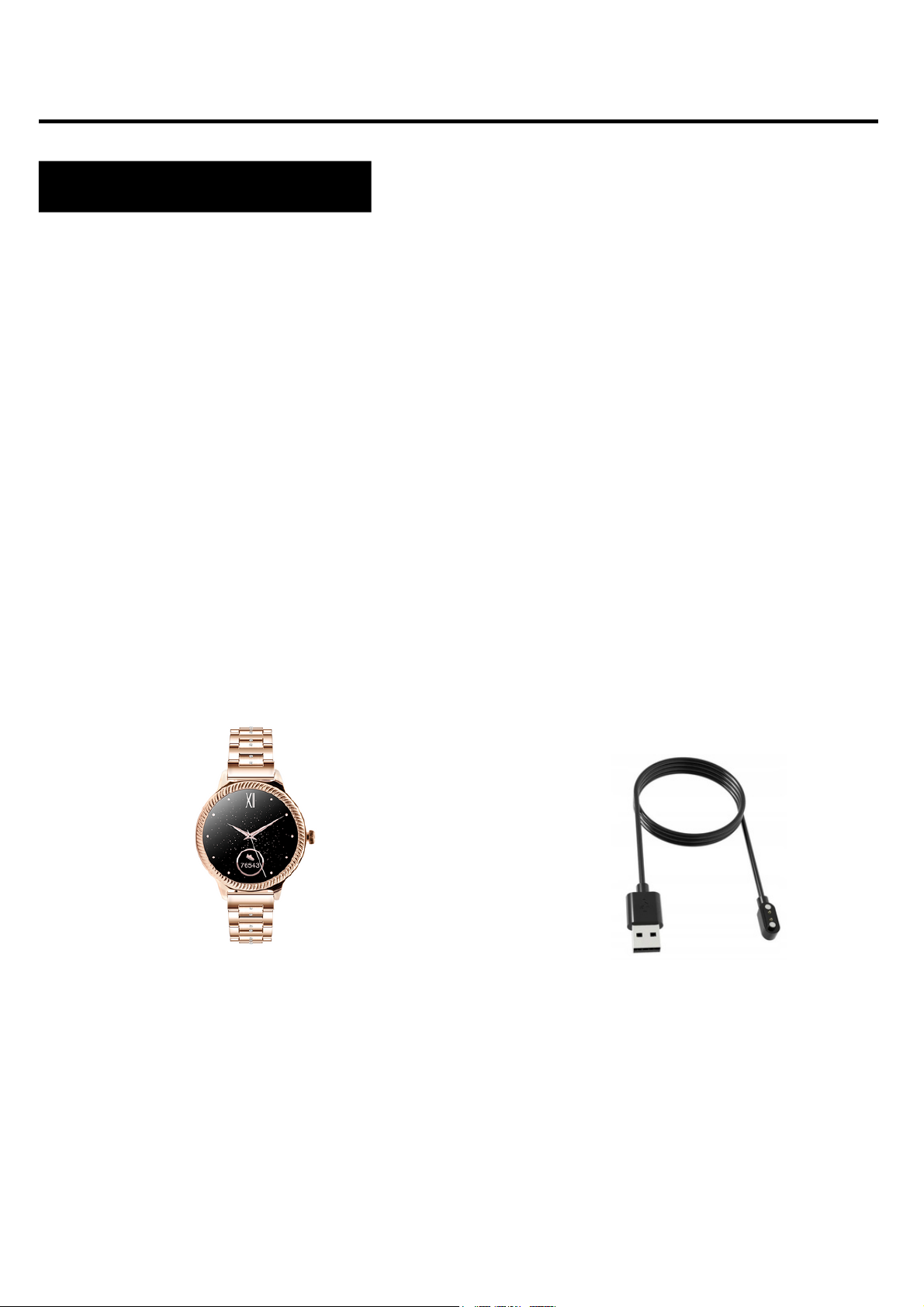
Contents of the package
Smartwatch (colour and
material may vary depending on
the colour chosen)
Belt (colour and material may
vary depending on the colour
chosen)
Charger (colour and material
may vary depending on the
model selected)
4
Introduction

iOS 9.0 and above
Android 4.4 and later
Bluetooth supported: 4.0
Hardware requirements
Charging instructions
This smartwatch uses magnetic charging.
Connect the charging cable to the USB input and to the rear
charging contacts of the device. Once connected, charging will
start automatically and the charging icon will appear on the
screen.
It takes approximately 2 hours to fully charge the battery. Do not
use the watch while it is charging.
Caution: do not connect the magnetic charging cable to any
2 contacts at the same time with conductive material, as this
may cause a short circuit.
Android 4.4+ IOS 9.0+
5

Please read the entire user manual carefully before using the
equipment. It is recommended to use only the original battery,
charger and accessories that are included in the kit received
with the device.
Neither the manufacturer nor the distributor is responsible for
the use of third-party accessories.
The functions that are presented in this manual may vary
between models, as the manual is a general description of
smartwatches. Some models may deviate from the standard.
Before using the device for the first time, charge it for a
minimum of 2 hours. Before using the device, you must
download and install the app and accept all consents that the
smartwatch asks for. If this is not done fully, not all features of
the device will be available. The smartwatch will only ask for
access to functions that are necessary for the smartwatch to
function properly.
The company reserves the right to change the content of this
manual.
6
Additional information

How to wear a smartwatch?
The strap for this watch model is 15mm wide. It is
interchangeable and additional straps can be purchased in
a different colour or material.
Wearing the watch
When you're not exercising, wear the smartwatch as you
would a regular watch, i.e. one finger above your wrist bone.
To take full advantage of the heart rate monitoring function
during exercise, try wearing the device above your wrist
(2 fingers above your wrist bone) to improve comfort and
stability. Many exercises, such as cycling or weightlifting, can
cause the smartwatch's placement to change by bending the
wrist, for example. If the watch sits lower on the wrist bone
measurements can be intermittent, so correct placement
is important.
7

Belt length adjustment
Unscrew the sharp end of the device so that the bracelet
strap is placed on the sponge.
Press the sharp end against the hole where the rivet is
located in the bracelet to detach the segment.
For best visual effect, detach the segments
symmetrically from both sides of the bracelet.
1.
2.
3.
Belt change
Insert one end of the strap together with the telescope
into the recess of the watch envelope.
With the other end, insert the telescope into the centre of
the cavity and attach it to the watch.
Attach the original strap to the watch before using it. When
carrying out this operation, take careful care and watch out
for your fingernails when attaching the telescopes to the
watch.
1.
2.
Wearing the belt
Removing the belt
With one hand, press the wheel on the telescope and
gently push inwards.
Then, pull upwards until the telescope detaches from the
watch.
1.
2.
Once the app is installed, turn on Bluetooth on your phone and go
to the app. Create an account or log in anonymously. Allow
access. Then click on 'Scan hardware'. Select AK38. Once
connected, you can choose which apps you want to receive
notifications from. The app will then ask you to grant it access to
notifications. Select the "H Band" application from the menu. For
the app to work properly, you need all the consents it asks for.
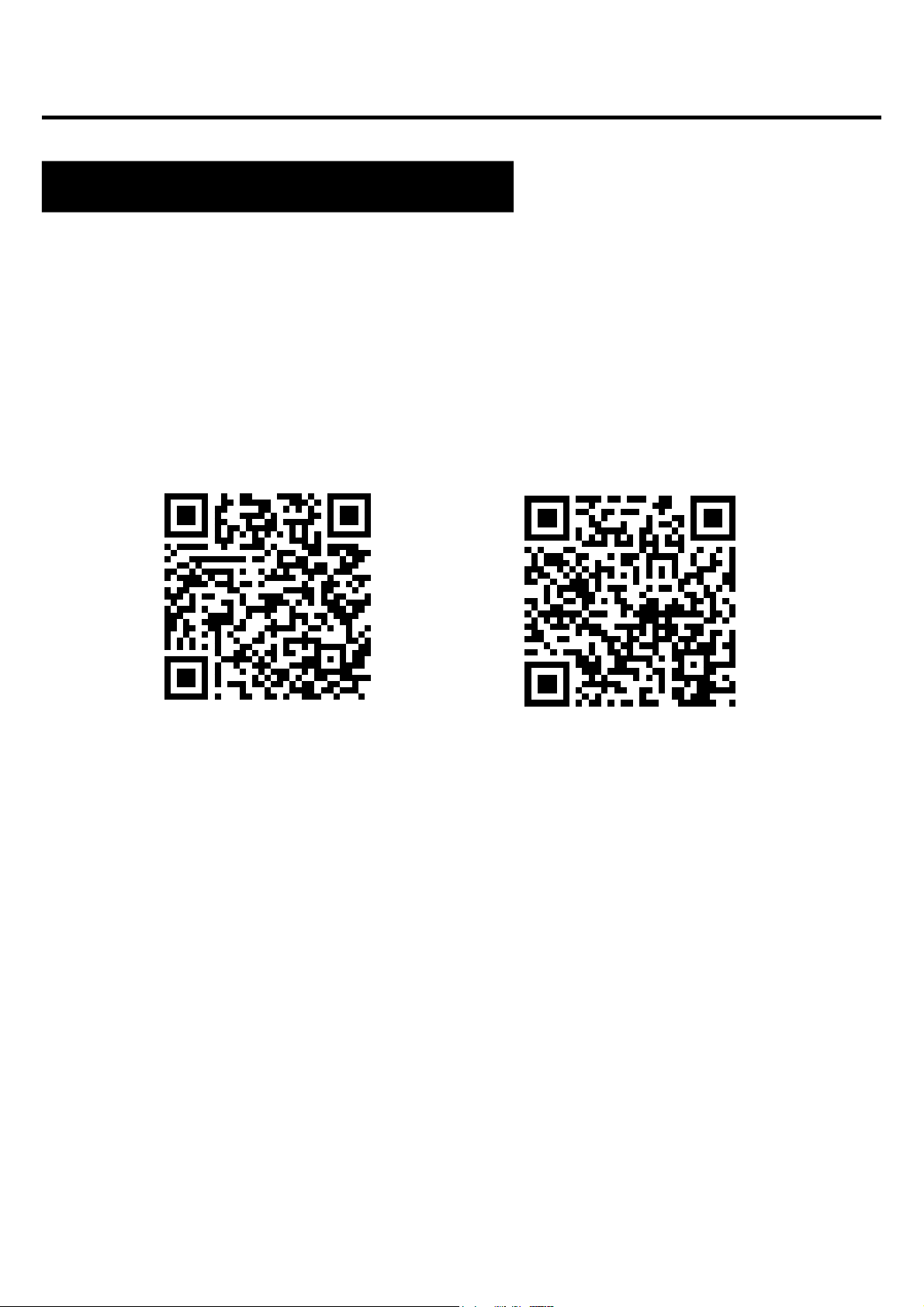
The app for the Active smartwatch model is "H Band".
Download the app from the Google Play / App Store or via
the QR code below. The app is in the English language.
9
Google Play App Store
Applications and functions
Installing applications

Features available on the Smartwatch
Time, date
Pedometer
Screen backlight brightness adjustment
Distance travelled
The display shows the time, date and day of the week. The
data is displayed on the main screen of the watch.
Counts the steps taken on a given day (data resets each day
from 00:00). The number of steps taken can be seen in the app
or in the first tab to the left of the main screen.
Adjusting the brightness helps to protect your eyes from a
screen that is too bright at night, to adapt the backlight to the
outdoor situation and to save the watch's battery. You can find
this function in the drop-down menu from the main screen and
select the appropriate display brightness.
Information about the distance covered during the day. The
distance travelled can be found in the first tab to the left of the
home screen.
10
Indice
Altri manuali WATCHMARK Orologio


